Amazon Reimbursement Services: Stop Leaving Money Behind
If you sell on Amazon and suspect you’re leaving money on the table…you’re probably right.
Between lost inventory, FBA fee errors, and mysterious “adjustments,” Amazon’s system is a masterpiece of complexity. And while Amazon does reimburse sellers for certain mistakes, they rarely tap you on the shoulder and say, “Hey, we owe you a few grand.”
That’s where Amazon reimbursement services come in.
In this post, we’ll break down what they are, how they work, whether they’re worth it, and how to choose the right one (or even DIY) — in plain English.

What Are Amazon Reimbursement Services?
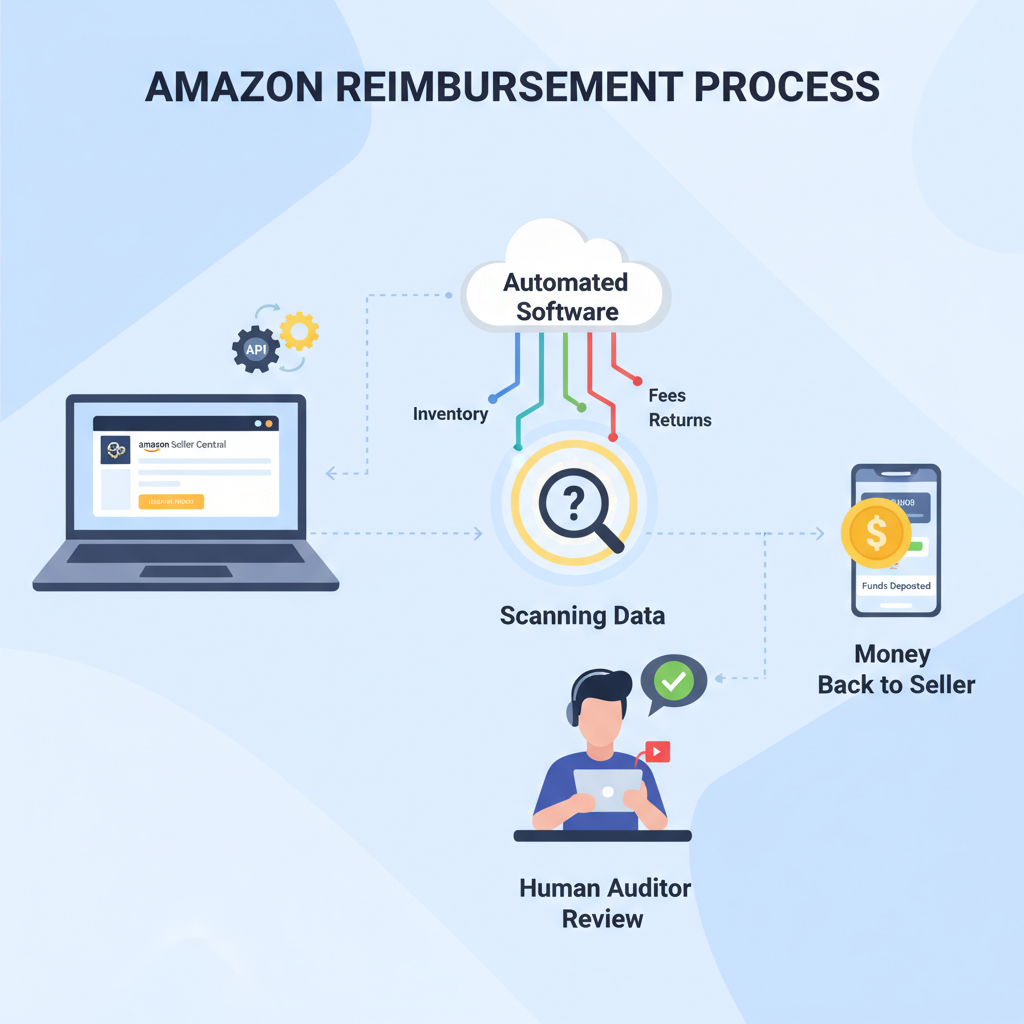
Amazon reimbursement services are third-party companies or software tools that:
- Audit your Amazon Seller Central and FBA data
- Find situations where Amazon owes you money
- File and track reimbursement claims on your behalf
Think of them as forensic accountants for your FBA account.
Most of these services work on a contingency model: they take a percentage (often 15–30%) of whatever Amazon actually pays back. No recovery, no fee.
If you don’t have time or systems to audit your own account, reimbursement services are basically “found money as a service.”
Why Does Amazon Owe Sellers Money in the First Place?
Let’s be fair: Amazon handles ridiculous volume. Mistakes are inevitable. But those mistakes usually hurt you, not them.
Here are the most common FBA reimbursement opportunities:
1. Lost or damaged inventory in FBA
Your products travel through Amazon’s fulfillment network: inbound shipments, warehouses, transfers between fulfillment centers, and outbound shipping.
In that journey, Amazon can:
- Lose items
- Damage items
- Mark inventory as “missing” during cycle counts
When this happens and it’s Amazon’s fault, you’re often entitled to a reimbursement or inventory replacement. But claims can be missed or miscalculated.
2. Incorrect FBA or storage fees
If Amazon mis-measures or mis-weights your product, they may charge higher:
- Fulfillment fees (because Amazon thinks your item is bigger/heavier than it is)
- Storage fees (especially Q4, when long-term or peak storage adds up fast)
A reimbursement service will compare your true product dimensions with what Amazon is charging and help correct overcharges — often for months or years back, depending on policy and seller type.
3. Over-refunds and return issues
Returns are a goldmine of errors:
- Amazon refunds a customer but the item is never returned
- Returned item is damaged beyond resale due to Amazon handling
- Customer returns a different item (yes, this happens)
- Amazon doesn’t put the returned item back into sellable inventory correctly
Each of these can qualify for a reimbursement if the conditions are met.
4. Shipment discrepancies
You ship 100 units to FBA.
Amazon checks in 95.
If the missing 5 units never show up and the shipment contents were correctly documented by you, that’s potentially money owed.
5. Other random Amazon glitches
- Removal order issues
- Reimbursement underpayments
- Items destroyed without proper reimbursement
You get the idea — anywhere there’s a process, there’s potential for small leaks that add up.
If you’ve been selling on FBA for a while and never done a proper audit, it’s almost guaranteed Amazon owes you something.

How Do Amazon Reimbursement Services Work (Step-by-Step)?
Every provider has its own flavor, but the workflow usually looks like this:
Step 1: Connect to your Amazon Seller Central
You grant the service access via MWS/SP-API permissions or a secure login. This lets them pull:
- Inventory reports
- Shipment data
- Transaction history
- Return and refund reports
- Fee and dimension data
They typically have read-only access, except for creating and managing cases when authorized.
Step 2: Automated + manual auditing
Good services use a mix of software rules and human review to:
- Scan for inconsistencies (e.g., shipped vs. received units)
- Identify lost/damaged inventory with no reimbursement
- Compare charged FBA fees vs. product specs
- Match refunds with actual returns
Step 3: Case creation and filing with Amazon
Once issues are found, the service creates support cases using Amazon’s own reimbursement and investigation processes.
This usually includes:
- Clear case notes
- Order IDs, ASINs, shipment IDs
- Screenshots or report excerpts
- Explanation that aligns with Amazon’s policies
Step 4: Follow-up and dispute resolution
Amazon doesn’t always say yes the first time.
Many reimbursement services:
- Track Amazon’s responses
- Reopen or appeal cases when appropriate
- Close cases that are no longer worth the effort
Step 5: You get paid, they get a cut
Approved reimbursements show up as credits in your Seller Central account.
The service then charges you a percentage of:
- Only the successful reimbursements
- Often billed weekly or monthly
Some take their fee by invoicing you; others may auto-charge a card.
The best services feel like a quiet background process that just messages you: “We found you another $1,274 this month.”

DIY vs. Amazon Reimbursement Services: Which Is Better?
You can absolutely DIY reimbursements. In fact, many large sellers have in-house VAs or ops teams dedicated to it.
Pros of doing it yourself
- Keep 100% of the recovered money (no commission)
- Full control over how aggressively you file claims
- You (or your team) learn Amazon’s backend deeply
You’d typically:
- Pull reports in Seller Central (inventory adjustments, reimbursements, returns)
- Reconcile against your own shipment and inventory records
- Manually open cases with clear documentation
The catch?
DIY is only efficient if you have:
- Time or staff to consistently audit and follow up
- Good systems (spreadsheets, scripts, or tools)
- Up-to-date knowledge of what Amazon does and doesn’t allow
Pros of using a reimbursement service
- Huge time savings — they handle the boring detective work
- Often catch more edge-case issues, especially fee and return errors
- No upfront cost with contingency pricing
Cons of using a service
- You share a cut (typically 15–30%) of recovered funds
- You must vet them to avoid anyone violating Amazon’s policies
- Low-quality services can spam Amazon support with low-effort cases, which can hurt your account health
If you’re under ~$20–30k/month in FBA sales, DIY or a simple VA system might be enough. If you’re over that and growing, a reputable reimbursement service often pays for itself many times over.
DIY saves money but costs time; services cost a cut but give you your time (and usually more total recovery).

Are Amazon Reimbursement Services Allowed by Amazon?
This is an important question.
Amazon’s core expectations are that:
- Claims must be accurate, honest, and policy-compliant
- You shouldn’t submit duplicate or abusive cases
- No one should pretend to be Amazon support or misrepresent information
Legitimate reimbursement services work within Amazon’s policies. They:
- Use your seller permissions
- Use standard case creation channels
- Base claims on actual data from your account
The risk comes from shady operators who:
- Mass-file generic, copy-paste cases
- Invent claims without evidence
- Overstep what Amazon allows
That can lead to:
- Case limitations
- Warnings
- In extreme cases, account health issues
Amazon reimbursement services are acceptable if they play by the rules. The tool isn’t the problem; abuse is.
What to Look For in an Amazon Reimbursement Service
Not all providers are created equal. When evaluating, pay attention to:
1. Experience with your seller size and category
A service used to handling $10M+/year FBA brands might not be a fit for a side-hustle private label startup — and vice versa.
Ask:
- What size sellers do you typically work with?
- Do you have experience in my category (apparel, supplements, electronics, etc.)?
2. Transparent pricing
Common models:
- Pure contingency: 15–30% of recovered funds
- Tiered contingency: lower rates for larger accounts
- Setup or minimum fees: more common with enterprise solutions
Look for:
- Clear definition of what counts as “recovered funds”
- Billing frequency and method
- Whether they charge for reimbursements Amazon would have paid you anyway
3. Case quality and policy compliance
Ask them directly:
- How do you ensure you follow Amazon’s reimbursement policies?
- Do you limit how many cases are open at one time?
- How do you avoid duplicate or spammy cases?
If their answer sounds like “we blast as many cases as possible and see what sticks,” run.
4. Data security and access control
You’re giving them the keys to sensitive business data.
Confirm:
- How they handle API permissions
- How they store and protect data
- Whether you can revoke access easily
5. Reporting and visibility
Good services give you:
- A dashboard or regular report showing:
- Cases opened
- Cases approved
- Reimbursement totals by category (lost inventory, fees, returns, etc.)
- Clear fee statements so you know exactly what you’re paying for
Choose a partner, not just a tool. You want someone obsessed with accuracy and policy compliance, not just quick wins.
Real-World Examples: When Reimbursement Services Shine
Example 1: The 6-figure “silent leak”
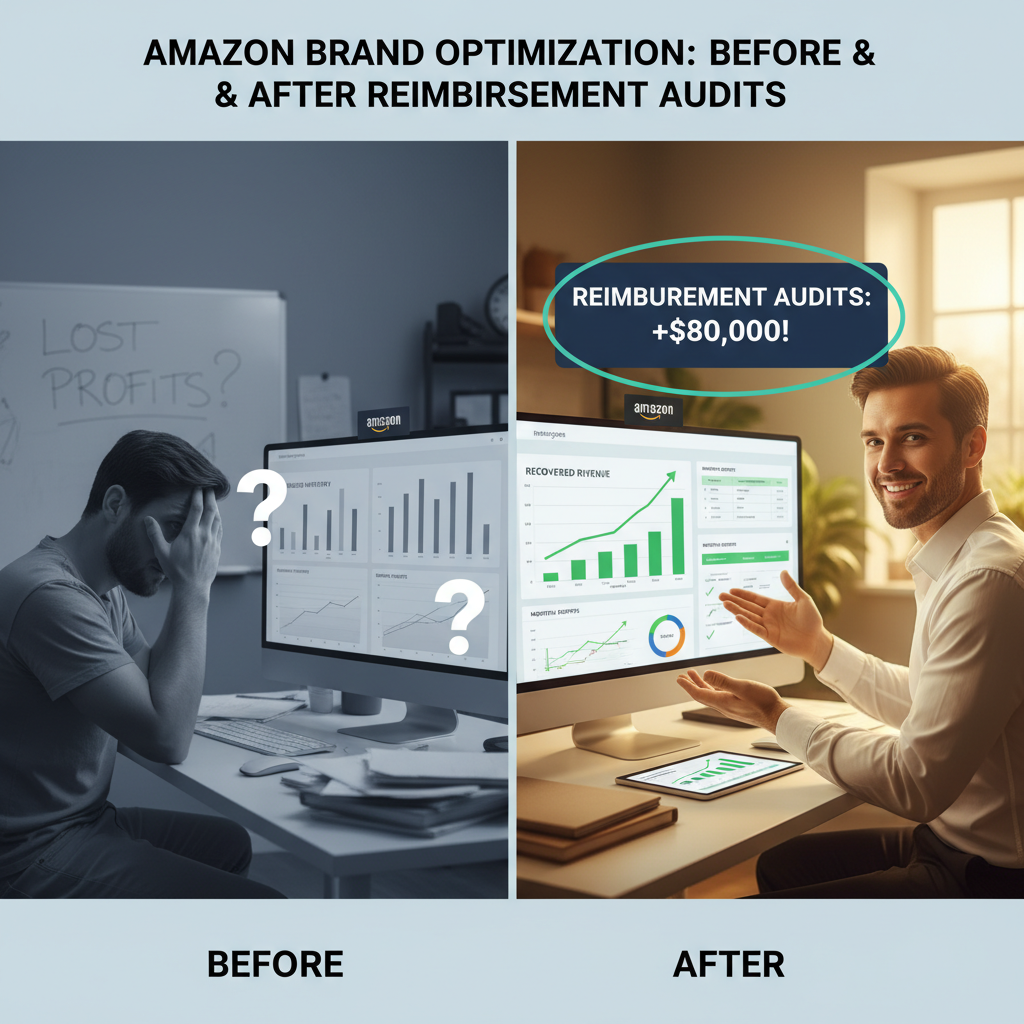
A mid-sized private label seller doing ~$300k/month on FBA hired a reimbursement service after suspecting their returns and shipments didn’t quite add up.
In the first 6 months, audits uncovered:
- Thousands of units marked as lost or damaged with incomplete reimbursements
- Mismeasured product dimensions that had inflated FBA fees for over a year
- Returns where Amazon refunded customers but never received items back
Total recovered: over $80,000 in reimbursements.
Even after a 25% fee, the net recovery was money that would have otherwise vanished.
Example 2: The lean brand that stayed DIY (and won)
A smaller U.S.-based brand doing ~$25k/month decided to train a VA instead of hiring a service.
They built a simple process:
- Monthly pull of key Amazon reports
- A spreadsheet to reconcile shipments and returns
- Clear internal SOPs for what cases to open and how to document them
The VA spent 10 hours per month and recovered an average of $500–$1,000/month in reimbursements.
At that scale, keeping 100% of the recovery made more sense than paying a service.
Reimbursement services are powerful, but they’re not one-size-fits-all. Your sales volume and ops capacity should drive the decision.
How to Get Started (Without Overcomplicating It)
Here’s a simple way to move forward, whether you go DIY or hire help.
Step 1: Estimate your potential
Ask yourself:
- How long have I been selling FBA?
- Have I ever done a structured reimbursement audit?
- Do I notice weird gaps in shipments, inventory, or returns?
If you’ve been selling for 12+ months and never audited, there’s almost certainly money there.
Step 2: Try a limited audit
Options:
DIY test:
- Pick a 3–6 month window
- Pull your shipment, inventory adjustment, and returns reports
- Manually check a few shipments where received units < shipped units
- Open a few well-documented cases with Amazon and see what happens
Service test:
- Sign up with a reputable reimbursement service
- Give them access limited to auditing and case creation
- Monitor their first month of recovered funds and case quality
Step 3: Decide on a long-term model
After a pilot period, decide:
- Keep fully DIY
- Hybrid approach (VA does basics; service handles complex fee and return issues)
- Fully outsource for maximum time savings
You don’t need a 40-page strategy deck. Start small, test, then double down on what works.
Final Thoughts: Stop Treating Reimbursements as “Bonus Money”
Reimbursements aren’t a lottery win. They’re corrections for money you were already owed.
If you:
- Use FBA
- Deal with regular shipments and returns
- Have been selling for more than a few months
…then ignoring reimbursements is like running paid ads with a 10–20% leak in your budget and just hoping for the best.
Whether you:
- Build an internal process
- Train a VA
- Or hire a professional Amazon reimbursement service
— the important thing is that someone is watching your back.
Because Amazon is very good at many things. Proactively telling you, “We messed up, here’s your money back” just isn’t one of them.
Leave a Reply