FNSKU Codes on Amazon: The No-BS Guide for FBA Sellers
If you’ve ever stared at an Amazon shipping label and thought, “What in the world is an FNSKU code and why does Amazon keep yelling at me about it?” — you’re in the right place.
Let’s decode (pun 100% intended) what an FNSKU is, why Amazon cares so much, and how to handle it without losing your mind or your inventory.
What Is an FNSKU Code on Amazon?
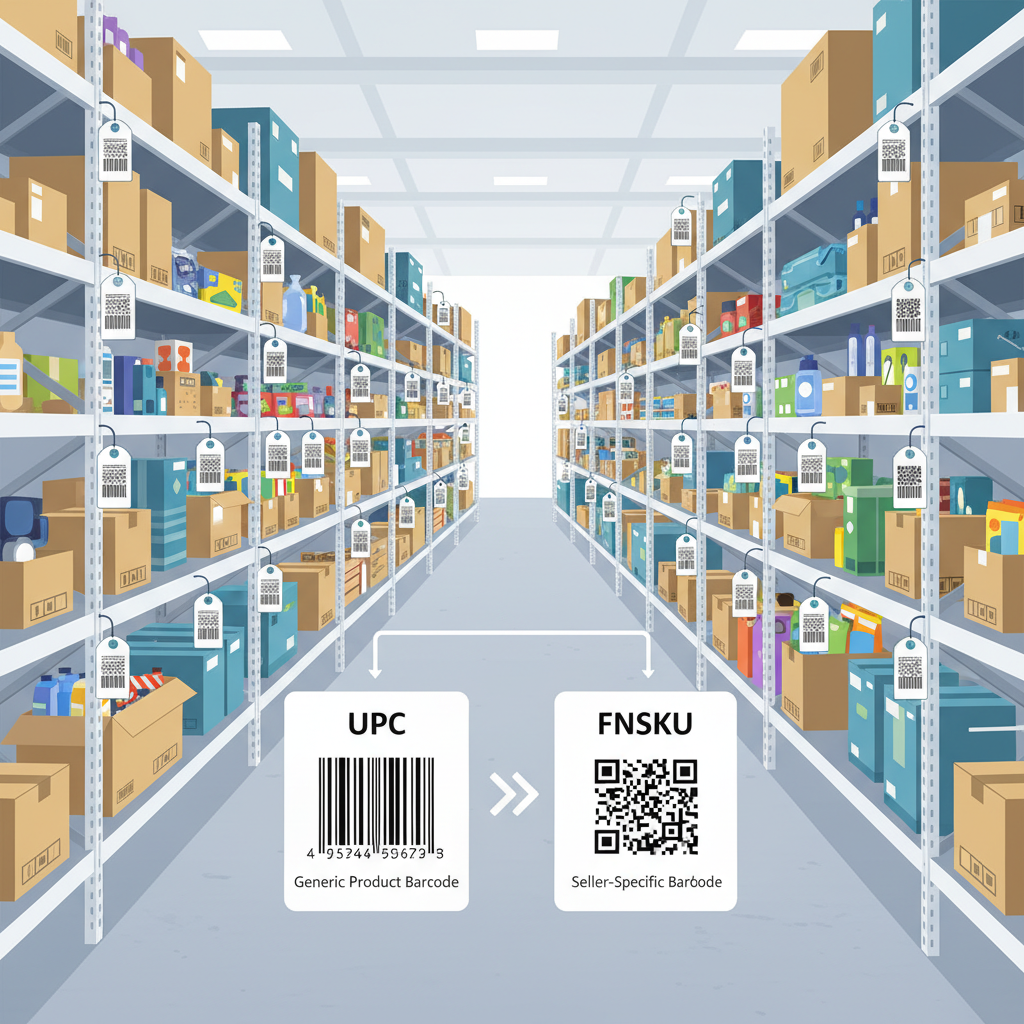
FNSKU stands for Fulfillment Network Stock Keeping Unit.
Plain English version: it’s Amazon’s unique barcode for your specific product listing, used only for FBA (Fulfilled by Amazon) inventory.
- It looks like a standard barcode/label
- It’s tied to your seller account + that exact listing
- Amazon uses it to know which seller’s item they are handling, even if 20 sellers are offering the “same” item
Think of an FNSKU as a name tag for your inventory inside Amazon’s fulfillment centers.

FNSKU vs SKU vs ASIN vs UPC (Without the Headache)
Yes, Amazon loves acronyms. No, they’re not all the same.
Here’s the difference in one simple table:
| Code | Who Owns It? | What It Identifies | Used For |
|---|---|---|---|
| UPC/EAN | Manufacturer | Product type (global) | Retail, cataloging |
| ASIN | Amazon | Product listing in Amazon catalog | Search, listing identity |
| SKU | You (the seller) | Your internal product ID | Your inventory system |
| FNSKU | Amazon (per seller) | Your FBA offer for that listing | FBA tracking & attribution |
Rules of thumb:
- ASIN = the page on Amazon
- SKU = how you track the item in your system
- FNSKU = how Amazon tracks your inventory in FBA
- UPC = how the world identifies the product in general
Why Does Amazon Require FNSKU Codes for FBA?
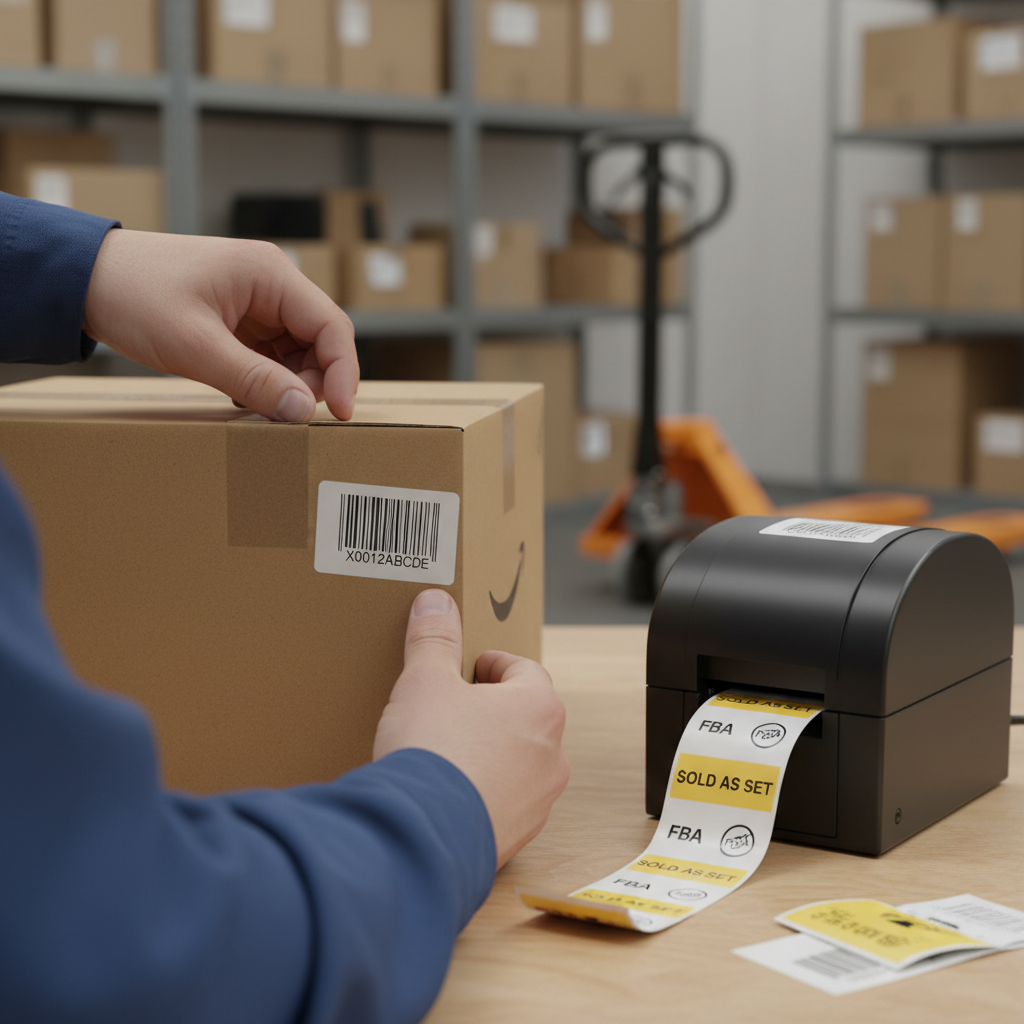
Amazon’s fulfillment centers store products from thousands of sellers, often the exact same product.
If Amazon didn’t use FNSKU labels, it would be much harder to:
- Attribute the sale to the right seller
FNSKU tells Amazon, “This unit belongs to Seller X.” - Track inventory quality & returns by seller
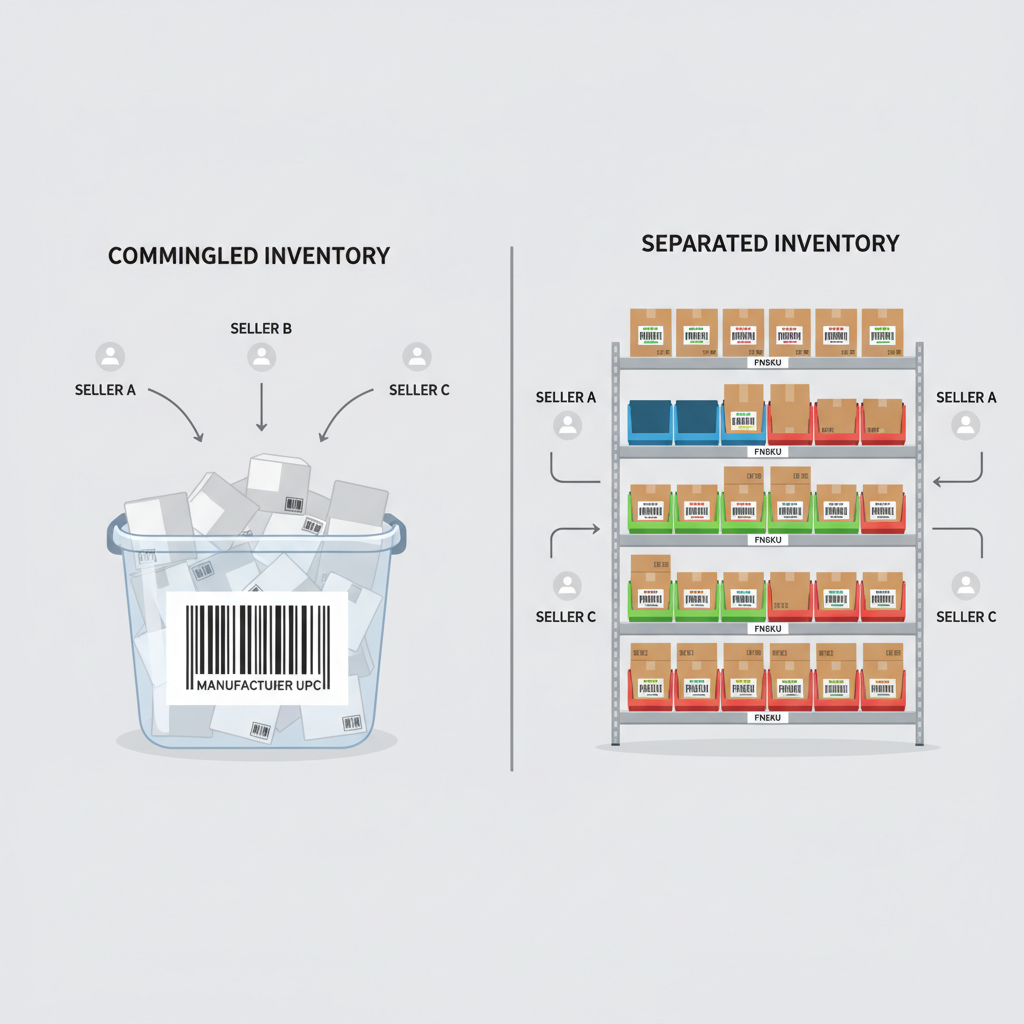
If a batch has issues, Amazon can see whose inventory is causing trouble. - Manage commingling (or avoid it)
With FNSKU-only labeling, Amazon keeps your items separate from others’ instead of mixing them. - Handle reimbursements & lost items accurately
When something goes missing in the warehouse, FNSKU helps tie it back to your account.
How Do You Get an FNSKU Code on Amazon?
You don’t “create” an FNSKU from scratch; Amazon generates it for you.
Step-by-step:
- Create a new product listing (or use an existing one) in Seller Central.
- Under that listing, choose “Fulfilled by Amazon (FBA)” as the fulfillment method.
- Once you convert to FBA and create a shipment plan, Amazon assigns an FNSKU to that offer.
- You’ll then be able to download and print FNSKU labels directly from the shipment workflow.
You’ll see something like: X000ABC123 (example format) printed above or below the barcode.
Where to Find and Download Your FNSKU Labels
In Seller Central:
- Go to Inventory → Manage All Inventory.
- Find the product.
- Click the dropdown next to Edit → Print item labels.
- Choose the label size (e.g., 30-up 1″ x 2-5/8″ on A4/US Letter, or thermal printer formats).
- Download the PDF file and print.
Alternatively, in the Send to Amazon workflow, you’ll also see label printing options when preparing shipments.

Do You Always Need to Print FNSKU Labels Yourself?
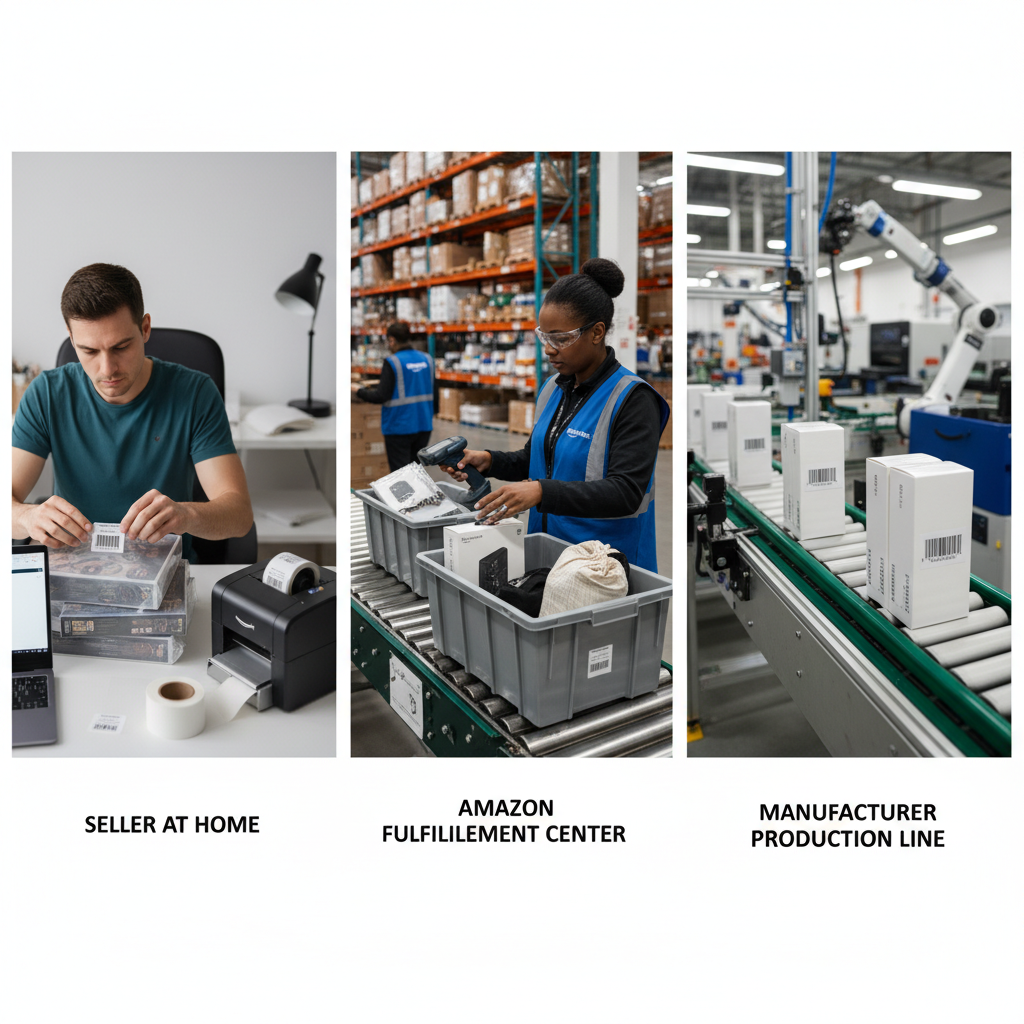
Not always. You have three main options.
1. You Label the Products Yourself
- You print the FNSKU labels
- You (or your prep center) stick them on each sellable unit
- Cheapest if you have time and a label printer
2. Amazon Labels Products for You (Label Service)
Amazon offers a FBA Label Service where Amazon staff will label items for a per-unit fee.
Basic idea:
- You send units with a scannable manufacturer barcode (UPC/EAN)
- Amazon applies the FNSKU labels in the warehouse
- You pay a small fee per unit for the service
Great if you:
- Don’t want to deal with labels
- Are testing a new product and don’t want to invest in printers yet
3. Manufacturer/Private Label Supplier Prints FNSKU on Packaging
If you’re doing private label, you can:
- Send your supplier the exact FNSKU barcode file
- Have them print it directly on the packaging or apply labels at the factory
This is ideal for scaling, because you:
- Skip relabeling at home or prep centers
- Reduce handling time and errors
FNSKU Label Requirements: What Amazon Expects
For FNSKU labels to be accepted by Amazon’s fulfillment centers, they must:
- Be scannable barcodes: No smudges, distortions, or ultra-low resolution.
- Be unique per unit of that SKU / FNSKU combo.
- Be placed on a flat, visible surface of your product’s packaging.
- Cover any other scannable barcodes, like manufacturer UPCs, unless you’re using manufacturer barcodes for tracking.
- Not wrap around corners or edges in a way that hinders scanning.
Placement tips:
- Stick the FNSKU on the back or bottom if the front is branded, as long as it’s clearly visible.
- Don’t place over seams, openings, or perforations.
- If there’s shrink wrap, put the label on the outside of the shrink.
Commingled vs Stickered Inventory: How FNSKUs Fit In
Amazon has two main ways to track inventory for products with barcodes:
1. Manufacturer Barcode (Commingled)
- Amazon uses the UPC/EAN instead of an FNSKU label.
- Units from multiple sellers can be mixed together.
- Customer orders may be fulfilled with any seller’s unit of that product.
Pros:
- Less labeling work for you
- Faster inbound ship prep
Cons:
- Quality issues from another seller can impact your reviews (since Amazon just ships whatever is closest)
- Harder to manage authenticity/condition if others sell the same ASIN
2. FNSKU Label Only (Stickered Inventory)
- Amazon tracks inventory only with FNSKU labels.
- Your inventory remains separate from other sellers’ inventory.
Pros:
- Stronger control over product quality and customer experience
- Better suited for private label or custom bundles
Cons:
- Requires labeling every unit
- Slightly more prep time and cost upfront
Common FNSKU Mistakes (And How to Avoid Them)
Let’s save you from the Amazon “Problem with Shipment” emails.
Mistake #1: Wrong Label on the Wrong Product
Example: You sell two variations of a product (Blue and Red), but apply the Blue FNSKU to some Red units.
Result:
- Amazon receives the shipment and finds mismatches
- Your inventory gets flagged
- You may end up with stranded or unfulfillable units
Fix: Double-check SKUs and labels during prep. Color-code, batch by SKU, and don’t mix variants on the same table.
Mistake #2: Leaving the Manufacturer Barcode Uncovered (When Using FNSKU)
If both the UPC and FNSKU are visible and scannable, Amazon might:
- Scan the wrong one
- Route inventory incorrectly
Fix: Always cover or remove other scannable barcodes when using FNSKU-only tracking.
Mistake #3: Tiny or Low-Quality Prints
Printers set to “fit to page,” low resolution, or misaligned labels can cause:
- Unreadable barcodes
- Slower check-in times
- Rejection of units in the FC
Fix:
- Use the exact label size Amazon recommends
- Print at 300+ DPI
- Test-scan a few labels with a barcode scanner app before mass-labeling
Mistake #4: Changing Pack Sizes Without Changing FNSKUs
Example: You used to sell 1-pack under a certain FNSKU, then change it to a 2-pack but keep using the old FNSKU.
Result:
- Wrong units shipped to customers
- Returns, complaints, and potential account issues
Fix: Create separate SKUs and FNSKUs for each pack size or bundle configuration.
Practical Examples: How FNSKUs Work in Real Life
Example 1: Retail Arbitrage Seller
You buy a nationally known toy at Walmart and resell it FBA.
- ASIN: Existing on Amazon
- UPC: Printed by the manufacturer
- You choose: manufacturer barcode (commingled) or FNSKU sticker
If you:
- Don’t want your inventory mixed with other sellers → Print & apply FNSKU labels.
- Don’t care and want speed → Use manufacturer barcode and let Amazon label (for a fee) or commingle.
Example 2: Private Label Brand
You create your own brand of vitamin gummies.
- New listing, new ASIN
- Your brand name on the packaging
- You want full control over quality and customer experience
Smart move:
- Use FNSKU-only labeling
- Have your manufacturer print FNSKU barcodes directly on the bottles or apply labels at the factory
This keeps your inventory separate and scalable.
Example 3: Custom Bundles
You sell a bundle: yoga mat + resistance bands + towel.
- Bundle gets its own ASIN and FNSKU
- No manufacturer UPC exists for that exact bundle
You must:
- Create the listing and FNSKU
- Label each bundle with that bundle’s FNSKU
How Long Does an FNSKU Last?
As long as:
- The listing remains active
- Your offer (SKU) still exists
…your FNSKU stays the same.
If you:
- Create a new SKU under the same ASIN → you’ll get a new FNSKU for that SKU.
- Merge or delete listings → old FNSKUs might become unusable.
Rule: Don’t assume one FNSKU works across multiple listings, pack sizes, or SKUs.
Best Practices to Make FNSKUs Boring (In a Good Way)
The goal is to make FNSKU handling so routine you don’t think about it.
- Standardize Your Prep Process
- Same workstation, same printer, same steps every time
- Print labels only for one SKU at a time
- Use Clear Naming Conventions for SKUs
E.g.:BRAND-PRODUCT-COLOR-SIZE-PACKso you don’t confuse variants. - Outsource Labeling When It’s Not Worth Your Time
- Amazon label service or prep centers for larger volume
- Audit Random Units
Before shipping, pick 5–10 units from a batch and confirm labels & packaging match the listing. - Keep FNSKU Files Organized
Save label PDFs in folders named by product/SKU so you can quickly resend to a manufacturer or prep center.
Final Thoughts: FNSKU Codes Don’t Have to Be Scary
FNSKU codes on Amazon are not some mysterious, ultra-technical thing. They’re just Amazon’s way of saying, “This exact unit belongs to you.”
If you:
- Understand the difference between FNSKU, ASIN, SKU, and UPC
- Decide whether you want commingled or stickered inventory
- Set up a clean labeling process (or outsource it)
…then FNSKUs become just another boring—but essential—part of your FBA machine.
You focus on finding great products and building your brand. Let the little black-and-white barcode do the rest.
Leave a Reply