Author: Eric Lai

  • Amazon Digital Charge on Your Bank Statement? Here’s What It Really Is


    Amazon Digital Charge on Your Bank Statement? Here’s What It Really Is

    Amazon Digital Charge on Your Bank Statement? Here’s What It Really Is

    Confused adult looking at a bank statement showing an AMZN Digital charge at a kitchen table

    If you’ve ever checked your bank statement and thought, “Who on earth is Amazon Digital and why are they stealing my lunch money?”—welcome. Pull up a chair, fellow confused adult.

    Let’s translate that mysterious “AMZN Digital” line item from Bank-ese into English before you start canceling cards, going cash-only, and bartering with chickens.

    This guide will walk you through what Amazon Digital Services actually are, why Amazon Digital charges appear on your bank or credit card statement, and how to decode and cancel any unwanted Amazon subscription—without losing your mind.

    Illustration contrasting physical Amazon packages with digital Amazon services on devices

    What Is Amazon Digital Service? (In Human Words)

    In plain English, “Amazon digital service” is Amazon’s catch‑all label for anything you buy that you can’t stub your toe on.
    If it lives on a screen instead of your doorstep, it probably falls under Amazon Digital Services.

    So instead of your bank writing:

    • “Prime Video Rental: That One Movie You Fell Asleep To”
    • “Kindle eBook: Another Self‑Help Book You Won’t Finish”
    • “Amazon Music Unlimited: Because Spotify Wasn’t Enough Drama”

    …it just slaps on a vague label like:

    • AMZN Digital
    • Amazon Digital Svcs
    • Amazon Digital Services 866‑216‑1072 WA
    • Amazon Digital Services

    According to banks and consumer guides, this usually represents legit charges for Amazon’s digital content and subscriptions, not fraud and not physical items.

    Is it confusing? Absolutely. Is it a conspiracy? Sadly, no. Just bland billing labels.

    If you’ve searched things like “What is Amazon Digital charge on my bank statement?” or “Why am I getting charged by AMZN Digital?”—you’re in exactly the right place.

    Detective style suspect board showing different Amazon digital services connected to an AMZN Digital charge

    What Usually Causes an “Amazon Digital” Charge?

    Let’s play “Who Done It: Subscription Edition.” Here are the most common suspects behind an Amazon Digital charge, with typical U.S. prices (late 2025‑ish — always check Amazon for current prices because they like to… evolve).

    1. Amazon Prime Membership

    What it is:
    The big bundle: fast shipping plus a pile of digital goodies like Prime Video, Prime Music (limited), Prime Reading, Amazon Photos, and more.

    Typical U.S. cost:

    • Around $14.99/month, or
    • Around $139/year

    How it might appear on your statement:

    • AMZN Digital
    • Amazon Prime
    • Amazon Digital Svcs
    • Amazon Digital Services 866‑216‑1072 WA

    Even though people think of Prime as “free shipping,” a lot of the value is digital, so banks and card issuers often file it under the mysterious Amazon digital services bucket.

    Bottom line: If you see a once‑a‑year Amazon Digital charge that looks suspiciously like $139… that’s probably your Prime membership coming back from the dead.

    2. Prime Video (Standalone or Extras)

    What it is:
    Amazon’s streaming service—movies, TV shows, Amazon Originals, and the thing you scroll for 30 minutes before giving up and watching The Office again.

    Typical costs:

    • Standalone Prime Video subscription: about $8.99/month in the U.S.
    • Rentals or purchases: usually $2.99–$19.99 per title depending on SD/HD/UHD and rent vs. buy

    How it might appear:

    • AMZN Digital
    • Amazon Digital Svcs
    • Occasionally AMAZON MKTPLACE PMTS

    So that “random” $3.99 Amazon Digital charge on your card statement? That’s probably the movie you swear you didn’t buy… but your partner, roommate, or half-asleep self did.

    3. Audible (Audiobooks & Audio Shows)

    What it is:
    Amazon’s audiobook service. You know, so you can “read” while pretending to clean.

    Common plans (U.S.):

    • Audible Plus: around $7.95/month
    • Audible Premium Plus: around $14.95/month

    How it might appear:

    • AUDIBLE* (sometimes clearly labeled)
    • AMZN Digital / Amazon Digital Svcs
    • Amazon Digital Services 866‑216‑1072 WA

    If you grabbed an “OMG 3 months free!” trial and forgot about it, that post‑trial renewal is probably the mystery Amazon Digital charge yelling “Hi, remember me?”

    4. Amazon Music (Prime Music & Amazon Music Unlimited)

    What it is:

    • Prime Music – limited catalog, included with Prime.
    • Amazon Music Unlimited – the full streaming service that tries to steal you from Spotify.

    Typical Music Unlimited costs:

    • About $9.99/month for non‑Prime
    • About $8.99/month for Prime members
    • Different pricing for family / student plans

    How it might appear:

    • AMZN Digital
    • Amazon Music
    • Amazon Digital Svcs

    Common scenario: You hit “Start free trial” while trying to play a specific song, never think about it again, then boom—mystery Amazon Music charge 30 days later.

    5. Kindle eBooks, Kindle Unlimited & In‑App Purchases

    What they are:

    • Kindle eBooks – one‑time digital book purchases
    • Kindle Unlimited – all‑you‑can‑read subscription, usually around $9.99/month after a free trial
    • In‑app purchases – coins, upgrades, and game content on Fire tablets or Amazon apps

    How they might appear on your bank statement:

    • AMZN Digital
    • Amazon Digital Svcs
    • Amazon Kindle SVCS
    • Amazon Digital Services

    Kindle has 1‑Click purchasing, which is fancy talk for “yes, your kid can buy 7 things before you finish making coffee.”

    A bunch of small Amazon Digital charges like $0.99, $2.99, $4.99? That’s either eBooks… or your 8‑year‑old building a digital empire.

    6. Amazon Kids+ (Formerly FreeTime Unlimited)

    What it is:
    A subscription for kids’ books, videos, apps, and games, paired with parental controls so the tiny humans don’t wander into… the rest of the internet.

    Typical U.S. cost range:

    • From around $2.99/month (Prime, single child)
    • Up to about $99/year for bigger family plans
    • Frequently comes as a free trial with Fire Kids tablets

    How it might appear:

    • AMZN Digital
    • Amazon Digital Svcs
    • Amazon Kids+

    This one is famous for: “I set up my kid’s tablet, clicked through some stuff, and now I’m being charged every month.” Yep. That would be the free trial that did not stay free and is now showing as an Amazon Digital Services charge.

    7. Other Digital Stuff: Channels, Apps, Storage & Game Things

    Other possible culprits behind Amazon Digital charges:

    • Prime Video Channels – add-ons like Max, STARZ, Paramount+, sports channels, etc. billed through Amazon
    • Appstore purchases on Fire TV / Fire tablets
    • Game credits, subscriptions, or DLCs
    • Cloud storage via Amazon Photos / legacy Amazon Drive

    All of these like to dress up as “Amazon Digital” or “Amazon Digital Svcs 866‑216‑1072 WA” on your statement. Super helpful, right?

    Pro tip: Always match the exact amount and date of the Amazon Digital charge with your Amazon account history. The more specific you are, the easier the mystery is to solve.

    Person using Amazon website to locate digital orders that match an AMZN Digital bank charge

    Why That Amazon Digital Charge Just Popped Up

    Let’s translate the usual drama behind surprise Amazon Digital charges:

    1. A free trial just ended.
      Prime, Audible, Kindle Unlimited, Music Unlimited, Kids+, or a Prime Video Channel quietly flipped from “Free” to “Surprise!” after 7–30 days.
    2. A subscription renewed.
      Most digital services run on auto‑renew like it’s a personality trait—monthly (Audible, Music, Channels) or annually (Prime, some Kids+ plans).
    3. Someone else in the house bought something.
      An Amazon Household member, your partner, or your kid rented a movie, grabbed an eBook, or made an in‑app purchase while you were blissfully unaware.
    4. You made multiple small purchases.
      A handful of cheap digital buys can look sketchy when they all hit your card at once: $2.99, $4.99, $9.99… cue panic.
    5. The charge posted days after the purchase.
      Sometimes the billing lags, so your brain has moved on, but your bank account has not.

    If any of those sound familiar, your Amazon Digital charge is probably a normal subscription or digital purchase—not automatic fraud.

    Amazon account screen highlighting digital orders and dates to match with AMZN Digital charges

    How to Decode Exactly What an “Amazon Digital” Charge Is

    Time to play detective—with less trench coat, more browser tabs.

    The goal: figure out exactly which Amazon digital service or purchase that mystery AMZN Digital line is tied to.

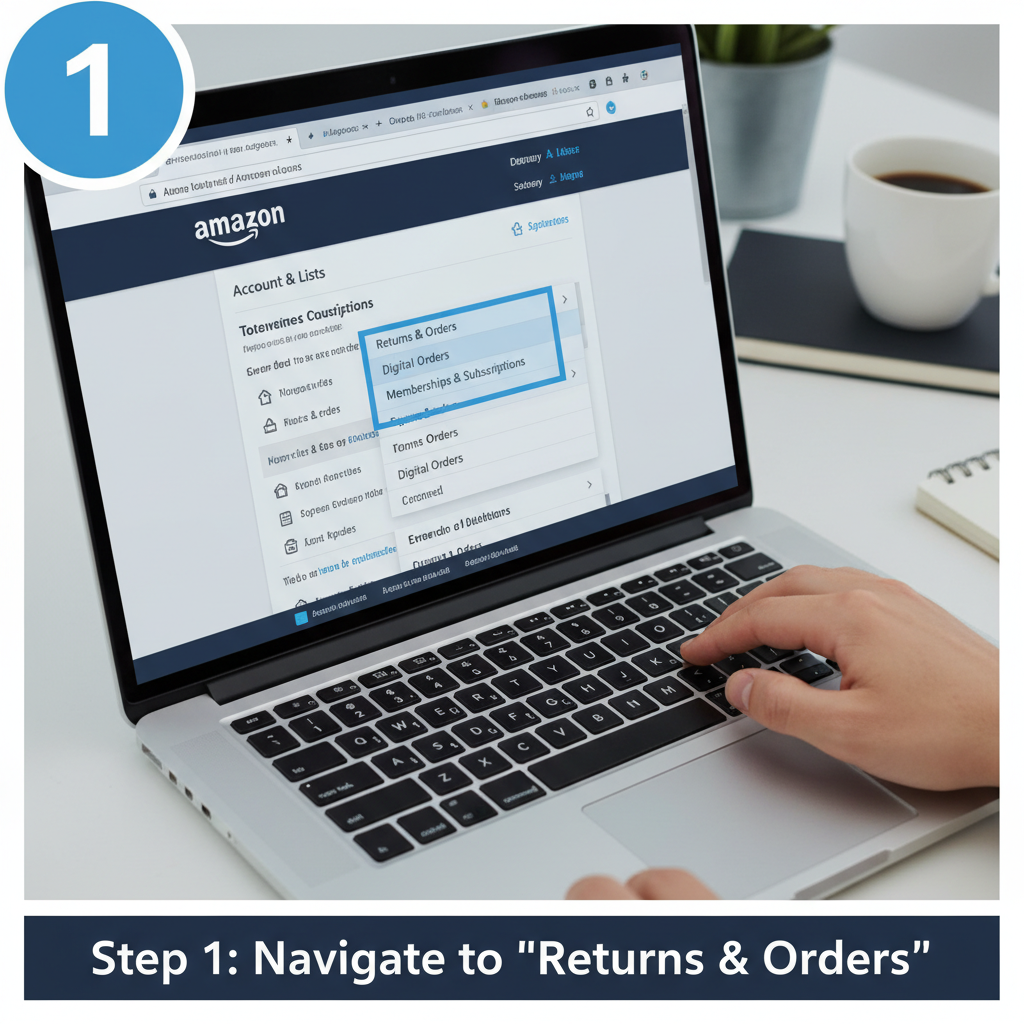
    1. Check Your Digital Orders

    On desktop:

    1. Go to amazon.com and sign in.
    2. Hover over “Account & Lists” → “Your Orders.”
    3. Filter or click “Digital Orders” (or choose “Orders” and switch the filter to Digital).

    On the mobile app:

    1. Tap your profile icon.
    2. Tap Your Orders.
    3. Filter by Digital or similar.

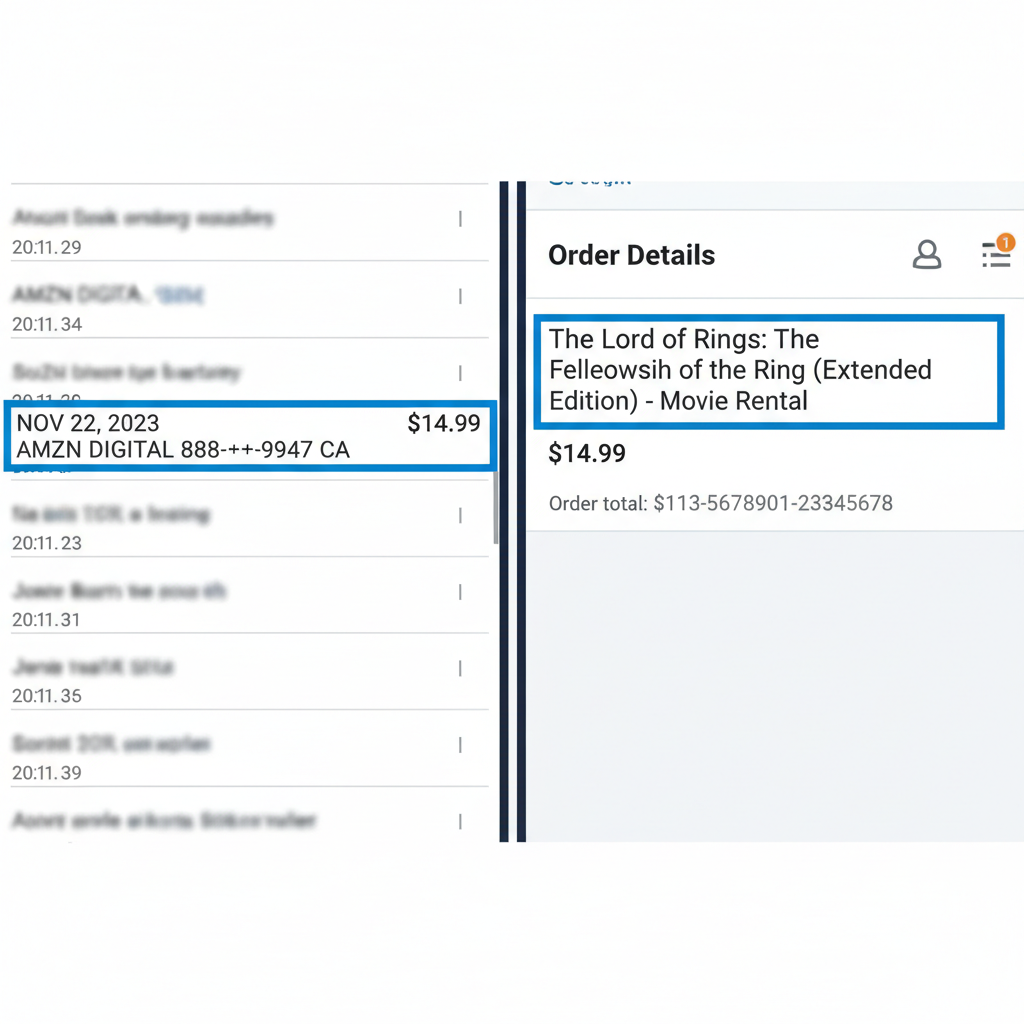
    Now, line up:

    • Bank statement date vs. Digital order date
    • Exact amount vs. Price of the digital item

    If you find a perfect match, congrats: you’ve just found the culprit behind the Amazon Digital Services charge.

    2. Check Memberships & Subscriptions

    If it smells like a recurring fee, go here:

    • Account & Lists → Memberships & Subscriptions, or
    • Your Account → Your Memberships & Subscriptions

    Check for active Amazon subscriptions like:

    • Amazon Prime
    • Audible
    • Amazon Music Unlimited
    • Kindle Unlimited
    • Amazon Kids+
    • Prime Video Channels (Max, STARZ, sports passes, etc.)
    • Any third‑party subs billed by Amazon

    Each one should show:

    • The amount
    • The next billing date
    • A button to Cancel, Turn off auto‑renew, or Manage

    If the amount matches your mystery Amazon Digital charge, you’ve found your recurring gremlin.

    3. Check Household & Kids Profiles

    If your thought process is “I did not buy this,” the very next question should be, “But did someone else with access do it?”

    Look at:

    • Other adults in your Amazon Household
    • Fire tablets / Fire TVs that kids use
    • Game apps with in‑app purchases

    To lock it down and prevent future mystery Amazon Digital Services charges:

    • Turn on Purchase PINs on Fire TV and Fire tablets.
    • Disable or restrict 1‑Click purchasing.
    • Tighten Kids profiles so they can’t buy without approval.

    Future you will send you a thank‑you note.

    Person on laptop cancelling Amazon digital subscriptions like Prime and Audible

    How to Cancel Unwanted Amazon Digital Services

    Found the guilty subscription? Time to yeet it.

    1. Go to Memberships & Subscriptions in your Amazon account.
    2. Find the service (Prime, Audible, Kindle Unlimited, Music Unlimited, Kids+, Channel, etc.).
    3. Click “Manage” or “Cancel subscription.”
    4. Follow the prompts like a responsible adult who now actually reads things.

    In most cases:

    • You’ll keep access until the end of the current billing period.
    • Refunds for already‑started months are not guaranteed, but if it renewed very recently and you haven’t used it, Amazon support sometimes helps.

    If you’re looking at an Amazon Digital charge and thinking:
    “I don’t have an Amazon account,” or “Literally none of this is me”—that’s different:

    • Contact your bank or card issuer ASAP and report it as potential fraud.
    • Also contact Amazon Customer Service via Help → Customer Service → Something else → Payments & charges so they can investigate from their side.
    Split scene showing alerts, calendar reminders and parental controls to avoid surprise Amazon Digital charges

    How to Avoid Surprise Amazon Digital Charges Going Forward

    Because nobody wants Subscription Roulette as a monthly hobby.

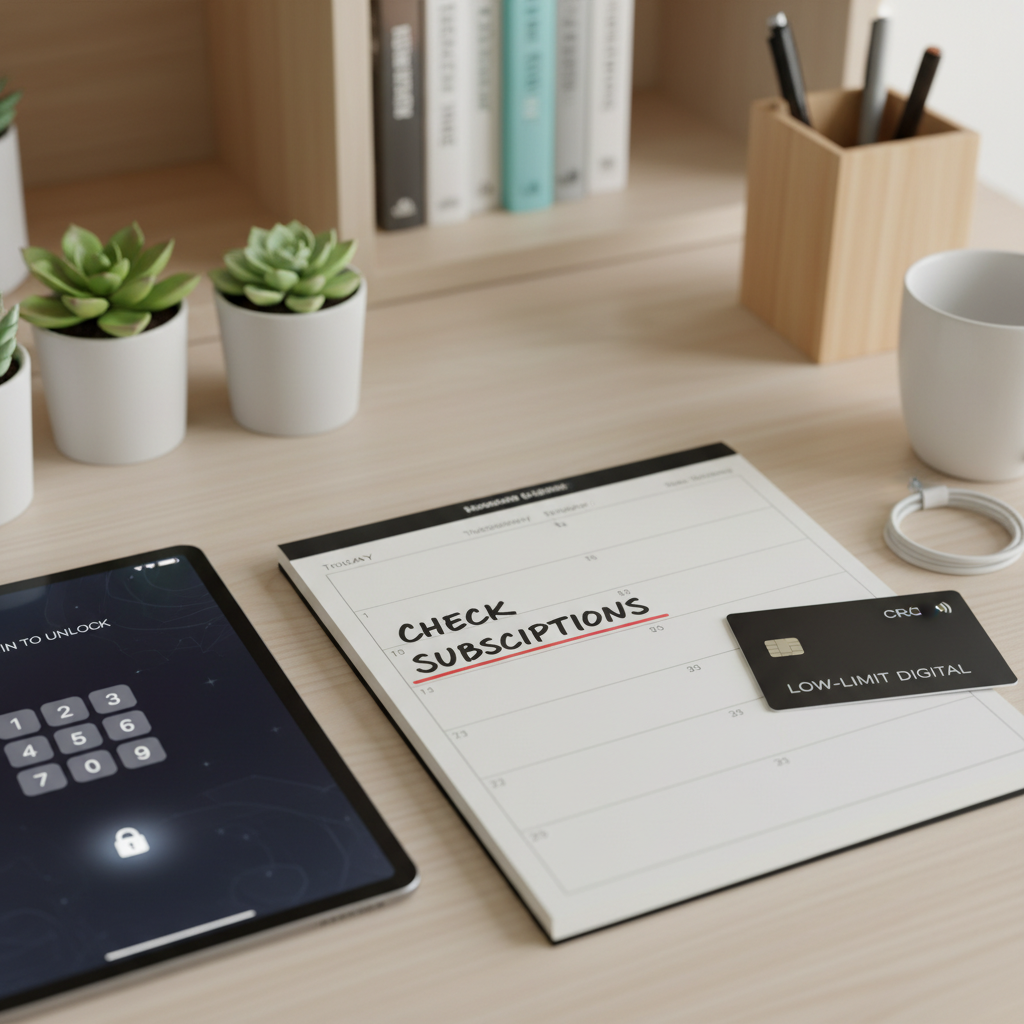
    • Turn off auto‑renew on every free trial you’re “just trying out.” Like, immediately after you sign up. Future you is forgetful.
    • Set calendar reminders for trial end dates—Prime trials, Kindle Unlimited promos, Audible deals, all of it.
    • Do a quarterly scan of Memberships & Subscriptions and nuke anything you don’t use.
    • Add PINs and parental controls on Fire TVs, tablets, and kids’ profiles.
    • Turn on bank or card alerts for online or subscription charges so you get a ping when something new hits.

    Think of it as budgeting… but with fewer spreadsheets and more “Wait, when did I sign up for that?”

    Quick recap visual of different Amazon Digital services and a bank statement showing AMZN Digital

    Quick Recap: What That Amazon Digital Charge Probably Is

    Here’s the short version, for when you’re doom‑scrolling your banking app:

    • “Amazon digital service” is a generic label your bank uses for Amazon’s digital products: Prime, Prime Video, Audible, Kindle eBooks, Kindle Unlimited, Amazon Music, Kids+, app purchases, game content, cloud storage, and more.
    • It often appears as AMZN Digital, Amazon Digital Svcs, or Amazon Digital Services 866‑216‑1072 WA on bank and card statements.
    • Most mystery Amazon Digital charges come from:

      • Free trials turning into paid subscriptions
      • Auto‑renewing memberships
      • Family members’ purchases (kids included, obviously)
      • Small digital purchases adding up
    • The fastest way to identify a charge is to:

      • Match the date + amount in your bank statement
      • With your Digital Orders and Memberships & Subscriptions on Amazon
    • You can cancel or manage everything directly in your Amazon account—and lock things down so the next Amazon Digital charge is at least on purpose.

    If you want help with a specific charge, tell me (no personal info) the exact amount, date, and the full description from your statement, and I’ll tell you what it’s most likely tied to and exactly where to look in your account.


  • Does Amazon Hire Felons in 2025?


    Does Amazon Hire Felons in 2025?


    Job seeker with a record viewing Amazon job openings on a laptop, symbolizing second chances and fair-chance hiring

    Does Amazon Hire Felons in 2025?

    2025 Fair-Chance Hiring Guide

    Does Amazon hire felons? Yes—Amazon does hire people with felony convictions, but it’s always on a case‑by‑case basis, not a guaranteed “everyone with a record gets in” situation.

    So, you’re wondering if Amazon will hire you with a felony and the internet has given you everything except a straight answer. No fluff, no fake hope—just clarity.

    Here it is:

    Yes, Amazon does hire people with felonies — but it’s case‑by‑case, not “everyone gets a job and a Prime membership.”

    If you’re asking, “Does Amazon hire felons in 2025?” the answer is still yes, but your odds depend heavily on:

    • What the offense was
    • How long ago it happened
    • What job you’re applying for
    • Your state’s laws and fair chance protections

    Let’s unpack how Amazon hires felons, which Amazon jobs for felons are most realistic, and what you can actually do to improve your chances.


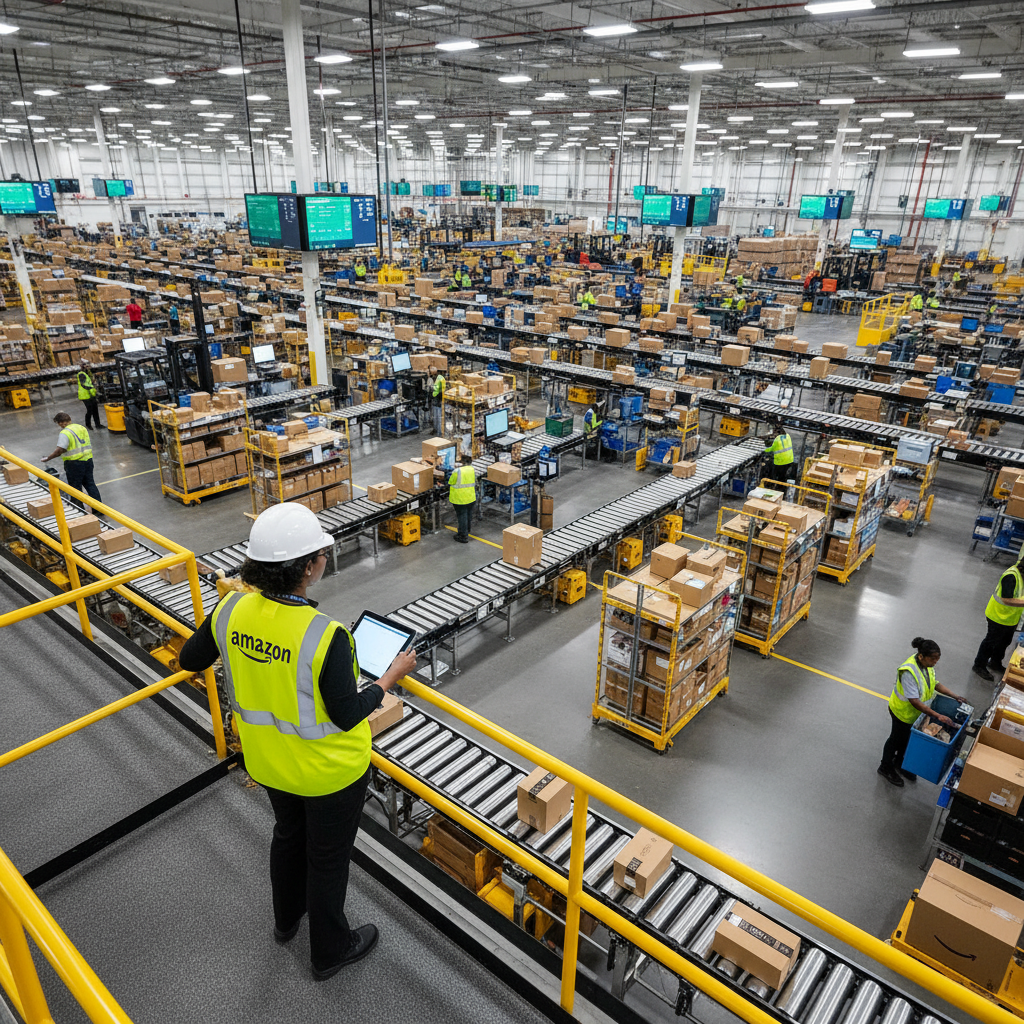
    Busy Amazon warehouse environment with workers handling packages, representing common roles open to applicants with records

    1. Amazon’s Overall Approach to Hiring People With Records

    Amazon does not have a blanket “no felons” rule

    Amazon isn’t sitting in a boardroom saying, “Felons? Absolutely not.” In fact, multiple fair‑chance and re‑entry job sites confirm that Amazon hires people with felony convictions on a case‑by‑case basis. (Felon Friendly Jobs Now)

    In normal‑human language, that means:

    • A felony does not automatically disqualify you
    • Your record is reviewed individually, including:
      • What the charge was
      • How long ago it happened
      • Whether it connects to the Amazon job you want
      • Your work history and rehabilitation efforts

    Groups like Help For Felons, Felon Friendly, and Felon Friendly Jobs Now report that thousands of people with felonies are currently working at Amazon warehouses and in delivery operations across the U.S. (Felon Friendly Jobs Now)

    Translation: You’re not the first person with a record to knock on Amazon’s door. You’re just the latest.

    Public “fair‑chance” commitments

    Amazon has also made a few public moves that matter if you’re searching for felon‑friendly jobs:

    • It signed the Fair Chance Business Pledge, which basically says, “We’ll try not to automatically write people off for having a record.” (Felon Friendly Jobs Now)
    • It’s been pressured in states with Ban the Box / Fair Chance laws (like Washington and California) to clean up how it uses criminal history in hiring. After investigations, Amazon had to adjust its background check processes to better follow the rules. (GeekWire)

    Does this mean a guaranteed Amazon job for everyone with a felony? No.
    Does it mean they officially have the door cracked open to hiring felons? Yes.


    Amazon warehouse workers in safety vests performing picking, packing, and sorting tasks

    2. What Types of Amazon Jobs Are Most Open to Felons?

    If you’re wondering which Amazon jobs for felons are actually realistic, here’s the honest breakdown.

    You’re probably not walking straight into a senior finance role with a fresh fraud conviction. But there are real entry points where Amazon is more open to applicants with records.

    Common roles where felons report getting hired

    Based on fair‑chance job sites and real‑world reports, these jobs are the “start here” options if you’re trying to get hired at Amazon with a felony: (Felon Friendly Jobs Now)

    • Warehouse Associate / Fulfillment Center Worker
      • Picking, packing, stowing, shipping
      • Massive hiring volume = more chances
    • Sortation Center Associate
      • Sorting packages by route and region
    • Package Handler
      • Moving boxes, loading/unloading trucks
    • Delivery roles (mixed chances)
      • Amazon DSP driver – employed by a local delivery partner
      • Amazon Flex driver – independent contractor using your own car
    • Amazon Fresh / Whole Foods roles in some areas
    • Customer Service (limited)
      • Some justice‑impacted people report getting call center or remote support roles, but those usually involve stricter screening

    If you want the path of least resistance: warehouses and logistics roles are your best shot when it comes to Amazon hiring felons. More hiring = more room for second chances.


    Background check report on a laptop screen with a seven-year timeline and Fair Chance notes highlighted

    3. How Amazon’s Background Check Works

    If you search “Amazon background check for felons” or “Does Amazon run background checks on felons?”, here’s what’s really going on.

    What Amazon generally checks

    Amazon uses third‑party background screeners (think Accurate Background, First Advantage, Sterling) to look at: (FelonFriendly.us)

    • Criminal history (usually around 7 years, depending on where you live)
    • Employment history
    • Education (for some roles)
    • Driving record (for driving jobs like DSP/Flex)

    They usually run the background check after you’ve cleared some initial steps—like the online application, assessments, or a conditional offer—especially in Fair Chance / Ban the Box states.

    Most people report 2–14 days for the background check to clear, depending on how fast your county courts move. (FelonFriendly.us)

    How far back does Amazon look?

    Common pattern (with important caveats):

    • Many states and screening companies follow a 7‑year reporting window for most criminal records. (FelonFriendly.us)
    • But some serious offenses (like sex crimes) or certain states allow longer look‑backs.

    So if your conviction is older than 7 years, there’s a chance it might not appear—but don’t assume it’s invisible. Systems make mistakes, and laws vary by state. If Amazon hires felons in your area, you should still be ready to talk about your record if it comes up.

    Pending charges vs. past convictions

    If your case isn’t over yet, things get more complicated.

    Reports from job boards suggest that pending felony charges can be a roadblock, with some applicants being denied until the case is resolved. (Indeed Q&A)

    If your charge is still open, you may need to:

    • Focus on smaller employers or temp work first
    • Wait until the case is dismissed, reduced, or resolved before aiming at Amazon

    Infographic contrasting non-violent and high-risk offenses with icons and labels for Amazon hiring consideration

    4. What Kinds of Felonies Are More (and Less) Likely to Be Accepted?

    Amazon doesn’t publish a neat little chart that says:

    “Today’s Special: 1 non‑violent felony, over 7 years old, served with a side of rehab.”

    But if you look at fair‑chance resources, legal cases, and reports from people who’ve actually applied, patterns do show up. (FelonFriendly.us)

    Felonies that are more likely to be considered

    Not “guaranteed yes,” but “possible if the rest of your story is strong” when you’re trying to get hired at Amazon with a felony:

    • Non‑violent drug offenses
      • Simple possession
      • Low‑level distribution with no violence
    • Older DUIs / DWIs
      • Especially if you’re not applying for a driving position
    • Non‑violent property crimes, if they’re old and isolated
      • Certain theft or burglary charges, depending heavily on context
    • Single, older offenses with clean time since
      • Completed probation/parole
      • No repeat offenses
      • Solid work history afterward

    If your felony is 5–10+ years old, you’ve stayed out of trouble, and you can show stability, your chances of finding Amazon jobs for felons go up.

    Felonies that are usually high‑risk for Amazon

    These are the “we really need to look at this closely” types for Amazon hiring with a felony: (FelonFriendly.us)

    • Violent crimes
      • Assault (especially with a weapon)
      • Robbery
      • Homicide‑related offenses
    • Sex offenses
      • Especially anything that puts you on a sex offender registry
      • Often a hard “no,” particularly for Amazon Flex or any job with residential deliveries (Felon Friendly Jobs Now – Amazon Flex)
    • Theft / fraud from employers
      • Embezzlement
      • Organized retail theft
      • Check fraud
      • Identity theft
    • Recent or repeated felonies
      • Multiple convictions in a short time
      • Violations while on probation or parole

    But remember: there is no universal rule. Some people with serious records get hired; some with minor ones don’t. When it comes to Amazon hiring felons, it’s always context + timing + role = outcome.


    Three Amazon work settings: warehouse floor, delivery route, and corporate office to show different risk levels

    5. Differences by Role: Warehouse vs. Drivers vs. Corporate

    Same company, totally different risk levels depending on what you’ll be doing all day.

    Warehouse & Fulfillment Jobs

    If you’ve got a record, this is usually the best starting point for felon‑friendly Amazon jobs:

    • Constant hiring = more openings
    • Less customer interaction; mostly physical work and operations
    • Many reports of people with felonies (even recent, non‑violent ones) being hired here (Felon Friendly Jobs Now)

    That said, offenses involving theft or violence can still make it harder, since you’ll be around valuable inventory and lots of coworkers.

    Amazon DSP and Amazon Flex Drivers

    Driving jobs come with extra rules and more scrutiny:

    • You’re on the road
    • You’re going to people’s homes and workplaces
    • You’re the brand people see

    Fair‑chance resources say Flex and many DSPs will not accept certain felonies within the last 7 years, especially: (Felon Friendly Jobs Now – Flex)

    • Violence
    • Vehicle‑related crimes (recent DUI, reckless driving, hit‑and‑run)
    • Theft, robbery, burglary
    • Sex offenses

    However, some people with older, non‑violent felonies do report working as drivers. Policies depend on:

    • Your state’s laws
    • Insurance requirements
    • The specific DSP partner’s rules

    If your record involves driving or violence, the safer move is usually: warehouse first, driver later (maybe).

    Corporate, Tech, and Sensitive Roles

    These are the “more background checks than a nosy neighbor” positions:

    • Corporate office
    • IT / security / finance / HR
    • Roles with access to customer data or high‑value inventory

    Here, Amazon tends to care a lot more about:

    • Fraud, theft, hacking, identity theft
    • Any offense that suggests risk with money, data, or trust

    It’s not impossible to reach these roles eventually—but trying to land them as your first Amazon job with a serious record is an uphill climb. Many people start in the warehouse, prove reliability, then aim for promotions or internal transfers.


    Document titled Know Your Rights about Fair Chance and Ban the Box laws next to a laptop

    6. How State Laws Affect Your Chances (Ban the Box & Fair Chance)

    Your record is one factor. Your zip code is another.

    Fair Chance / Ban the Box states

    Some states and cities have “Ban the Box” or Fair Chance laws that basically tell employers:

    “Stop asking about criminal history on page one of the application like it’s your favorite hobby.”

    Common features: (FelonFriendly.us)

    • No criminal history questions on the initial application
    • Background checks happen after:
      • A conditional job offer, or
      • A determination that you’re otherwise qualified
    • Employers must:
      • Consider time since offense, nature, and relevance to the job
      • Avoid blanket “no felons” policies
      • Provide notice and a chance to respond if they plan to deny you because of your record

    States and big cities with stronger protections include (not complete):

    • California, New York, Illinois, Washington, Colorado
    • Cities like NYC, Philadelphia, Seattle, and more (FelonFriendly.us)

    Because Amazon has warehouses everywhere, it’s had to change how it does background checks in these areas. In Washington, for example, Amazon adjusted its Flex driver process after pressure from the Attorney General. (GeekWire)

    If you’re in a Fair Chance state, you’re more likely to:

    • Be judged first on your skills, then your record
    • Get written notices and a chance to correct errors if your background check causes problems

    Job seeker at a kitchen table preparing their resume, story, and rights before applying to Amazon

    7. Practical Tips to Get Hired at Amazon With a Felony

    Now for the part that actually changes things: what you can do.

    1. Aim for the most realistic roles first

    Your opening move matters if you want Amazon to hire felons like you.

    Better first targets:

    • Warehouse / Fulfillment / Sortation
    • Package handler roles

    Try to skip—for now—if your record is serious or recent:

    • Driving jobs
    • Finance, IT, or anything dealing with sensitive data or money
    • Roles handling high‑value assets in secure areas

    Get in the door where Amazon is most flexible, build a track record, then level up.

    2. Be prepared to be honest (and specific)

    The background check will pick up most recent convictions. Lying turns a “maybe” into a “no” faster than anything.

    Prepare a tight 1–2 minute explanation that hits:

    • What happened – short, factual, no 20‑minute backstory
    • How long ago it was
    • What’s changed since – treatment, programs, stable work, clean time
    • What you learned – and why it won’t happen again

    Practice saying it out loud until you don’t sound defensive or ashamed—just accountable and focused on the future.

    3. Strengthen the rest of your application

    You’re competing with people who don’t have a felony. Your goal: make it clear you’re still worth a serious look.

    Do things like:

    • Build a clean, simple resume:
      • Any warehouse, construction, factory, moving, or physical labor experience
      • Long stretches at past jobs (shows reliability)
      • Any safety‑related training (forklift, OSHA, etc.)
    • Collect references:
      • Former bosses or coworkers
      • Re‑entry or nonprofit program leaders
      • Probation/parole officers who are willing to say, “This person is doing the work”
    • Add relevant training:
      • Short warehouse/logistics courses
      • Forklift certification
      • Online communication or customer service training (for people‑facing roles)

    The stronger the rest of your profile, the less weight your record has.

    4. Know your rights around background checks

    Under the Fair Credit Reporting Act (FCRA) and many state laws: (FelonFriendly.us)

    • Amazon has to get your permission to run a background check
    • If they want to deny you because of that report, they must:
      • Send a pre‑adverse action notice (aka “we might say no”)
      • Give you a copy of the report
      • Give you a chance to dispute errors
    • If they finalize the denial, they must send an adverse action notice

    Background checks are not perfect. Mistakes happen:

    • Wrong person with your same name
    • Charges that were dismissed still showing
    • Old stuff that shouldn’t be reported in your state

    If something looks off, you can dispute it with the background screening company.

    5. Consider your timing and pattern

    If your felony is very recent (think last 6–12 months) or you have multiple recent felonies, Amazon—and most big employers—will probably hesitate.

    In that case, a better game plan might be:

    • Start with smaller local businesses or re‑entry‑friendly employers
    • Rack up 6–12 months of clean work performance
    • Gather strong references
    • Then try Amazon again with a much better story:
      • “Here’s what I did. Here’s how I changed. Here’s the work I’ve done since.”
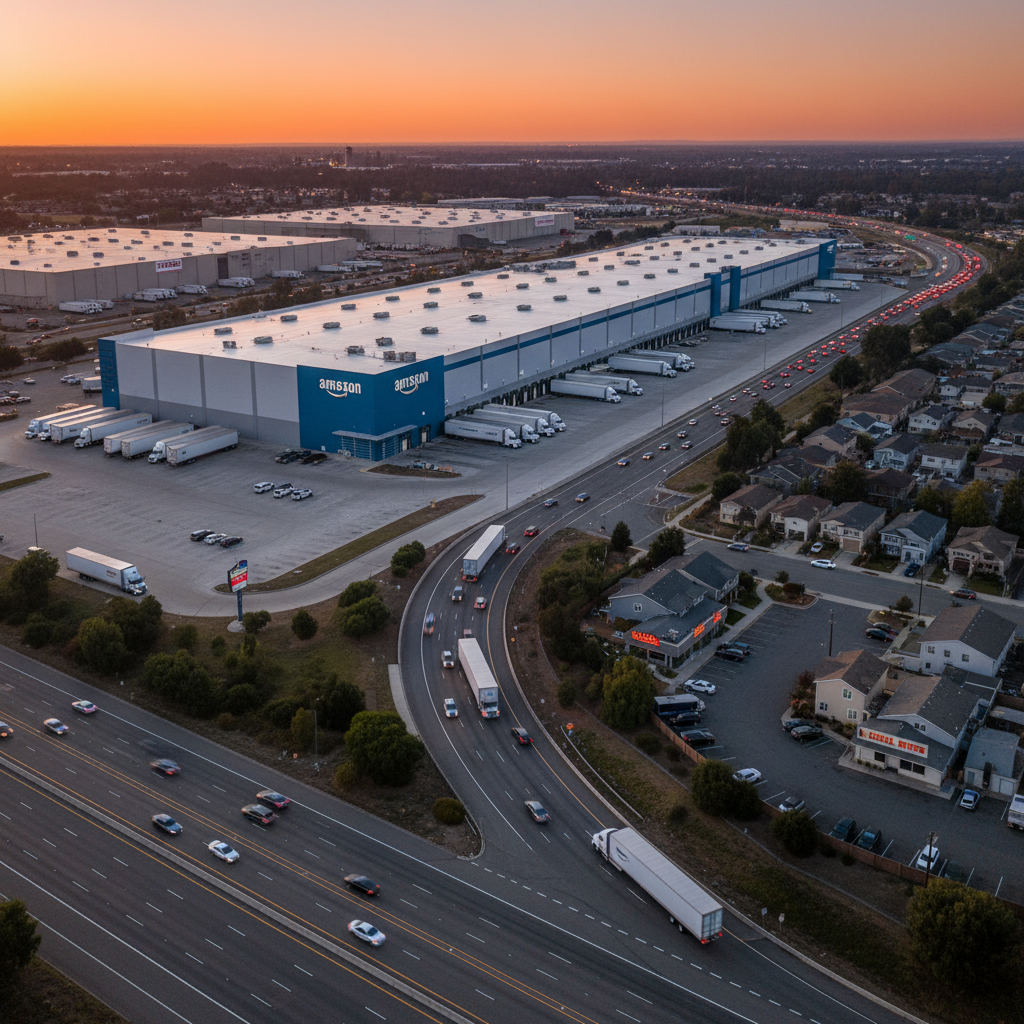

    Summarized key points about Amazon hiring felons, presented in a clean infographic style

    8. Key Takeaways: Does Amazon Hire Felons?

    Let’s boil this down so you don’t need a study guide.

    • Yes, Amazon hires people with felonies. There is no across‑the‑board “no felons” policy. (Felon Friendly Jobs Now)
    • Decisions are case‑by‑case, based on:
      • Type and seriousness of the offense
      • How long ago it happened
      • How related it is to the role
      • Proof of rehabilitation and work history
    • Warehouse and fulfillment jobs are usually the best entry point for Amazon jobs for felons.
    • Violent, sexual, theft‑from‑employer, and very recent offenses get the most scrutiny.
    • Fair Chance / Ban the Box laws in many states force Amazon to handle criminal records more carefully and transparently.
    • You can improve your odds by:
      • Applying for realistic roles
      • Being honest and prepared to explain your record
      • Strengthening your resume and references
      • Knowing and using your rights around background checks

    Motivated applicant organizing an action plan and paperwork before applying to Amazon

    Next Steps If You Want to Apply to Amazon

    Action plan time—because “I’ll do it later” is how three years disappear.

    1. Check local openings on Amazon’s jobs site
      • Filter for warehouse / fulfillment / sortation roles first
    2. Get your paperwork ready
      • ID, resume, any certifications, education proof (if required)
    3. Practice your story
      • What the conviction was
      • How long ago
      • What you’ve done since
    4. Apply online
      • Complete any assessments
      • Watch your email/texts for orientation or background check info
    5. If you’re denied because of your record:
      • Request your background report
      • Check for mistakes
      • Dispute anything that’s wrong

    If you want more specific help, tell me:

    • Your state
    • The charge
    • How long ago it happened
    • The type of Amazon job you’re aiming for

    and I can help you shape a strategy—and even a sample explanation—you can actually use when you apply.


  • Amazon Package Stolen or Missing? Do This Next


    Amazon Package Stolen or Missing? Do This Next


    Amazon Package Stolen or Missing? Do This Next

    Frustrated adult at front door looking at an empty porch while checking Amazon tracking marked delivered

    You refresh your Amazon tracking page and see it: “Delivered.”

    You check your front door… nothing.

    You refresh again like that’s going to magically spawn it into existence. Still “Delivered.”

    Congratulations, you’ve unlocked the modern adult side quest: “Where the heck is my Amazon package?”

    This guide walks you through exactly what to do if your Amazon package is stolen or missing—and how to make your porch dramatically less appealing to the porch pirates who treat your front steps like a free curbside Target.

    Along the way, you’ll see how to use built-in Amazon delivery protection, when to contact Amazon customer service, and smart ways to prevent Amazon package theft in the future.


    Person checking multiple hiding spots around a home and apartment building for a delivered package

    Step 1: Confirm It’s Really Missing (Not Just Late, Lost, or Hiding)

    Before you assume you’re the latest victim of porch piracy, rule out the boring explanations. A lot of “stolen” Amazon packages turn out to be late, misplaced, or hiding in plain sight.

    1. Re-check tracking details

    Head to Your Orders in your Amazon account and open the order:

    • Look at the delivery status
      – “Delivered”
      – “Delivered to a safe place”
      – “Handed directly to resident” (which is always fun when no one was home)
    • Check the time of delivery
      – Was anyone else home who might’ve grabbed it?
    • Look for a delivery photo
      – Many Amazon Logistics and carrier deliveries include a photo of where they left the package.

    Annoying but true: carriers sometimes mark items “delivered” a few hours early, and they actually show up later that day or even the next. Sometimes the tracking is just prematurely celebrating.

    2. Search like you lost your phone… again

    Check everywhere a delivery driver might stash an Amazon delivery while trying to be discreet:

    • Behind planters, columns, or benches
    • Side door, back porch, or by the garage
    • Under door mats (yes, this still happens, and no, it doesn’t hide anything)
    • If you’re in a building:

      • Mailroom or package room
      • Leasing office / concierge
      • Lockers or package shelves

    If you live in an apartment or condo, you’re in a higher-risk group for Amazon package theft. Apartment and condo residents are over three times more likely to experience stolen packages than those in single-family homes, partly because everything gets dumped into shared spaces.

    3. Interrogate your household and charm your neighbors

    Politely, of course. This isn’t “Law & Order: Amazon Unit.”

    • Ask neighbors:
      – Did they see the Amazon delivery?
      – Did they pick up the package to keep it safe?
      – Did it accidentally get delivered to them?
    • Ask everyone in your home:
      – Spouse/partner
      – Kids (“Oh yeah, that box? I thought it was for the cat.”)
      – Roommates

    You’d be amazed how often a supposedly stolen Amazon package is sitting in the laundry room because someone was “going to tell you.”

    4. Give it a short grace period

    Use this simple rule of thumb:

    • If it was marked delivered within the last few hours, wait until the end of the day.
    • If it’s been 24+ hours since “Delivered” and still nothing:
      – It’s time to treat it as missing or stolen and move on to the next steps.


    Amazon account screen showing Your Orders and Where's My Stuff tools on laptop and phone

    Step 2: Use Amazon’s Built-In “Where’s My Stuff?” Tools

    Before you unleash your inner customer service warrior, try Amazon’s self-service tools. The company fully expects missing Amazon packages to happen and has systems built for this.

    1. Go to Your Orders in your Amazon account.
    2. Find the problem order.
    3. Click “Problem with order” or “Track package.”
    4. Look for options like:

      • “Order shows delivered but it’s not here”
      • “Item not received”
      • “Where’s my stuff?”

    Depending on the item, seller, and shipping details:

    • You might get an instant refund
    • You might get an instant replacement
    • You might be told to wait a bit longer
    • You might be told to contact the carrier

    For low- to medium-value Amazon packages, the company is usually pretty generous. Surveys show roughly 70% of package theft victims get a refund or replacement from the retailer. You’re not begging for a favor—you’re using Amazon’s delivery protection system exactly as intended.


    Illustration of Amazon support tools and a customer calmly chatting with customer service about a missing package

    Step 3: How Amazon Usually Handles Stolen or Missing Packages

    Here’s how the Amazon machine generally thinks about lost or stolen Amazon packages.

    Amazon’s general approach

    Your protection usually comes from:

    • Amazon’s internal customer service policies, and
    • The Amazon A-to-z Guarantee, especially if:

      • It’s sold by a third-party seller
      • And they shipped it directly or via Fulfilled by Amazon (FBA)

    The A-to-z Guarantee matters if your Amazon package:

    • Never arrives
    • Arrives late
    • Or is not as described

    If you message a third-party seller and they:

    • Ignore you
    • Refuse to help
    • Or say “contact the carrier, not my problem”

    …you can usually escalate with an A-to-z Guarantee claim directly from the order page.

    What Amazon quietly checks behind the scenes

    Behind the scenes, Amazon may look at:

    • Your account history
      – If every other order becomes a “missing Amazon package,” red flags go up.
    • Order value
      – A $15 phone case? Easy. A $2,000 laptop? Expect more questions.
    • Delivery confirmation
      – GPS scan, delivery photo, signature (if any)
    • Carrier investigation results (sometimes)

    For normal, honest customers—especially if this isn’t a frequent issue—Amazon typically sides with you, at least the first few times, especially for smaller-ticket items.


    Customer calmly talking to Amazon customer service via online chat about missing delivery

    Step 4: How to Talk to Amazon Customer Service (Without Raising Eyebrows)

    If the self-service options don’t solve your missing Amazon delivery, it’s time to contact Amazon customer service directly.

    1. Go to Your Orders and select the missing item.
    2. Click “Get help”, “Contact us,” or similar.
    3. Choose chat (fastest) or phone (better for high-value items).

    Have this information ready:

    • Order number
    • Date and time it was marked delivered
    • What you already did to locate it:

      • Checked all doors and porches
      • Checked with neighbors
      • Confirmed no one in your household has it
      • Checked the delivery photo (if any) and it’s wrong/empty/not your house/now gone

    Use calm, clear language like:

    “Tracking shows this Amazon package was delivered yesterday at 3:18 p.m., but it’s missing. I checked all around my property, with neighbors, and with everyone in my household. It appears the package was either misdelivered or stolen. Can you help with a refund or replacement?”

    Then either:

    • Save the chat transcript, or
    • Note the time, date, and agent’s name if you’re on the phone

    This documentation is useful if things escalate later with your bank or card issuer.


    Digital interface of shipping carrier claim form for reporting a missing delivered package

    Step 5: Contacting the Carrier (If Amazon Sends You There)

    Sometimes Amazon passes the baton and directs you to the delivery carrier for your missing Amazon package:

    • USPS
    • UPS
    • FedEx
    • Another regional or national carrier

    (For Amazon Logistics, you’ll usually end up back with Amazon support.)

    If Amazon tells you to contact the carrier:

    1. Grab the tracking number from your Amazon order page (this may differ from Amazon’s internal tracking ID).
    2. Go to the carrier’s website and look for:

      • “File a claim”
      • “Report a missing package”
    3. Provide:

      • The tracking number
      • Your contact information
      • A short description like: “Marked delivered, but never received.”

    Reality check: studies show less than 9% of package theft victims get refunds from carriers, and actual recovery of stolen packages is rare.

    Also, many carriers will say:

    “The shipper (Amazon or the seller) has to file the claim.”

    So yes, follow through if Amazon asks—but treat this as a side quest, not your main path to resolving a stolen Amazon package.


    Nighttime porch scene with security camera and well-lit entry, highlighting seriousness of package theft

    Step 6: When You Should File a Police Report

    Here’s where we move from “mildly annoyed” to “okay, this is serious.”

    Consider filing a police report for package theft if:

    • The item is high value
      • Phones, laptops, tablets, designer items, expensive gear
    • You have security camera or video doorbell footage
    • Your neighborhood has repeated porch piracy incidents, and this isn’t your first stolen package

    Why bother if recovery is unlikely?

    • Some retailers, banks, and credit card companies may require a report for large claims.
    • It creates a record of package theft in your area, which can:

      • Justify more patrols or targeted enforcement
      • Help future investigations
    • In some (rare but real) cases, packages are actually recovered.

    By 2025, at least 11 states plus Washington, D.C. classify package theft as a felony in some situations, so this isn’t just “petty theft of your socks.”

    Is reporting mandatory? Usually no.
    Is it sometimes smart? Absolutely—especially for big-ticket Amazon deliveries or repeated thefts.


    Customer reviewing bank and credit card options on a laptop after Amazon refused refund for missing package

    Step 7: If Amazon Won’t Help—Using Your Credit Card or Bank

    If you’ve tried:

    • Amazon’s self-service tools
    • Amazon customer support
    • Maybe even the seller and/or carrier

    …and you still haven’t received your package and no one will refund or replace it, your next line of defense is your payment method.

    Option A: Credit card chargeback

    Most major credit cards offer:

    • Dispute rights for items not received
    • Sometimes purchase protection on stolen goods, including stolen packages

    Generally, you’ll need to:

    1. Attempt to resolve it with Amazon first (which you’ve done).
    2. File a dispute within their time limit (often 60–120 days from the charge date).
    3. Provide:

      • Order confirmation
      • Tracking screenshots
      • Amazon chat or email transcripts
      • Police report (if you filed one)

    The bank reviews both sides and decides whether to reverse the charge.

    Option B: Debit card / bank dispute

    Debit cards are the “diet protection” version of credit cards:

    • There may be coverage, especially for fraud or non-receipt, but it’s usually weaker.
    • Call your bank and ask:

      • “What protection do you offer if an item is marked delivered but never received?”
      • “What documentation do you need for a claim like this?”

    One crucial thing:
    Always be 100% honest. False claims and chargeback abuse can lead to:

    • Banks closing your card or account
    • Amazon banning your account (yes, permanently)

    A “free” item is not worth getting exiled from Prime or losing your cards.


    Nighttime suburban porch with secure parcel lockbox, motion lights and camera protecting packages from thieves

    How to Prevent Your Amazon Packages from Being Stolen Next Time

    Now for the part where we make porch pirates regret targeting your address. Let’s talk Amazon package theft prevention.

    National data shows that while overall theft numbers wobble, the average value per stolen package is rising. Thieves are getting pickier—and aiming for more valuable Amazon deliveries.

    So let’s make your home look like the worst possible target.

    1. Use Amazon Locker or Counter (The “Come And Take It—Actually Don’t” Option)

    If you can’t trust your porch, don’t use your porch.

    Two free alternatives built into Amazon delivery options:

    • Amazon Locker
      • Self-service lockers in grocery stores, pharmacies, transit hubs, etc.
    • Amazon Counter
      • Staffed pickup locations in partner stores

    Why they’re great for preventing stolen Amazon packages:

    • Your package sits in a secure indoor spot until you pick it up.
    • Perfect for:

      • City dwellers
      • Apartments with chaotic lobbies
      • Homes where the porch is basically a public sidewalk

    You just scan a code or show a barcode and boom, Amazon treasure unlocked—no porch pirates involved.

    2. Time your deliveries like you’re planning a heist (of your own stuff)

    Use Amazon’s delivery timing to your advantage:

    • Whenever possible, pick delivery days/times when:

      • You or someone you trust is home
    • In Delivery Instructions on Amazon, you can write things like:

      • “Please leave with neighbor at [unit #].”
      • “Leave behind side gate, not visible from street.”
      • “Ring bell on delivery.”

    You’re essentially giving drivers cheat codes to avoid feeding porch pirates.

    3. Install a lockbox or parcel drop (physical > digital)

    Some thieves are tech-savvy enough to ignore cameras—but they’re still bad at getting through metal boxes.

    Consider installing:

    • A locking parcel box or secure drop box

      • Couriers open a top door to drop packages in
      • You unlock it later to retrieve your items

    Benefits for Amazon package security:

    • Works even if your Wi‑Fi dies or your cameras crash
    • Serves as a visible deterrent
    • Ideal if you:

      • Get a lot of deliveries
      • Travel frequently
      • Have a front area visible from the street

    4. Upgrade your “delivery environment”

    Small tweaks can dramatically reduce Amazon package theft risk:

    • Motion-activated lights
      – Thieves love darkness. Make your porch less “mysterious alley” and more “stage spotlight.”
    • Simple signs, like:
      – “Smile, you’re on camera.”
      – “Deliveries: Ring bell.”
    • Tidy up your entry area so:

      • Packages are easy for you to see
      • Harder for random passersby to notice
      • For example:

        • Behind a half-wall
        • Behind a large planter or bench, but still obvious when you open the door

    You don’t need Fort Knox. You just want your house to be more annoying to steal from than the next one.

    5. Cameras and video doorbells (Useful, but not magic)

    Let’s set expectations about security cameras for package theft:

    • Studies show about 30% of victims had cameras running when the package was stolen.
    • Many thieves simply don’t care they’re being filmed.

    So why bother?

    • You get footage:
      • To share with police
      • To warn neighbors or post in local groups
    • Cameras and doorbells can deter opportunistic thieves who don’t want their face on Nextdoor.

    Treat cameras as:

    • A supporting player, not your entire defense strategy.
    • Pair them with:

      • Lockboxes
      • Better delivery instructions
      • Neighbors who keep an eye out

    6. Get your neighbors in on the plan

    You don’t have to fight porch piracy alone.

    Ideas:

    • Join or start a neighborhood chat (WhatsApp, GroupMe, Facebook, Nextdoor, etc.)
    • Ask trusted neighbors:

      • “If you see an Amazon package on my porch and I’m not home, can you grab it and text me?”
    • Share:

      • Suspicious activity
      • Video clips if you catch someone in action

    Thieves thrive on anonymity. Nosy neighbors are your unpaid security team.


    Neighborhood scene with Amazon Lockers and neighbors coordinating to keep packages safe

    What If This Keeps Happening?

    If you’re on your third stolen Amazon package this quarter, it’s time to switch to advanced settings.

    1. Change your default delivery location

      • Amazon Locker
      • Workplace (if allowed)
      • A trusted friend/family member who’s usually home
    2. Work with your building or HOA

      • Request:

        • A secure package room
        • Code-locked mailrooms
        • Policies requiring delivery to the office/concierge, not the lobby floor
    3. Rethink what you ship where

      • For high-value Amazon orders:

        • Request signature on delivery when possible
        • Ship to:

          • Lockers
          • Work
          • A trusted address
      • Avoid sending “steal-me” items (phones, tablets, designer gear) to:

        • Open porches
        • Buildings with chaotic, unsecured lobbies
    Summary

    Key Takeaways (aka: The “You Will Be Tested On This” Part)

    If your Amazon package is missing or stolen:

    1. Confirm it’s actually gone
      Re-check tracking, search your property, ask neighbors, and give it a few hours if it was just marked delivered.
    2. Use Amazon’s tools first
      From Your Orders, report “not received” and see if you get an instant refund or replacement under Amazon’s delivery protection policies.
    3. Escalate calmly to Amazon customer service
      Chat or call, explain what you’ve already checked, and clearly ask for a refund or replacement.
    4. Contact the carrier if Amazon tells you to
      File a missing package claim, but remember Amazon or the seller is usually the main decision-maker.
    5. File a police report for high-value or repeat thefts
      Helpful for large claims, documenting porch piracy, and supporting disputes.
    6. Use your bank or credit card as a last resort
      File a dispute only if you truly never received the item and Amazon or the seller won’t help.
    7. Prevention beats reaction
      Amazon Lockers, parcel lockboxes, smarter delivery instructions, neighbor help, lighting, and cameras can dramatically reduce your risk of Amazon package theft.

    If you’d like help with your specific situation, share:

    • What item went missing
    • Whether you’re in a house, townhouse, or apartment
    • If you have cameras, Amazon Lockers, or nearby pickup options

    …and you can draft a precise message to Amazon support plus a personalized “never again” plan to secure your future Amazon deliveries.


  • What Is Amazon Marketplace? A Beginner’s Guide for Sellers


    What Is Amazon Marketplace? A Beginner’s Guide for Sellers


    Isometric illustration of Amazon as a giant digital marketplace with third-party seller storefronts

    What Is Amazon Marketplace? A Beginner’s Guide for Sellers

    Amazon Marketplace is the engine behind most of what you see when you shop on Amazon — the third‑party sellers, brands, and side hustlers quietly running real businesses behind that innocent little “Add to Cart” button.

    What Is Amazon Marketplace? A Complete Beginner’s Guide

    You know how you go on Amazon to buy “just one thing,” and suddenly it’s 45 minutes later, your cart has 13 items, and you have no memory of how a banana slicer got in there?

    Plot twist: a huge chunk of that stuff isn’t even sold by Amazon itself.

    If you’ve ever seen “Sold by [Store Name] and Fulfilled by Amazon,” congratulations: you’ve already met Amazon Marketplace — you just didn’t get formally introduced because Amazon is bad at small talk.

    This beginner‑friendly guide explains what’s going on behind that Add to Cart button, how Amazon Marketplace sellers actually work, and what it means if you want to sell on Amazon yourself.


    Visual explanation of Amazon Marketplace as a platform with first-party and third-party selling models

    Amazon Marketplace in Plain English

    Think of Amazon in two modes:

    • Mode 1: Classic retailer – Amazon buys products from brands, stocks them, and sells them directly to you.
    • Mode 2: Massive online mall – Amazon lets independent third‑party sellers set up shop and sell to you using Amazon’s website, payments, and often shipping.

    Mode 2 is Amazon Marketplace.

    On the Amazon Marketplace platform, independent sellers can:

    • List products on Amazon’s website
    • Use Amazon’s checkout and payment system
    • Optionally use Amazon’s warehouses and shipping through Fulfillment by Amazon (FBA)
    • Reach Amazon’s ridiculously large global customer base

    When you buy on Amazon, your order typically falls into one of these buckets:

    1. Amazon Retail (1P)
      – Amazon is the actual seller.
      – You’ll see: “Ships from and sold by Amazon.com.”
      – Old‑school retail vibes.
    2. Marketplace Sellers (3P)
      – Independent Amazon Marketplace sellers sell directly to you, using Amazon as the platform.
      – You’ll see things like:

      • “Sold by [Brand Name] and Fulfilled by Amazon”
      • “Ships from and sold by [Seller Store Name]”

    These third‑party (3P) sellers are Amazon Marketplace.

    And they’re not some tiny side project. As of 2025, over 60% of all units sold on Amazon come from Marketplace sellers, not Amazon Retail. If you’re exploring how to start selling on Amazon, this is the ecosystem you’re joining.

    Infographic showing the global scale and statistics of Amazon Marketplace

    How Big Is Amazon Marketplace?

    To understand why so many people want to sell on Amazon Marketplace, it helps to see the scale:

    • Around 9.7 million registered sellers worldwide
    • Roughly 1.9–2 million active sellers currently listing and shipping products
    • Third‑party sellers account for about 60–62% of Amazon’s unit sales
    • Marketplace sellers moved an estimated $480 billion in merchandise in 2023
    • Over 300 million shoppers buy at least once a year from Amazon Marketplace sellers

    Translation: when you “buy on Amazon,” there’s a very good chance you’re actually buying from:

    • A mom‑and‑pop shop
    • A side hustler with a garage full of boxes
    • A full‑blown brand that’s quietly doing 7 figures behind the scenes

    Amazon is basically the shopping mall, landlord, security, and cashier — all rolled into one very large, very data‑obsessed entity.

    Collage of different types of Amazon Marketplace sellers from solo hustlers to large brands

    Who Are the Sellers on Amazon Marketplace?

    The cast of characters on Amazon Marketplace is… diverse. If you’re wondering whether you can become an Amazon Marketplace seller, you probably fit one of these types:

    • Side hustlers & solo sellers
      Importing a handful of products, working nights and weekends, explaining to relatives that no, they do not “work for Amazon.”
    • Small & medium‑sized businesses (SMBs)
      Using Amazon Marketplace to reach national or global customers without opening 43 physical locations and crying over commercial leases.
    • Direct‑to‑consumer (DTC) brands
      Treating Amazon as one major sales channel alongside their own website.
    • Big brands & manufacturers
      Selling directly to consumers instead of (or in addition to) going through distributors.

    On average, successful Amazon Marketplace sellers land somewhere around $230,000–$290,000 in annual revenue, with tens of thousands crossing $1 million+.

    But — and this is a big but — the distribution is very skewed:

    • Many sellers: under $1,000/month
    • A smaller group: 6‑, 7‑, even 8‑figure annual revenue

    It’s less “everyone gets rich” and more “some people crush it, many people dabble, a bunch flame out.” Understanding this reality is key if you’re serious about how to sell on Amazon as a real business.

    Diagrammatic overview of how selling on Amazon Marketplace works from signup to shipping

    How Selling Works on Amazon Marketplace

    Here’s the basic flow of how to sell on Amazon Marketplace, minus the panic and 37 browser tabs.

    Step 1: Create a Seller Central Account

    You start with Amazon Seller Central — the control panel of your future stress.

    Two main plan options:

    • Individual plan
      – No monthly fee
      – Higher per‑item fee
      – Good if you’re just testing the waters or selling a very small volume.
    • Professional plan
      – Flat monthly subscription
      – Lower per‑item fee
      – Unlocks key features: ads, bulk tools, reports, APIs, etc.
      – This is what most serious Amazon Marketplace sellers use.

    If your goal is to actually scale and build an Amazon business, the Professional plan is usually the way to go.

    Step 2: Choose a Fulfillment Method (FBA vs. FBM)

    “Fulfillment” = who stores, packs, and ships your stuff… and deals with the “my package is late where is it I’m telling my lawyer” emails.

    Two big models for Amazon Marketplace fulfillment:

    Fulfillment by Amazon (FBA)

    You send inventory to Amazon’s warehouses. Amazon:

    • Stores your products
    • Picks, packs, and ships orders
    • Handles customer service and most returns

    For shoppers, FBA items often show the Prime badge, which might as well be a “please buy me now” button.

    Why sellers love FBA when they sell on Amazon:

    • Prime eligibility = higher trust and better conversion
    • Less hands‑on shipping chaos
    • Amazon handles a lot of customer interaction

    Around 80%+ of active sellers use FBA in some way. Because outsourcing your headaches is a beautiful thing.

    Fulfilled by Merchant (FBM)

    With FBM, you (or your 3PL/warehouse partner):

    • Store your inventory
    • Ship orders to customers
    • Handle customer service and returns

    FBM can be smart for:

    • Oversized items
    • Slow‑moving products
    • Very low‑margin items
    • Sellers who want more control over their Amazon shipping and handling

    Many businesses use a hybrid approach:
    FBA for fast movers, FBM for bulky, weird, or niche products.

    Step 3: Create Product Listings

    No listing = no sales = just vibes.

    Every product you sell on Amazon needs:

    • Title, bullet points, and description
    • Images (and ideally videos)
    • Price and variations (size, color, etc.)
    • Keywords and backend search terms

    Two main scenarios:

    • Existing product in Amazon’s catalog
      – You “attach” to that listing.
      – You’re now competing with other Marketplace sellers on:

      • Price
      • Stock availability
      • Performance metrics
    • Unique product
      – You create a new listing and get your own ASIN (Amazon’s unique product ID).
      – You control the content, but you also have to do all the heavy lifting to get traffic with solid Amazon SEO and advertising.

    Step 4: Drive Traffic and Sales

    Listing live? Great. Now you need eyeballs.

    Main traffic sources on Amazon Marketplace:

    • Organic Amazon search (SEO for Amazon)
      – Good titles and keywords
      – Strong click‑through and conversion rates
      – Good reviews
    • Amazon Ads
      – Sponsored Products, Sponsored Brands, display ads
      – Pay‑per‑click to get visibility, especially early on
    • External traffic
      – Social media and influencers
      – Email lists
      – Google/Meta ads
      – Blog content driving people to your Amazon listings

    Since most shoppers never go past page 1 of Amazon search results, ranking well is everything. High‑performing listings with good reviews and competitive prices tend to float to the top — which is why Amazon SEO matters so much when you’re learning how to sell on Amazon Marketplace.

    Visualization of Amazon revenue streams from third-party seller services and ads

    How Amazon Makes Money from Marketplace

    Amazon doesn’t just love Marketplace because it’s cute.

    Marketplace is a service business more than a retail business.

    Amazon earns from:

    • Referral fees
      – A percentage of each sale (often 8–15% depending on category).
    • FBA fees
      – Storage, fulfillment, and handling fees.
    • Subscription fees
      – Monthly Professional seller plans.
    • Advertising
      – Sponsored ads are a massive and rapidly growing revenue stream.

    In 2024, Amazon pulled in $150+ billion from third‑party seller services alone — and this segment is growing faster than some of its traditional retail operations. The mall makes more money renting the stores and selling the billboards than selling shoes itself.

    Understanding these Amazon Marketplace fees is crucial if you want profitable products instead of just sales screenshots.

    Illustration highlighting key benefits of selling on Amazon Marketplace for businesses

    Benefits of Amazon Marketplace (For Sellers)

    Why do millions of businesses willingly sign up for this circus and start selling on Amazon?

    1. Instant Access to a Huge Customer Base

    Amazon has hundreds of millions of active customers. Many people start their product search there instead of Google.

    Listing on Amazon Marketplace = plugging directly into existing demand instead of begging the algorithm gods to notice your brand‑new website.

    2. Built‑In Trust and Conversion Boosts

    Customers already trust:

    • Amazon’s payment system
    • Shipping (especially Prime)
    • Returns and customer service

    As a seller, you’re basically borrowing Amazon’s reputation.

    Slap a Prime badge on your listing and suddenly you look like a serious, established brand… even if your “office” is half a dining table and a highly judgmental cat.

    3. World‑Class Logistics

    With FBA, you can:

    • Offer 2‑day or even next‑day shipping
    • Reach massive geographic areas
    • Skip building your own logistics network

    A one‑person business can appear as fast and reliable as a huge retailer. The customer doesn’t know you’re shipping in your pajamas. Nor do they care.

    4. Scalable Infrastructure

    Amazon hands you:

    • Listing tools
    • Automatic tax collection in many regions
    • Payment processing
    • Fraud protection
    • Data and analytics

    So you can obsess over:

    • Products
    • Pricing
    • Branding
    • Advertising

    instead of reinventing checkout flows, tax rules, and shipping labels from scratch.

    Illustration showing intense competition and complexity on Amazon Marketplace for sellers

    Downsides and Challenges of Amazon Marketplace

    Now for the part where the dream sequence fades a little.

    1. Intense Competition

    Because the barrier to entry is relatively low, many categories on Amazon Marketplace are absolute warzones.

    You might be up against:

    • Dozens or hundreds of lookalike products
    • Big brands with big ad budgets
    • Overseas manufacturers who can undercut you on price

    To survive, you usually need:

    • Real differentiation (features, quality, brand, bundle, niche focus)
    • Strong content (images, copy, video)
    • Smart ad strategy and solid Amazon SEO

    Just tossing up another generic item and hoping? That’s the Amazon equivalent of a wish and a prayer.

    2. Fees Add Up

    Your income statement on Amazon might look like:

    • Revenue
    • – Referral fees
    • – FBA storage & fulfillment
    • – Advertising spend
    • – Returns & promos
    • – “Wait, where did my profit go?”

    Many successful sellers aim for 15–30% net margins, but:

    • Aggressive ad spend
    • Poor product choice
    • High returns

    can nuke that quickly if you aren’t tracking the math closely.

    3. Policy & Algorithm Changes

    Amazon frequently updates:

    • Search & ranking algorithms
    • Content rules and listing standards
    • Pricing and fair‑competition policies
    • Safety and compliance requirements

    A change can mean:

    • Your rankings shift
    • Your listings get flagged
    • You suddenly need new documentation

    Amazon has also been actively cleaning up the marketplace. One internal project, “Bend the Curve,” reportedly targeted tens of billions of low‑quality or underperforming listings for removal to improve the shopping experience.

    Moral of the story: build a legit, quality‑focused operation, not a quick hack.

    4. Risk of Account or Listing Suspensions

    Amazon is obsessed with customer trust. As a result, it has strict rules on:

    • Product authenticity
    • Safety and compliance
    • Shipping performance
    • Customer service metrics

    Mess up enough and you can face:

    • Listing removals
    • Account suspension
    • Funds being temporarily frozen

    Getting reinstated often requires a formal Plan of Action: what went wrong, what you fixed, and how you’ll prevent it in the future. It’s like writing apology essays, but for money.

    Customers benefiting from wide selection and fast Prime shipping on Amazon Marketplace

    Benefits of Amazon Marketplace (For Shoppers)

    From the customer side (aka the people funding all this):

    • Huge selection
      Hundreds of millions of products — from mainstream brands to “who on earth invented this and why… but also I kind of want it.”
    • Competitive pricing
      Multiple Amazon Marketplace sellers often compete on the same product, which can push prices down.
    • Fast, reliable shipping
      Especially for Prime‑eligible items fulfilled by Amazon.
    • Protections and recourse
      Shoppers can go through Amazon if something goes wrong, rather than tracking down some random email in another time zone.

    The flip side: the scale opens the door to:

    • Counterfeits
    • Questionable quality
    • Misleading listings

    Regulators have been pressuring Amazon to clamp down, leading to stricter oversight and more aggressive purges of problematic listings.

    Business owner evaluating whether Amazon Marketplace fits their product and brand strategy

    Is Amazon Marketplace Right for Your Business?

    Before you sprint to “Sign Up” and start your Amazon seller journey, it’s worth some brutally honest reflection.

    1. Do You Have a Differentiated Product (or Can You Create One)?

    If your big idea is “another generic phone charger but, like, cheaper”… it’s going to be rough.

    You stand a better chance if you offer:

    • A unique brand and packaging
    • Better features or quality
    • Smart bundles or kits
    • Strong content (images, video, story, instructions)

    In other words: why would someone pick you on a page full of almost identical products?

    2. Can You Compete on Price After Fees?

    Run the numbers like a responsible adult:

    • Product cost (including shipping to you or Amazon)
    • Referral fees
    • FBA/storage/handling fees (if applicable)
    • Advertising budget
    • Expected returns/defects

    Calculate your true net margin.

    If your margin is already whisper‑thin before ads or discounts, that’s a red flag. Amazon tends to reward:

    • Competitive pricing
    • Strong performance

    So you need enough room to play the Amazon Marketplace game.

    3. Are You Willing to Learn Amazon’s Systems?

    Winning on Amazon usually requires:

    • Keyword research (for Amazon search, not just Google)
    • Listing optimization (titles, bullets, images, A+ content)
    • Review management and customer communication
    • Ads: testing, refining, not panicking after 3 days

    If you treat Amazon Marketplace as “set it and forget it,” it’ll probably treat you as “list it and ignore it.”

    4. Is It Compatible with Your Brand Strategy?

    Some brands worry that Amazon:

    • Trains customers to prioritize “cheap”
    • Makes it hard to build direct relationships with buyers
    • Attracts unauthorized or grey‑market resellers

    Others fully embrace Amazon as:

    • The main sales channel for volume
    • While using their own website for:
      • Higher‑margin offers
      • Brand storytelling
      • Email list building

    You don’t have to pick one or the other, but you should decide what role Amazon Marketplace plays in your overall strategy.

    Step-by-step roadmap graphic for getting started selling on Amazon Marketplace

    How to Get Started on Amazon Marketplace (High‑Level Checklist)

    If you’re still here and not crying — impressive. Here’s the simple roadmap to start selling on Amazon.

    1. Research Your Niche
      – Check demand and competition on Amazon.
      – Study best‑seller lists and reviews to find gaps and complaints you can solve.
    2. Source or Develop Your Product
      – Work with manufacturers, wholesalers, or create your own product.
      – Order and test samples before committing big money.
    3. Set Up Your Seller Account
      – Register on Amazon Seller Central.
      – Choose Individual vs. Professional based on your goals and volume.
    4. Choose Fulfillment Strategy
      – FBA, FBM, or hybrid.
      – Run the actual cost comparisons; FBA often converts better but isn’t always cheaper.
    5. Create Optimized Listings
      – Strong titles, bullet points, and images.
      – Clear value proposition.
      – Keywords that match how customers actually search on Amazon Marketplace.
    6. Launch and Market
      – Start with moderate Amazon Ads to get initial traction.
      – Encourage honest reviews (while following Amazon’s rules like your life depends on it).
    7. Measure, Improve, and Scale
      – Track sessions, conversion rate, ad performance, and profit (not just revenue).
      – Test changes to price, images, copy, and targeting.
      – Double down on what works, prune what doesn’t.

    Summary visual of key concepts about Amazon Marketplace for new sellers

    Key Takeaways and Next Steps

    • Amazon Marketplace = Amazon’s third‑party selling platform, where millions of independent sellers list products and sell directly to customers using Amazon’s infrastructure.
    • Marketplace sellers now drive the majority of units sold on Amazon, moving hundreds of billions of dollars in merchandise annually.
    • For sellers, Amazon Marketplace offers massive reach, trust, and logistics, but also intense competition, meaningful fees, and strict rules.
    • For shoppers, it creates huge choice and competitive pricing, but forces Amazon to constantly fight counterfeits, fraud, and low‑quality listings.

    If you want, I can help you with:

    • Stress‑testing a specific product idea for Amazon Marketplace
    • Breaking down the exact fees and profit margin on one of your products
    • Writing a sample optimized listing (title, bullets, description, keywords) tailored to your niche so you’re not shouting into the void of page 7.


  • How to Permanently Delete Your Amazon Account


    How to Permanently Delete Your Amazon Account


    How to Permanently Delete Your Amazon Account

    Person choosing between the Amazon ecosystem and a calm digital detox landscape before deleting their account

    Standing at the crossroads between Prime‑powered chaos and a calmer, Amazon‑free life.

    How to Permanently Delete Your Amazon Account (Step‑by‑Step Guide)

    Thinking about permanently deleting your Amazon account? Bold move. It’s like deciding you’re done with oxygen… but for cardboard boxes and “Arriving Tomorrow” dopamine hits.

    If you’re here, you’re probably:

    • Over the data tracking
    • Over the impulse buys
    • Trying to stop your 2 a.m. “Add to Cart” alter ego

    Whatever your reason, yes—you can permanently delete your Amazon account and walk away. But this is a burn‑the‑ships move: no going back, no “oopsie, I didn’t mean it.” If you’re serious about a digital detox and want a clean break from Amazon, you need to do this right.

    This guide covers:

    • What really happens when you delete your Amazon account
    • What to do before you delete it (so you don’t lose money or content)
    • The exact, step‑by‑step process
    • What to do if Amazon’s system glitches mid‑goodbye

    Note: We’re talking personal Amazon accounts here—shopping, Prime, Kindle, etc., in the U.S., as of late 2025. Interfaces may shuffle around, but the logic (and the consequences) stay the same.


    Infographic of all services and features that are lost when an Amazon account is deleted

    When you delete your Amazon account, a lot more than just your cart disappears.

    Before You Delete: Read This Carefully

    Think of this section as the, “Are you sure you want to shave your eyebrows?” moment of permanently deleting your Amazon account.

    Closing your Amazon account is:

    • Permanent
    • Irreversible
    • Not something support can magically “undo” later

    Once it’s gone, you cannot:

    • Reopen the same account
    • Recover your old data or access your purchases through it
    • Scream “BUT MY KINDLE BOOKS” into the void and expect a different outcome

    When you delete your Amazon account, you’ll lose access to:

    Shopping & Prime Stuff

    • Amazon.com shopping
      • Order history
      • 1‑Click settings
      • Saved addresses and payment methods
    • Prime benefits, like:
      • Prime Video
      • Prime Music (if applicable)
      • Same‑day / 2‑day shipping

    If you rely on Amazon Prime for fast deliveries or streaming, deleting your Amazon account cuts all of that off instantly.

    Digital Content & Subscriptions

    All the shiny bits tied to that login, including:

    • Kindle eBooks and Kindle Unlimited access
    • Audible audiobooks and subscriptions (if on the same login)
    • Amazon Music purchases and playlists
    • Apps/games bought through the Amazon Appstore

    Translation: if it lives in the Amazon cloud attached to that account, assume it’s going poof—or at least, that your access to it is gone permanently.

    Other Amazon Services Linked to That Login

    Here’s the “oh wow I forgot I even had that” zone:

    • Amazon Photos
    • Amazon Drive (legacy)
    • Amazon Fresh / Whole Foods digital services
    • Amazon Pay
    • Amazon gift card balance
    • Amazon‑owned stuff like Comixology and anything else Amazon lists during the account closure flow

    If you use Amazon across multiple devices and services, closing your Amazon account is a full‑system shutdown, not just a shopping pause.

    Devices Registered to Your Account

    All your little Amazon‑branded spies—uh, helpers—will be:

    • Unregistered, including:
      • Echo / Alexa devices
      • Fire TV
      • Fire tablets
      • Kindle e‑readers

    They won’t turn into bricks, but they will need a new Amazon account to work properly. If you delete your Amazon account and plan to keep using those devices, you’ll have to sign in with a fresh profile.

    What Amazon Keeps Anyway

    Even after you permanently delete your Amazon account, Amazon may retain some data internally for things like:

    • Tax and accounting purposes
    • Fraud detection
    • Legal obligations

    You just won’t have an account or dashboard to see or access it. It’s like your data moved into witness protection.

    TL;DR

    Once you delete your account, your access is gone. Your impulse buying history probably lives on in Amazon’s ledgers forever.


    Pre-deletion checklist for closing an Amazon account including orders, balances, subscriptions, and data downloads

    Treat this like a pre‑flight checklist before you hit “Close My Account.”

    Step 1: Get Your Account Ready for Deletion

    Don’t rage‑quit. Strategic‑quit. Before you permanently delete your Amazon account, you want to walk away without leaving:

    • Money behind
    • Subscriptions running
    • Devices weirdly half‑functional

    1.1 Clear Out Any Open Orders

    Before you nuke the account:

    • Make sure all orders are delivered
    • Cancel any:
      • Open orders
      • Pre‑orders you don’t actually want
    • If you’ve recently returned items:
      • Wait for refunds to fully process to your payment method

    Otherwise you risk:

    • Losing items that are mid‑shipment
    • Confusing support
    • Playing “Where’s my refund?” after your account is already gone

    1.2 Use or Transfer Gift Card Balances

    This is the part where people accidentally donate money to Amazon for free.

    • Go to:
      Accounts & Lists → Your Account → Gift cards
    • Check your gift card balance
    • Spend it before closing your account

    Important:

    • Unused gift card balance is forfeited when you permanently delete your Amazon account
    • Same logic for:
      • Promo credits
      • Digital credits from “no‑rush shipping”

    If you’re sitting on a balance, treat this like:

    • “Last call at the bar”
      But the bar is digital and sells air fryers

    1.3 Manage Subscriptions and Memberships

    Yes, Amazon will typically cancel subscriptions when the account dies—but you want clarity and any possible refunds.

    Go through and review/cancel:

    • Amazon Prime
      • If you’re eligible, you might get a pro‑rated refund depending on usage and timing
    • Subscribe & Save items
      • Cancel them so your shampoo doesn’t keep showing up for a person who no longer exists (digitally speaking)
    • Digital subscriptions, such as:
      • Kindle Unlimited
      • Audible (if on same account)
      • Amazon Music
      • Prime Video channels (HBO, Showtime, etc.)

    This:

    • Prevents surprise future charges
    • Makes the account closure cleaner
    • Avoids you yelling at your bank and your bank quietly blaming you

    1.4 Download Any Data You Care About

    Future‑you doing taxes and warranty claims will thank you.

    Strong candidates to save before you delete your Amazon account:

    • Order history & invoices
      • Especially for:
        • Business expenses
        • Big‑ticket electronics
        • Anything with warranties
    • Kindle highlights and notes
      • Export via:
        • Kindle apps
        • “Your Notes and Highlights” page where available
    • Photos from Amazon Photos
      • Download anything you don’t want lost in the digital ether
    • Important emails / receipts
      • Search your email for “Amazon order” and save what matters

    Amazon’s not exactly winning awards for “Download All My Stuff in One Button,” so:

    • Expect some manual exporting
    • Put on a podcast and pretend you’re doing “digital spring cleaning”

    1.5 Deregister Devices (Optional but Recommended)

    Technically, when your account closes, devices are unregistered automatically.

    But cleaning this up yourself is like:

    • Washing the dishes before moving out

    Steps:

    1. Go to:
      Accounts & Lists → Your Content and Devices
    2. Deregister:
      • Kindle e‑readers
      • Fire tablets
      • Fire TV devices
      • Echo / Alexa devices

    Helpful if:

    • You’re selling or gifting the devices
    • You want a smooth setup with a new account later
    • You like things not being weird and glitchy

    Computer screen showing a generic close your account page with warnings and a close my account button

    The big red button page: where you tell Amazon you’re really, truly done.

    Step 2: Go to the Official “Close Your Amazon Account” Page

    Time to find the big red button.

    Amazon actually provides a dedicated Close Your Amazon Account page, even if they don’t exactly put it in flashing neon.

    How to Get There (Safest Method)

    1. Open a browser and sign in to the account you want to delete
    2. In a new tab, search:
      Close Your Amazon Account Amazon help
    3. Click the official result:
      • It should be on an amazon.com domain
    4. Confirm you’re logged in as the right account
      • Especially if:
        • You share devices
        • You have multiple Amazon or business logins

    On this page, you’ll usually see:

    • A list of services tied to your account
    • Warnings about permanent closure
    • Links to more info about what will be:
      • Deleted
      • Retained internally

    If this page doesn’t mention half the stuff you use, you’re probably on:

    • The wrong account
    • Or the wrong region

    Back up, double‑check, then continue.

    Step 3: Review the Consequences Carefully

    Yes, you technically already know what you’re losing—but this is Amazon’s official “No, really, don’t say we didn’t warn you” section.

    On the Close Your Account page, look for wording like:

    • “Please read this carefully”
    • Or similar “we’re not joking” phrasing

    This section usually restates that if you permanently delete your Amazon account:

    • You’ll lose access to:
      • Prime
      • Kindle
      • Alexa
      • Digital content
      • Linked services and balances
    • The closure is:
      • Permanent
      • Not reversible
    • Some data will be retained for:
      • Legal
      • Tax
      • Fraud‑prevention reasons

    Important sanity check:
    If you see AWS, Amazon Seller, or Amazon Business tied to this login:

    • Pause
    • Ask yourself: “Will deleting this break my website/business/livelihood?”
    • If yes, maybe don’t hit the big red button yet

    This is the part where you really want to be sure you’re deleting:

    • The right account
    • For the right reasons

    Step 4: Submit the Closure Request

    Still here? You’re committed. Respect.

    On the Close Your Account page:

    1. Scroll to the bottom
    2. Look for:
      “Please select the main reason for closing your Amazon account” (or similar)
    3. Click “Choose reason”
      • Pick one:
        • Privacy concerns
        • No longer using Amazon
        • Duplicate account
        • Or whatever fits your vibe
    4. If there’s a comments box:
      • Optional: type something
      • Not optional: resist the urge to write a breakup essay
    5. Check the box that says something like:
      “Yes, I want to permanently close my Amazon account and delete my data.”
    6. Click “Close My Account”

    At this point:

    • Your request is submitted
    • But your account is not yet fully closed

    Think of it as:

    • You’ve filed the paperwork
    • The judge (Amazon) is still waiting for your final “Yes, I mean it”

    Step 5: Confirm via Email or Text Within 5 Days

    To avoid random trolls or vindictive exes closing your account:

    • Amazon adds a second “Are you sure?” step

    What happens when you delete your Amazon account:

    • You’ll get a confirmation email or SMS
      • Subject line often like:
        “Confirm Account Closure”
    • It will:
      • Re‑explain what closing means
      • Give you instructions to confirm, usually:
        • Clicking a special confirmation link, or
        • Replying to the message as directed

    Timing notes:

    • You generally need to respond within about 5 days
    • If you don’t, the request can expire
      • Then you’ll have to start over

    Pro move:

    • Check spam/junk folders
    • Search your inbox for “Amazon” and the email subject keywords

    Once you confirm via that message:

    • Amazon processes the closure
    • You’ll usually get a final notification when it’s done

    After that, the relationship status is:

    • “It’s not complicated. It’s over.”

    Step 6: What If the Closure Page or Email Doesn’t Work?

    Because technology loves drama, sometimes when you try to permanently delete your Amazon account:

    • The Close Account page errors out
    • The confirmation email or text never shows up
    • The link doesn’t work

    If that happens, don’t give up and go buy an air fryer out of frustration. Instead:

    6.1 Go Through Amazon Customer Service

    1. On Amazon.com, scroll down and click:
      • “Help” or “Customer Service”
    2. Navigate through something like:
      • “Something else” → “Account settings” → “Close my account”
        Or pick the closest match

    6.2 Contact a Human (or Chatbot with Human Supervision)

    Use one of:

    • Live chat
    • Phone call
    • Email / contact form

    When you connect, be clear and firm. For example:

    “I want to permanently close my Amazon account and delete my data. The Close Your Amazon Account page or confirmation email isn’t working. Can you process the closure manually?”

    They may:

    • Re‑verify your identity
    • Send a final confirmation email/message
    • Then process the closure on their end

    Yes, this requires mild social interaction. No, you probably can’t skip it if the automated system breaks.


    Icons for orders, devices, and content fading away to represent the final state after an Amazon account is closed

    Once the closure is processed, your Amazon world goes dark—by design.

    What Happens After Your Amazon Account Is Closed?

    Once you get the “it’s done” confirmation, here’s your new reality after you delete your Amazon account:

    • Your login:
      • No longer works with that email/phone + password
    • Your account dashboard:
      • Gone
        No order history, no access to saved details
    • Your devices:
      • Unregistered from that account
      • Need to be set up with:
        • A new account, or
        • Another existing one
    • Your account data:
      • Addresses, payment methods, preferences:
        • Typically deleted or anonymized
    • Some data:
      • Still kept internally for:
        • Tax
        • Accounting
        • Fraud prevention
      • But not tied to an active profile you can use

    If one day you regret this and feel the urge to come back:

    • You cannot restore the old account
    • But you can make a new account with the same email
      Fresh, empty, like your cart after a moment of rare self‑control

    Split illustration showing nuclear account deletion versus softer privacy and overspending controls

    Deleting your account is the nuclear option—sometimes you just need better boundaries, not total annihilation.

    Should You Delete Your Amazon Account—or Just Lock It Down?

    Permanently deleting your Amazon account is the nuclear option. Before you hit the launch button, consider: could you fix your main problem with a lighter touch?

    If Your Concern Is: Privacy

    Try:

    • Turning off or limiting ad personalization
    • Removing stored payment methods
    • Clearing saved addresses
    • Managing Alexa voice recordings:
      • Delete history
      • Change permissions

    This reduces your data footprint without losing access to:

    • Past purchases
    • Digital content

    If Your Concern Is: Overspending

    You are not alone. Amazon is the adult version of the candy aisle.

    Try:

    • Removing saved cards
    • Turning off 1‑Click ordering
    • Logging out on all devices
    • Deleting the Amazon app from your phone

    Basically: add friction. Make buying so annoying that your brain has time to say, “Do I actually need this third electric kettle?”

    If Your Concern Is: Email Overload

    Instead of deleting your Amazon account, you can simply:

    • Unsubscribe from:
      • Marketing emails
      • Promotions
      • “You might like this” temptation traps

    Result:

    • Less inbox chaos
    • Continued account access

    Clean, organized recap checklist for deleting an Amazon account step by step

    The whole process, distilled into a simple, screenshot‑worthy checklist.

    Quick Recap: How to Delete Your Amazon Account

    Here’s the TL;DR checklist version you can screenshot and pretend you always had memorized. These are the core steps to permanently delete your Amazon account:

    1. Prepare your account
      • Make sure all orders are delivered
      • Cancel subscriptions and memberships
      • Spend any remaining gift card or promo balances
      • Download important data (invoices, notes, photos)
    2. Go to Amazon’s “Close Your Account” page
      • While logged into the specific account you want to delete
    3. Read everything
      • Confirm which services and data will be affected
    4. Submit the request
      • (Optionally) choose a reason
      • Check the confirmation box
      • Click “Close My Account”
    5. Confirm via email or text
      • Within ~5 days, using the link or instructions Amazon sends
    6. If something breaks
      • Contact Amazon support (chat/phone/email)
      • Ask for manual account closure
    7. After confirmation
      • Your account is permanently closed
      • You’ll need a new account to use Amazon in the future

    Digital detox concept showing removing online accounts and reducing data footprint

    If you’re serious about a digital detox, Amazon is just one piece of the puzzle.

    Next Steps If You’re Serious About a Digital Detox

    If you’re on a full “reduce my digital footprint” mission, don’t stop with Amazon. Once you delete your Amazon account, consider:

    • Reviewing and deleting old accounts with:
      • Other big retailers
      • Services you don’t use anymore
    • Using a password manager to:
      • Track what accounts you have
      • Systematically close the ones you don’t need
    • Looking up:
      • “Privacy,” “Account deletion,” or “Data removal” pages
      • For social media, apps, and subscriptions you’ve ghosted

    If you made it this far and still want to permanently delete your Amazon account:

    • You’re not just rage‑quitting
    • You’re making a thoughtful, permanent decision

    And yes, in true teacher fashion: this will be on the test, where the test is “Do I mysteriously lose my Kindle library because I didn’t read the warnings?”


  • Amazon $25 Flights: What Was Real vs. Viral Hype


    Amazon $25 Flights: What Was Real vs. Viral Hype


    Amazon $25 Flights: What Was Real vs. Viral Hype

    If you’ve been on TikTok lately, you’d think Amazon woke up one day and said, “You know what? Let’s make flights cheaper than Uber rides.”

    Spoiler: they didn’t.

    Yes, Amazon $25 flights were real — for a short period, for very specific people, during a very specific holiday window. The rest of what you’re seeing online? A chaotic mix of half-truths, affiliate funnels, and outright scams that want your data more than you want that trip to Miami.

    Let’s break it down like it’s a group project and you’re the only one actually doing the work.


    Split-screen of viral TikTok chaos about Amazon $25 flights versus a calm factual breakdown of the real promo details

    Viral chaos vs. reality: most “Amazon $25 flights” content skips the fine print on who actually qualified and when it ran.

    What Are “Amazon $25 Flights,” Really?

    The official Amazon x StudentUniverse promo (aka: the only real one)

    Here’s the deal that started the entire Amazon $25 flights circus:

    In late 2024, Amazon ran a limited-time holiday promotion with StudentUniverse that let eligible Prime members book select U.S. flights for $25. It was a one-off marketing stunt, not a permanent travel hack and definitely not a new Amazon Flights platform.

    What it actually was:

    • Partner: Amazon + StudentUniverse
    • Price: $25 per ticket
        – Some one-way, some round-trip domestic bookings (depending on routes and availability)
    • Routes: U.S. domestic only — within the 50 states + D.C.
    • Travel window: Roughly Dec 9, 2024 – Jan 14, 2025
    • Ticket pool: 5,000 total tickets, with 1,000 released per day from Dec 9–13, 2024
    • Where: A special page at amazon.com/25flights, which redirected you to StudentUniverse to actually book

    Translation:

    This was not “Amazon is now a budget airline.” This was “Amazon is giving a tiny slice of young people a very nice stocking stuffer if they click fast enough.”

    According to Amazon’s own announcements and coverage from outlets like CNBC Select and Times of India Tech, this was clearly framed as a limited holiday perk, not Amazon launching a long-term Amazon $25 flights program or a full-blown Amazon Flights booking engine.

    Who was actually eligible? (This is where most people got left out.)

    Contrary to TikTok, this was not for all Prime members. Your grandma’s Prime account with the Hallmark channel subscription? Not invited.

    The promo was aimed at:

    • Prime for Young Adults / Prime Student / Prime Young Adult members
    • Age 18–24
        – Students or non-students — as long as you could verify age (or student status where required)

    To qualify, you had to:

    1. Have or sign up for a discounted Prime membership (Prime Young Adult / Prime Student)
    2. Verify your age or student status
    3. Create a free StudentUniverse account
    4. Hit the specific promo page during the daily drop, hope the site didn’t crash, and try to snag one of only 1,000 daily tickets

    Once the 5,000 tickets were booked, that was it. No secret backdoor. No “if you know this one code, it still works.” Just… done.


    Young adult traveler at a laptop surrounded by real and fake Amazon $25 flight offers highlighting limited-time and eligibility details

    The real promo lived on a legit Amazon page that funneled to StudentUniverse—and only 18–24-year-old discounted Prime members could grab one of 5,000 tickets.

    Is Amazon Still Offering $25 Flights Today?

    Let’s rip the band-aid off:

    As of December 15, 2025, that Amazon x StudentUniverse $25 flights deal is over — gone, archived, and living only in TikTok nostalgia clips and recycled posts.

    Here’s the current reality:

    • Amazon’s own news and help pages confirm the StudentUniverse $25 flight perk is no longer available
    • Young adults can still sign up for Prime at 50% off, but no active flight deal is attached to it right now
    • There is no permanent Amazon “$25 flights” program, and no full Amazon Flights booking platform like Google Flights, Skyscanner, or Expedia

    So if you see a post claiming:

    “Amazon has $25 flights for everyone right now—use this secret link before they delete it 😱”

    You can mentally translate that to:

    “I want clicks, and possibly your data. Please and thank you.”

    Could Amazon bring back something similar in the future? Sure. Big companies love a good promotional splash. But if they do, it will:

    • Be clearly announced on Amazon’s official site or app
    • Have specific dates, ticket caps, and eligibility rules
    • Definitely not be something only one random TikToker “discovered” with a mysterious Amazon $25 flights hack

    Scam radar interface showing suspicious Amazon $25 flights pop-ups with warning icons and a checklist for spotting fake deals

    If the promise is “$25 flights for everyone, forever,” the only thing taking off is your personal data.

    Why Your Feed Is Full of “Amazon $25 Flights” Nonsense

    Let’s diagnose what’s actually going on.

    1. People misunderstanding (or willfully stretching) a real promo

    A real promo existed. Social media did what social media does:

    It tossed the context in the trash.

    Common chaos moves:

    • Creators slap “Amazon $25 Flights” on a video that’s actually about:

      • A generic airline fare sale
      • A $25 discount or credit, not a $25 total fare
      • Last year’s promo that ended ages ago
    • People see screenshots from the real Amazon x StudentUniverse landing page, assume it’s an ongoing Amazon cheap flights program, and start repeating bad info like it’s gospel

    Travel blogs like Wanderlog and other reputable sites have already had to play internet janitor and publish fact-checks on Amazon $25 flights, explaining that most viral posts are either missing key details or just wrong.

    2. Affiliate funnels and “reward” schemes dressed up as Amazon magic

    Then you’ve got the less innocent stuff.

    A lot of so-called Amazon $25 flights links dump you onto:

    • Survey reward sites
    • Off-brand “Amazon-style” rewards pages that are not owned by Amazon
    • Coupon/cashback apps that promise things like:

      “Earn $25 you can use towards flights!”

    Translation:

    Spend 45 minutes filling out surveys and signing up for subscriptions in exchange for maybe a tiny discount that has nothing to do with any official Amazon flights deal.

    Red flags here:

    • Heavy use of Amazon-like colors or logos, but the URL is something sketchy like:
      travel-rewards-bonus-now.biz
    • You’re asked to:

      • Install multiple apps
      • Subscribe to free trials
      • Complete “levels” of offers
    • At the end, you haven’t booked a real flight — you’ve just wandered through a marketing maze

    They’re not always full scams, but they are definitely not:

    Click, boom, legit $25 flight booked through Amazon.

    3. Straight-up scams

    And then there’s the dark side.

    Some sites and pop-up ads push:

    • $25 Amazon flights” or “Amazon-sponsored tickets”
    • Ask for credit card details or “verification” fees
    • Then either:

      • Never send you a valid booking
      • Or send something airlines will look at and say, “What is this?”

    Security write-ups and scam breakdowns are already warning that “Amazon $25 flights” has become a popular phishing hook, especially via:

    • Fake ads
    • DM “tips”
    • Random links in comment sections

    Golden rule:

    If you can’t trace the deal directly through Amazon’s actual site or app, it’s not a real Amazon deal. Full stop.


    Traveler at a desk planning flights the right way using Google Flights, Skyscanner, StudentUniverse, and price alerts instead of fake Amazon links

    Real strategy beats fake hacks: cheap flights come from smart tools and timing, not a magic secret Amazon URL.

    How to Tell If an “Amazon $25 Flight” Is Legit (Spoiler: It Probably Isn’t)

    Before you hand your card details to the internet void, run through this quick sanity checklist.

    1. Is it on a real Amazon domain?

    Legit Amazon promos will:

    • Live on URLs that clearly belong to Amazon, like amazon.com/... or subdomains that end in .amazon.com
    • Often be referenced on Amazon’s official news or help pages

    Giant red flags:

    • Domains like:

      • amaz0n-deals-flights.info
      • amazon-flights-promo.live
    • “Reward” pages that:

      • Don’t look anything like Amazon
      • Are missing familiar Amazon navigation, branding, and legal links

    If the URL is side-eye material, the deal is too.

    2. Does it match an official announcement?

    For something as viral as Amazon $25 flights, Amazon isn’t going to be subtle.

    For a real promo, you should be able to:

    • Find a press release or news post on an Amazon-owned site
    • See coverage in reputable outlets that repeat the same dates, eligibility, and details

    If the only people talking about the deal are:

    • TikTokers,
    • Reddit comments with two upvotes,
    • And “this one guy on Telegram”…

    You’re not looking at an official Amazon offer. You’re looking at vibes.

    3. Do the terms sound like reality… or a cartoon?

    Real cheap flight deals — whether from Amazon, airlines, or OTAs — always come with limits, such as:

    • Specific booking and travel date ranges
    • Ticket caps (like the 5,000 from the 2024 promo)
    • Certain routes only (often U.S. domestic)
    • Age or membership restrictions
    • One ticket per person or per account

    Scammy or hype-y posts tend to claim:

    • Unlimited $25 flights
    • Available to every Prime member, no restrictions
    • Works on any destination worldwide, anytime
    • “No catch!” or “airlines hate this one trick”

    If a deal sounds like the travel equivalent of a unicorn doing your taxes, you already know the answer.


    Bright optimistic travel planning scene using price alerts, alternate airports, and budget airlines instead of relying on Amazon flight myths

    Flexible dates, alternate airports, and stacking rewards will get you closer to $25 than any ‘secret Amazon flights hack.’

    How to Actually Get Dirt-Cheap Flights (No Amazon Magic Required)

    The Amazon $25 flights promo is gone, but you can still find legitimately cheap airfare — sometimes close in price — by using real strategies instead of chasing viral myths.

    1. Hunt real flash sales from airlines & OTAs

    Instead of chasing rumors about Amazon flights, focus on the boring-but-real stuff:

    • Ultra-low-cost carriers like:

      • Spirit, Frontier, Allegiant, Breeze, etc.
      • These often run one-way fares in the $19–$39 range on select routes
    • Major airlines’ flash sales

      • Often midweek
      • Or tied to shoulder seasons and slower travel periods
    • Search platforms that surface cheap flights:

      • Google Flights
      • Skyscanner
      • StudentUniverse (especially if you’re a student or under 26)

    Two power moves:

    • Set price alerts on routes you care about
    • Use flexible date tools like:

      • “Whole month” view
      • “Flexible dates” search

      So you’re not stuck on “I must fly exactly Friday at 5 p.m. or I will perish.”

    2. Use student & youth discounts like a functioning adult

    Remember StudentUniverse from the Amazon promo? That wasn’t just a one-time partnership — it’s an ongoing platform focused on student and youth airfare deals.

    If you’re:

    • A student, or
    • Under 26

    You should:

    1. Create a StudentUniverse account
    2. Verify your student or youth status
    3. Check their fares whenever you search, especially for international or long-haul flights

    You probably won’t find everyday $25 flights, but seeing 10–30% off typical prices is very normal — and actually real.

    3. Stack credit card rewards and portals

    You can turn an okay price into a great one by stacking:

    • Travel rewards credit cards
        – Earn points or miles for everyday spending
    • Shopping portals (Rakuten, airline shopping portals, etc.)
        – Earn extra points or cash back when you book through specific airlines/OTAs
    • Airline sales
        – Use points or miles when there’s already a sale running

    Example:

    • Base fare: $150 round-trip domestic
    • Airline flash sale drops it to $90
    • Portal + card rewards net you back $15–$20 in value

    Your effective price? Around $70–$75 for a round-trip. Not as eye-catching as Amazon $25 flights, but actually bookable and scam-free.

    4. Be flexible on dates and airports

    The universe rewards travelers who are flexible about:

    • Departure days
        – Tuesdays and Wednesdays are often cheaper than Fridays/Sundays
    • Time of day
        – Red-eyes and very early flights are often deeply discounted
    • Airports
        – Flying into or out of nearby airports can save serious money, for example:

      • DCA → BWI
      • SFO → OAK or SJC
      • LAX → BUR or SNA

    If you can:

    • Avoid peak holidays
    • Shift dates by 1–3 days
    • Consider alternate airports

    You can often knock 30–50% off your airfare — no “secret Amazon $25 flights link” required.


    Concise summary visual comparing the real Amazon x StudentUniverse $25 promo terms to today’s lack of any active Amazon flights program

    The 2024 holiday promo was real but tiny. Today, Amazon isn’t selling you $25 flights—anyone saying otherwise is selling you something else.

    So… Can You Get Amazon $25 Flights Right Now?

    What was real:

    • Amazon really did run a $25 flights promo with StudentUniverse
    • It:
      • Was limited to 5,000 tickets
      • Only applied to 18–24-year-old Prime Young Adult / Prime Student members
      • Covered U.S. domestic travel
      • Only worked for flights within Dec 9, 2024 – Jan 14, 2025

    What’s true today:

    • That promo is over
    • There is no current Amazon $25 flight deal for everyone
    • There is no permanent Amazon flights booking platform that gives you $25 tickets on demand

    What most “Amazon $25 flights” posts are now:

    • Recycling old news from that 2024–2025 promo
    • Hyped-up content about generic discounts or vouchers, dressed up as Amazon magic
    • Or straight-up funnels/scams trying to:

      • Harvest your personal data
      • Push surveys and subscriptions
      • Get your card details without giving you a real flight

    Key Takeaways & What to Actually Do Next

    Here’s the cheat sheet your future self will thank you for.

    Key takeaways:

    1. Only trust Amazon deals you can verify on Amazon.
      If you can’t click to it from Amazon’s own site or app, it’s not an official Amazon deal — including anything claiming to be Amazon $25 flights.
    2. Treat viral “$25 flight” claims like gossip.
      They’re fun to watch, rarely accurate. Always double-check dates, eligibility, and limits against reputable sources.
    3. If you’re 18–24 or a student, use StudentUniverse directly.
      You missed the Amazon promo, but the youth and student flight discounts are still very much alive.
    4. Real cheap flights come from tactics, not miracles.
      Focus on:

      • Flexible dates and airports
      • Budget and ultra-low-cost airlines
      • Flash sales and promos
      • Rewards cards and shopping portals

    Next steps if you actually want cheap flights instead of drama:

    • If you’re 18–24:

      • Look into Prime for Young Adults for the other benefits (just don’t expect current flight deals)
      • Set up a StudentUniverse account and verify your status
    • For everyone else:

      • Set up fare alerts on Google Flights or Skyscanner for your usual routes
      • Follow reputable deal trackers and travel newsletters, not random “secret Amazon flights hack” accounts
      • Before entering card details on any “Amazon flight” page:

        • Check the URL
        • Look for confirmation on Amazon’s official site

    Chase real discounts, not mythical Amazon $25 flights unicorns, and you’ll keep your money, your sanity, and your vacation.