Author: Eric Lai

  • FNSKU Codes on Amazon: A No-BS Guide


    FNSKU Codes on Amazon: A No-BS Guide


    FNSKU Codes on Amazon: The No-BS Guide for FBA Sellers

    If you’ve ever stared at an Amazon shipping label and thought, “What in the world is an FNSKU code and why does Amazon keep yelling at me about it?” — you’re in the right place.

    Let’s decode (pun 100% intended) what an FNSKU is, why Amazon cares so much, and how to handle it without losing your mind or your inventory.


    Illustrated Amazon FBA warehouse with products wearing FNSKU name-tag style barcodes and a simple UPC vs FNSKU comparison overlay

    What Is an FNSKU Code on Amazon?

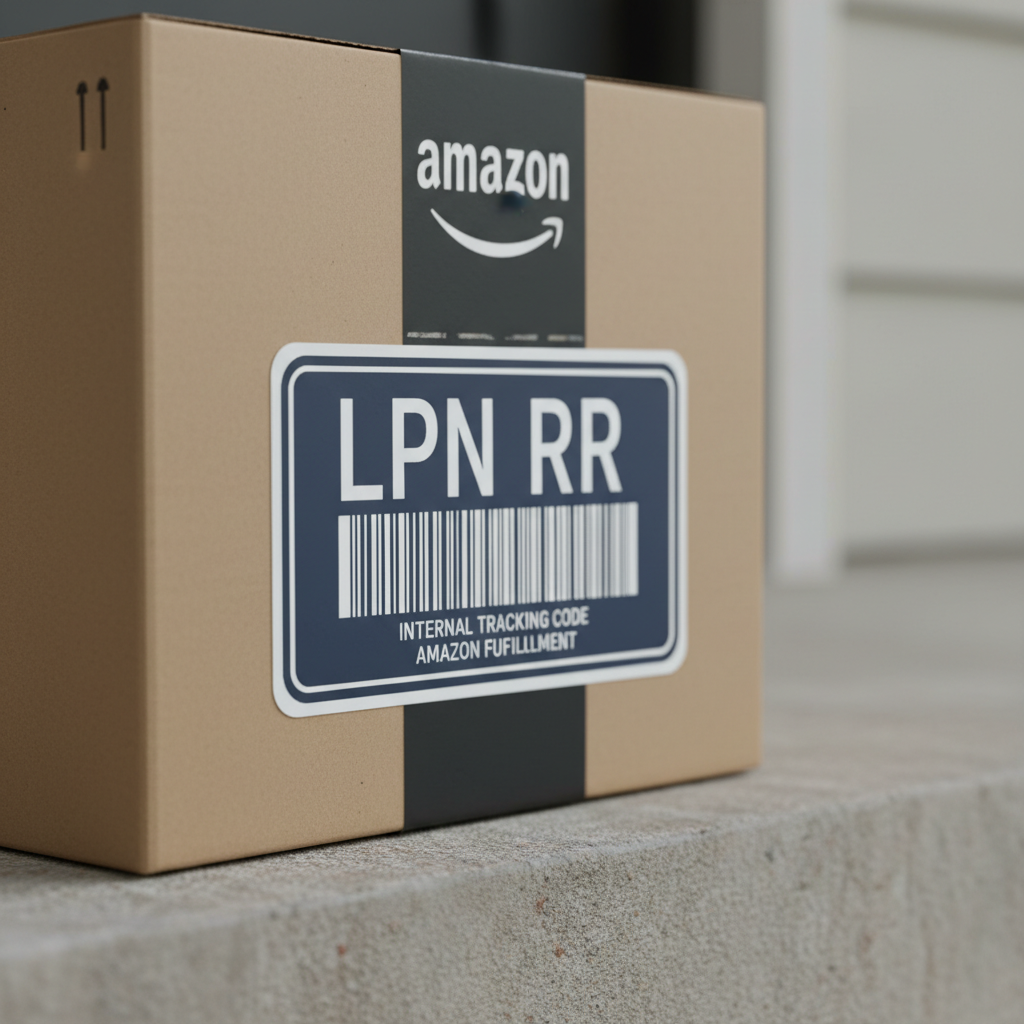
    FNSKU stands for Fulfillment Network Stock Keeping Unit.

    Plain English version: it’s Amazon’s unique barcode for your specific product listing, used only for FBA (Fulfilled by Amazon) inventory.

    • It looks like a standard barcode/label
    • It’s tied to your seller account + that exact listing
    • Amazon uses it to know which seller’s item they are handling, even if 20 sellers are offering the “same” item

    Think of an FNSKU as a name tag for your inventory inside Amazon’s fulfillment centers.

    Quick takeaway: UPC/EAN identifies the product in general. FNSKU identifies your specific FBA inventory of that product.

    Infographic comparing UPC, ASIN, SKU, and FNSKU with icons and short descriptions for each code

    FNSKU vs SKU vs ASIN vs UPC (Without the Headache)

    Yes, Amazon loves acronyms. No, they’re not all the same.

    Here’s the difference in one simple table:

    Code Who Owns It? What It Identifies Used For
    UPC/EAN Manufacturer Product type (global) Retail, cataloging
    ASIN Amazon Product listing in Amazon catalog Search, listing identity
    SKU You (the seller) Your internal product ID Your inventory system
    FNSKU Amazon (per seller) Your FBA offer for that listing FBA tracking & attribution

    Rules of thumb:

    • ASIN = the page on Amazon
    • SKU = how you track the item in your system
    • FNSKU = how Amazon tracks your inventory in FBA
    • UPC = how the world identifies the product in general
    Quick takeaway: If you’re sending items to FBA, FNSKU is the star of the show.

    Realistic close-up of an FNSKU label being applied over a manufacturer barcode on product packaging

    Why Does Amazon Require FNSKU Codes for FBA?

    Amazon’s fulfillment centers store products from thousands of sellers, often the exact same product.

    If Amazon didn’t use FNSKU labels, it would be much harder to:

    1. Attribute the sale to the right seller
      FNSKU tells Amazon, “This unit belongs to Seller X.”
    2. Track inventory quality & returns by seller
      If a batch has issues, Amazon can see whose inventory is causing trouble.
    3. Manage commingling (or avoid it)
      With FNSKU-only labeling, Amazon keeps your items separate from others’ instead of mixing them.
    4. Handle reimbursements & lost items accurately
      When something goes missing in the warehouse, FNSKU helps tie it back to your account.
    Quick takeaway: Amazon uses FNSKU codes to keep your FBA inventory separate, traceable, and correctly credited.

    Split-screen visual showing commingled inventory with UPC versus separated bins labeled with FNSKU per seller

    How Do You Get an FNSKU Code on Amazon?

    You don’t “create” an FNSKU from scratch; Amazon generates it for you.

    Step-by-step:

    1. Create a new product listing (or use an existing one) in Seller Central.
    2. Under that listing, choose “Fulfilled by Amazon (FBA)” as the fulfillment method.
    3. Once you convert to FBA and create a shipment plan, Amazon assigns an FNSKU to that offer.
    4. You’ll then be able to download and print FNSKU labels directly from the shipment workflow.

    You’ll see something like: X000ABC123 (example format) printed above or below the barcode.

    Quick takeaway: If your item is FBA-enabled, Amazon automatically creates the FNSKU. Your job is to label correctly.

    Montage of Amazon FBA labeling methods: seller at home, Amazon staff in warehouse, and manufacturer line with printed FNSKU

    Where to Find and Download Your FNSKU Labels

    In Seller Central:

    1. Go to Inventory → Manage All Inventory.
    2. Find the product.
    3. Click the dropdown next to Edit → Print item labels.
    4. Choose the label size (e.g., 30-up 1″ x 2-5/8″ on A4/US Letter, or thermal printer formats).
    5. Download the PDF file and print.

    Alternatively, in the Send to Amazon workflow, you’ll also see label printing options when preparing shipments.

    Pro tip: Invest in a thermal label printer (like Zebra, Rollo, etc.) if you’re doing FBA seriously. It saves time and sanity.
    Quick takeaway: Your FNSKU labels live in Seller Central—no fancy software needed.

    Visual of common FNSKU mistakes versus correct labeling, showing variant mixups, tiny barcodes, and wrong pack sizes

    Do You Always Need to Print FNSKU Labels Yourself?

    Not always. You have three main options.

    1. You Label the Products Yourself

    • You print the FNSKU labels
    • You (or your prep center) stick them on each sellable unit
    • Cheapest if you have time and a label printer

    2. Amazon Labels Products for You (Label Service)

    Amazon offers a FBA Label Service where Amazon staff will label items for a per-unit fee.

    Basic idea:

    • You send units with a scannable manufacturer barcode (UPC/EAN)
    • Amazon applies the FNSKU labels in the warehouse
    • You pay a small fee per unit for the service

    Great if you:

    • Don’t want to deal with labels
    • Are testing a new product and don’t want to invest in printers yet

    3. Manufacturer/Private Label Supplier Prints FNSKU on Packaging

    If you’re doing private label, you can:

    • Send your supplier the exact FNSKU barcode file
    • Have them print it directly on the packaging or apply labels at the factory

    This is ideal for scaling, because you:

    • Skip relabeling at home or prep centers
    • Reduce handling time and errors
    Quick takeaway: You don’t have to be the one putting labels on—Amazon or your supplier can do it, if you plan ahead.

    Close view of correct FNSKU label placement on flat packaging surface, covering manufacturer barcode

    FNSKU Label Requirements: What Amazon Expects

    For FNSKU labels to be accepted by Amazon’s fulfillment centers, they must:

    • Be scannable barcodes: No smudges, distortions, or ultra-low resolution.
    • Be unique per unit of that SKU / FNSKU combo.
    • Be placed on a flat, visible surface of your product’s packaging.
    • Cover any other scannable barcodes, like manufacturer UPCs, unless you’re using manufacturer barcodes for tracking.
    • Not wrap around corners or edges in a way that hinders scanning.

    Placement tips:

    • Stick the FNSKU on the back or bottom if the front is branded, as long as it’s clearly visible.
    • Don’t place over seams, openings, or perforations.
    • If there’s shrink wrap, put the label on the outside of the shrink.
    Quick takeaway: If a human can’t easily see and scan it, chances are Amazon’s scanners will struggle too.

    Side-by-side illustration of commingled inventory using manufacturer barcodes versus stickered FNSKU-only inventory

    Commingled vs Stickered Inventory: How FNSKUs Fit In

    Amazon has two main ways to track inventory for products with barcodes:

    1. Manufacturer Barcode (Commingled)

    • Amazon uses the UPC/EAN instead of an FNSKU label.
    • Units from multiple sellers can be mixed together.
    • Customer orders may be fulfilled with any seller’s unit of that product.

    Pros:

    • Less labeling work for you
    • Faster inbound ship prep

    Cons:

    • Quality issues from another seller can impact your reviews (since Amazon just ships whatever is closest)
    • Harder to manage authenticity/condition if others sell the same ASIN

    2. FNSKU Label Only (Stickered Inventory)

    • Amazon tracks inventory only with FNSKU labels.
    • Your inventory remains separate from other sellers’ inventory.

    Pros:

    • Stronger control over product quality and customer experience
    • Better suited for private label or custom bundles

    Cons:

    • Requires labeling every unit
    • Slightly more prep time and cost upfront
    Quick takeaway: If you’re a private label seller or care about brand reputation, using FNSKU-only labeling is usually the safer move.

    Infographic of common FNSKU errors like wrong variant labels and wrong pack sizes, contrasted with correct labeling

    Common FNSKU Mistakes (And How to Avoid Them)

    Let’s save you from the Amazon “Problem with Shipment” emails.

    Mistake #1: Wrong Label on the Wrong Product

    Example: You sell two variations of a product (Blue and Red), but apply the Blue FNSKU to some Red units.

    Result:

    • Amazon receives the shipment and finds mismatches
    • Your inventory gets flagged
    • You may end up with stranded or unfulfillable units

    Fix: Double-check SKUs and labels during prep. Color-code, batch by SKU, and don’t mix variants on the same table.

    Mistake #2: Leaving the Manufacturer Barcode Uncovered (When Using FNSKU)

    If both the UPC and FNSKU are visible and scannable, Amazon might:

    • Scan the wrong one
    • Route inventory incorrectly

    Fix: Always cover or remove other scannable barcodes when using FNSKU-only tracking.

    Mistake #3: Tiny or Low-Quality Prints

    Printers set to “fit to page,” low resolution, or misaligned labels can cause:

    • Unreadable barcodes
    • Slower check-in times
    • Rejection of units in the FC

    Fix:

    • Use the exact label size Amazon recommends
    • Print at 300+ DPI
    • Test-scan a few labels with a barcode scanner app before mass-labeling

    Mistake #4: Changing Pack Sizes Without Changing FNSKUs

    Example: You used to sell 1-pack under a certain FNSKU, then change it to a 2-pack but keep using the old FNSKU.

    Result:

    • Wrong units shipped to customers
    • Returns, complaints, and potential account issues

    Fix: Create separate SKUs and FNSKUs for each pack size or bundle configuration.

    Quick takeaway: Treat each variation or bundle as its own product with its own FNSKU.

    Panels showing different FNSKU application methods at home, in Amazon FC, and at manufacturer level

    Practical Examples: How FNSKUs Work in Real Life

    Example 1: Retail Arbitrage Seller

    You buy a nationally known toy at Walmart and resell it FBA.

    • ASIN: Existing on Amazon
    • UPC: Printed by the manufacturer
    • You choose: manufacturer barcode (commingled) or FNSKU sticker

    If you:

    • Don’t want your inventory mixed with other sellers → Print & apply FNSKU labels.
    • Don’t care and want speed → Use manufacturer barcode and let Amazon label (for a fee) or commingle.

    Example 2: Private Label Brand

    You create your own brand of vitamin gummies.

    • New listing, new ASIN
    • Your brand name on the packaging
    • You want full control over quality and customer experience

    Smart move:

    • Use FNSKU-only labeling
    • Have your manufacturer print FNSKU barcodes directly on the bottles or apply labels at the factory

    This keeps your inventory separate and scalable.

    Example 3: Custom Bundles

    You sell a bundle: yoga mat + resistance bands + towel.

    • Bundle gets its own ASIN and FNSKU
    • No manufacturer UPC exists for that exact bundle

    You must:

    • Create the listing and FNSKU
    • Label each bundle with that bundle’s FNSKU
    Quick takeaway: Whenever you change what’s inside the package, it needs its own ASIN/FNSKU.

    Simple clean infographic of ASIN, SKU, UPC, and FNSKU lifecycles to illustrate how long FNSKUs last

    How Long Does an FNSKU Last?

    As long as:

    • The listing remains active
    • Your offer (SKU) still exists

    …your FNSKU stays the same.

    If you:

    • Create a new SKU under the same ASIN → you’ll get a new FNSKU for that SKU.
    • Merge or delete listings → old FNSKUs might become unusable.

    Rule: Don’t assume one FNSKU works across multiple listings, pack sizes, or SKUs.

    Quick takeaway: FNSKU is stable per SKU/offer, not per brand or overall product concept.

    Clean visual of a streamlined FBA prep station illustrating an organized FNSKU process

    Best Practices to Make FNSKUs Boring (In a Good Way)

    The goal is to make FNSKU handling so routine you don’t think about it.

    1. Standardize Your Prep Process
      • Same workstation, same printer, same steps every time
      • Print labels only for one SKU at a time
    2. Use Clear Naming Conventions for SKUs
      E.g.: BRAND-PRODUCT-COLOR-SIZE-PACK so you don’t confuse variants.
    3. Outsource Labeling When It’s Not Worth Your Time
      • Amazon label service or prep centers for larger volume
    4. Audit Random Units
      Before shipping, pick 5–10 units from a batch and confirm labels & packaging match the listing.
    5. Keep FNSKU Files Organized
      Save label PDFs in folders named by product/SKU so you can quickly resend to a manufacturer or prep center.
    Quick takeaway: A simple, repeatable process around FNSKUs will save you from painful FBA mistakes later.

    Hero-style montage of the FNSKU journey from creation to labeling to Amazon fulfillment

    Final Thoughts: FNSKU Codes Don’t Have to Be Scary

    FNSKU codes on Amazon are not some mysterious, ultra-technical thing. They’re just Amazon’s way of saying, “This exact unit belongs to you.”

    If you:

    • Understand the difference between FNSKU, ASIN, SKU, and UPC
    • Decide whether you want commingled or stickered inventory
    • Set up a clean labeling process (or outsource it)

    …then FNSKUs become just another boring—but essential—part of your FBA machine.

    You focus on finding great products and building your brand. Let the little black-and-white barcode do the rest.

  • How To Enable ADB Debugging On Amazon Fire TV


    How To Enable ADB Debugging On Amazon Fire TV


    How To Enable ADB Debugging On Amazon Fire TV

    Illustration of Amazon Fire TV home screen with floating icons representing ADB debugging power features

    If you’ve ever wished your Amazon Fire TV would just do what you tell it—install apps from your computer, grab clean screenshots, or be tamed by a custom script—then you’ve bumped into the magical door called ADB debugging.

    In this guide, we’ll walk through exactly how to enable ADB debugging on Amazon Fire TV and Fire TV Stick, what you can do with it, and how to avoid the usual “why is this not working?” headaches.


    Person navigating Amazon Fire TV settings with remote, highlighting Settings and Developer Options

    What Is ADB Debugging on Amazon Fire TV?

    Let’s de-jargon this.

    ADB stands for Android Debug Bridge. It’s a command-line tool (usually run from your computer) that lets you talk directly to an Android device—like a Fire TV or Fire TV Stick—over USB or Wi‑Fi.

    On Amazon Fire TV, ADB debugging lets you:

    • Install and uninstall apps via your computer
    • Capture screenshots or screen recordings
    • View logs for troubleshooting
    • Send input events (simulate remote presses, text input)
    • Automate tasks or run scripts

    In short: enabling ADB debugging turns your Fire TV from a simple streaming box into a developer‑friendly device you can control remotely.

    Takeaway: Think of ADB debugging as “remote control on steroids” for power users and developers.

    User-focused view of Fire TV Developer Options menu with ADB Debugging toggle visible

    Prerequisites: What You Need Before You Start

    Before enabling ADB debugging on Amazon Fire TV, make sure you have:

    1. A compatible device
      Any relatively recent Fire TV, Fire TV Stick, Fire TV Cube, or Fire TV Edition smart TV should support ADB.
    2. Your Fire TV connected to the same network as your computer (if you plan to use ADB over Wi‑Fi).
      Both devices must be on the same local network (same router/Wi‑Fi).
    3. A computer with ADB installed (for when you’re ready to connect):
      Windows, macOS, or Linux works fine. You’ll need the Android platform-tools (which include adb).

    You can enable ADB debugging first and set up the computer side later, so don’t worry if you haven’t installed ADB yet.

    Takeaway: Your Fire TV is enough to start; the computer comes into play once debugging is turned on.

    Amazon Fire TV settings interface focusing on enabling Developer Options and ADB Debugging

    Step-by-Step: How To Enable ADB Debugging on Amazon Fire TV

    The exact menu wording can vary slightly between Fire OS versions and devices, but the flow is very similar.

    1. Open Settings on Your Fire TV

    From the Fire TV home screen:

    1. Use your remote to go to the gear icon (⚙) or select Settings.

    If your home UI is more classic:

    • Navigate to the top menu and scroll to Settings.

    2. Go to My Fire TV (or Device & Software)

    In Settings, scroll and select My Fire TV. On newer Fire OS builds it might be labeled:

    • My Fire TV
    • Device & Software

    Select whichever one appears; this is the “device settings” section.

    3. Enable Developer Options (If You Don’t See It)

    On many Fire TV devices, Developer Options is hidden by default. You need to unlock it with a little “Easter egg” sequence.

    Do this:

    1. In My Fire TV / Device & Software, select About.
    2. Highlight your device name (e.g., Fire TV Stick 4K, Fire TV Cube, etc.).
    3. Press the Select/OK button on the remote 7 times in a row.
    4. You should see a small toast message along the lines of:
      • “You are now a developer” or
      • “No need, you are already a developer.”

    Now go back one level; you should see a new menu item called Developer Options.

    Takeaway: If you don’t see Developer Options, you aren’t broken—you just haven’t unlocked it yet.

    4. Open Developer Options

    Now go to:

    Settings → My Fire TV (or Device & Software) → Developer Options

    Inside Developer Options you’ll see at least:

    • ADB Debugging
    • Apps from Unknown Sources (wording and behavior may vary by Fire OS version)

    5. Turn On ADB Debugging

    Inside Developer Options:

    1. Highlight ADB Debugging.
    2. Press Select to toggle it to ON.

    That’s it—ADB debugging is now enabled on your Amazon Fire TV.

    Takeaway: The critical switch is just one toggle: ADB Debugging → ON.

    Developer Options screen showing ADB Debugging and Apps from Unknown Sources toggles

    Optional but Common: Allow Apps from Unknown Sources

    While you’re in Developer Options, you’ll probably also see:

    • Apps from Unknown Sources

    If you plan to sideload apps (install APKs that aren’t from the Amazon Appstore), you’ll usually need to enable this.

    Depending on Fire OS version, you’ll see either:

    • A single global toggle: Apps from Unknown Sources: ON/OFF, or
    • Per‑app controls: Install unknown apps → [choose an app like Downloader, File Manager, etc.] → Allow from this source: ON

    If you’re only here for ADB debugging (e.g., screenshots, logcat, automation), you don’t have to enable unknown sources. But many people do both while they’re in Developer Options.

    Takeaway: Unknown Sources is for sideloading apps; ADB Debugging is for remote control and dev tools. They’re related but separate.

    Split-screen view of Fire TV Network settings IP address and a computer terminal with adb connect command

    Find Your Fire TV’s IP Address (For ADB Over Wi‑Fi)

    To connect from your computer using ADB over the network, you’ll need your Fire TV’s IP address.

    On your Fire TV:

    1. Go to Settings → Network.
    2. Highlight the Wi‑Fi (or Ethernet) network your Fire TV is connected to.
    3. On the right side, you should see details, including IP Address (something like 192.168.1.45).

    Write this down; we’ll use it in a moment.

    Takeaway: Your Fire TV’s IP is your “address” for ADB over Wi‑Fi.

    Computer and Fire TV linked by Wi-Fi signal, with adb connect in a terminal window

    How To Connect to Amazon Fire TV Using ADB (From Your Computer)

    Now that ADB debugging is enabled, let’s actually talk to the device from your computer.

    1. Install ADB (Android Platform-Tools)

    On your computer (Windows, macOS, or Linux):

    1. Download the Android SDK Platform-Tools from Google.
    2. Extract the archive to a convenient folder.
    3. Open a terminal (macOS/Linux) or Command Prompt/PowerShell (Windows) in that folder.

    You should be able to run:

    adb version

    If it prints version info, you’re good.
    2. Connect via IP Address

    Use the IP address you grabbed from the Fire TV.

    In your terminal/command prompt:

    adb connect FIRE_TV_IP_ADDRESS

    For example:

    adb connect 192.168.1.45

    On your Fire TV, you’ll likely see a pop‑up:

    Allow USB debugging? (Yes, they still call it that even over Wi‑Fi.)

    Options usually include:

    • Allow
    • Always allow from this computer
    • Cancel

    Select Allow (and optionally “Always allow…” if it’s your personal machine).

    If the connection succeeds, the terminal will say something like:

    connected to 192.168.1.45:5555

    You can confirm with:

    adb devices

    You should see your Fire TV listed as a connected device.

    Takeaway: ADB connect + approval pop‑up on the TV = trusted connection.

    Montage of icons showing installing apps, screenshots, recordings, and remote input via ADB on Fire TV

    Useful ADB Commands for Amazon Fire TV

    Once you’ve enabled ADB debugging and connected, here are some practical things you can do.

    Tip: The command prefix is always adb (from your computer), not on the Fire TV itself.

    1. Install an APK

    adb install path/to/app.apk

    This sideloads an app directly onto your Fire TV.

    2. Uninstall an App

    adb uninstall PACKAGE_NAME

    Example:

    adb uninstall com.example.myapp

    You can get package names using:

    adb shell pm list packages

    3. Take a Screenshot

    adb shell screencap -p /sdcard/screen.png
    adb pull /sdcard/screen.png

    This creates a screenshot on the Fire TV and then copies it to your computer.

    4. Record the Screen (If Supported)

    adb shell screenrecord /sdcard/demo.mp4
    # Press Ctrl+C to stop after some time
    adb pull /sdcard/demo.mp4

    5. Simulate Remote Button Presses

    The Fire TV remote uses key events. For example, to simulate Home:

    adb shell input keyevent 3

    To simulate DPAD Center (Select):

    adb shell input keyevent 23

    This is very handy for automation or when your physical remote is being dramatic.

    Takeaway: ADB turns your Fire TV into a scriptable device instead of a black box.

    Amazon Fire TV settings with bug-fix and troubleshooting vibe for ADB issues

    Common Problems When Enabling ADB Debugging on Fire TV (and Fixes)

    Let’s tackle the usual pain points.

    1. “ADB Debugging Option Is Missing”

    Symptom: In Developer Options, you don’t see ADB Debugging.

    Fix checklist:

    • Make sure you really unlocked Developer Options (tap device name 7 times under About).
    • Verify you’re in My Fire TV → Developer Options, not another menu.
    • If it’s a very old device or heavily locked‑down OS build (e.g., certain hotel or school managed devices), debugging might be restricted.

    2. “ADB Can’t Connect to the Device”

    Symptom: You run adb connect, but it says unable to connect or just hangs.

    Fix checklist:

    • Make sure ADB Debugging is actually ON on the Fire TV.
    • Confirm your computer and Fire TV are on the same local network.
    • Double‑check the IP address hasn’t changed (some routers reassign IPs).
    • Try:
      adb kill-server
      adb start-server
      adb connect YOUR_IP
    • If you have a firewall or VPN on your computer/router, it might be blocking local connections.

    3. “No Authorization Prompt on TV”

    Symptom: adb connect works, but device shows as unauthorized in adb devices.

    Fix checklist:

    • On Fire TV, go to Developer Options, turn ADB Debugging OFF, then back ON.
    • Run adb disconnect, then adb connect again.
    • If needed, select Revoke USB debugging authorizations (if available) on the Fire TV, and reconnect.
    Takeaway: Most ADB issues come down to network, IP changes, or missing authorization.

    Security‑themed illustration of Fire TV inside a shield with an admin door representing ADB access

    Is It Safe To Enable ADB Debugging on Amazon Fire TV?

    Short version: It’s safe if you trust your network and the computers connecting to it.

    Potential risks:

    • If someone on your local network knows your Fire TV IP and ADB is enabled, they might connect and control it.
    • If you’ve selected “Always allow from this computer” on a machine you no longer control, that’s a trust risk.

    Best practices:

    • Only enable ADB debugging on trusted home networks.
    • Turn ADB Debugging OFF when you’re done using it.
    • Avoid enabling it on public, hotel, or shared networks.
    Takeaway: Treat ADB like a remote admin door—keep it locked when not needed.

    Clean recap graphic showing Fire TV, a checklist, and ADB tools connected together

    Quick Recap: How To Enable ADB Debugging on Amazon Fire TV

    Here’s the whole process condensed into a checklist:

    1. On Fire TV, go to Settings → My Fire TV (or Device & Software).
    2. If Developer Options is missing: enter About, highlight your device name, press Select 7 times.
    3. Open Developer Options.
    4. Toggle ADB Debugging → ON.
    5. (Optional) Enable Apps from Unknown Sources if you plan to sideload apps.
    6. Go to Settings → Network, note your IP address.
    7. On your computer, install Android platform-tools (ADB).
    8. In a terminal, run adb connect FIRE_TV_IP, then approve the prompt on your TV.

    Once that’s done, you can:

    • Install apps with adb install
    • Grab screenshots with adb shell screencap
    • Automate navigation with adb shell input

    And just like that, your Amazon Fire TV graduates from “streaming box” to “tweakable, scriptable dev device.”

    Takeaway: Flip one toggle, grab the IP, run one command—that’s the core of enabling ADB debugging on Amazon Fire TV.


  • Does Amazon Pay Weekly?


    Does Amazon Pay Weekly?


    Does Amazon Pay Weekly? (And What Your Paycheck Actually Looks Like)

    You’ve seen the ads:

    “Start this week. Get paid fast.”
    “Warehouse jobs with great pay and benefits.”

    Cool marketing, Amazon. But when does the money actually hit your account?

    If you’re thinking about working at Amazon (or you just got hired and don’t want any direct-deposit surprises), this guide breaks down how often Amazon pays, how Amazon Anytime Pay works, and what to expect for full-time, part-time, and seasonal roles in the United States.

    Let’s answer the big question first.


    Amazon warehouse worker checking banking app with biweekly pay calendar

    Biweekly by default: understanding when Amazon actually sends your paycheck.

    Does Amazon Pay Weekly?

    In most of the U.S., Amazon pays employees every two weeks (biweekly), not weekly.

    However, the real answer is: it depends on your role, location, and program.

    Broadly, here’s how Amazon pay frequency tends to shake out in the U.S.:

    • Most full-time and part-time warehouse / fulfillment center roles: Paid biweekly.
    • Some roles (especially in certain states or specific facilities) may be on a weekly schedule, but that is not universal.
    • In many locations, Amazon offers Anytime Pay, which lets you access a portion of your earnings on demand, so it can feel like getting paid weekly—or even daily.

    Translation: Don’t assume weekly pay unless your offer letter, onboarding portal, or recruiter explicitly says so.

    Quick takeaway: Amazon’s default in most U.S. locations is biweekly pay, with Anytime Pay as a faster-access option where available.

    Infographic comparing Amazon warehouse, seasonal, and corporate roles with biweekly pay calendars

    Different Amazon roles, one common theme: biweekly as the standard pay rhythm.

    How Often Does Amazon Pay in the U.S. (By Role Type)?

    Let’s break it down by the kind of job you might have with Amazon.

    1. Warehouse, Fulfillment Center, and Sortation Center Roles

    These are your classic hourly jobs: picking, packing, stowing, sorting, problem-solving, etc.

    • Standard pay schedule: Usually every two weeks.
    • Payday: Often on Friday for the prior pay period (this can vary by site).
    • Overtime: Paid with your regular paycheck for that pay period.
    • Anytime Pay: In many locations, you can cash out part of your pay early (more on this below).

    Reality check: Some people online will say, “I get paid weekly at Amazon,” and they’re not lying—it’s just location-specific and can change when Amazon updates policies.

    2. Seasonal / Peak Roles

    During peak shopping seasons (think holidays), Amazon hires tons of seasonal workers.

    • These roles typically follow the same schedule as the facility they’re in.
    • So if your building is biweekly, your seasonal job is almost certainly biweekly too.
    • Again, Anytime Pay may still be available if your site supports it.

    3. Corporate, Tech, and Office Roles

    If you’re in a salaried position (corporate, tech, management, etc.):

    • You’ll generally be paid on a biweekly schedule as well.
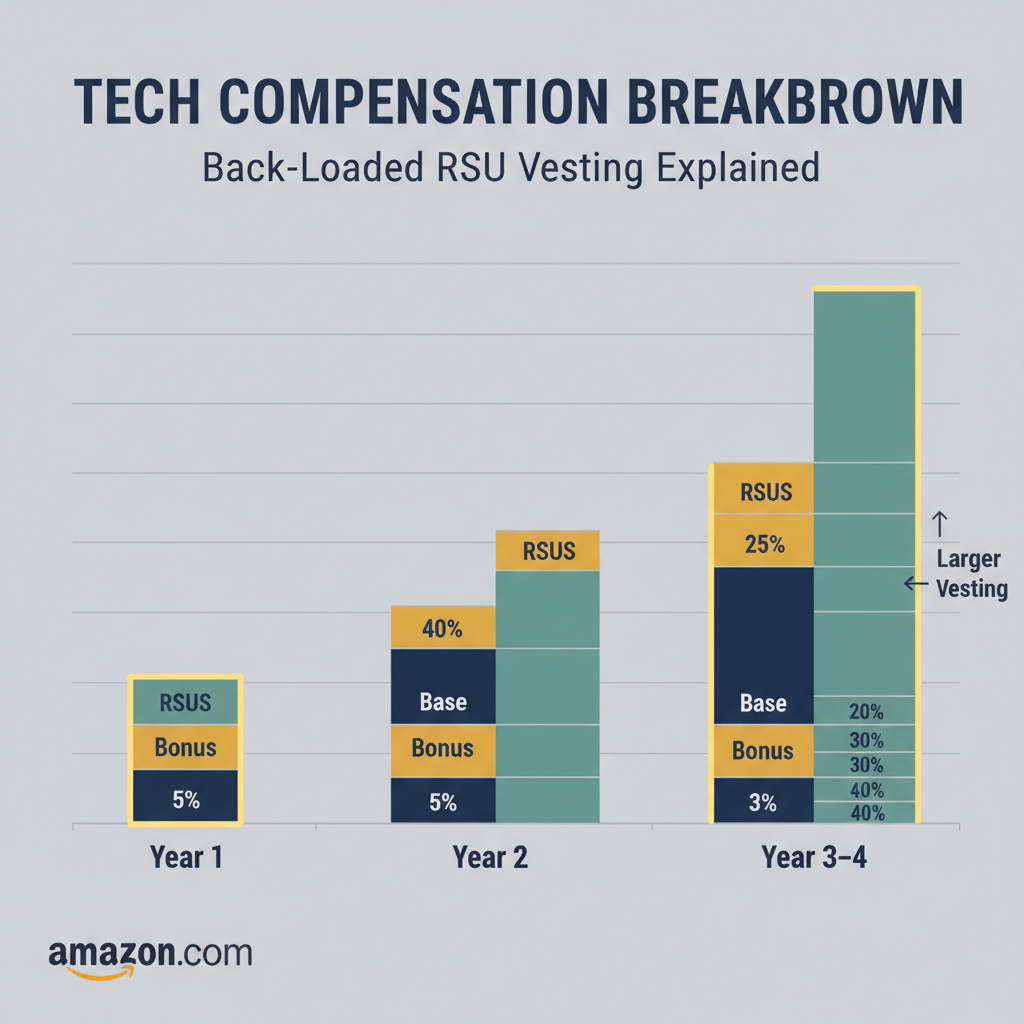
    • Equity/RSUs, bonuses, and sign-on bonuses follow separate schedules (e.g., vesting over years, annual bonuses, etc.).
    Quick takeaway: No matter your role, biweekly is the default in most U.S. locations, with a few site-specific exceptions.

    Conceptual illustration of Amazon Anytime Pay flowing into a mobile banking app

    Anytime Pay lets part of your paycheck arrive early—without changing your actual earnings.

    What Is Amazon Anytime Pay?

    Here’s where it gets interesting.

    Amazon Anytime Pay is a program that lets eligible hourly employees get fast access to their earnings.

    Think of it like this:

    You work a shift → A portion of that pay becomes available almost immediately → You can transfer it to your bank or debit card before the official payday.

    How Anytime Pay Typically Works (Conceptually)

    Exact details can vary, but the general idea is:

    • You work hours as usual.
    • A percentage of your earned wages (not future hours) becomes available through Amazon’s payment partner (often via an app).
    • You can withdraw that portion before the official pay date.
    • The amount you’ve already withdrawn shows up as already paid on your regular paycheck.

    So even if your facility is biweekly, Anytime Pay can make it feel like:

    • “I got paid today for the shift I just worked,” or
    • “I’m basically getting paid a few times a week when I need it.”

    Important: Anytime Pay doesn’t give you more money—it just changes when you get access to money you already earned.

    Quick takeaway: Even if Amazon doesn’t pay weekly by default, Anytime Pay can help smooth out your cash flow between paychecks.

    Step-by-step visual of confirming Amazon pay schedule via offer letter, A to Z app, and HR

    Your offer letter and A to Z app will always beat rumors and TikToks about pay frequency.

    How to Confirm If Your Amazon Job Pays Weekly or Biweekly

    This is the part that actually matters: your specific offer.

    Amazon is huge, and different states, facilities, and job types can follow slightly different rules. Don’t rely on what a friend in another city said.

    Here’s how to double-check:

    1. Read your offer letter carefully
      There will usually be a section labeled something like “Compensation and Pay Schedule” that says if pay is weekly or biweekly.
    2. Check the onboarding portal (Amazon Hire / A to Z app)
      Once you’re onboarded, you’ll see your pay schedule and pay statements there.
    3. Ask your recruiter or HR at your site
      A simple: “Hey, is this role on a weekly or biweekly pay schedule?” is completely normal.
    4. Ask other employees—but don’t stop there
      Coworkers can give you a quick sense of what to expect, but policies can change, and different roles at the same site can be set up differently.

    If you’re already hired:

    • Look at your first pay stub in the A to Z app and check the pay period start and end dates—you’ll know instantly if it’s one week or two.
    Quick takeaway: Treat “I saw on TikTok that Amazon pays weekly now” as background noise. Your offer letter and HR are the final answer.

    Timeline graphic showing a new Amazon hire’s first pay period and first paycheck

    Your first Amazon paycheck feels delayed because of pay periods—not because something’s wrong.

    When Do You Get Your First Paycheck at Amazon?

    Even if it’s biweekly, you might be wondering: “How long before I see my first payment?”

    Here’s the typical pattern for new hires:

    1. You start in the middle of a pay period.
      Example: The pay period runs Sunday–Saturday, and you start on a Wednesday.
    2. Those days get counted in that open pay period.
      So Wednesday–Saturday go into that current cycle.
    3. You’re paid on the next scheduled payday after that pay period closes.
      Which means your first check may feel delayed, depending on when you started.
    4. If Anytime Pay is active at your site, you may be able to withdraw some earnings before your first official paycheck.

    Important: There’s almost always a lag between your first day and your first full paycheck. That’s normal for most large employers, not just Amazon.

    Quick takeaway: Don’t panic if you don’t see money in your bank account the Friday right after you start. Your first check usually hits after the first full pay cycle you worked in.

    Budgeting illustration showing two accounts and an Amazon paycheck being split, plus Anytime Pay as a safety valve

    Use Amazon’s biweekly pay—and Anytime Pay—as tools in a simple, stress-proof money system.

    Example Scenarios: What Your Pay Might Look Like

    Concrete examples help, so let’s walk through a few.

    Scenario 1: Full-Time Warehouse, Biweekly, No Anytime Pay

    • You start: Monday, March 2
    • Pay period: March 1–March 14
    • Payday: Friday, March 20

    You work 40 hours each week. Your first paycheck on March 20 covers March 2–March 14 (80 hours, plus any overtime).

    Scenario 2: Part-Time with Anytime Pay

    • You work 4-hour shifts, 5 days a week (20 hours/week).
    • Your site is biweekly, but you’re enrolled in Anytime Pay.

    What happens:

    • After each shift, part of your pay becomes available.
    • You withdraw $80 midweek to cover gas and groceries.
    • On the official payday, your paycheck is reduced by the $80 you already pulled—but total earnings are the same.

    Scenario 3: Seasonal Role at Peak

    • You pick up a seasonal position in November.
    • Your facility is on a biweekly pay schedule.
    • You start mid-period and wonder why your first check is smaller.

    Likely explanation: Your first paycheck only covers the days you worked in that partial period, so it’s smaller than a full pay period. Your second paycheck is the first one that shows a “normal” full-period amount.

    Quick takeaway: Your pay schedule and your cash flow can feel very different depending on whether you use Anytime Pay and when in the pay cycle you start.

    Other Money Questions People Ask About Working at Amazon

    1. Does Amazon pay overtime?

    Yes. For eligible hourly roles, Amazon typically pays time-and-a-half (1.5x your regular rate) for hours worked over 40 per week, in line with U.S. labor laws. Exact rules depend on your state and your role classification.

    2. Does Amazon offer shift differentials?

    Many locations offer extra pay for:

    • Night shifts
    • Weekend shifts
    • Certain high-demand shifts or departments

    These are sometimes called shift differentials or premium pay and are added on top of your base hourly rate.

    3. What about bonuses or sign-on bonuses?

    Amazon often advertises sign-on bonuses or peak-season bonuses, which can vary a lot by region, role, and timing.

    • Some are paid as a lump sum after you’ve worked a certain number of days or weeks.
    • Others may be split across multiple paychecks.

    Always read the fine print: How much, when it’s paid out, and what happens if you leave early.

    4. Does Amazon pay weekly anywhere?

    There have been locations and periods where:

    • Certain Amazon facilities or job types were on a weekly pay schedule.
    • Amazon has adjusted pay schedules over time.

    But this is not guaranteed for all roles or states. Again, your official documentation wins.

    Quick takeaway: Pay structure at Amazon is more than just “weekly vs biweekly.” Overtime, differentials, bonuses, and Anytime Pay all affect how much—and when—you actually get paid.

    How to Plan Your Budget Around Amazon’s Pay Schedule

    Once you know whether you’re getting paid weekly, biweekly, or using Anytime Pay, make it work for you instead of stressing you out.

    1. Align Bills With Your Paychecks

    • List your major bills: rent, car payment, insurance, phone, etc.
    • Note due dates and which paycheck they’ll come out of.
    • If needed, call some providers and ask to move due dates closer to payday.

    2. Treat Anytime Pay as a Safety Valve, Not a Default

    Yes, it’s cool that you can cash out quickly. But:

    • Using it constantly can make the official paycheck feel tiny.
    • Try to reserve Anytime Pay for emergencies or truly tight moments, not daily habits.

    3. Use a Simple System: Two Accounts

    • Account A (Bills): Your direct deposit lands here. You keep enough for rent, utilities, and non-negotiables.
    • Account B (Spending): You transfer a set amount each pay period for food, gas, and fun.

    This way, when you look at Account B, you know: “This is what I can spend,” without accidentally dipping into rent money.

    Quick takeaway: Knowing your pay frequency is step one. Building a small system around it is what keeps you from feeling broke three days after payday.

    So… Does Amazon Pay Weekly? Final Answer

    • No, Amazon does not universally pay weekly in the U.S.
    • Most employees are paid biweekly, especially in warehouse, fulfillment, and corporate roles.
    • Depending on your site and role, you may get access to Anytime Pay, which lets you pull part of your earnings early—making it feel almost like weekly or even daily pay.
    • A few locations or positions may use a weekly schedule, but this is not guaranteed and can change.

    If you’re about to start or just received an offer, do this:

    1. Check your offer letter for pay frequency.
    2. Confirm with your recruiter or HR if it’s not clear.
    3. Ask whether Anytime Pay is available at your site.

    Once you know your exact setup, you can plan your budget, use Anytime Pay wisely, and avoid that “Wait, where’s my money?” moment.


  • CBD Clinic Level 5 And Amazon: What Shoppers Need To Know


    CBD Clinic Level 5 And Amazon: What Shoppers Need To Know

    CBD Clinic Level 5 And Amazon: What Shoppers Need To Know

    What’s really going on when you type “CBD Clinic Level 5 Amazon” at 2 a.m.—and how to actually shop smarter for pain relief.

    Person searching for CBD Clinic Level 5 on Amazon at night with back pain

    If you’ve ever typed “CBD Clinic Level 5 Amazon” into the search bar at 2 a.m. while your back was staging a revolt, you’re not alone.

    And if Amazon showed you a confusing mix of “hemp extract,” “maximum strength pain stick,” and some very sketchy labels? Also normal.

    Let’s untangle what CBD CLINIC Level 5 actually is, why you don’t really see it on Amazon, and how to shop smarter (and safer) for serious pain relief.


    Professional-grade Level 5 sports ointment jar and stick with menthol, camphor, and hemp

    Quick primer: What is CBD CLINIC Level 5?

    CBD CLINIC is a professional-grade topical line that uses a “Level 1–5” scale to describe strength. Level 5 is their highest intensity option — designed for severe muscle and joint pain, sports injuries, and stubborn aches.

    Typical Level 5 Pro Sport formulas:

    • Use menthol (around 16%) and camphor (around 11%) as the actual drug ingredients for pain relief.
    • Include hemp extract plus essential oils like clove, eucalyptus, peppermint, and tea tree in a thick ointment or stick base.
    • Come in jars (e.g., ~44 g / 1.55 oz) or sticks (~1.4 oz) at premium price points ($80–$90+ in many clinics and online stores).

    According to product descriptions from clinics and specialty retailers, the “CBD” is technically hemp extract, while menthol and camphor deliver the classic cooling–warming analgesic effect you feel on your skin. (pinestreetclinic.com)

    Takeaway: Level 5 = strongest, clinic-style menthol/camphor sports ointment with hemp, not a magic CBD-only cure.

    Amazon screen with no CBD symbol and vague hemp products

    So… can you buy CBD CLINIC Level 5 on Amazon?

    Short answer: real CBD CLINIC Level 5 is not meant to be sold on Amazon — and often isn’t there at all. If you do see something that looks like it, it may be mislisted, short-lived, or simply not the same product.

    Here’s why:

    1. Amazon officially bans CBD products

    Amazon’s supplement policy explicitly prohibits products that contain cannabidiol (CBD), classifying it as a controlled substance under their internal rules, even though hemp-derived CBD is federally legal (≤0.3% THC) under the 2018 Farm Bill. (greenvalleynutrition.com)

    • Amazon doesn’t want the legal and regulatory headache of verifying THC/CBD levels for every product.
    • Their policy is broad: if it contains CBD, it’s not supposed to be there.

    Translation: If something on Amazon loudly claims to be “CBD cream,” it’s either:

    1. Violating Amazon policy and likely to be removed, or
    2. Not actually CBD — often hemp seed oil or generic menthol cream dressed up with buzzwords.

    2. Brands work around this by using “hemp” language

    Because of the CBD rules, many sellers label their products with terms like:

    • Hemp cream
    • Hemp extract
    • Hemp oil
    • Maximum strength hemp

    Some of these products may contain some cannabinoids; many contain almost none. Hemp seed oil (from the seeds) has nutritional value but essentially no CBD, while CBD-rich extracts come from the flowers/leaves. (pluscbdoil.com)

    If you search “CBD Clinic Level 5 Amazon,” you’ll usually land on:

    • Generic hemp creams with menthol.
    • Products that mimic the “Level 1–5” idea but are from completely different brands.
    • Listings that avoid the letters “CBD” altogether to stay live.

    Takeaway: Amazon’s rules make it hard for authentic CBD topicals — including CBD CLINIC — to exist there in a stable, transparent way.

    Medical illustration of muscles and joints with menthol and camphor cooling and warming zones

    Is CBD CLINIC Level 5 actually effective for pain?

    Let’s be honest: CBD’s reputation for pain relief has run way ahead of the science — and new evidence has been sobering.

    A recent evidence review (late 2025) found that CBD-heavy products showed little to no benefit for pain relief across clinical trials, while higher-THC cannabis products did show some short-term improvements in pain and function. (drugs.com)

    So what’s probably helping in a product like CBD CLINIC Level 5?

    What does the work in Level 5

    • Menthol (up to ~16%) – A counterirritant that produces that icy, cooling sensation and can temporarily relieve minor aches and pains of muscles and joints.
    • Camphor (up to ~11%) – Another counterirritant with warming effects, often used in topical analgesics.

    These ingredients are FDA-monograph over-the-counter (OTC) external analgesics. In other words, they’re the same drug-class ingredients used in many mainstream creams (like Biofreeze- or Bengay-type products), just at relatively high concentrations.

    The hemp extract / CBD and essential oils are more like supporting actors:

    • May contribute to skin feel, mild anti-inflammatory effects, or aromatherapy.
    • But current research doesn’t strongly support CBD alone as a reliable pain killer, especially in topical form.

    Realistic expectation: Level 5 is best thought of as a very strong menthol/camphor sports ointment with hemp branding, not a clinically proven CBD miracle.

    Online shopper comparing a professional CBD CLINIC Level 5 site with a vague hemp cream listing

    The Amazon problem: Why shopping there for “CBD Clinic Level 5” is risky

    When you search for CBD pain creams on Amazon, three big problems show up:

    1. You often don’t know what’s really in the jar

    Since sellers can’t openly list CBD content without breaking policy, you’ll see:

    • Vague claims like “extra strong hemp cream” with no cannabinoid breakdown.
    • No third-party certificates of analysis (COAs) linked on the listing.

    Consumer and industry reports warn that many “hemp” products on Amazon are essentially just hemp seed oil lotions or standard menthol rubs being marketed to people who really wanted CBD. (pluscbdoil.com)

    2. “Level 5” style branding can be copied by anyone

    CBD CLINIC uses a specific 1–5 strength system. But Amazon is full of copycat language:

    • “Level 5 maximum strength”
    • “Pro sport hemp cream level 5”

    These may have nothing to do with the actual CBD CLINIC brand — they just know that “Level 5” sounds strong.

    3. Product quality is inconsistent

    Because Amazon doesn’t fully support CBD labeling:

    • Brands that follow the rules can’t be transparent about CBD content.
    • Brands that ignore the rules can disappear overnight when listings are removed.
    • You, the shopper, are left guessing.

    Bottom line: If you really want CBD CLINIC Level 5, Amazon is usually the last place you should trust to deliver the authentic product.

    Trusted clinic and specialty retailer website showing authentic CBD CLINIC Level 5

    Where can you actually buy CBD CLINIC Level 5?

    You’re more likely to find authentic CBD CLINIC products through:

    1. Professional clinics and practitioners

      – Chiropractic offices
      – Physical therapy or sports rehab clinics
      – Some integrative medicine centers
    2. Specialty online retailers

      – Reputable CBD or wellness shops that list CBD CLINIC by name and show consistent product photos, sizes, and pricing (for example, dedicated CBD CLINIC collections with Level 4 and Level 5 jars and sticks). (pinestreetclinic.com)
    3. Direct-from-brand or authorized distributors

      – Many professional-grade lines only sell through vetted accounts (clinics, credentialed practitioners, or specific e‑commerce partners) to maintain quality control.

    When you’re checking a site, look for:

    • Clear brand name (CBD CLINIC™), not just “hemp level 5.”
    • Exact product names, sizes (e.g., 1.55 oz ointment, 1.41 oz stick), and consistent pricing.
    • At least some mention of COAs or lab-tested ingredients.

    Decision guide comparing CBD hype products and evidence-based pain relief creams with doctor guidance

    How to safely shop for pain-relief topicals (with or without CBD)

    Whether you end up with CBD CLINIC Level 5 or a different product entirely, here’s a simple framework to avoid getting scammed — especially if you’re starting your search on Amazon.

    1. Decide what you really care about

    Ask yourself:

    • Do I want strong, immediate sensation (cooling/warming)?
      → Look for menthol/camphor percentages rather than chasing “CBD.”
    • Do I specifically want hemp or CBD as a bonus?
      → Look for brands that provide COAs on their own site, even if Amazon can’t show them.
    • Do I have sensitive skin or other medical conditions?
      → Talk with your healthcare provider first, especially if you have circulatory issues, neuropathy, pregnancy, or are using other medicated topicals.

    2. Check for these green flags

    On any retailer (Amazon or not):

    • Active ingredients listed clearly (e.g., menthol X%, camphor Y%).
    • Full ingredient list, not just “proprietary hemp complex.”
    • Third-party lab testing (COAs) for CBD/THC if it’s marketed as a cannabinoid product.
    • A real company website with contact info and consistent branding.

    If a listing looks like it was made in five minutes on a phone and uses 20 different fonts to scream “MAXIMUM POWER HEMP,” maybe skip.

    3. Use Amazon strategically (not blindly)

    If you love Amazon for convenience, you can still:

    • Search there to scan brands and reviews.
    • Then go to the brand’s official website to:
      • Confirm the product exists.
      • Check COAs and ingredient details.
      • Compare packaging (counterfeiters get this wrong a lot).

    Then you can either:

    • Buy directly from the brand/clinic, or
    • Return to Amazon only if you’re confident the listing is truly from the brand’s official account.

    Conceptual illustration of CBD pain relief contrasted with menthol and camphor effects

    Should you even chase CBD for pain right now?

    This is the uncomfortable part: the latest large-scale evidence reviews are not kind to CBD as a pain solution on its own. (drugs.com)

    What this means for you:

    • If you’ve been using products like CBD CLINIC Level 5 and they seem to help, odds are the menthol/camphor and massage are doing most of the heavy lifting.
    • That doesn’t make your relief any less real — but it does affect where you should spend your money.

    Practical approach:

    1. Focus on topicals with well-documented active ingredients (menthol, camphor, salicylates, lidocaine, etc.).
    2. Treat CBD as a nice-to-have add-on, not the core engine of pain relief.
    3. Talk with your doctor if you’re dealing with chronic or severe pain — especially before replacing or layering over prescribed treatments.

    Tired person avoiding the late night Amazon rabbit hole for CBD Clinic Level 5 and choosing trusted sources instead

    The bottom line on “CBD Clinic Level 5 Amazon”

    If you skimmed everything (no judgment), here’s the gist:

    • CBD CLINIC Level 5 is a high-intensity menthol/camphor sports ointment with hemp extract, sold mostly through clinics and specialty retailers.
    • Amazon bans CBD, so authentic CBD CLINIC products generally won’t be clearly, reliably available there.
    • Many Amazon listings using terms like “CBD,” “hemp,” or “Level 5” are vague at best and misleading at worst.
    • For serious pain relief, focus on proven active ingredients and transparent brands, and consider CBD an optional extra rather than the main event.

    If you truly want CBD CLINIC Level 5, skip the 2 a.m. Amazon rabbit hole. Go straight to professional or authorized sellers, check the ingredient lists, and verify the product — your wallet and your joints will thank you.


  • Inside Amazon’s BOS17 Sort Center


    Inside Amazon’s BOS17 Sort Center


    Inside Amazon’s BOS17 Sort Center

    If you’ve ever watched an Amazon package go from “Out for delivery” to “Delivered” in what feels like 12 minutes, you might’ve wondered: Okay, but how? Magic? Clones? Time travel?

    A big part of the answer—at least for New England—is a building hidden behind the wonky little code BOS17.

    Let’s unpack what BOS17 Amazon actually is, how it works, and what it means for delivery speed, jobs, and the people who keep your impulse buys moving.


    Aerial view of Amazon BOS17 sort center in New England at dusk with trailers and glowing warehouse lights

    What Is BOS17 at Amazon?

    Amazon uses short codes like BOS17 to label its facilities. “BOS” typically refers to the Boston area, and the number differentiates buildings in the region.

    BOS17 is an Amazon sort center—one of those in‑between hubs where packages are organized and routed between fulfillment centers and last‑mile delivery stations.

    Think of it like this:

    • Fulfillment centers = where your order is picked, packed, boxed
    • Sort centers (like BOS17) = where boxes are scanned, grouped, and routed by destination
    • Delivery stations / DSPs = where packages are loaded into vans and cars for final delivery

    If you live in parts of New England, there’s a decent chance that late‑night “shipped” notification you see includes a quiet pit stop at BOS17, even if the tracking page never spells it out.

    Takeaway: BOS17 is a behind‑the‑scenes routing hub, not a store, not a pickup counter, and not where most customer-facing stuff happens.

    Infographic of Amazon package journey from fulfillment center through BOS17 sort center to delivery station

    Where Does BOS17 Fit in the Amazon Network?

    To understand BOS17, you have to zoom out and look at Amazon’s logistics chain.

    A typical journey for a package might look like:

    1. You place an order.
    2. Amazon’s systems figure out which fulfillment center (FC) has your item in stock closest to you.
    3. At the FC, workers and robots pick your items, pack them in boxes, and label them.
    4. Pallets or containers of boxes are trucked to a sort center like BOS17.
    5. At BOS17, packages are scanned, sorted by region, route, or carrier, and loaded onto trucks headed for delivery stations or USPS/UPS hubs.
    6. From there, your package gets loaded into a van, step van, or personal vehicle for last‑mile delivery.

    Sort centers are optimized for speed and volume, not for storage. Packages don’t hang out long—they’re moving.

    Takeaway: BOS17 is a bridge. It connects the giant fulfillment centers to the local delivery operations that actually knock on your door.

    Interior of Amazon BOS17 sort center with conveyors, scanners, and workers handling packages

    What Actually Happens Inside BOS17?

    No, there’s no conveyor belt powered by caffeine and broken New Year’s resolutions—though it’s close.

    Inside Amazon sort centers like BOS17, you’ll typically find:

    1. Inbound: Trailers Arrive Loaded With Packages

    Semi‑trailers or box trucks roll up to BOS17 loaded with packages from nearby fulfillment centers.

    • Workers unload packages.
    • Everything is scanned into the system so Amazon knows exactly what’s in the building at all times.

    2. Automated Sorting

    This is where the real choreography happens:

    • Packages ride long stretches of conveyor belts.
    • Barcode scanners read labels as boxes zip by.
    • Automated systems direct each package to the correct chute or lane based on zip code, route, carrier, or delivery station.

    Heavier or oddly shaped items may get special handling, but most boxes flow through highly automated lines.

    3. Outbound: Building the Right Loads

    Once sorted, packages are:

    • Grouped into rolling carts, pallets, or gaylords (big containers).
    • Staged at outbound docks.
    • Loaded into trucks headed to delivery stations that serve specific neighborhoods or regions.

    Most packages are in and out of a sort center within hours, not days.

    Takeaway: BOS17 is basically a high‑speed mailroom for thousands of zip codes at once.

    New England map infographic showing BOS17 as a hub improving delivery speed and routing

    Why Does BOS17 Matter for Delivery Speed?

    You know those scary‑accurate “Order within 1 hour 23 minutes to get it tomorrow” messages?

    Sort centers like BOS17 are one of the reasons Amazon can make (and usually keep) those promises.

    Here’s how BOS17 helps shorten delivery times:

    1. Region‑specific routing
      By keeping sorting closer to the final delivery region, Amazon can adjust and optimize based on real‑time conditions (volume spikes, weather, staffing, etc.).
    2. Later cut‑off times
      The closer a sort center is to your market, the later Amazon can accept an order and still realistically get it onto a truck that night.
    3. Redundancy and capacity
      Multiple sort centers in a region allow Amazon to absorb peak seasons (hello, holidays and Prime Day) without everything collapsing into chaos.
    4. Cost efficiency
      By consolidating and routing packages in bulk through BOS17, Amazon can use line‑haul trucking more efficiently and keep last‑mile trips shorter and denser.
    Takeaway: BOS17 isn’t just a building—it’s part of how Amazon turns fast shipping from a marketing line into an everyday expectation.

    Ground-level interior view of Amazon BOS17 with warehouse associates loading, scanning, and moving packages

    Jobs at BOS17: What Is It Like to Work There?

    If you’ve landed here because you’re Googling “BOS17 Amazon job” or saw the code on a job posting, you’re probably wondering what the work is actually like.

    At a high level, roles at a sort center like BOS17 often include:

    • Warehouse associate / sortation associate
      Scanning packages, moving carts, loading/unloading trailers, monitoring conveyor lines.
    • Problem solver / quality roles
      Handling packages that got misrouted, damaged, or can’t be read by scanners.
    • Area managers / shift managers
      Overseeing teams, managing volume, keeping throughput high while trying to hit safety and performance targets.

    Typical realities of the work:

    • Physical: You’re on your feet, walking, lifting boxes (usually within specified weight limits). It’s a workout, but not a desk job.
    • Repetitive but fast‑paced: Same motions, different box—over and over, but at speed.
    • Shifts: Early mornings, overnights, weekends are common, especially during peak.
    • Seasonal surges: Workload spikes hard in November–December and around big sales events.

    Many people see facilities like BOS17 as:

    • A stepping stone into logistics or operations.
    • A bridge job while in school or between careers.
    • A longer‑term path into management or specialized roles if they stay and move up.
    Takeaway: Working at BOS17 can be demanding but predictable. It’s less about dealing with customers and more about keeping packages moving.

    Conceptual visualization of Amazon logistics network with BOS17 highlighted as a glowing node in New England

    Can You Visit BOS17 or Pick Up a Package There?

    This is a common confusion: seeing BOS17 on tracking and wondering if you can just drive there and grab your package.

    Generally, no:

    • Sort centers like BOS17 are not customer pickup locations.
    • There’s no retail counter, no “will call” desk, and no way to walk in and ask for your package.
    • Security and safety rules are tight—these are working industrial sites.

    If your tracking says a package is stuck at a facility like BOS17:

    • You’ll need to handle it through Amazon customer service or the app.
    • Occasionally, packages may sit longer due to weather, volume, or an exception scan, but they are not available for public pickup.
    Takeaway: BOS17 is for trucks, not walk‑ins. The app is your only real interface to it.

    Busy interior of an Amazon sort center like BOS17 with conveyors and workers emphasizing package flow

    What If My Package Is Stuck at BOS17?

    You refresh tracking for the 47th time and all you see is: “Arrived at Amazon facility – BOS17.” No movement. Now what?

    Here’s what usually helps:

    1. Give it 24–48 hours.
      Most delays clear on their own, especially after weekends or storms.
    2. Check for delivery updates in the app.
      Sometimes the status lags behind the actual movement by a few hours.
    3. If it’s 3+ business days with no change:
      Use the Amazon app or website to contact support.
      They’ll either trace the package or issue a replacement/refund.
    4. During peak seasons:
      Slight slowdowns at sort centers are normal. The volume can be massive, but complete losses are relatively rare.
    Takeaway: A stall at BOS17 is usually temporary. If it’s not, Amazon’s standard process is refund/replace—not asking you to chase the building down.

    Tech-forward visualization of ecommerce logistics with BOS17 as a regional data-driven hub

    How BOS17 Fits Into the Bigger Picture of E‑Commerce

    Beyond your single package, BOS17 represents a bigger shift:

    • Hyper‑regional logistics
      Instead of a few giant hubs for the whole country, Amazon uses a dense network of facilities—fulfillment centers, sort centers, delivery stations—close to major population pockets.
    • Data‑driven routing
      Every time a package moves through BOS17, Amazon’s systems learn about demand patterns, volume, transit times, and bottlenecks.
    • Customer expectations reset
      Thanks to sites supported by hubs like BOS17, 2‑day shipping went from “wow” to “bare minimum.” Now same‑day and next‑day are the new normal in many areas.

    This doesn’t just affect Amazon—it pressures every other retailer to level up their logistics game.

    Takeaway: BOS17 isn’t just a Boston‑area oddity; it’s one node in a logistics model that’s quietly reshaping retail expectations.

    Clean vector FAQ-style infographic summarizing how BOS17 functions in Amazon's network

    Quick FAQ About BOS17 Amazon

    Is BOS17 a fulfillment center or a delivery station?
    BOS17 is a sort center—it sits between fulfillment centers and delivery stations.

    Can I work at BOS17?
    If there are open roles, they’ll usually show up on Amazon’s jobs site listing sort center associate or similar positions in the Boston/greater New England area.

    Can I pick up a package at BOS17?
    No. It’s not a customer service or pickup location.

    Why do I see BOS17 on my tracking sometimes but not always?
    Amazon doesn’t always expose every internal scan or every internal facility code. Sometimes you’ll only see broader status updates like “In transit” or “Out for delivery.”


    Cinematic exterior of BOS17 symbolizing the middle act of a package's delivery story

    Final Thoughts: BOS17 Is the Middle‑Child of Your Delivery Story

    Your package’s life has three big acts:

    1. Act I – Fulfillment center: It’s picked, packed, and labeled.
    2. Act II – Sort center (like BOS17): It’s scanned, routed, and shipped toward your local area.
    3. Act III – Delivery station & driver: It’s loaded into a vehicle and dropped at your door.

    BOS17 lives in Act II—the part most customers never see but absolutely depend on.

    So the next time your tracking quietly mentions “Arrived at Amazon facility – BOS17”, you’ll know what’s happening: an army of people, machines, and algorithms are working behind the scenes to get that box from “somewhere in the system” to your front porch.

    You don’t have to think about BOS17 every time you order something.

    But it’s kinda cool to know it’s there, right?


  • Bikini Bottom Buddies: The Plush Squad You Didn’t Know You Needed


    Bikini Bottom Buddies: The Plush Squad You Didn’t Know You Needed

    Bikini Bottom Buddies: The Plush Squad You Didn’t Know You Needed

    A playful deep dive into the whimsical, sea-inspired plush pals quietly taking over couches, beds, and Amazon carts.

    Cozy living room couch styled with playful undersea-themed plush characters

    If your couch could talk, would it ask for more personality?

    Because let’s be honest: a plain throw pillow is fine. But a whimsical, squishy Bikini Bottom buddy? That’s a whole vibe.

    Today we’re diving into the wonderfully weird world of Bikini Bottom buddies — those whimsical plush characters inspired by life under the sea that are taking over Amazon wishlists and bedroom shelves alike.

    Whether you’re decorating a kid’s room, building a cozy gaming nook, or you’re a fully grown adult who simply craves a huggable jellyfishing partner (no judgment), this guide is for you.

    Product-style layout of different undersea cartoon-inspired plush types

    What Are “Bikini Bottom Buddies,” Exactly?

    “Bikini Bottom buddies” is a playful way of talking about plush toys inspired by undersea cartoon characters and their quirky ocean world — think bright colors, goofy faces, and that unmistakable oceanic chaos energy.

    On Amazon, these whimsical plushies show up as:

    • Solo character plush (your classic main-character hug buddy)
    • Plush sets or squads (the full friend group, for maximum chaos)
    • Oversized pillow-style plush (for lounging, decor, and emergency naps)

    They’re not just toys. They’re:

    • Comfort objects (for kids and adults)
    • Decor (on beds, shelves, office chairs)
    • Fandom merch (for people who love that specific cartoon aesthetic)

    Takeaway: Bikini Bottom buddies are where plush toys, nostalgia, and decor collide.

    Comparison of cozy reading corner, gaming setup, and kid’s room with undersea plush decor

    Why Are Whimsical Plush Toys So Popular on Amazon Right Now?

    Scroll Amazon for five minutes and you’ll run into a sea of plush characters. Why?

    Because plushies quietly do three jobs at once:

    1. Emotional comfort
      Soft textures and familiar characters tend to calm both kids and adults. Cuddling something squishy actually helps reduce stress for many people and is increasingly common in adult workspaces and gaming setups.
    2. Instant decor upgrade
      A bright, silly plush can:

      • Add color to a neutral bedroom
      • Loosen up a too-serious office
      • Make a kid’s room feel more like their space
    3. Fandom and personality flex
      You can tell a lot about someone from their plush squad. A shelf full of sea-themed buddies instantly screams: “Yes, I take my silliness seriously.”

    Takeaway: Whimsical plush toys aren’t just cute — they’re low-effort ways to add comfort, color, and personality to a space.

    Kids’ room with undersea plush buddies on shelves and a jumbo reading buddy

    Types of Bikini Bottom Buddies You’ll Find on Amazon

    When you search for whimsical plush in the undersea/cartoon niche on Amazon, you’ll see a few main categories. Think of this as your plush taxonomy.

    1. Classic Character Plush

    These are the bread and butter of the plush world:

    • Medium-sized (about 8–12 inches)
    • Designed after familiar sea-dwelling goofballs
    • Perfect for hugging, displaying, or tossing on the bed

    Best for:

    • Kids who want a bedtime buddy
    • Fans building a small collection
    • Gifts under ~$25

    Pro tip: Check the listing photos to see stitching quality and facial expressions; that’s where cheaper plush can look a little… cursed.

    2. Plush Sets & Squads

    Why adopt one buddy when you can bring home the whole squad?

    On Amazon, you’ll find sets that include multiple pals from the same undersea universe. These often come in smaller sizes (around 6–8 inches each), bundled together.

    Great for:

    • Siblings (nobody has to fight over the favorite)
    • Decorating a shelf or bookcase
    • Themed party decor or party favors

    Things to look for in sets:

    • Are they all individually stuffed, or are some flatter than others?
    • Do they match in size and style, or look like random leftovers from different collections?

    Takeaway: Sets are usually the best value if you want more than one character anyway.

    3. Jumbo & Pillow-Style Plush

    These are the oversized, squishy versions — part pillow, part plush buddy.

    You’ll see:

    • Long body “hug pillows” inspired by sea characters
    • Round, chonky plush perfect for couch lounging
    • Extra-large bed buddies ideal for reading corners

    Perfect for:

    • College dorm beds
    • Cozy reading nooks
    • Movie-night cuddle companions

    Make sure to:

    • Check dimensions carefully (photos can be misleading)
    • Look for notes about filling (overstuffed vs. soft and squishy)

    Takeaway: Jumbo plush turn your space from “room” into “snuggle zone.”

    Gamer or streamer desk setup with undersea plush and LED underwater lighting

    How to Choose the Right Bikini Bottom Buddy on Amazon

    You’ve typed something like “bikini bottom buddies whimsical plush” into Amazon… and now you’re overwhelmed by options. Here’s how to filter without losing your mind.

    1. Start With the Vibe: Cute, Funny, or Chaotic?

    Ask yourself what you actually want this plush to do for your space or mood.

    • Cute & cozy – Softer colors, rounded shapes, sleepy expressions
    • Funny & loud – Over-the-top faces, bright colors, exaggerated features
    • Chaotic energy – Wild eyes, big mouths, and pure cartoon silliness

    Matching vibe to purpose:

    • Bed or reading nook → cute/cozy
    • Gaming setup → funny/chaotic
    • Kid’s room → mix of cute & funny

    2. Check Size… Twice

    Amazon plush sizing can be confusing.

    Quick checklist:

    • Look for the actual inch measurement in the description (e.g., 8″, 12″, 20″)
    • Compare to something familiar:
      • 6–8″ = small desk buddy
      • 10–14″ = good hug size
      • 18–24″+ = body pillow / statement plush

    If you’re buying for a child under 3, smaller plush are easier to carry but make sure there are no tiny detachable parts.

    3. Read Reviews for the Important Stuff

    Don’t just glance at the star rating. Check what people actually say about:

    • Softness – Is the fabric cozy or scratchy?
    • Stuffing – Does it feel full or floppy? Does it flatten fast?
    • Accuracy – Does it look like the character or like a distant cousin?
    • Durability – Any seams splitting, eyes falling off, or color fading?

    If you see multiple reviews mentioning loose stitching or weird smells, skip it.

    4. Consider Who It’s For

    For kids:

    • Choose plush labeled as safe for children
    • Avoid small removable parts (buttons, plastic accessories)
    • Go for machine-washable when possible (spills are guaranteed)

    For teens and adults:

    • Go bigger for decor impact
    • Pay more attention to aesthetic and quality stitching
    • Think about how it fits their room theme (gaming, cottagecore, nautical, etc.)

    Takeaway: Your perfect Bikini Bottom buddy is a mix of the right vibe, right size, and solid reviews.

    Kids’ underwater-themed play corner with plush parade and jumbo reading buddy

    Fun Ways to Use Bikini Bottom Buddies in Real Life

    These plush aren’t just for sitting on a shelf. Let’s put them to work.

    1. Kids’ Rooms & Play Corners

    Ways to use them:

    • Line them up on a floating shelf like a little undersea parade
    • Use a jumbo plush as a reading buddy in a corner with a beanbag
    • Rotate different buddies onto the pillow of the week for bedtime

    Bonus idea: Turn them into characters for bedtime stories and let your kid pick who “stars” that night.

    2. Gaming Setups & Streaming Backgrounds

    If you stream, game, or join a lot of video calls, plush make great background decor.

    Try this:

    • Place a couple of Bikini Bottom buddies on a shelf behind your chair
    • Add LED strip lights in blue/purple for an underwater glow
    • Change their positions occasionally so regulars notice

    It’s a low-cost way to make your space feel instantly more fun and personal.

    3. College Dorms & First Apartments

    Dorm rooms can feel pretty bland out of the box. A few whimsical plush can soften the space and make it feel like yours.

    Ideas:

    • Use a jumbo plush as both decor and a spare pillow
    • Stack smaller buddies on the window ledge or above the headboard
    • Match their colors to your bedding or add them as contrast accents

    They’re also the perfect icebreaker: “Yes, that is an enormous sea sponge on my bed. No, I will not be taking further questions.”

    4. Gifts That Don’t Feel Boring

    If you’re shopping on Amazon for a quick gift, whimsical plush are clutch.

    Great occasions:

    • Birthdays
    • Get-well-soon bundles
    • Valentine’s or Galentine’s Day
    • Just-because cheer-up gifts

    Make it extra special by pairing the plush with:

    • A favorite snack
    • A handwritten note
    • A matching mug or keychain

    Takeaway: These plush aren’t just cute — they’re incredibly versatile gifts and decor pieces.

    Flat-lay of undersea plush being cleaned and reshaped with gentle care tools

    How to Care for Your Bikini Bottom Buddies (So They Stay Cute)

    Plush do get hugged, dragged, and occasionally used as emotional support during late-night scrolling sessions. Here’s how to keep them fresh.

    Cleaning Basics

    Always check the tag or description, but most plush fall into one of these categories:

    • Surface clean only:

      • Use a damp cloth with mild soap
      • Gently spot clean and air dry
    • Machine washable (delicate):

      • Put plush in a pillowcase or laundry bag
      • Cold water, gentle cycle
      • Air dry (avoid high heat to protect fabric and stuffing)

    Fluffing & Shape Rescue

    If your plush arrives compressed or goes flat over time:

    • Gently knead and punch the stuffing back into shape
    • Let it sit out of the packaging for 24–48 hours
    • For stubborn wrinkles, a quick pass of steam near (not directly on) the fabric can help

    Takeaway: A little cleaning and fluffing goes a long way in keeping your Bikini Bottom buddies photo-ready.

    Styled layout of various undersea plush with checklist-style callouts for buying tips

    Quick Buying Checklist: Bikini Bottom Buddies on Amazon

    Before you hit “Add to Cart,” run through this:

    1. Did you check the size in inches?
      Don’t trust the photos alone.
    2. Are the reviews solid on softness and quality?
      Look for notes on stitching, stuffing, and overall look.
    3. Is it age-appropriate?
      Especially if buying for young kids.
    4. Does it match their (or your) vibe?
      Cute, funny, chaotic — pick a lane.
    5. Is shipping time okay?
      Some plush ship fast; others take longer if they’re from third-party sellers.

    Cozy bedroom with a squad of undersea plush on the bed and shelves

    Final Thoughts: Let Your Inner Child Decorate

    At the end of the day, bikini bottom buddies and whimsical plush on Amazon aren’t just “toys.” They’re cozy little reminders that life doesn’t have to be so serious all the time.

    If a squishy, sea-themed plush sitting on your bed makes you smile after a long day? That’s worth way more than the price tag.

    So go ahead:

    • Adopt a buddy for your couch
    • Build a full undersea squad on your shelf
    • Or send one to a friend who needs a little silly in their life

    Your space should make you happy. And sometimes, happiness looks like a weird, grinning little plush from the bottom of the sea.


  • Autumn Valley Mahlzeitpaket für Haarwachstum


    Autumn Valley Mahlzeitpaket für Haarwachstum


    Autumn Valley Mahlzeitpaket für Haarwachstum

    Wenn wir ehrlich sind: Wer „Haarwachstum“ googelt, landet früher oder später bei Amazon – und klickt sich durch ein Meer aus Shampoos, Kapseln, Ölen, Gummibärchen und ominösen „Kur-Paketen“. Genau da fällt ein Begriff wie „Autumn Valley Mahlzeitpaket für Haarwachstum Amazon“ auf.

    Klingt nach einem magischen Komplettpaket: ein paar Mahlzeiten, ein paar Vitamine – und zack, Rapunzel. Aber wie realistisch ist das? Und worauf solltest du generell achten, wenn du auf Amazon nach einem Haarwachstums-„Paket“ suchst?

    Lass uns das einmal strukturiert (und ohne Märchenfilter) durchgehen.

    Person, die skeptisch eine Amazon-Seite mit Haarwachstums-Produkten betrachtet

    Was steckt hinter „Mahlzeitpaket“ für Haarwachstum?

    Der Begriff „Mahlzeitpaket“ deutet darauf hin, dass es sich nicht um ein einzelnes Produkt (z.B. nur ein Serum oder nur Kapseln) handelt, sondern um eine Art Bundle rund um Ernährung – z.B.:

    • Proteinshakes oder Mahlzeitenersatz
    • Vitamin- und Mineralstoffmischungen (Biotin, Zink, etc.)
    • ggf. zusätzliche Kapseln oder Pulver speziell für Haare

    Viele Haarwachstums-Konzepte setzen mittlerweile auf ein „Inside-Out“-Prinzip: Also Nährstoffe von innen + Pflege von außen. Große Marken verkaufen komplette Bundles aus Shampoo, Serum und Supplementen, weil Haargesundheit eben nicht nur vom Shampoo abhängt, sondern vor allem von Ernährung, Hormonen, Stress und genetischen Faktoren.

    Illustration eines Mahlzeitpakets mit Proteinshake, Vitaminen und Haarserum für Haarwachstum

    Warum Ernährung überhaupt etwas mit Haaren zu tun hat

    Haare bestehen hauptsächlich aus Keratin, einem Protein. Für die Bildung stabiler, gesunder Haare braucht dein Körper:

    • Ausreichend Protein (z.B. aus Hülsenfrüchten, Eiern, Fisch, magerem Fleisch, Tofu)
    • Eisen (z.B. aus rotem Fleisch, Linsen, Spinat)
    • Zink (z.B. aus Nüssen, Kernen, Fleisch)
    • Vitamin D & B-Vitamine (v.a. Biotin)
    • Omega‑3‑Fettsäuren (Fisch, Leinsamen, Walnüsse)

    Fehlen diese Bausteine langfristig, kann das zu:

    • vermehrtem Haarbruch
    • dünner werdenden Strähnen
    • vermehrtem Haarausfall

    führen. Deshalb setzen viele „Haarwachstums-Pakete“ auf Nahrungsergänzung + ggf. kalorienkontrollierte Mahlzeiten.

    Takeaway: Ohne solide Ernährung hilft das teuerste Haarshampoo nur bedingt. Ein „Mahlzeitpaket“ kann sinnvoll sein – aber nur, wenn es gezielt und sinnvoll zusammengesetzt ist.

    Medizinische Illustration, wie Nährstoffe aus der Ernährung die Haarfollikel versorgen

    Was du von einem Haarwachstums-Mahlzeitpaket realistisch erwarten kannst

    Lass uns die Erwartungen einmal sortieren:

    Mögliche Vorteile:

    • Du deckst kritische Mikronährstoffe besser ab (Biotin, Zink, Eisen, Vitamin D usw.).
    • Durch proteinreiche Shakes oder Mahlzeiten stabilisierst du deine Proteinversorgung.
    • Wenn das Paket gut abgestimmt ist, kann sich die Haarqualität nach einigen Monaten verbessern (weniger Bruch, mehr Glanz, etwas mehr Dichte-Eindruck).

    Was du NICHT erwarten solltest:

    • Kein seriöses Produkt kann über Nacht dramatisches Wachstum liefern.
    • Ein „Wunderpaket“ ersetzt keine Abklärung von medizinischen Ursachen: Schilddrüse, Eisenmangel, hormonelle Veränderungen (z.B. nach Schwangerschaft, Pille absetzen, Wechseljahre), Autoimmunerkrankungen etc.
    • Wenn deine Genetik sehr feines Haar vorsieht, macht dich kein Mahlzeitpaket zum Löwenmähne-Influencer.
    Faustregel: Erste realistische Verbesserungen siehst du meist frühestens nach 3–6 Monaten konsequenter Anwendung – das entspricht ungefähr mehreren Haarwachstumszyklen.

    Vorher-Nachher-Konzept von Haarqualität mit Hinweis auf 3–6 Monate realistische Erwartungen

    Amazon-Haarwachstumsprodukte: Worauf solltest du achten?

    Auch wenn der konkrete Markenname „Autumn Valley Mahlzeitpaket für Haarwachstum“ wie eine Nische klingt: Die Checkliste für Amazon-Haarpakete bleibt gleich.

    1. Zutatenliste genau lesen

    Achte besonders auf:

    • Biotin (Vitamin B7) – beliebt für Haare und Nägel; viele Produkte enthalten 2.500–10.000 mcg pro Tagesdosis.
    • Zink – wichtig für Zellteilung und Haarfollikel.
    • Eisen – kritisch vor allem bei Frauen; Überschuss ist aber auch nicht gesund → besser mit Arzt checken.
    • Vitamin D – Mangel ist weit verbreitet und kann mit Haarausfall zusammenhängen.
    • Aminosäuren / Protein – z.B. Kollagenpeptide, Whey, pflanzliches Protein; Grundlage für Keratin.
    • Pflanzliche Extrakte – z.B. Kürbiskern, Sägepalme, Hirse, Bambus (Silizium), Brennnessel.

    Fragen, die du dir stellen solltest:

    • Sind die Dosierungen realistisch oder völlig überzogen?
    • Ist alles in einem Bereich, der langfristig sicher ist (insbesondere bei fettlöslichen Vitaminen wie A, D, E, K)?
    • Gibt es klare Hinweise zur Einnahme (Tagesdosis, Dauer, mit/ohne Nahrung)?

    2. Qualität & Transparenz des Herstellers

    Checkliste:

    • Gibt es eine vollständige Nährwerttabelle?
    • Werden Herstellungsstandards erwähnt (z.B. GMP, in der EU/USA hergestellt)?
    • Gibt es eine Website oder nur eine anonyme Amazon-Listing-Beschreibung?

    Wenn ein „Mahlzeitpaket“ viel verspricht, aber keine transparenten Angaben macht, ist Vorsicht angesagt.

    3. Bewertungen richtig lesen (nicht nur Sterne zählen)

    Schaue dir an:

    • Langzeitbewertungen: Was sagen Leute nach 3–6 Monaten?
    • Spezifische Aussagen wie: weniger Haarbruch, Babyhaare am Haaransatz, besseres Allgemeinbefinden.
    • Wiederkehrende Kritikpunkte: Magenprobleme, Kopfschmerzen, unangenehmer Geschmack, keine Wirkung trotz langer Anwendung.

    Filtere außerdem:

    • sehr generische „Super Produkt, schnelle Lieferung!!!“-Reviews → oft wenig aussagekräftig
    • kopierte oder sprachlich auffällig wiederholte Formulierungen → können auf gekaufte Rezensionen hinweisen
    Takeaway: Sterne sind nett, aber der Inhalt der Rezensionen ist Gold wert.

    Gegenüberstellung von oberflächlichen und tiefgehenden Amazon-Bewertungen zu Haarwachstumsprodukten

    Wie du ein Haarwachstums-Mahlzeitpaket sinnvoll einsetzt

    1. Vorher Check beim Arzt (empfohlen)

    Gerade wenn du schon merklich Haarausfall hast:

    • Blutbild (v.a. Eisen, Ferritin, Vitamin D, B12, Schilddrüsenwerte)
    • ggf. hormonelle Abklärung

    So weißt du, ob du gezielt nachsteuern musst, statt blind zu supplementieren.

    2. Paket nicht isoliert sehen – es ist ein Baustein

    Neben einem Haarwachstums-„Mahlzeitpaket“ solltest du gleichzeitig auf folgende Basics achten:

    • Proteinreich essen (jeder Mahlzeit ca. 20–30 g Protein anpeilen)
    • Stress reduzieren, soweit möglich (Sport, Schlaf, Pausen – ja, ich weiß, leichter gesagt als getan)
    • Aggressive Stylings reduzieren: weniger Hitze, kein extremes Bleichen, sanftere Bürsten
    • Scalp Care: milde Shampoos, massierende Kopfhautpflege, nicht ständig mit Nägeln kratzen

    3. Konsistente Anwendung über mehrere Monate

    Viele geben nach 4 Wochen entnervt auf: „Bringt nichts.“

    Besser:

    • Plane dir mindestens 3 Monate ein, idealerweise 6.
    • Mache Vorher-Nachher-Fotos (gleiche Beleuchtung!) – unser Auge gewöhnt sich an kleine Fortschritte und übersieht sie gern.
    • Achte auf sekundäre Effekte: stärkere Nägel, weniger Haarbruch, geschmeidigere Haare, selbst wenn der „Längen-Zuwachs“ noch nicht extrem ist.

    4. Auf deinen Körper hören

    Wenn du Nebenwirkungen bemerkst wie:

    • Magen-Darm-Beschwerden
    • starke Kopfschmerzen
    • ungewöhnliche Hautreaktionen

    → Dosis reduzieren oder absetzen und ärztlich abklären.

    Ganzheitliche Haarpflegeroutine mit Mahlzeitpaket, Bluttest, Nahrung und Kopfhautpflege

    Typische Fehler bei Haarwachstums-Produkten von Amazon

    Damit du nicht in die Klassiker-Fallen tappst, hier ein schneller Realitätscheck:

    1. Nur von der Verpackung blenden lassen
    Schöne Herbstblätter, „Valley“, „Nature“, „Premium“ – alles hübsch, aber am Ende zählen:

    • Inhalt
    • Dosierung
    • Studienlage zu den Wirkstoffen (soweit vorhanden)

    2. Falsche Erwartungen an Zeit
    Haare wachsen im Schnitt ca. 1–1,5 cm pro Monat. Kein Produkt der Welt macht daraus 5 cm – auch wenn das Marketing es hübsch verpackt.

    3. Keine Gesamtstrategie
    Wenn du gleichzeitig crashetest, zu wenig schläfst und massiv Stress hast, wird dein Körper deine Haarwurzeln kaum als Priorität Nr. 1 behandeln – egal, was auf der Amazon-Produktseite steht.

    Konzeptgrafik, die verdeutlicht, wie lange realistische Haarwachstumsfortschritte dauern

    Wie du ein seriöses Haarwachstums-Bundle von einem Hype-Produkt unterscheidest

    Stell dir beim nächsten Amazon-Scrollen einfach diese Fragen:

    1. Ist klar, was genau drin ist und wie viel?
      Oder klingt es wie „geheime Formel“ ohne genaue Angaben?
    2. Kommuniziert die Marke realistische Erwartungen?
      Oder verspricht sie „X cm in 30 Tagen“ und „dauerhafte Heilung von Haarausfall“?
    3. Gibt es Empfehlungen zu Mindestdauer der Einnahme (3–6 Monate)?
      Das ist realistischer als „Sofort-Effekt“.
    4. Sind Hinweise für besondere Gruppen vorhanden?
      Z.B. Schwangerschaft, Stillzeit, Menschen mit Vorerkrankungen, Medikamenteneinnahme.

    Je seriöser und transparenter, desto besser – auch wenn der Name vielleicht weniger nach „magischem Autumn Valley“ klingt.

    Illustration, wie man echte von oberflächlichen Amazon-Rezensionen zu Haarpaketen unterscheidet

    Fazit: Lohnt sich ein „Autumn Valley Mahlzeitpaket für Haarwachstum“?

    Wenn du unter dünner werdendem Haar leidest oder einfach dein Haarwachstum optimieren möchtest, kann ein gut formuliertes Ernährungs- und Supplementpaket über Amazon durchaus ein sinnvoller Baustein sein – vorausgesetzt:

    • Du prüfst Inhaltsstoffe und Dosierungen kritisch.
    • Du nutzt das Paket mindestens 3–6 Monate.
    • Du kombinierst es mit guter Haarpflege, solider Ernährung und Stressmanagement.
    • Du holst dir bei starkem oder plötzlich auftretendem Haarausfall unbedingt ärztlichen Rat.

    Ob dein konkretes „Autumn Valley“-Paket auf Amazon am Ende wirklich ein Volltreffer ist, entscheidet daher nicht der Name – sondern:

    • die Transparenz des Herstellers,
    • die Qualität der Inhaltsstoffe und
    • wie konsequent du es als Teil eines ganzheitlichen Haarplans einsetzt.

    Kurz gesagt: Amazon kann dir Produkte liefern – aber den langfristigen Plan für deine Haare musst du dir selbst (oder mit Profi-Hilfe) bauen. Wenn du magst, kannst du mir im nächsten Schritt den genauen Produktlink oder die Inhaltsstoffe schicken, und ich gehe mit dir Punkt für Punkt durch, ob das Paket wirklich zu deinen Zielen passt.

    Stilvolle Szene eines Haarwachstums-Mahlzeitpakets als Teil eines strukturierten 3–6-Monats-Plans


  • Amazon Parts: A Smarter Way To Buy


    Amazon Parts: A Smarter Way To Buy


    Amazon Parts: A Smarter Way To Buy

    Frustrated DIYer on kitchen floor surrounded by scattered appliance parts while searching Amazon for replacement parts

    If you’ve ever tried to fix something yourself, you’ve probably met your arch-enemy:

    The missing part.

    The tiny screw that rolled under the fridge. The oddly shaped gasket the local store “can special order in 10–14 business days.” The printer thingy that absolutely has a name but you don’t know it.

    This is exactly where Amazon parts shopping comes in clutch—if you know how to use it the smart way.

    In this guide, we’ll walk through how to find the right parts on Amazon (without guessing), how to avoid counterfeits, and how to make returns your backup plan instead of your main strategy.


    Close-up collage of product labels and model numbers on appliances and electronics being photographed

    What Do People Mean By “Amazon Parts”?

    When people say “Amazon parts,” they’re usually talking about replacement or upgrade parts sold on Amazon for:

    • Appliances (washing machines, dryers, fridges)
    • Electronics (laptops, phones, game consoles)
    • Auto and truck parts
    • Outdoor equipment (mowers, trimmers, pressure washers)
    • Tools and hardware

    Amazon itself does sell parts (through Amazon Basics, Amazon Commercial, etc.), but most of the inventory is from third-party brands, big manufacturers, and marketplace sellers.

    Translation: Amazon is a massive parts catalog… but also kind of the Wild West if you’re not careful.

    Takeaway: “Amazon parts” isn’t a brand; it’s a huge marketplace. Your job is to navigate it like a pro.

    Person using Amazon search on a computer with precise part numbers versus vague search terms and cluttered results

    Step 1: Identify The Exact Part You Need (Before You Search Amazon)

    If you start with “uhh… dishwasher clip thingy,” Amazon will happily show you 1,000 results you don’t need.

    Instead, figure out exactly what you’re looking for first.

    A. Find the model number

    Before you even open the Amazon app:

    • Check the label or sticker on your device (back, bottom, inside the door, under the battery cover).
    • Snap a photo of the label so you don’t have to keep crawling behind the dryer.
    • For cars, get your year, make, model, engine size, and ideally your VIN from your registration or dashboard.

    B. Get the OEM part number when you can

    OEM = Original Equipment Manufacturer. That’s the official part that originally shipped with your device.

    You can often find the OEM part number by:

    • Searching your model + “parts diagram” or “parts list” in Google.
    • Checking the manufacturer’s support page.
    • Looking at the old part itself (sometimes the number is molded or printed on it).

    Once you have that OEM part number, copy it. That’s your golden ticket.

    Takeaway: The more precise your part ID, the less likely you are to waste time and money.

    Amazon search interface showing targeted OEM part number search with clean, relevant results

    Step 2: How To Search Amazon For Parts (Without Getting Junk)

    Now open Amazon and search smarter, not harder.

    Use targeted search phrases

    Combine what you know:

    • OEM part number (best-case):
      WB03X32194 knob
    • Brand + model + part type:
      Samsung RF28HMEDBSR door bin
    • Vehicle details:
      2016 Honda Civic 2.0L cabin air filter

    Avoid super vague searches like “washing machine pump” or “laptop screen.” You’ll drown in irrelevant results.

    Use Amazon’s fit/compatibility tools (especially for auto)

    For automotive parts, Amazon has a “Garage” and fitment checker:

    • Add your vehicle details (year/make/model, sometimes engine).
    • Look for labels like “This fits your 2016 Honda Civic”.

    For other categories, some listings have a compatibility section or a list of supported models. Always check that against your model number.

    Takeaway: Let Amazon filter for you by using specificity and fitment tools instead of scrolling forever.

    Neatly arranged OEM, aftermarket, and refurbished parts side by side on a workbench for comparison

    Step 3: OEM vs Aftermarket Parts On Amazon

    Here’s where people get nervous: “Is this a real part?”

    You’ve basically got three options:

    1. OEM (Original Equipment Manufacturer)

    • Made by the original brand or their official supplier.
    • Usually more expensive.
    • Best bet when reliability, safety, or warranty matters (brakes, electronics, gas appliances, etc.).

    2. Aftermarket / Compatible / Replacement parts

    • Made by third-party companies.
    • Can be as good or better in many cases (filters, simple plastic or metal pieces, basic hardware).
    • Way cheaper—good for non-critical parts.

    3. Refurbished or used parts

    • Pulled from other devices, inspected or repaired.
    • Great for discontinued electronics or rare parts.
    • Check description carefully for condition and warranty info.

    When to lean OEM:

    • Safety-related items (brakes, steering, airbag-related components).
    • High-voltage or gas components in appliances.
    • Parts inside expensive electronics where a failure could kill the whole device.

    When aftermarket is usually fine:

    • Cosmetic parts (knobs, handles, trim, covers).
    • Simple mechanical parts (springs, clips, brackets).
    • Filters, belts, non-critical hoses.
    Takeaway: Not everything needs OEM. Pay more for safety-critical parts, save on simple, cosmetic, or low-risk pieces.

    Detective-style breakdown of an Amazon product page with seller, reviews, and packaging highlighted

    Step 4: How To Avoid Counterfeit Or Low-Quality Amazon Parts

    The biggest risk with buying parts on Amazon isn’t that they won’t arrive.

    It’s that they might be:

    • Low quality
    • Incorrectly labeled
    • Knockoffs pretending to be OEM

    Here’s how to protect yourself.

    1. Check who is selling the part

    Right under the price, you’ll see something like:

    • “Sold by Amazon.com” – usually safer, especially for big brands.
    • “Sold by [Brand Name] and Fulfilled by Amazon” – often the actual manufacturer or authorized reseller.
    • “Sold by [Random Seller] and Fulfilled by Amazon” – proceed, but check more carefully.

    For brand-name parts, search if the seller name matches the brand or an official distributor.

    2. Read reviews like a detective

    Don’t just glance at the star rating.

    • Sort by Most recent to see how the part is doing lately.
    • Search within reviews for “OEM”, “fake”, “counterfeit”, “did not fit”, or your model number.
    • Look for photos from real buyers showing the part next to the original.

    If the reviews mention:

    • “Didn’t match the OEM part number”
    • “Arrived used or damaged”
    • “Melted, burned, or broke in days”

    …that’s your cue to back out.

    3. Pay attention to packaging and branding

    For OEM parts:

    • The listing should clearly show the brand and part number.
    • Packaging photos should look like something that could be on a store shelf, not a random ziplock bag.

    Generic or aftermarket parts are fine, but the listing should be honest about that.

    Takeaway: Treat parts shopping like hiring a babysitter: the seller’s reputation and references matter more than the profile picture.

    Person comparing new Amazon replacement part to the old one at a tidy home workspace before installing

    Step 5: Returns, Warranties, And Protecting Yourself

    Sometimes you can do everything right and still get the wrong part. That’s why Amazon’s return system is part of the strategy.

    Before you buy, check:

    • Return window – 30 days is common, but some parts are shorter.
    • Return conditions – Can you return it if you installed it? Some parts must be unused.
    • Restocking fees – Rare on Amazon, but can show up with some sellers.

    When the part arrives:

    Before you tear into the packaging or install anything:

    1. Compare the part number printed on the item to the listing and your original.
    2. Hold it next to the old part and check:
      • Shape and size
      • Connectors / plugs
      • Mounting holes and brackets

    If anything looks off, do NOT force it. That’s how you turn a $20 fix into a $400 repair.

    Request a return or exchange right away and include a note or photos to speed it along.

    Takeaway: Your backup plan is simple: always buy with a clear return policy and inspect before installing.

    Real world Amazon parts examples like a fridge bin, brake pads, and a laptop charger illustrated in a clean layout

    Real-World Examples of Smart Amazon Parts Shopping

    Let’s make this practical.

    Example 1: Refrigerator shelf bin

    Your fridge door bin cracks. Annoying, but not life-or-death.

    Smart move:

    1. Get the fridge model number from the sticker inside.
    2. Search: Whirlpool WRX735SDBM01 door bin replacement.
    3. Compare OEM bin vs compatible aftermarket bin that fits your model.
    4. Read a few reviews to confirm people with your exact model say it fits.

    In this case, a compatible part that’s half the price is probably fine. If it fails, worst case: your ketchup falls over.

    Example 2: Car brake pads

    Your car needs new front brake pads. Tempting to just pick the cheapest set with 4.5 stars.

    Better plan:

    1. Add your car to Amazon’s Garage with year/make/model.
    2. Search: front brake pads while your vehicle is selected.
    3. Filter by known brands (e.g., Bosch, ACDelco, Wagner, etc.).
    4. Read recent reviews for your exact vehicle model.

    Here, going with a reputable brand and confirmed fit is worth the extra $20–$40.

    Example 3: Laptop charger

    Your original laptop charger dies, and you’re not paying $90 at the manufacturer’s website.

    Steps:

    1. Grab the model of your laptop and charger wattage from the sticker.
    2. Search: Lenovo 65W USB-C charger OEM on Amazon.
    3. Look for:
      • “Sold by Lenovo” or a known distributor, or
      • A well-reviewed third-party charger with full specs and protections (over-voltage, over-current, etc.).
    4. Avoid listings that look too generic, have mismatched specs, or don’t list certifications.
    Takeaway: Use Amazon’s scale to your advantage—plenty of choice—but filter aggressively.

    Checklist of pro tips for buying parts on Amazon laid out on a desk next to delivered packages

    Pro Tips For Buying Amazon Parts Like A Pro

    To wrap this up, here’s a quick checklist you can screenshot:

    Amazon Parts Buying Checklist

    1. Get your info first
      • Model number
      • OEM part number if possible
      • For cars: year, make, model, engine, VIN if needed
    2. Search smart
      • Use part numbers and full model names
      • Use Amazon’s Garage / fitment tools
    3. Choose OEM vs aftermarket deliberately
      • Pay more for safety-critical and complex electronics
      • Save on cosmetic and simple mechanical parts
    4. Vet the seller and listing
      • Prefer Amazon or official brand sellers
      • Deep-read reviews, especially recent ones
      • Watch for counterfeit red flags
    5. Protect yourself with returns
      • Check return policy before purchase
      • Inspect part on arrival before installing
      • Don’t force-fit anything

    Do this, and buying “Amazon parts” goes from “hope and pray” to “confident and convenient.”

    Next time something breaks, you won’t be stuck waiting two weeks for a special order or shelling out for a full replacement.

    You’ll just open Amazon, type exactly what you need… and get back to your life.


  • How To Launch Your Own Amazon Store


    How To Launch Your Own Amazon Store


    How To Launch Your Own Amazon Store

    Entrepreneur choosing between Netflix and building an Amazon store, laptop open with Amazon Seller Central

    If you’ve ever thought, “I should really start an Amazon store,” and then immediately opened Netflix instead… this one’s for you.

    Because yes, Amazon store creation can absolutely work. But it’s not a slot machine you pull once and magically get passive income forever.

    It’s a real business. With real moving parts. And real money on the table.

    This guide walks you step‑by‑step through how to create an Amazon store (from scratch), avoid common beginner mistakes, and actually set yourself up to make sales—not just pay fees.


    Define Your Amazon Presence

    What do we mean by “Amazon store creation”?

    Visual comparison of Amazon seller account, branded storefront, and FBA vs FBM fulfillment workflows

    “Amazon store” gets used in a few different ways, so let’s get clear:

    1. Amazon Seller Account – This is your basic seller profile that lets you list products on Amazon Marketplace.
    2. Amazon Storefront (Stores) – A free, customizable mini-site on Amazon where you showcase your brand, collections, and product lineup (only for brand-registered sellers).
    3. Amazon FBA vs. FBM – Fulfillment by Amazon (FBA) means Amazon stores, packs, and ships your products. Fulfilled by Merchant (FBM) means you handle fulfillment.

    In this post, we’ll walk through:

    • Setting up your Amazon seller account
    • Choosing FBA or FBM
    • Enrolling in Brand Registry so you can build a true Amazon Storefront
    • Designing and optimizing your store for sales
    Takeaway: “Creating an Amazon store” = setting up your seller account and (ideally) a brandable storefront that converts casual scrollers into buyers.
    Lay the Foundation

    Step 1: Decide what you’re actually going to sell

    Entrepreneur doing Amazon product research using Best Sellers and customer review printouts

    Before you click a single Amazon button, you need a product strategy. Otherwise you’re just paying Amazon for a very expensive hobby.

    1. Pick a business model

    Common ways new sellers approach Amazon:

    1. Private label – You create your own brand, work with a manufacturer (often overseas), and sell a unique or improved version of an existing product.
    2. Wholesale – You buy branded products in bulk from authorized distributors and resell them on Amazon.
    3. Retail or online arbitrage – You buy discounted products from other retailers and resell them for a profit.
    4. Print on demand – You design graphics or text and a third-party prints and ships on demand.

    For long-term brand building and a real Amazon store, private label is usually the best fit.

    2. Do basic product research (no guesswork)

    Look for products that hit roughly these criteria:

    • Steady demand (consistent monthly sales, not just a holiday spike)
    • Not dominated by huge, entrenched brands
    • Room for differentiation (better bundle, color, design, material, or instructions)
    • Manageable size and weight (cheaper shipping and FBA fees)

    You can use Amazon’s own Best Sellers, New Releases, and Movers & Shakers categories to spot opportunities. Add a few competitors to your list and study:

    • Price range
    • Review count & average rating
    • What customers complain about in reviews (that’s your improvement roadmap)
    Takeaway: You’re not looking for a random cool product—you’re looking for a product with predictable demand and a clear way to be better or different.
    Open the Doors

    Step 2: Create your Amazon Seller Central account

    Screen showing Amazon Seller Central registration with business details ready

    Now to the actual Amazon store creation part.

    Individual vs. Professional plan

    When you register on Amazon Seller Central, you’ll choose:

    • Individual plan – No monthly subscription, but you pay a per-item fee on each sale. Good for very low volume or testing.
    • Professional plan – A flat monthly fee, but no per‑item fee. Required if you want:
      • Advanced selling tools
      • Access to certain categories
      • Bulk listing and ads
      • Brand Registry and Stores

    If you’re serious about building a brand and Amazon storefront, the Professional plan is the right move.

    What you need to register

    Amazon Seller Central signup checklist

    • Business name and address (can be an LLC or sole prop; talk to a tax pro if unsure)
    • Phone number
    • Valid government ID
    • Bank account and routing details for payouts
    • Credit card for fees
    • Tax information (SSN or EIN for U.S. sellers)

    Once approved, you’ll have access to Seller Central—your dashboard for inventory, pricing, ads, customer messages, and reports.

    Takeaway: Treat this like opening a real business account, not signing up for a random app. The details matter.
    Decide Fulfillment

    Step 3: Choose FBA vs. FBM (how your store actually works)

    Diagram of FBA vs FBM fulfillment paths from seller to Amazon warehouse or own warehouse

    Think of this as deciding who runs your warehouse.

    Fulfillment by Amazon (FBA)

    You ship inventory to Amazon warehouses. Amazon:

    • Stores your products
    • Packs and ships orders
    • Handles customer service and returns

    Pros:

    • Your products can qualify for Prime shipping
    • Fast delivery boosts conversion rates
    • Less day‑to‑day logistics work for you

    Cons:

    • Storage and fulfillment fees
    • Less control over packaging details
    • You need to send inventory in bulk

    Fulfilled by Merchant (FBM)

    You (or a 3PL partner) store, pack, ship, and handle returns.

    Pros:

    • More control over packaging and customer experience
    • Can be cheaper for heavy, slow‑moving, or oversized items

    Cons:

    • No automatic Prime (unless enrolled in special programs)
    • More operational work on your plate
    Takeaway: Most new private label sellers start with FBA for the simplicity and Prime badge, and only use FBM when it makes financial sense.
    Create to Convert

    Step 4: Create your first product listings the right way

    High-converting Amazon product listing shown on a laptop with camera gear nearby

    No listing = no sales, no matter how pretty your brand idea is.

    Key parts of a high‑converting Amazon listing

    1. Product title
      • Include: main keyword, brand name, core benefit, size/variant
      • Make it readable—don’t just stuff it with every keyword you can think of.
    2. Images
      • Clean, clear white background main image
      • Lifestyle shots (product in use)
      • Infographic images with dimensions, features, and benefits
    3. Bullet points
      • Highlight benefits, not just features
      • Answer objections (size, compatibility, materials, warranty)
    4. Product description / A+ Content
      • If you’re brand registered, you can add enhanced images and comparison charts
      • Tell a mini brand story and help buyers visualize using the product
    5. Backend keywords
      • Fill in search terms customers might use that you couldn’t naturally fit in the listing text

    If you’re selling a resistant band set, your title might be something like:

    “FitFlow Resistance Bands Set – 5 Levels, Non‑Slip Fabric Exercise Bands for Home Workouts, Glutes & Legs – Carry Bag Included”

    Not: “FITFLOW BANDS BEST BAND SET RESISTANCE BOOTY HIP GLUTE EXERCISE CROSSFIT YOGA PILATES HOME GYM WORKOUT FITNESS WOMEN MEN” (please don’t be that seller).

    Takeaway: Your listing is your salesperson. Make it easy for shoppers to understand what they’re getting and why it’s better.
    Claim Your Brand

    Step 5: Enroll in Brand Registry (so you can build a true Amazon Storefront)

    Brand owner preparing documents for Amazon Brand Registry and trademark

    If your goal is a branded Amazon store—not just a random listing—you’ll want Amazon Brand Registry.

    What is Amazon Brand Registry?

    Brand Registry lets you:

    • Protect your brand and intellectual property
    • Access Amazon Stores (your multi-page branded storefront)
    • Use A+ Content (enhanced product descriptions)
    • Run Sponsored Brands ads that point to your store

    What you need

    Requirements vary by region, but typically you’ll need:

    • A registered and active trademark for your brand name (or at least a filed application in some programs)
    • Proof that you own that brand (website, packaging photos, etc.)

    Once Amazon approves you, you can access the Stores builder in Seller Central.

    Takeaway: Brand Registry is the bridge between “random Amazon seller” and “real brand with a legit storefront.” Worth it.
    Design Your Home Base

    Step 6: Build your Amazon Storefront (your brand’s home base on Amazon)

    Designer building a branded Amazon Storefront homepage with navigation and product grids

    This is the fun part—actual Amazon store creation.

    How to set up your Storefront

    1. In Seller Central, go to Stores → Manage Stores → Create Store.
    2. Choose your brand.
    3. Pick a template (product grid, showcase, etc.).
    4. Add:
      • Header logo and banner image
      • Navigation (e.g., Home, Best Sellers, New Arrivals, By Category)
      • Content tiles: product grids, images, videos, text blocks

    Best practices for a high-performing Amazon Store

    • Keep it on-brand – Use your brand colors, logo, and consistent photography style.
    • Organize like a real website – Use clear category pages: “By Use Case,” “By Collection,” “Gift Ideas,” etc.
    • Feature social proof – Highlight best-sellers, high‑review items, or collections like “Top Rated.”
    • Tell a short story – A “Our Story” or “Why We Exist” section can help buyers feel good about choosing you.

    Example store structure for a home fitness brand:

    • Home
    • Resistance Bands
    • Yoga Accessories
    • Bundles & Gift Sets
    • New Arrivals
    Takeaway: Your Amazon Store should feel like a mini website inside Amazon: clear navigation, clean visuals, and products grouped in a way that makes shopping brain‑dead simple.
    Get the Clicks

    Step 7: Drive traffic and sales to your Amazon store

    Marketer managing Amazon PPC campaigns and Store traffic analytics on dual monitors

    You’ve built the store. Now you need, you know… people.

    Amazon PPC (pay-per-click ads)

    Start with:

    • Sponsored Products – Promote individual listings in search results.
    • Sponsored Brands – Send shoppers to your Amazon Storefront or a product collection.

    Tips for new sellers:

    • Begin with automatic campaigns to discover relevant search terms.
    • Use that data to build manual campaigns focused on your best keywords.
    • Set a realistic daily budget and test gradually—don’t assume more spend = guaranteed profit.

    External traffic (off Amazon)

    You can also send traffic from:

    • TikTok, Instagram Reels, YouTube
    • Your own email list or website
    • Influencer or affiliate campaigns

    If your brand is new, even a simple TikTok strategy like “short, no‑frills demos + Amazon link in bio” can start moving the needle.

    Takeaway: Amazon gives you the platform; it’s your job to light the traffic fire—both on and off Amazon.
    Improve with Data

    Step 8: Optimize your store using data (not vibes)

    Data-driven optimization workspace showing conversion charts and Amazon Store insights

    Once you’re getting even a little traffic, Amazon starts feeding you precious data.

    Watch:

    • Conversion rate – If traffic is high but sales are low, fix your listing: images, price, reviews, offer.
    • Search term reports – Which keywords actually convert? Lean into those and trim the losers.
    • Store insights – For your Storefront, check which pages get the most views and drive the most sales.

    Small, consistent tweaks beat massive random overhauls. Example:

    • Swap your main image and watch conversion for 1–2 weeks.
    • Test a small price change.
    • Add one new lifestyle image and see if it lifts results.
    Takeaway: Treat your Amazon store like a living system. Measure, tweak, repeat.
    See It in Action

    Three quick mini case studies (so this feels real)

    Collage of Amazon brand examples: kitchen tools, fitness gear, and seasonal decor on storefronts

    1. The niche kitchen brand

    A small U.S. brand launched a line of specialized baking tools. They:

    • Started with 3 SKUs using FBA
    • Focused heavily on premium photos and clear benefits
    • Built a Storefront that grouped products by skill level (“Beginner Bakers,” “Serious Home Bakers”)

    Result: their average order value climbed because buyers discovered complementary tools on the Storefront instead of just buying one item.

    2. The fitness side hustle

    One seller started with a single resistance band set, then:

    • Enrolled in Brand Registry after getting a trademark started
    • Added A+ Content and a Store page themed around “Small Space Workouts”
    • Ran Sponsored Brands ads driving traffic to that Store section

    Result: their brand went from “random bands” to a recognizable micro‑brand people searched by name.

    3. The seasonal décor seller

    A maker of seasonal decorations used FBM at first from their own garage. When they:

    • Switched their top SKUs to FBA before Q4
    • Built an Amazon Store organized by holiday

    Result: They saw a big bump in Prime‑driven sales and repeat buyers who used their Store to shop multiple holidays.

    Takeaway: Different paths, same pattern: focused products + clean listings + a thoughtful Storefront = better results.
    Avoid the Traps

    Common mistakes to avoid when creating your Amazon store

    List of common Amazon seller mistakes on sticky notes around a laptop

    Save yourself some pain and skipped heartbeats:

    • Random product selection – Chasing trends without data usually ends in dead inventory.
    • Terrible photos – Dark, cluttered images scream “don’t trust this.” Invest in good visuals.
    • Ignoring fees – FBA, referral, storage, ads—run the numbers before you price.
    • No review strategy – Don’t buy fake reviews (Amazon is ruthless about this), but do use follow‑up emails, great packaging, and customer service to earn real reviews.
    • Building a Storefront too early – If you only have one product and no clear brand angle yet, focus first on getting that listing dialed in.
    Takeaway: Your margins and reputation are fragile at the beginning. Protect both.
    Reality Check

    Is creating an Amazon store still worth it?

    Entrepreneur thoughtfully reviewing Amazon sales metrics and planning next moves

    Let’s be honest: Amazon is more competitive than it was five or ten years ago.

    But that also means the people who treat it like a real brand and real business still win.

    An Amazon store can absolutely be worth it if:

    • You do the upfront product research
    • You invest in branding, photos, and good listings
    • You understand your numbers (costs, margins, ad spend)
    • You’re willing to keep learning and adjusting

    If you’re just hoping to slap up a product and print money… probably not.

    Make It Real

    Your simple next steps (today, not “someday”)

    Checklist of next steps to launch an Amazon store beside a laptop with Seller Central open

    1. Choose a niche + product idea to research this week.
    2. Create a free Amazon Seller Central account and explore the dashboard.
    3. Map out what you’d need for Brand Registry (trademark, brand name, basic visual identity).
    4. Draft one product listing in a doc—title, bullets, and image ideas.

    You don’t need to have the entire empire built today.

    You just need to take the first boring, unsexy step.

    That’s how every real Amazon store starts.


  • Understanding the Amazon Warehouse Shooting


    Understanding the Amazon Warehouse Shooting


    Understanding the Amazon Warehouse Shooting

    Anxious person at night searching for Amazon shooting news on a laptop

    When you search “Amazon shooting,” you’re usually not bargain-hunting — you’re trying to make sense of something frightening and confusing.

    If you found this by frantically Googling “amazon shooting,” you’re probably not looking for deals on tripods.

    You’re likely trying to make sense of something far heavier: a shooting connected to Amazon — usually at or near one of its warehouses, delivery hubs, or offices. These incidents are rare compared to the scale of Amazon’s operations, but when they happen, they’re scary, confusing, and often poorly explained in the first wave of headlines.

    This post is a plain-language guide to help you:

    • Understand what “Amazon shooting” usually refers to
    • Make sense of typical causes and patterns
    • Know how to stay informed without doomscrolling
    • Learn what safety measures and rights workers and customers actually have

    No sensationalism, no clickbait — just context.


    Wide aerial view of a large Amazon warehouse complex in an industrial area

    Amazon facilities are huge, visible, and everywhere — which is why their names end up in headlines when local violence happens nearby.

    What does “Amazon shooting” usually mean?

    When people say “Amazon shooting,” they’re almost always talking about a violent incident involving a firearm that occurred:

    • At or just outside an Amazon facility (warehouse/fulfillment center, delivery station, office, or Whole Foods)
    • In connection with someone who works for Amazon, a contractor, or delivery partner
    • Sometimes near an Amazon driver on route

    It rarely has anything to do with the company as a brand being targeted. More often, it’s a tragic overlap of:

    • Workplace conflict or domestic issues spilling into the job
    • Local crime near large industrial areas where warehouses are built
    • Broader U.S. gun-violence trends intersecting with a very large employer
    Takeaway: “Amazon shooting” isn’t one single type of event — it’s a label that lumps together different, unrelated incidents that just happen to touch a company a lot of people recognize.

    Interior of an Amazon-style warehouse floor with workers, conveyor belts, and visible security

    Inside the warehouse, everyday stress, shift work, and human conflict intersect with modern security systems and procedures.

    Why do we keep hearing about shootings at big workplaces like Amazon?

    Let’s be real: Amazon is everywhere.

    In the U.S. alone, Amazon employs hundreds of thousands of people across warehouses, delivery stations, offices, data centers, grocery stores, and more. Any company that big almost inevitably becomes part of the broader story of American gun violence.

    Put differently:

    • Big workforce = higher chance some employees will be affected by crime, either at work or on the way to/from work.
    • Warehouses are often built in industrial zones that may already have higher local crime rates.
    • Shift work and stressful environments can contribute to conflicts that occasionally escalate.

    None of that excuses what happens. It just explains why a large employer shows up in headlines more than a tiny company with 20 workers.

    Takeaway: The scale of Amazon’s presence makes it statistically more likely that some gun-related incidents will involve its facilities or workers — even when Amazon itself is not the cause.

    Amazon delivery driver on a city street near distant emergency lights and police tape

    Headlines often mention “Amazon” even when the real story is local crime that happens to involve a driver or facility nearby.

    Common patterns in Amazon-related shooting stories

    Every incident is unique, but many “Amazon shooting” articles tend to fall into a few rough categories:

    1. Workplace disputes or coworker conflicts

    These are situations where:

    • Current or former employees have a conflict
    • Arguments escalate, sometimes after disciplinary action, harassment claims, or personal grudges
    • Violence breaks out in or near the facility

    You’ll often see phrases like:

    • “Former employee returned to the facility…”
    • “Argument in the parking lot turned violent…”

    Why this matters: These cases raise questions about security screening, conflict de‑escalation training, and how seriously complaints are handled.

    2. Domestic or personal disputes that spill into the workplace

    In some cases, the shooting isn’t about the job at all — it’s about someone’s personal life:

    • A partner, ex-partner, or family member shows up at the workplace
    • A personal argument outside the facility turns into an act of violence

    Because large employers are where many people spend most of their day, workplaces often become the stage where private conflicts erupt.

    Why this matters: These incidents highlight the need for:

    • Strong visitor screening
    • Rapid reporting channels if workers feel threatened by someone in their personal life
    • Coordination with local law enforcement when there are known risks

    3. Random or nearby crime involving Amazon workers or drivers

    Not every “Amazon shooting” headline means the location itself was the target.
    Often it’s:

    • A delivery driver caught in crossfire
    • A shooting that starts as carjacking, robbery, or road rage
    • An incident near — but not inside — an Amazon warehouse

    The brand name still shows up in headlines because it’s recognizable, even if the root causes are local crime, not the company’s internal environment.

    Why this matters: These cases tie into broader issues like city-level crime rates, infrastructure, and how gig and delivery workers are protected (or not) while on the road.

    Amazon warehouse entrance with badge-controlled turnstiles and visible security measures

    Security at large facilities often includes badges, guards, cameras, and posted emergency procedures — but how it feels to workers day-to-day can vary a lot.

    How does Amazon typically respond to shootings at or near its facilities?

    Publicly, Amazon’s responses usually follow a pattern:

    • Immediate statement: Expressing condolences, calling the situation “tragic,” and saying the company is cooperating with law enforcement.
    • Temporary closure: Affected facilities may shut down operations for some period while police investigate.
    • Employee support: Amazon often references offering counseling or Employee Assistance Programs (EAP) to workers after traumatic events.
    • Security references: They may mention working with security teams, reviewing procedures, or enhancing safety protocols.

    Internally, depending on the situation, responses can include:

    • Security audits of entrances, parking lots, and visitor processes
    • Adjustments to ID checks, bag policies, or metal detectors (where used)
    • Communication to staff about updated safety measures and contacts

    Of course, the quality of that response — and whether workers feel safe — can vary widely based on location and local management.

    Takeaway: After a shooting, you’ll usually see public sympathy statements and some security talk. The real question is how consistently safety improvements actually reach workers on the ground.

    What safety measures are common at Amazon warehouses?

    Actual details can vary by country, city, and facility, but common elements often include:

    • Badge-controlled access: Workers must scan in; visitors are logged.
    • Security guards or contracted security staff: At entrances or roaming.
    • Cameras (CCTV): Covering gates, entrances, loading docks, and often interior aisles.
    • Emergency procedures: Evacuation routes, shelter-in-place instructions, and occasionally active-shooter guidance.
    • Communication tools: Mass emails, texts, or app notifications to alert workers in emergencies.

    In the U.S., many large employers now incorporate active shooter or workplace violence training into their safety programs — often the “run, hide, fight” model promoted by law enforcement.

    Takeaway: There’s a baseline of physical security and emergency procedure in most large facilities, but how prepared workers actually feel often comes down to training, culture, and how seriously managers take concerns.

    Warehouse workers in a break room discussing safety information and support resources

    Safety isn’t just hardware and procedures — it’s also about rights, advocacy, and how workers use the resources available to them.

    If you work at an Amazon facility, what can you do about safety?

    You shouldn’t have to be your own security consultant at work — but realistically, there are a few concrete steps you can take.

    1. Learn your facility’s emergency plans

    If you’re an Amazon employee, ask or check for:

    • Where to go in an evacuation
    • What to do in a lockdown
    • Who your on-site safety managers or HR contacts are
    • How to quickly report threats or concerning behavior

    If the answer you get is, “Uh… not sure,” that’s a red flag — and also something you can politely push to improve.

    2. Speak up about warning signs

    Most workplaces have some kind of reporting channel for:

    • Threatening comments
    • Harassment
    • Stalking by partners or ex-partners
    • People trying to access the building who shouldn’t be there

    If you feel unsafe because of a specific person or situation:

    • Document what’s happening (dates, times, what was said or done).
    • Report it both internally (manager, HR, security) and externally (local law enforcement) if it feels urgent or dangerous.
    • If you’re in a unionized facility, loop in your union rep as well.

    Is it awkward to be “the one who reported it”? Yes.
    Is your safety more important than temporary awkwardness? Also yes.

    3. Use your rights and resources

    Depending on where you live, you may have rights related to:

    • Safe working conditions
    • Protection from retaliation for reporting safety concerns
    • Medical leave or counseling after a traumatic incident

    If you’re unsure, consider:

    • Talking to a trusted coworker who’s been there longer
    • Reaching out to an employee advocacy group or union, if one exists at your site
    • Looking up local labor law resources (many states have worker hotlines or legal-aid organizations)
    Takeaway: You can’t control everything, but you can influence how seriously your concerns are taken — especially when multiple workers raise the same issues.

    If you’re just trying to figure out what happened in a specific Amazon shooting

    Maybe there was an incident in your city, or near someone you know. How do you get real information without losing your mind scrolling apps all night?

    1. Start with local news, not just social media

    Local outlets usually have:

    • More accurate location details
    • Updates from the police department or sheriff’s office
    • Follow-up coverage on victims, community impact, and investigations

    Social media can be helpful for on-the-ground observations, but it’s also where rumors explode.

    2. Look for these details in reports

    When reading about a specific incident, focus on:

    • Where exactly did it happen? Inside the warehouse, in the parking lot, on a nearby street?
    • Was the facility the target, or just the setting? (domestic dispute vs. workplace conflict vs. random crime)
    • Are there credible updates from law enforcement? Not just “sources say,” but named agencies.
    • Is there any mention of prior threats or warning signs? That often shows up in follow-up stories.

    This helps you distinguish between:

    • “This is about broader crime in the area”
    • “This is about a specific relationship or individual”
    • “This may reflect deeper workplace issues that need addressing”

    3. Take care of your mental bandwidth

    Staying informed is good. Reliving the same traumatic story via 20 slightly different posts? Not so much.

    Consider:

    • Setting a time limit for checking updates
    • Following one or two reputable sources instead of 10 random accounts
    • Taking breaks from graphic or speculative content
    Takeaway: You deserve to understand what happened — you don’t have to absorb every rumor and disturbing detail along the way.

    Where this leaves us: big companies, real people, and hard questions

    “Amazon shooting” sounds like a single event, but it’s really a cluster of painful realities colliding:

    • The scale of a huge employer
    • The very real problem of gun violence in many communities
    • The stress and vulnerability of warehouse and delivery work
    • The limits of corporate security in a society where guns are widely available

    As a reader, worker, or neighbor, you don’t control national policy or corporate budgets. But you do have a say in:

    • How seriously you take safety concerns at work
    • How much pressure you and your coworkers put on management to improve security
    • What information you choose to amplify or question when these stories break

    If you came here worried: that’s normal. If you leave with at least a clearer mental picture — of what “Amazon shooting” might mean, what patterns typically lie underneath, and what you can do next — that’s a step in the right direction.

    Stay curious, stay skeptical of half-baked posts, and above all, stay safe.