Category: Uncategorized

  • Turquoise Fronted Amazon Parrot Guide


    Turquoise Fronted Amazon Parrot Guide


    Turquoise Fronted Amazon: The Big Personality in a Green Suit

    Turquoise Fronted Amazon parrot perched in a cozy living room mid-vocalization

    A Turquoise Fronted Amazon being its loud, hilarious self in a home environment.

    If you want a bird that can light up your living room, hold a full-blown conversation, and still throw a toddler-level tantrum when bedtime hits… let’s talk about the Turquoise Fronted Amazon.

    This striking green parrot (also called the Blue-fronted Amazon) is beautiful, loud, clever, and definitely not a decorative pet. It’s a long‑term roommate with opinions.

    In this guide, we’ll cover what they are, how they live, what they need, and whether you’re actually ready for one.


    Close-up portrait of a Turquoise Fronted Amazon showing turquoise face and yellow crown

    Distinctive turquoise and yellow facial markings make each Blue-fronted Amazon look uniquely “custom.”

    What Is a Turquoise Fronted Amazon?

    The Turquoise Fronted Amazon (Amazona aestiva) is a medium-to-large parrot native to South America, especially Brazil, Paraguay, Bolivia, and northern Argentina. In many bird books and websites, you’ll see it called the Blue-fronted Amazon—same bird, slightly fancier name.

    Quick profile

    • Common names: Turquoise Fronted Amazon, Blue-fronted Amazon
    • Scientific name: Amazona aestiva
    • Size: About 15–17 inches (38–43 cm) from head to tail
    • Weight: Roughly 10–19 oz (300–550 g)
    • Lifespan: Often 40+ years in captivity; some reach 60–70 years with good care
    • Noise level: High (they’re Amazons… silence is not their thing)
    • Personality: Confident, social, intelligent, sometimes sassy or hormonal
    Key takeaway
    This is not a starter bird. It’s more like adopting a flying 4‑year‑old with a beak.

    Full-body view of Turquoise Fronted Amazon showing green body and colorful wing patches

    Classic Turquoise Fronted Amazon coloration: rich green body, turquoise forehead, yellow accents, and bold wing patches.

    What Do They Look Like?

    Imagine a mostly bright green bird, then splash on:

    • Blue to turquoise feathers on the forehead and around the face
    • Yellow around the cheeks or crown (amount varies between individuals)
    • Red and blue patches on the wings (especially the bend of the wing)
    • A sturdy, hooked beak for cracking nuts, shredding toys, and occasionally reminding you who’s boss

    Coloration can vary a lot—some individuals have more blue on the face, others more yellow. That’s part of the charm: each Turquoise Fronted Amazon looks a bit custom.

    Takeaway
    If you want a parrot that stands out without being neon, this species hits that sweet spot.

    Turquoise Fronted Amazon on a play stand vocalizing with toys scattered around

    Big brain, big voice: these parrots turn any room into their personal stage.

    Personality: Why People Fall in Love (and Sometimes Panic)

    People don’t pick Turquoise Fronted Amazons just because they’re pretty. They pick them because they’re characters.

    Typical traits:

    • Very social: They thrive on interaction and can form intense bonds with their favorite humans.
    • Smart and curious: They enjoy puzzles, new toys, and figuring out how to open basically anything that should be bird-proof.
    • Vocal and expressive: They don’t just mimic; they comment, yell, sing, and sometimes argue.
    • Occasional mood swings: Hormonal seasons (often in spring) can bring on territorial or nippy behavior.

    You come home from work. Your Turquoise Fronted Amazon hears your keys, screams your name (or its version of it), then demands a head scratch, then tosses its food dish just to keep things interesting.

    Takeaway
    If you want a quiet, decorative pet, wrong bird. If you want a feathered roommate with a big personality, you’re in the right place.

    Ideal indoor setup with spacious cage, perches, toys and play stand for a Turquoise Fronted Amazon

    An enriching “mini playground” setup does far more for behavior than any decorative cage could.

    Are Turquoise Fronted Amazons Good Talkers?

    Short answer: yes, often.

    Turquoise/Blue-fronted Amazons are known for:

    • Clear speech when they decide to mimic human words
    • A mix of whistles, songs, and environmental sounds (phone rings, microwaves, doorbells, the works)
    • Using phrases in context—sometimes eerily so (many owners report their birds using greetings or names appropriately)

    But there’s a catch:

    • Not every individual becomes a great talker.
    • You cannot guarantee talking ability.
    • You can almost guarantee noise: squawks, calls, and excited screaming sessions are part of Amazon life.
    Noise reality check: If your living situation has thin walls, grumpy neighbors, or a strict landlord, think carefully before bringing home an Amazon.
    Takeaway
    Come for the talking potential, stay for the chaos. Just don’t bank on getting a quiet poet; you might get a loud comedian.

    How Long Do Turquoise Fronted Amazons Live?

    Parrots are a long game, and Turquoise Fronted Amazons are no exception.

    With proper care, they can live:

    • 40–50 years quite commonly
    • 60+ years in some cases

    This means your bird may:

    • Outlive multiple dogs and cats
    • Join you through major life stages (school, careers, relationships, relocations)
    • Potentially need a care plan or designated guardian in your will
    Takeaway
    This isn’t a 5‑year commitment. It’s more like adding a family member you’ll need to plan for.

    Housing: Cage Size and Environment

    A Turquoise Fronted Amazon might not be a macaw, but it still needs space.

    Minimum cage guidelines (bigger is better):

    • At least 36″ wide x 24″ deep x 48″ high (91 x 61 x 122 cm) for one bird
    • Bar spacing: Around 3/4″ to 1″ (1.9–2.5 cm)
    • Strong, bird-safe metal construction—these birds have powerful beaks

    Essential setup:

    • Multiple perches of different diameters and textures (natural wood is ideal)
    • Toys for chewing and foraging (cardboard, untreated wood, vegetable‑tanned leather)
    • Food and water dishes placed to avoid contamination by droppings
    • Out-of-cage time: Aim for several hours a day of supervised freedom and interaction

    Environmental tips:

    • Keep away from drafts, cigarette smoke, aerosols, Teflon/non-stick fumes, and kitchens.
    • Provide natural light or full-spectrum bird-safe lighting to help regulate hormones and mood.
    Takeaway
    Think “mini playground,” not “decorative cage in the corner.” The environment shapes behavior.

    Top-down view of a balanced meal for a Turquoise Fronted Amazon with pellets, vegetables, fruit, nuts and forbidden foods crossed out

    A colorful, balanced plate keeps your Amazon’s body healthy and its brain busy.

    Diet: What Should a Turquoise Fronted Amazon Eat?

    If you feed only seeds, you’re basically giving your bird a permanent junk‑food diet.

    A balanced Turquoise Fronted Amazon diet typically includes:

    1. High-quality pellets (about 50–70% of the diet)

      • Formulated parrot pellets provide consistent nutrition.
    2. Fresh vegetables (daily)

      • Dark leafy greens (kale, collards, chard)
      • Broccoli, bell peppers, carrots, squash, green beans
    3. Some fruit (small portions)

      • Berries, apple (no seeds), pear, kiwi, mango
    4. Healthy extras

      • Soaked or cooked whole grains (quinoa, brown rice, oats)
      • Occasional nuts (walnuts, almonds, Brazil nuts) as high-value treats

    Foods to avoid:

    • Avocado
    • Chocolate
    • Caffeine (coffee, tea, soda)
    • Alcohol
    • Onions, leeks, garlic in large amounts
    • High-fat, salty, or sugary human snacks
    Takeaway
    If it’s unhealthy for you, it’s probably worse for a 400-gram bird.

    Turquoise Fronted Amazon being trained on a perch with target stick and treats

    Training turns chaos into communication—and gives that smart Amazon brain something to do.

    Behavior and Training: Living With a Turquoise Fronted Amazon

    A bored Amazon is a loud, destructive, or nippy Amazon. Training and structure are your best friends.

    Core training goals

    1. Step-up and step-down

      • Teach your bird to willingly step onto your hand or perch on cue.
      • Use a calm voice and offer treats or praise.
    2. Target training

      • Use a stick or target to guide your bird’s movement.
      • Great for exercise, building trust, and avoiding bites.
    3. Recall and stationing

      • Train your Amazon to come when called.
      • Teach it to stay on a certain perch or play stand during specific times.

    Managing hormones and mood

    Turquoise Fronted Amazons, like many Amazons, can get more territorial or aggressive during breeding season.

    Helpful strategies:

    • Keep petting to the head and neck only to avoid overstimulation.
    • Maintain a consistent sleep schedule (10–12 hours of darkness and quiet).
    • Limit access to dark, nest‑like spaces (boxes, under furniture, inside closets).
    Takeaway
    Training isn’t optional; it’s how you both stay sane.

    Health: Common Issues to Watch For

    With good care, Turquoise Fronted Amazons can be robust, but they’re still vulnerable to:

    • Obesity: From too many seeds, nuts, and little exercise.
    • Fatty liver disease: Often linked to poor diet.
    • Respiratory issues: From poor air quality, smoke, or aerosols.
    • Psittacosis and other infections: Some can be zoonotic (transmissible to humans), so hygiene and regular vet care matter.

    Warning signs that need an avian vet visit:

    • Fluffed feathers for long periods
    • Lethargy or unusual quietness
    • Changes in droppings (color, consistency, volume)
    • Labored breathing, tail bobbing, nasal discharge
    • Sudden behavior changes or loss of appetite
    Takeaway
    Find an avian veterinarian before you need one. Regular wellness checks can catch problems early.

    Owner laughing while a Turquoise Fronted Amazon vocalizes on a play stand

    Not exactly “beginner level”: life with an Amazon is equal parts joy, noise, and education.

    Are Turquoise Fronted Amazons Good for Beginners?

    Hot take in 3…2…1… Usually, no.

    They can be amazing companions, but they’re best suited for:

    • People with previous parrot experience (or very dedicated learners)
    • Households that can handle noise and mess
    • Owners ready for long-term commitment, training, and daily interaction

    They may not be ideal if:

    • You live in an apartment with thin walls
    • You’re away from home most of the day
    • You want a low-maintenance pet
    • You’re not ready for potential bites, screaming phases, or hormonal seasons
    Takeaway
    They’re wonderful, but they’re not plug‑and‑play pets.

    Ethical Considerations: Adoption and Sourcing

    Because Turquoise Fronted/Blue-fronted Amazons are long-lived and demanding, many end up in rescues or sanctuaries when owners can’t keep up.

    Before buying from a breeder, strongly consider:

    • Checking parrot rescues or adoption organizations
    • Asking about the bird’s background, behavior, and medical history
    • Being honest about your lifestyle and whether you can meet their needs

    If you do choose a breeder:

    • Look for reputable, ethical breeders who prioritize health, socialization, and closed-band, legally bred birds.
    • Avoid any source that can’t provide clear information about origin and paperwork (where required by law).
    Takeaway
    The “right” Turquoise Fronted Amazon for you might already be waiting in a rescue.

    Montage of daily care routine with Turquoise Fronted Amazon over a long-term timeline

    Daily routine multiplied by decades: Amazons are a lifestyle, not a short-term project.

    Daily Life With a Turquoise Fronted Amazon: What to Expect

    Let’s put this into a typical day:

    Morning

    • Uncover cage, greet your bird (they’ll likely greet you louder)
    • Fresh water, breakfast (pellets + veggies)
    • A bit of training or interaction before you start your day

    Afternoon (if you’re home) or Evening

    • Out-of-cage time on a play stand or gym
    • Foraging activities (hiding food in toys or paper cups)
    • More training, talking, or singing sessions

    Night

    • Calm interaction, light dimmed
    • Cover or move to a quiet sleep area for 10–12 hours

    Multiply that by 40+ years, and you get the idea.

    Takeaway
    This is a lifestyle choice, not a quick hobby.

    Should You Get a Turquoise Fronted Amazon?

    Ask yourself:

    1. Can I handle loud vocalizations—potentially daily?
    2. Can I commit time every single day for interaction, cleaning, and training?
    3. Am I financially prepared for avian vet care, quality food, and new toys regularly?
    4. Do I have a plan for this bird if my life changes (moves, kids, job shifts)?

    If the honest answer is yes, a Turquoise Fronted Amazon can be:

    • Deeply affectionate
    • Hilarious
    • Incredibly engaging and rewarding

    If you’re unsure, it might be better—for you and for the bird—to admire them at a rescue, aviary, or from owners who are already set up for the chaos.

    Final takeaway
    The Turquoise Fronted Amazon is not for everyone—but for the right person, it’s a once‑in‑a‑lifetime feathered friend.


  • Amazon SDE2 Salary: What To Expect


    Amazon SDE2 Salary: What To Expect


    Amazon SDE2 Salary: What To Expect

    “So… what’s the Amazon SDE2 salary, really?”

    If you’re asking that, you’re either:

    • An SDE1 wondering if the promotion is worth the grind,
    • An external candidate trying to sanity-check a recruiter’s number,
    • Or just salary-window-shopping like it’s Zillow for jobs.

    Either way, let’s break down how Amazon SDE2 compensation really works in 2025–2026 terms—base, bonus, stock, location differences, and how to tell if your offer is good or trash.


    Infographic of Amazon SDE2 salary pillars showing base, bonus, RSUs and location differences

    Quick TL;DR: Amazon SDE2 Salary Snapshot

    Numbers fluctuate with market conditions, but as of recent data in the U.S., a typical Amazon SDE2 total compensation range is roughly:

    • Base salary: about $150K – $185K
    • Annual cash bonus: typically 5–15% of base, depending on performance and level band
    • RSUs (Amazon stock): often $60K – $200K+ over 4 years (front-loaded or back-loaded depending on offer structure)
    • Total compensation (TC): commonly $200K – $280K+ per year in major tech hubs (Seattle, NYC, Bay Area), lower in smaller markets.

    These are ranges, not guarantees. Offers can go above or below depending on:

    • Location / cost of living
    • Your experience (years + depth)
    • Team urgency (hard-to-hire orgs sometimes pay more)
    • How hard you negotiate

    Takeaway: SDE2 is a solid six-figure role where stock and location matter almost as much as base.

    Amazon-style office illustration showing an SDE2 presenting architecture to junior engineers and a manager

    What Exactly Is an Amazon SDE2?

    Before we nitpick salary bands, it helps to know what Amazon means by SDE2.

    SDE2 (Software Development Engineer II) is:

    • A mid-level engineer (roughly 2–6 years experience as a guideline)
    • Expected to own medium-to-large features or components
    • Able to design systems, not just implement tickets
    • Still mostly an IC (individual contributor), but often mentoring SDE1s and interns

    Rough mapping (not official, but common industry mental model):

    • Amazon SDE1 ≈ junior / entry-level
    • Amazon SDE2 ≈ mid-level (L5 at some other companies)
    • Amazon SDE3 ≈ senior engineer

    Takeaway: SDE2 is where your comp jumps because the expectations jump—architectural thinking, ownership, and reliability.

    Stacked bar chart visualization of Amazon SDE2 base salary, bonus, and RSUs with year 1 versus year 3 and 4

    Amazon SDE2 Salary Breakdown: Base, Bonus, Stock

    Let’s unpack the three big pieces of SDE2 compensation: base, bonus, and RSUs.

    1. Base Salary for Amazon SDE2

    In the U.S., recent market data and crowdsourced reports (e.g., Levels.fyi, Blind, Glassdoor) show:

    • Typical SDE2 base salary: about $150K – $185K
    • In high-cost locations (Seattle, SF Bay Area, NYC), base often leans to the upper half of that range
    • In lower-cost markets, base may be closer to $145K – $165K

    Note: Amazon historically had a base salary cap that they update periodically; total comp beyond that is typically made up with stock.

    What to look for:

    • If your base is below $150K in a major tech city as an SDE2, you should ask why and push back.

    Mini example:

    • Candidate A in Seattle: Base = $175K
    • Candidate B in a smaller U.S. city: Base = $155K

    Same level, different geo. The rest of the package (stock, bonus) levels it out somewhat, but not entirely.

    Takeaway: Base pays the bills, but it’s only part of the SDE2 story.

    2. Bonus for Amazon SDE2

    Amazon’s cash bonus for SDE2 is usually modest compared to some competitors, but it exists.

    • Expect a target bonus of around 5–10% of base for mid-level engineers, with potential to go a bit higher based on performance and org norms.
    • Amazon has a performance-driven culture, so your actual payout can vary with your review.

    Example:

    • Base: $170K
    • Target bonus: 10% → $17K (paid annually)
    • Actual: Could be, say, $12K–$20K+ depending on performance.

    Takeaway: Bonus is nice, but don’t anchor your decision on it; the real swing factor is stock.

    3. Amazon SDE2 RSUs (Restricted Stock Units)

    This is where Amazon compensation gets… interesting.

    Amazon pays a large portion of total compensation in RSUs (AMZN stock), typically over a 4-year vesting schedule.

    For SDE2, a realistic range might look like:

    • $60K – $200K+ in Amazon stock over 4 years, depending on level band, location, and how hard your recruiter is fighting for you.

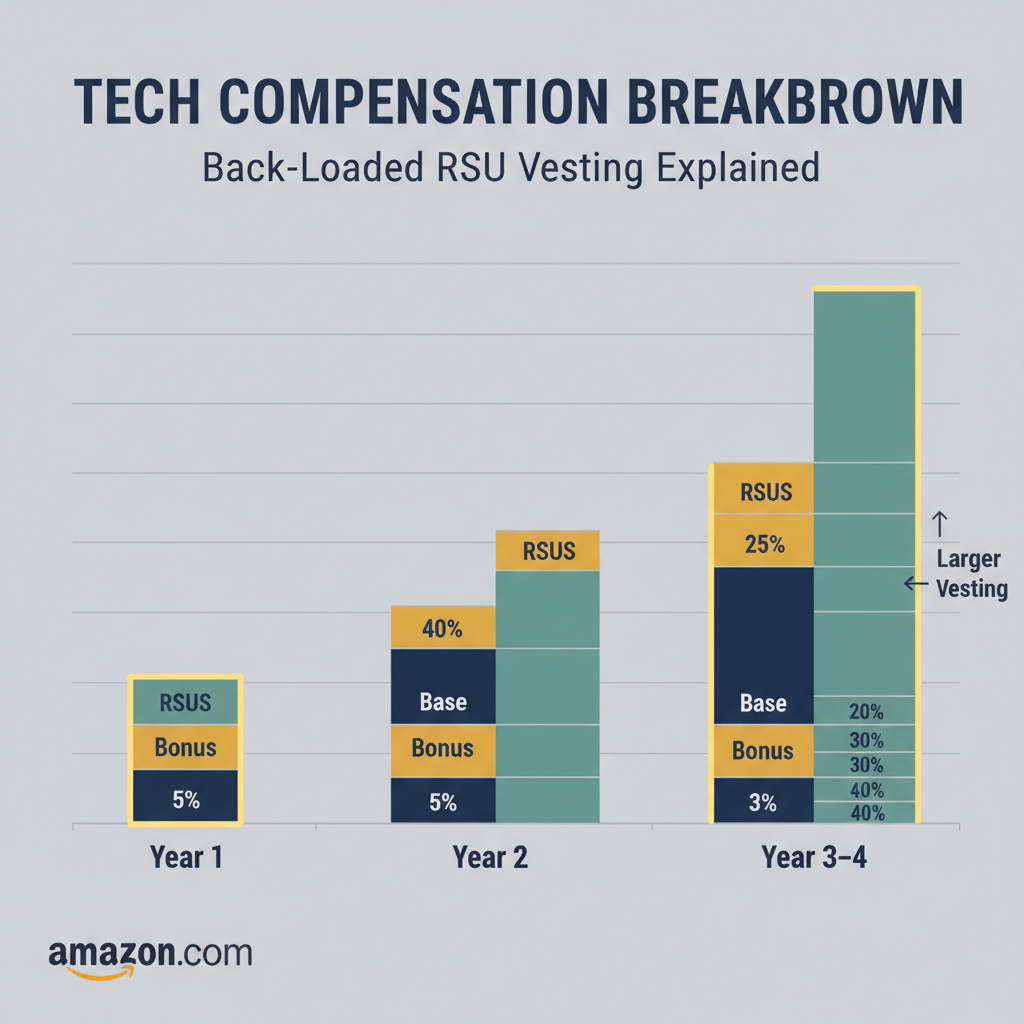
    The vesting schedule is usually not the classic 25/25/25/25. Historically, Amazon has used a back‑loaded schedule, commonly:

    • Year 1: 5%–10%
    • Year 2: 15%–20%
    • Year 3: 35%
    • Year 4: 40%

    (Exact percentages can vary by offer and internal policy at the time; always read your offer letter carefully.)

    Example RSU package:

    • Total RSUs grant value: $160K
    • Vesting (hypothetical 5/15/40/40):
      • Year 1: $8K
      • Year 2: $24K
      • Year 3: $64K
      • Year 4: $64K

    If Amazon’s stock price goes up, your realized value could be higher; if it drops, lower.

    Takeaway: Your Year 3 and 4 compensation can be way higher than Year 1 if you stay.

    Comparison graphic summarizing Amazon SDE2 total annual compensation ranges in different years and locations

    Amazon SDE2 Total Compensation: Putting It All Together

    Here’s how all of this typically shakes out in total compensation (TC) per year.

    Example 1: SDE2 in Seattle

    • Base: $175K
    • Target bonus (10%): $17.5K
    • RSUs (4-year average): say $60K/year

    Average annual TC ≈ $252K

    Year-by-year (with back‑loaded vesting) might look like:

    • Year 1: $175K + $17.5K + $20K ≈ $212.5K
    • Year 2: $175K + $17.5K + $40K ≈ $232.5K
    • Year 3: $175K + $17.5K + $80K ≈ $272.5K
    • Year 4: $175K + $17.5K + $80K ≈ $272.5K

    Notice how Year 1 can feel underwhelming compared to later years.

    Example 2: SDE2 in a Lower-Cost Market

    • Base: $155K
    • Bonus: $10K
    • RSUs (average): $35K/year

    Average annual TC ≈ $200K

    Takeaway: When people say “Amazon SDE2 salary,” they usually mean total package in the $200K–$260K+ band in big markets—but your first year could be on the low end because of vesting.

    Side by side illustration of SDE1 vs SDE2 showing different responsibilities and compensation levels

    Amazon SDE1 vs SDE2 Salary: Is the Jump Worth It?

    If you’re already at Amazon as an SDE1, you’re probably wondering: How big is the SDE2 bump?

    While exact numbers vary, a promotion from SDE1 to SDE2 typically comes with:

    • A noticeable base bump (often $20K–$40K+)
    • A larger RSU refresh tied to the higher level
    • More influence and expectation of ownership

    Rough mental model:

    • SDE1 total comp: ~$140K – $190K depending on geo & experience
    • SDE2 total comp: ~$200K – $260K+ in major markets

    But—the bar for SDE2 is higher:

    • You need to drive features end‑to‑end
    • You’re on the hook for design decisions
    • Your impact is expected to be broader and more visible

    Takeaway: Yes, the money is meaningfully better, but so are expectations. Don’t underestimate the scope jump.

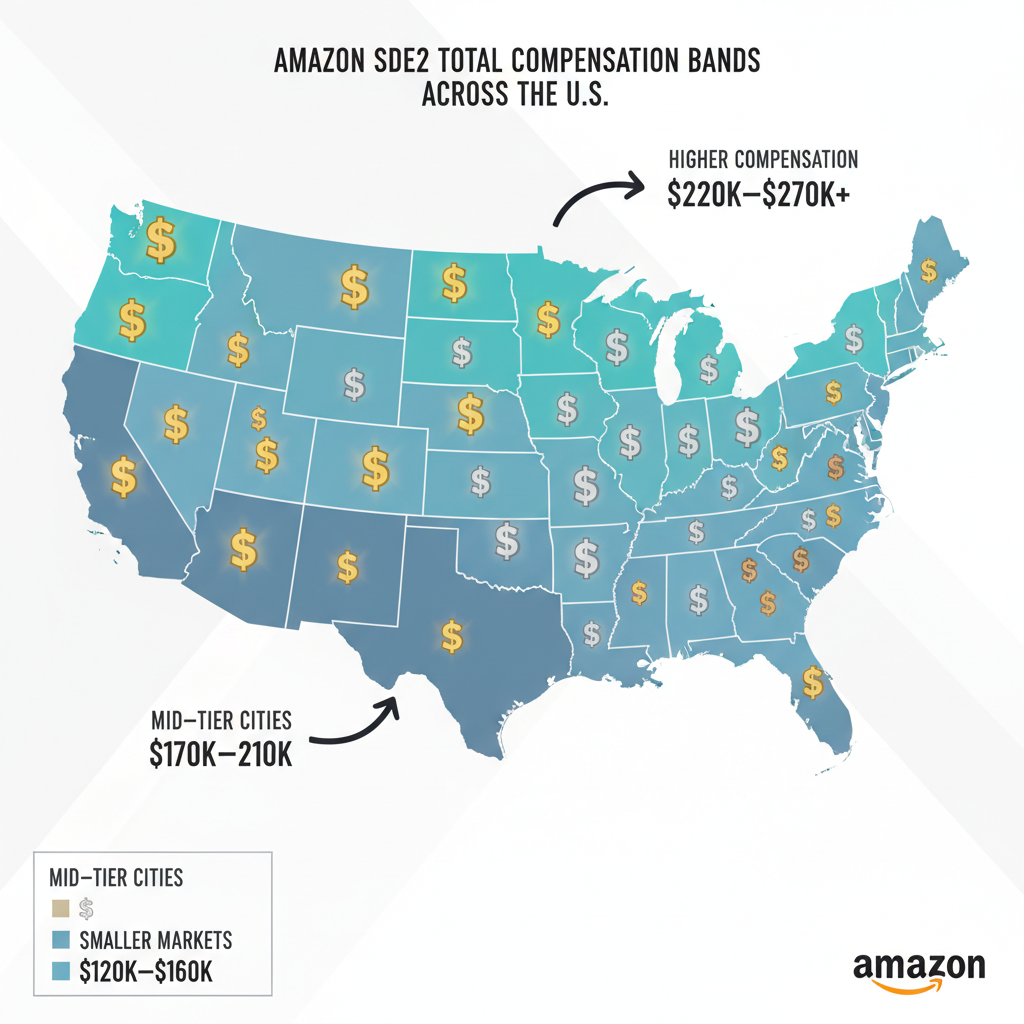
    Map of the United States highlighting Amazon SDE2 total compensation differences across cities

    How Location Affects Amazon SDE2 Salary

    Amazon pays differently across locations based on comp bands and cost of labor, not just cost of living.

    Broadly speaking:

    • Highest bands: Seattle, SF Bay Area, NYC
    • Mid bands: Austin, Boston, some U.S. metros
    • Lower bands: Smaller or non-tech-hub cities

    Same level, same title, different realities:

    • SDE2 in Seattle: TC might land in $220K – $270K+
    • SDE2 in smaller markets: TC may instead be closer to $180K – $220K

    If you’re remote or relocating, always clarify:

    • Which comp band your offer is tied to
    • Whether your band changes if you move later

    Takeaway: That “same role” can be a $40K–$60K difference just by changing zip codes.

    Negotiation themed illustration showing candidate reviewing Amazon SDE2 offer breakdown with a recruiter on video call

    How to Tell If Your Amazon SDE2 Offer Is Good

    Instead of just asking, “Is this high or low?”, walk through these checks:

    1. Compare Against Market Data

    Use sites like:

    • Levels.fyi
    • Glassdoor
    • Blind (with caution; lots of flexing and outliers)

    Filter for:

    • Amazon
    • SDE2
    • Your city or closest major hub

    You’re looking for the median and 75th percentile of total comp, not the one-off unicorn offer.

    2. Break Down the Components

    Write out:

    • Base: $___
    • Bonus target: $___ (and realistic range)
    • Year-by-year RSU vest: $___ / $___ / $___ / $___

    Then calculate Year 1 actual and 4-year average.

    3. Consider Stock Volatility

    Your RSUs are tied to Amazon’s stock price.

    • If you’re risk-averse, you may care more about base.
    • If you’re bullish on Amazon long‑term, a stock‑heavy offer might be attractive.

    You can ask recruiters to:

    • Move a bit more into base / sign‑on if the stock portion feels too heavy
    • Or add a sign‑on bonus to compensate for lower Year 1 vesting

    4. Check the Internal Level

    Confirm your exact level (e.g., SDE2 vs SDE3), because:

    • Same job description + different level = very different comp

    Takeaway: Don’t just stare at one number. Model your Year 1, 2, 3, 4 and sanity-check against market data.

    Illustration of a software engineer negotiating Amazon SDE2 offer using data and charts

    Can You Negotiate an Amazon SDE2 Offer?

    Yes. You absolutely can—and should—negotiate your Amazon SDE2 salary.

    A few realistic tips:

    • Know your band: Recruiters typically have a low, mid, and high target band for your level/location.
    • Use competing offers: Offers from other big tech or well‑funded startups can often pull you towards the upper end of the band.
    • Optimize for your priorities:
      • Want stability? Push on base + sign‑on.
      • Comfortable with stock? You can accept a stock‑heavy package if overall TC is strong.
    • Be specific: Instead of “Can you do better?”, say:
      • “Given my other offer at $240K TC, is there room to move this closer to $230K–$240K total?”

    Amazon may push back with “this is top of band,” but if you’re in-demand, there’s usually some room—especially in stock or sign‑on.

    Takeaway: Polite, data‑driven negotiation can add tens of thousands to your package. Don’t leave that on the table.

    Conceptual visual of weighing Amazon SDE2 salary against work life balance and growth

    When an Amazon SDE2 Salary Might Not Be Worth It

    Hot take in 3…2…1…

    An impressive-looking number on paper doesn’t automatically mean it’s right for you.

    A few red flags where even a strong Amazon SDE2 salary might be questionable:

    • Team with brutal on‑call / pager duty, but no extra compensation compared to better-balanced teams.
    • Tech stack misalignment: If you care about a certain domain (ML, high-scale distributed systems, front-end depth) and the team doesn’t match, your long‑term growth may suffer.
    • Low promotion velocity: If the org is bottlenecked at senior levels, you could be stuck as an SDE2 for years without much career movement—even with okay pay.

    Takeaway: Compensation matters, but so do skills, happiness, and realistic growth paths. Money can’t fix a miserable day‑to‑day.

    Final checklist style graphic summarizing how to evaluate an Amazon SDE2 offer

    Final Thoughts: How to Approach an Amazon SDE2 Offer

    If you remember nothing else, keep this checklist:

    • Get the full breakdown: Base, bonus, Year‑by‑Year RSU vesting, sign‑on.
    • Benchmark: Compare your Amazon SDE2 salary and total comp against recent market data for your city and level.
    • Model the real numbers: Calculate Year 1, 2, 3, 4. Don’t just divide by 4.
    • Ask for what you want: Higher base, more RSUs, or a stronger sign‑on—backed by competing offers or data.
    • Think beyond money: Evaluate team, tech stack, manager, work-life balance, and growth.

    If the total compensation looks competitive, the team fit feels right, and the scope aligns with your career goals, an Amazon SDE2 role can be a powerful launchpad toward senior engineering and beyond.

    And if your offer feels low? You’re not being “difficult” by negotiating—you’re just acting like a mid‑level engineer who knows their value.


  • Amazon Operations Manager Salary Breakdown


    Amazon Operations Manager Salary Breakdown


    Amazon Operations Manager Salary Breakdown

    So you’re wondering what an Operations Manager at Amazon actually makes—and whether all those yellow vests, metrics dashboards, and late-night shifts are worth it.

    Let’s pull back the curtain.

    In this post, we’ll walk through Amazon Operations Manager salary ranges, bonuses, stock, location differences, and what really moves the needle on pay.


    Amazon Operations Manager overseeing a busy fulfillment center floor with yellow vest and digital dashboards

    What is an Operations Manager at Amazon?

    At Amazon, an Operations Manager (often called an Area/Operations Manager at different levels) is the person responsible for running a chunk of a fulfillment center or delivery operation.

    Typical responsibilities include:

    • Managing a team of associates (sometimes 30–100+ people)
    • Hitting targets for safety, quality, speed, and cost
    • Coordinating with HR, finance, and senior ops leaders
    • Solving daily chaos: equipment issues, volume spikes, staffing gaps

    If you like process, data, and firefighting with a smile, this role sits right in the middle of Amazon’s engine room.

    Takeaway

    Operations Managers keep the “Prime in two days” promise from completely falling apart.

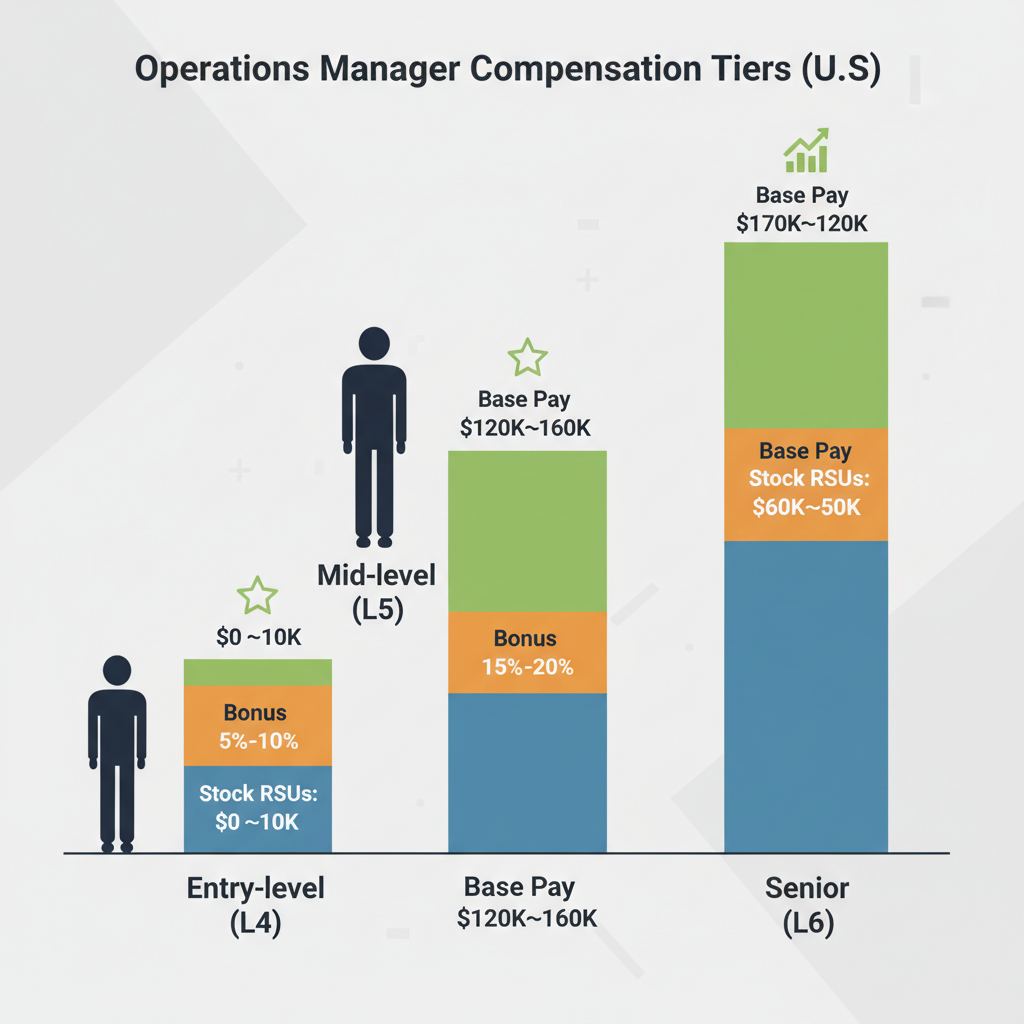
    Infographic of entry, mid, and senior Amazon Operations Manager salary levels with base, bonus, and stock

    How much does an Amazon Operations Manager make?

    Let’s talk numbers.

    Exactly compensation varies by level, location, and business unit, but for U.S. roles, here’s a grounded, realistic snapshot of total compensation (base + bonus + stock) ranges many Ops Managers report seeing:

    Approximate total compensation ranges (U.S.)

    For typical operations/area manager levels in fulfillment or logistics, you’ll generally see something like:

    Entry-level / junior Ops or Area Manager (L4-ish range)

    • Base salary: ~$60,000–$85,000
    • Total comp with bonus/stock: ~$65,000–$95,000+

    Mid-level Operations Manager (L5-ish range)

    • Base salary: ~$80,000–$115,000
    • Total comp with bonus/stock: ~$95,000–$140,000+

    Senior Operations Manager / larger scope (L6-ish range)

    • Base salary: ~$110,000–$150,000+
    • Total comp with bonus/stock: can push into $160,000–$220,000+, especially in high-cost markets

    You’ll find plenty of public data points on sites like Glassdoor, Blind, and Levels.fyi that line up with these ranges—and they all tell the same story: base is solid, stock is where it gets interesting, and level/location matter a lot.

    Takeaway

    If you’re thinking long-term, don’t just ask, “What’s the base?” Ask, “What level am I at, and what’s the stock refresh policy?”

    Conceptual breakdown of Amazon Operations Manager pay package as base salary, bonus, RSUs, and benefits

    Breaking down the Amazon Ops Manager pay package

    An Amazon Operations Manager salary is really a package with multiple parts:

    1. Base salary

    This is your fixed annual pay. For most Ops Managers in the U.S., base tends to sit roughly in that $70K–$140K band depending on level and market.

    Factors that push base salary up:

    • Higher internal level (L5 vs L4, L6 vs L5)
    • High-cost cities (Seattle, NYC, Bay Area, some major metros)
    • Strong, directly relevant experience in operations or people management

    2. Annual bonus

    Amazon typically includes a modest cash bonus portion for Ops leaders. It’s usually performance-based and can be a certain percentage of your base (the exact structure can vary by level and org).

    What affects your bonus:

    • Site performance (hitting volume, quality, and safety targets)
    • Your individual performance rating
    • Business unit performance (some years are better than others)

    3. Restricted Stock Units (RSUs)

    This is the quiet lever that can make total compensation jump.

    • You’re often granted a number of Amazon RSUs that vest over several years.
    • The vesting schedule is typically heavily back‑weighted (less in year 1, more in years 3–4), designed to keep you around.
    • If the stock performs well, your total comp can look much higher than your base salary alone.

    Real talk: This is why two Ops Managers with the same base may be making very different total comp depending on when they were hired and at what stock price.

    4. Benefits and extras

    Non-cash items matter too, especially if you’re comparing offers:

    • Health, dental, vision insurance
    • 401(k) with company match (varies by plan/year)
    • Employee discount (handy if you basically live on Amazon already)
    • Paid time off + paid holidays (note: operations often work holidays with differential pay)
    Takeaway

    For Amazon Operations Manager roles, salary is just the headline. Stock + level + vesting schedule are the plot twist.

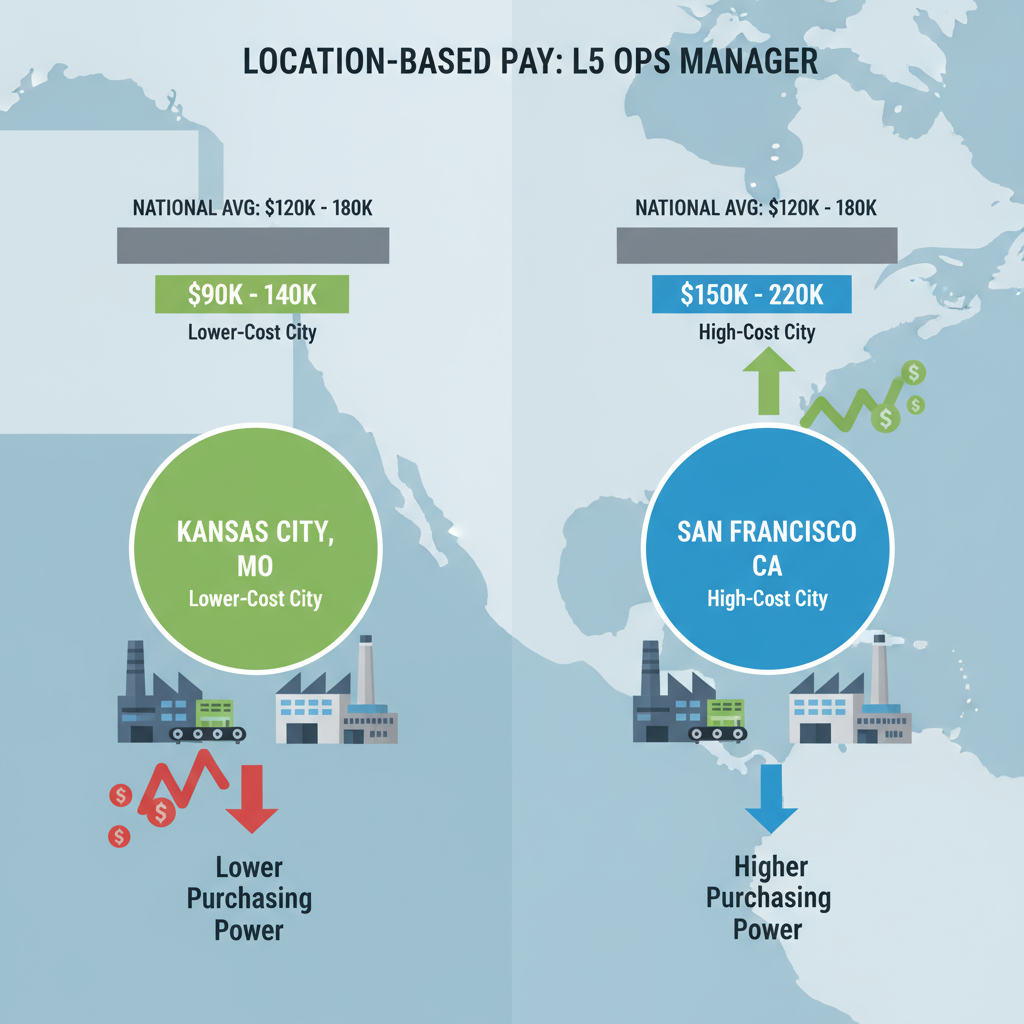
    Map of US highlighting pay differences for Amazon Ops Manager in Midwest vs coastal city

    How much does location change Amazon Ops Manager pay?

    Location is a huge driver of Amazon Operations Manager salary.

    Things that typically bump compensation up:

    • High cost of living markets: Major metros and tech hubs typically pay at the higher end of the range.
    • Strategic sites: Large, complex fulfillment centers or high-volume sort centers can be compensated more aggressively.

    Conversely, smaller or lower-cost markets might land offers toward the lower-to-middle part of the ranges mentioned earlier.

    Example scenario:

    • An L5 Operations Manager in a lower-cost Midwest city might see base around $85K–$95K.
    • The same level in a high-cost coastal city could be more like $100K–$115K+ base, with higher total comp due to stock and local banding.
    Takeaway

    Always ask recruiters which pay band your role sits in and how it compares to the same level in other locations.

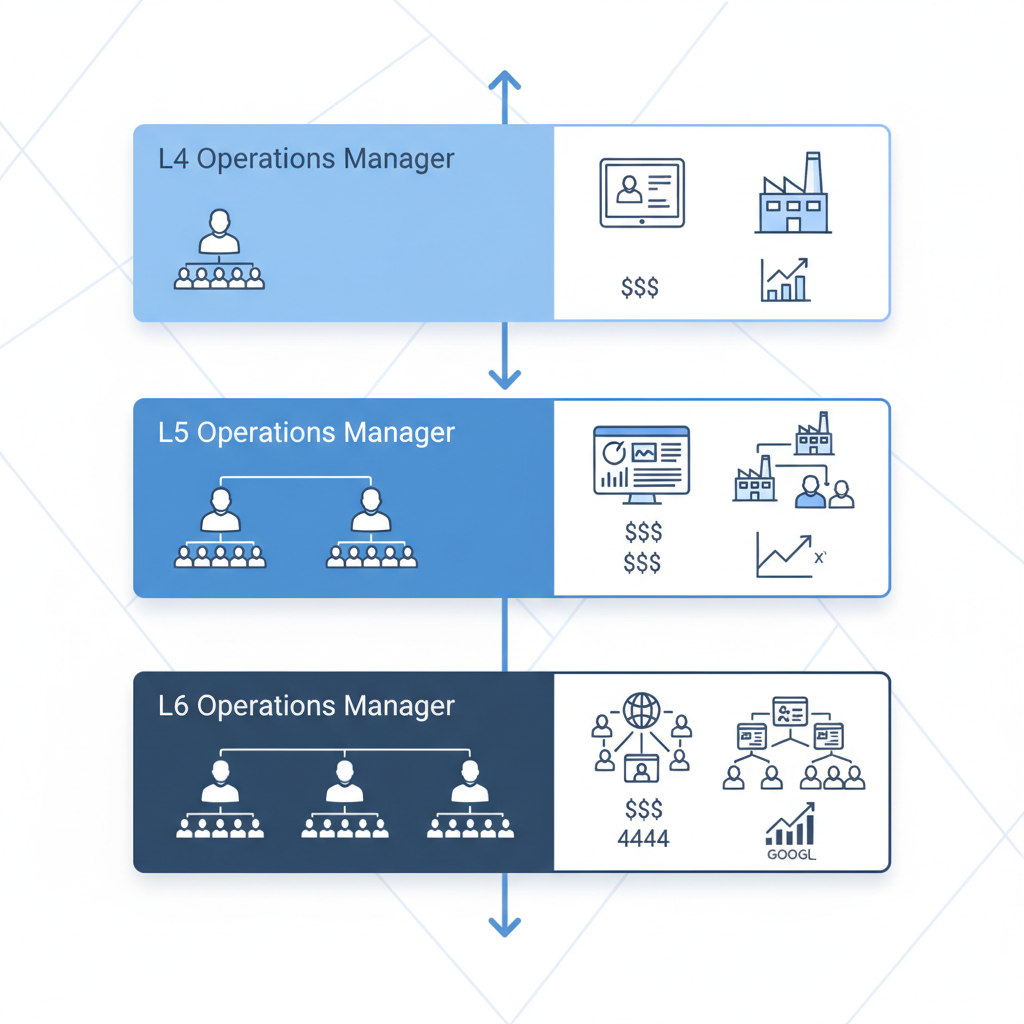
    Org chart showing Amazon Operations Manager levels L4, L5, and L6 with team size and pay indicators

    Amazon Operations Manager levels: why they matter for salary

    You’ll hear people talk in levels: L4, L5, L6, etc. Your level determines your:

    • Salary band
    • Bonus target
    • Stock grant size
    • Scope of responsibility

    Roughly:

    • L4 – Often early-career / first-time managers, sometimes fresh out of university or with limited leadership experience. Smaller scope, closer to front-line.
    • L5 – More established Operations/Area Managers, running larger teams, owning big chunks of a building. This is a common “career Ops Manager” level.
    • L6 – Senior Operations Managers or leaders running whole departments or entire shifts, with multiple managers reporting to them.

    If you’re coming from outside Amazon, you might be surprised to find you’re targeted at L4 vs L5 or L5 vs L6 depending on how they calibrate your previous experience.

    Takeaway

    The single biggest lever on your Amazon Operations Manager salary is not your negotiation script—it’s the level you’re hired at.

    Amazon Operations Manager walking through warehouse at night with graphics of rising pay versus rising stress and hours

    What experience helps you land the higher end of the range?

    If you want to be closer to the top of the Amazon Operations Manager salary band, here’s what tends to help:

    1. Real people‑management experience

    Amazon cares a lot about whether you’ve actually managed people, not just “influenced stakeholders.”

    High‑value experience:

    • Running teams in warehouses, logistics, retail, manufacturing, or military units
    • Handling scheduling, performance reviews, and difficult conversations
    • Leading across multiple shifts or departments

    2. Operations or industrial background

    You’ll stand out if you’ve worked in:

    • Distribution centers / 3PLs
    • Manufacturing plants
    • Transportation / last‑mile delivery networks
    • High-volume retail store management

    This reduces ramp‑up time, which makes Amazon more comfortable giving you a higher level and better comp.

    3. Data and process skills

    Amazon is extremely metrics‑driven. You’ll get bonus points (and potentially better roles) if you can talk about:

    • Kaizen / continuous improvement projects
    • Reducing defects or improving throughput using data
    • Using KPIs and dashboards to manage teams
    Takeaway

    To earn more, don’t just say you “worked on operations.” Show that you owned teams, owned results, and improved metrics.

    Amazon Operations Manager on a late shift in a warehouse with visual overlay of hours versus pay

    Work hours, shifts, and how they relate to pay

    Let’s be honest: Ops work is not a 9–5 desk job.

    Amazon Operations Managers often:

    • Work 10–12 hour shifts during peak periods
    • Cover nights or weekends (especially in 24/7 fulfillment centers)
    • Rotate shifts or own a specific fixed shift (days, nights, weekends)

    Sometimes, higher‑paying roles come with:

    • Less-desirable shifts (overnights, weekends)
    • More complex buildings or business lines
    • Higher performance pressure

    Example:

    • A night-shift Ops Manager in a high-volume fulfillment center might get slightly better comp or faster promotion opportunities—but will also live a more brutal schedule.
    Takeaway

    Higher Amazon Operations Manager salary often comes bundled with harder shifts and more pressure. Run the math not just on money, but on lifestyle.

    Visual of negotiating and adjusting base salary, stock, and bonus in an Amazon offer package

    How to negotiate your Amazon Operations Manager offer

    You won’t completely rewrite Amazon’s pay bands, but you do have room to influence where you land within them—and even the level.

    Here’s how:

    1. Research your level and market

    Check multiple sources (Glassdoor, Levels.fyi, Blind, LinkedIn salary data) for your city + level. Don’t just look at generic U.S. numbers.

    2. Clarify your level early

    Before deep into interviews, ask:

    • “What level is this role scoped as?”
    • “What’s the typical base and total comp range for this level in this location?”

    3. Highlight people-leadership stories

    When negotiating:

    • Emphasize team size you’ve led
    • Complex operations you’ve run
    • Quantifiable improvements (e.g., reduced defects 15%, improved throughput 20%, cut overtime 10%)

    4. Negotiate the whole package

    You can ask about:

    • Base salary within band
    • Upfront or sign-on bonuses
    • Stock grant size (and how it vests)
    • Relocation support if you’re moving

    5. Use competing offers (carefully)

    If you have other roles in logistics, manufacturing, or tech, share them strategically to justify being pushed to the top of the band—but keep it professional, not ultimatum‑y.

    Takeaway

    You won’t blow past Amazon’s internal limits, but you can often move from the middle to the top of the band with the right data and stories.

    Amazon fulfillment center with Operations Manager evaluating whether the salary and lifestyle tradeoff is worth it

    Is an Amazon Operations Manager salary “worth it”?

    This depends on what you value.

    Pros:

    • Competitive salary and strong upside with stock, especially at higher levels
    • Big-company name that plays well on your resume
    • Rapid exposure to high-volume, high-pressure operations
    • Clear metrics and promotion pathways if you perform well

    Cons:

    • Long, sometimes unpredictable hours
    • Physically and mentally demanding environment
    • High expectations and intense performance culture

    Think of it as a career accelerator: You might work harder than at a slower-paced company, but you’ll also learn faster and have options to move into higher-level ops roles, consulting, or other leadership positions later.

    Takeaway

    If you’re early or mid-career and serious about operations leadership, the Amazon Operations Manager salary plus experience can be a strong trade—even if it’s not always comfortable.

    Clean infographic summarizing Amazon Operations Manager entry, mid, and senior salary ranges in plain English

    Quick recap: Amazon Operations Manager salary in plain English

    Here’s the whole thing, simplified:

    • Entry-level Ops/Area Manager: Roughly $60K–$95K total depending on location and level.
    • Mid-level Ops Manager: Roughly $95K–$140K+ total.
    • Senior Ops Manager (larger scope): Often $160K–$220K+ total, particularly in major markets.
    • Your level, location, and stock grant are the big levers.
    • The job pays well for operations—but it’s not an easy 40-hour week.

    If you tell me your years of experience, city, and whether you’ve managed people before, I can help you estimate where you might land within those ranges and how to position yourself for the higher end.

  • Inside Morgpie’s Amazonian Appeal on Twitch


    Inside Morgpie’s Amazonian Appeal on Twitch


    Inside Morgpie’s Amazonian Appeal on Twitch

    If you’ve spent more than five minutes in the spicier corners of Twitch or Reddit, you’ve probably seen two phrases orbiting the same name:
    “Morgpie” and “amazon kink” (or “Amazon position”). Here’s how memes, kink language, and the creator economy collided to turn “Morgpie Amazon position” into a whole internet archetype.

    If you’ve spent more than five minutes in the spicier corners of Twitch or Reddit, you’ve probably seen two phrases orbiting the same name:

    “Morgpie” and “amazon kink” (or “Amazon position”).

    And if you’re not extremely online, you might be wondering: What on earth are people talking about? Let’s unpack the memes, the sexual dynamics, and the creator economy all tangled up in those three little words: Morgpie Amazon position.


    Stylized illustration of a confident female Twitch streamer surrounded by an explosive chat and platform rule references

    First, who is Morgpie?

    Morgpie is an American Twitch streamer, OnlyFans model, and pornographic actress who blew up by pushing the edges of Twitch’s sexual content rules. She’s active across Twitch, OnlyFans, TikTok, Instagram, and more, building a brand that mixes gaming, fitness, cosplay, and explicit adult content.

    She became widely known in 2023–2024 for sexualized “metas” on Twitch—particularly her so‑called “topless” meta and later a green‑screen‑on-the-body meta—that stayed just barely within Twitch’s rules at the time but looked a whole lot like implied nudity to viewers. These metas drew massive attention, led to bans, and even triggered multiple updates to Twitch’s nudity and sexual content guidelines according to coverage in mainstream tech and gaming media.

    The short version: she’s not just “another spicy streamer.” She’s one of the creators who actively changed how Twitch writes and enforces its rules.

    Takeaway
    Morgpie isn’t just a thirst trap. She’s a case study in how far you can bend a platform’s TOS before it snaps.

    Infographic-style visualization of an Amazon power dynamic with a tall dominant woman and a smaller partner silhouette

    What does “Amazon kink” or “Amazon position” even mean?

    Let’s define terms, because your search history is already doing the heavy lifting.

    In sex slang, “Amazon position” (or “Amazon kink”) usually refers to a scenario where:

    • The woman is physically dominant, often larger/stronger or at least positioned that way.
    • She’s typically on top, facing away, with the partner on their back or in a more submissive pose.
    • The whole fantasy centers on “big, strong woman absolutely taking charge.”

    It’s often part of the broader femdom / dominant woman category: she’s calling the shots, using her size, strength, or presence to control the pace, angle, and overall vibe.

    Online, people mash this idea up with:

    • “Amazon woman” = tall, thick, strong, athletic.
    • Power-play dynamics = she could, in theory, bench press you and ruin your life.

    When Reddit or Twitter (X) users joke about someone having an “Amazon kink,” they’re basically saying: “You like being absolutely manhandled by a strong woman and we all know it.”

    Takeaway
    “Amazon position” isn’t a yoga pose. It’s shorthand for “large, dominant woman taking total sexual control.”

    Dynamic illustration of a strong curvy creator in a gym setting surrounded by streaming UI overlays

    Why is Morgpie linked to the Amazon kink?

    So where does Morgpie come in?

    If you scroll through meme threads, clip compilations, and NSFW subreddits, you’ll see comments along the lines of:

    • “Amazon kink + she can literally suck your soul…”
    • “When you’re about to finish and she German suplexes you to assert dominance.”

    The running gag: Morgpie fits a specific archetype—curvy, strong, confident, aggressively sexual, and very obviously in charge of the whole experience.

    Visually and energetically, her content plays into that fantasy:

    • Gym and fitness content → suggests real strength.
    • Confident on‑camera presence → she’s controlling the frame, the pace, and the tease.
    • Adult work → her persona is openly sexual, not shy-girl-coded.

    So when people say they’re into “Morgpie Amazon position,” they’re not usually referencing a single, official scene or brand name. They’re compressing a whole set of associations into one phrase:

    Morgpie (the creator) + Amazon (big, powerful, dominant) + position (you’re not in control, buddy).

    It’s meme language describing a specific type of fantasy with her in the lead role.

    Takeaway
    The phrase is less about a specific movie title and more about the vibe: Morgpie as the towering, sexually dominant Amazon.

    Conceptual split-panel montage showing life stress versus the calm dominant energy of an Amazon figure

    Why do people fetishize the Amazon dynamic at all?

    Let’s zoom out. Why is the Amazon kink so sticky in the first place—especially when connected to creators like Morgpie?

    Common reasons people point to:

    1. Reversal of typical power roles
      A lot of mainstream porn still centers male dominance and female submission. The Amazon position flips that: the woman is literally and figuratively on top.
    2. Physicality as power
      Muscular legs, thick thighs, weight-lifting clips—these aren’t just aesthetic; they feed into a sense that she could physically overpower you. That’s the kink.
    3. Psychological surrender
      For some viewers, especially those who spend their real lives making decisions and holding responsibility, the idea of being completely overpowered and used (consensually) is a pressure release.
    4. Confidence = erotic
      Morgpie’s on‑camera confidence—whether she’s joking on Twitch or fully explicit on adult platforms—plays into the fantasy that she knows exactly what she’s doing and isn’t shy about any of it.
    5. Internet meme amplification
      Once a community decides “X creator is peak Amazon kink,” it snowballs. Every clip, every pose, every gym selfie gets interpreted through that lens.
    Takeaway
    The Amazon kink isn’t just about size. It’s about flipping control—and creators like Morgpie give that fantasy a very public, very meme‑able face.

    Depiction of the creator economy loop linking Twitch, social media, adult platforms, and Amazon-themed memes

    How Twitch helped supercharge the Morgpie mythos

    Here’s where it gets interesting: this isn’t just an adult-industry thing. It’s tightly connected to mainstream streaming.

    Morgpie became a lightning rod on Twitch for:

    • Implied nudity metas: streams framed so she appeared topless while technically still covering nipples.
    • “Body as green‑screen” gimmicks: using a chroma-key outfit so gameplay or videos appeared on parts of her body.
    • Repeated bans and unbans: her channel has a documented history of short-term bans tied to sexual content and policy changes.

    Every time she pushed the line and Twitch reacted, the conversation exploded:

    • Fans: “She’s an innovator, Twitch is just scrambling to keep up.”
    • Critics: “This is basically porn on a site kids use.”

    All that drama massively boosted her visibility. The fact that she also has explicit scenes elsewhere meant:

    People could watch the persona on Twitch, then go find the fantasy fully realized on her adult platforms.

    And because her persona already screams strong, dominant, athletic, the leap to “Morgpie Amazon position” in fan discourse was… not exactly a long jump.

    Takeaway
    Twitch controversy functioned like a megaphone. The more she clashed with TOS, the more the “Amazon kink” association spread.

    Circular creator economy diagram with a female avatar at the center and engagement graphs around Amazon-themed memes

    How the “Morgpie Amazon position” meme shapes her brand

    When you’re a creator at her level, these memes aren’t just jokes—they’re market signals.

    If a large chunk of your online audience is:

    • Calling you an Amazon
    • Fantasizing about being dominated or crushed
    • Making memes about being rag‑dolled in bed

    …you now have feedback on what fantasy is selling best.

    Creators in her lane typically use that data to:

    • Tailor content: more gym clips, more “I could break you in half” energy.
    • Name scenes or bundles around dominance, Amazon themes, or size/power play.
    • Price custom content higher when it leans into high-demand niches.

    On the viewer side, the phrase “Morgpie Amazon position” acts like a search shortcut:

    • Instead of typing a dozen tags, they boil it down to one mental image.
    • Other viewers instantly know: “Oh, you’re into being dominated by a tall, thick, strong woman who takes zero prisoners.”
    Takeaway
    The meme feeds the brand, and the brand feeds the meme. It’s a loop—and Morgpie benefits every time people repeat it.

    Strong, curvy gym-focused creator surrounded by overlays symbolizing streaming, subs, and chat engagement

    If you’re a creator: what can you learn from this?

    You don’t have to be an explicit adult creator to steal some strategies from the Morgpie + Amazon kink phenomenon.

    Here’s what it teaches about audience psychology and positioning:

    1. Let your audience nickname your niche

    Morgpie didn’t log onto Twitch and announce, “Hi, I’m your Amazon-position queen.” The community did that for her.

    What you can do:

    • Watch what phrases, jokes, or fantasies your viewers repeat.
    • Adopt the ones that align with your boundaries and brand.
    • Use them in video titles, captions, or merch.

    2. Lean into a clear fantasy, not a vague vibe

    Creators who blow up rarely sell “just hotness.” They sell a specific story:

    • The hyper‑fit gamer who could bench press you.
    • The sweet, shy girl next door.
    • The chaotic, unhinged gremlin who flames everyone in chat.

    “Morgpie Amazon position” is shorthand for a whole story: she’s big, she’s strong, she’s in charge, and you are absolutely not.

    3. Understand platforms vs. payoff

    Morgpie’s career highlights an important split:

    • Mainstream platforms (Twitch, TikTok, Instagram) → visibility, memes, and parasocial relationship building.
    • Adult platforms (OnlyFans, Fansly, etc.) → direct monetization of the fantasies mainstream platforms only let you allude to.

    If your work is even moderately sexualized, you need to be crystal clear on what each platform is for in your ecosystem.

    Takeaway
    You don’t have to copy the content, but you’d be smart to copy the strategy: listen to what fantasy your audience sees in you, and decide consciously how much you’ll lean in.

    Educational illustration showing panels for fantasy, performance, and reality with emphasis on communication and consent

    If you’re a viewer: a few sanity checks

    If you came here purely because “Morgpie Amazon position” woke something up in your brain… cool. Welcome to self-awareness.

    A few things to keep in mind:

    1. Fantasy vs. reality
      Enjoying intense Amazon or domination fantasies doesn’t mean you have to live them out at full throttle. You can keep them as fantasy, negotiate lighter versions, or explore them slowly with a partner.
    2. Consent is non‑negotiable
      Whether you’re into being overpowered or doing the overpowering, everything still has to be agreed on, safe, and respectful. The porn script is not a legal contract.
    3. Creators are people, not archetypes
      Morgpie might lean into the Amazon/dominant fantasy in content, but that doesn’t give fans the right to harass, stalk, or make demands. Her brand is a performance, not an open invitation.
    4. Kinks change over time
      The fact that you’re into this today doesn’t lock in your identity forever. Curiosity is allowed; evolution is allowed.
    Takeaway
    It’s okay to have a thing for Amazons. Just remember the difference between fantasy, performance, and real‑world ethics.

    Conceptual panels contrasting everyday overwhelm with the commanding calm of an Amazon-like figure

    So, what is “Morgpie Amazon position,” really?

    Pulled together, the phrase is internet shorthand for:

    • A specific creator (Morgpie), known for pushing sexual boundaries on Twitch and thriving on adult platforms.
    • A specific kink archetype (Amazon position), centering a big, strong, dominant woman fully in control.
    • A shared meme language that turns that dynamic into a recognizable, repeatable fantasy.

    TL;DR:

    “Morgpie Amazon position” = the fantasy of being absolutely dominated by a powerful, Amazon‑coded Morgpie, amplified by Twitch drama and adult content, and recycled endlessly in online meme culture.

    What you do with that information now… well, that’s between you, your search bar, and your conscience.


  • LPN RR Labels at Amazon Explained


    LPN RR Labels at Amazon Explained


    LPN RR Labels at Amazon Explained

    If you’ve ever stared at an LPN RR label on an Amazon box and thought, “Did my package just get a license plate?”, you’re not alone. Those mysterious codes are a big deal in Amazon’s logistics world—and they matter if you’re a seller, warehouse worker, or just a very curious customer.

    Let’s unpack what LPN RR Amazon actually means, why it exists, and how it affects inventory, returns, and your bottom line.


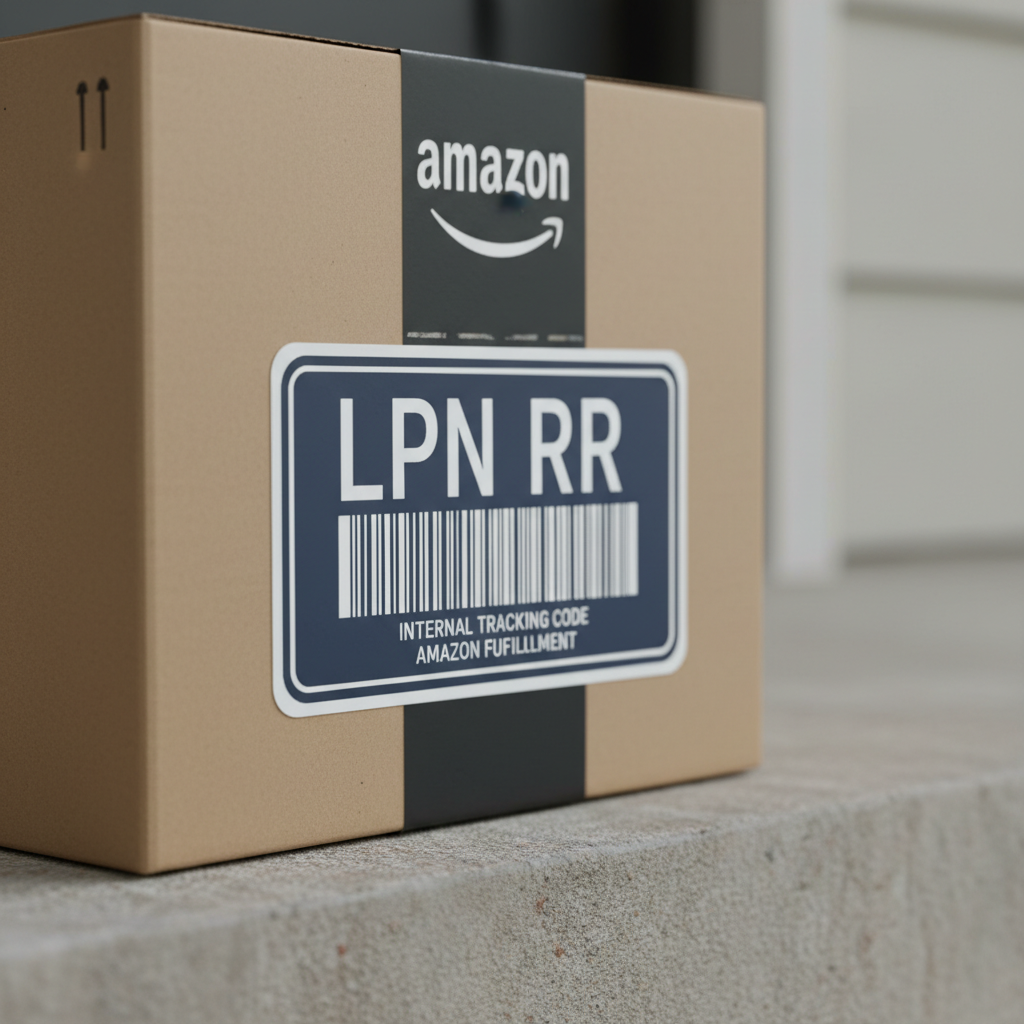
    Close-up Amazon box with a large LPN RR label looking like a barcode license plate

    What does “LPN RR” mean at Amazon?

    In Amazon’s fulfillment network, LPN generally stands for License Plate Number – a unique identifier assigned to individual units or packages. Think of it like a tracking number used inside the warehouse.

    The extra “RR” usually shows up on return-related labels. In practice, people often see “LPN RR” on:

    • Returned items
    • Repackaged units
    • Warehouse-ready return inventory

    So when you see an LPN RR label on an Amazon item, it’s usually a sign that:

    1. The unit has been processed as a return or
    2. It’s being re-labeled / repackaged for internal handling
    Quick takeaway: LPN = unique internal ID. RR = return-related. Together, they help Amazon track every single unit, especially in the messy world of returns.
    Isometric cutaway illustration of an Amazon fulfillment center with a worker scanning an LPN RR labeled return

    Why does Amazon use LPN RR labels at all?

    Because without them, Amazon’s warehouses would be chaos.

    An LPN RR label lets Amazon:

    1. Track individual returned units
      Even if multiple customers return the same ASIN, each physical unit still needs its own identity. The LPN RR gives that unit a unique “name.”
    2. Tie the physical unit to the original order
      That helps determine: Was it within the return window? Who paid? Is a refund or replacement owed?
    3. Decide what happens next
      Based on the condition inspection, a unit might be:

      • Returned to sellable inventory
      • Marked as used / open box
      • Sent to liquidation, recycling, or disposal
    4. Audit and prevent abuse
      LPNs help Amazon detect suspicious return patterns—like too many “defective” claims from the same account, or mismatched items in a return box.
    Quick takeaway: LPN RR labels are the backbone of Amazon’s returns tracking. No label, no clean data, no control.
    Split-scene with a customer unboxing a new product and a returns station both showing the same LPN RR sticker

    Where do you see LPN RR labels in real life?

    You’ll most often spot LPN RR Amazon labels in three places:

    1. On returned items you bought

    Sometimes customers receive a product that has an LPN RR sticker on the box or packaging. That often means:

    • The item was previously returned by another customer.
    • It might have been inspected and considered sellable again.
    • It could be from warehouse deals, open box, or similar channels.

    If you ordered something advertised as new and it arrives with obvious LPN RR return labels, damaged packaging, or signs of prior use, that’s a good reason to contact Amazon support.

    Mini-scenario:
    You order a “new” keyboard. It arrives with an LPN RR sticker and the cable is loosely wrapped. That suggests it’s a inspected return. You can:

    • Check if you bought it from Amazon directly or a third-party seller.
    • Request a return or replacement if it doesn’t match the listing condition.

    2. In Amazon fulfillment centers (if you work there)

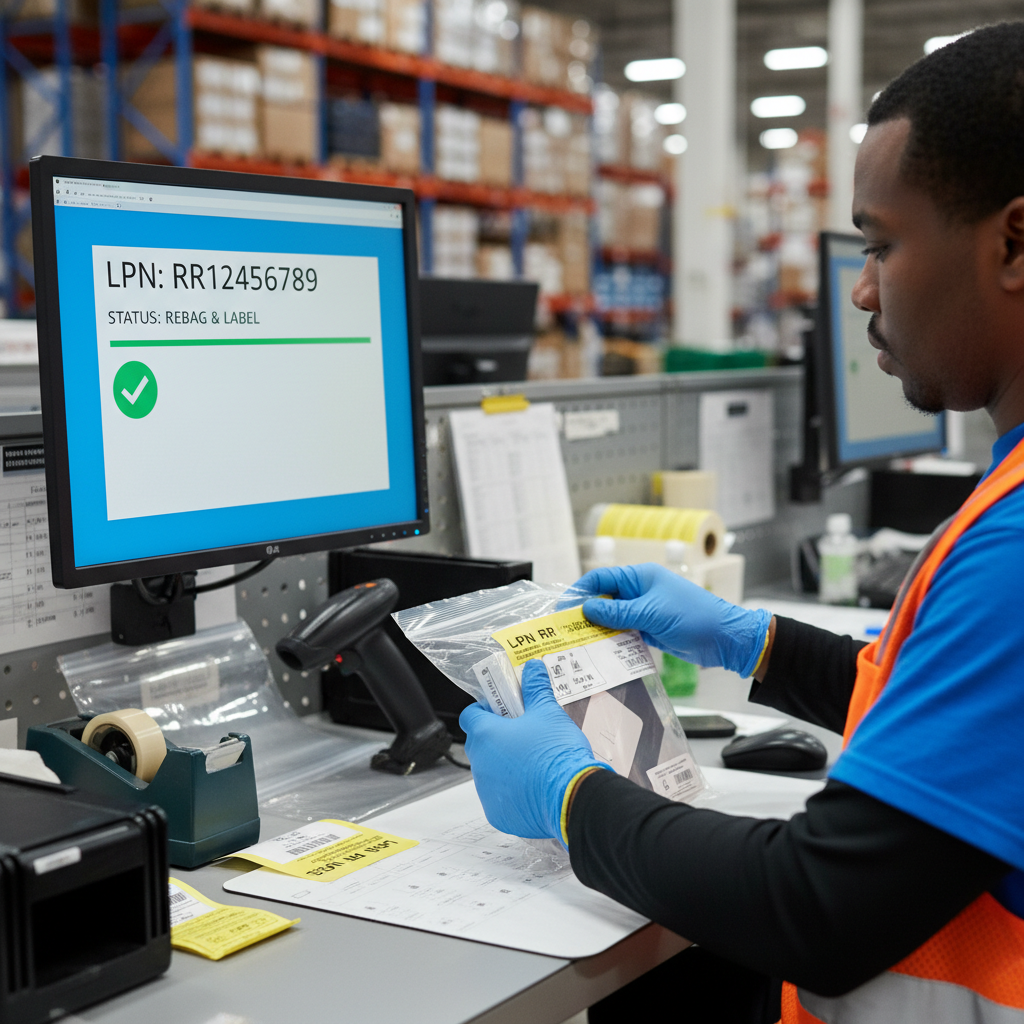
    If you’re an associate in an Amazon FC (fulfillment center) or sort center, you’ll see LPN RR labels during:

    • Return processing (scanning, inspecting, re-bagging)
    • Re-binning / shelving returned units
    • Repackaging items into Amazon-branded or generic packaging

    Your scanner and station software will usually treat the LPN as the primary ID, not the barcode on the product box. That makes it possible to track a unit even when packaging changes.

    Mini-scenario:
    You’re at a returns station. A customer sent back a blender. You inspect it, it’s fine, you re-bag it, and print an LPN RR label. Now that exact unit is traceable through the entire warehouse lifecycle.

    3. As an Amazon FBA seller (indirectly)

    If you’re an FBA seller, you don’t usually create LPN RR labels yourself. Amazon does that when it handles units in its own network.

    But LPNs play into:

    • Returns reports (which units were returned, in what condition)
    • Inventory adjustments (lost, found, damaged, repackaged)
    • Reimbursement issues when units disappear inside the FC

    You might see LPN references in internal support messages or case notes, especially when escalating inventory problems.

    Quick takeaway: Customers see LPN RR mostly on returned or repackaged items. Workers and sellers see it as a key part of returns and inventory control.
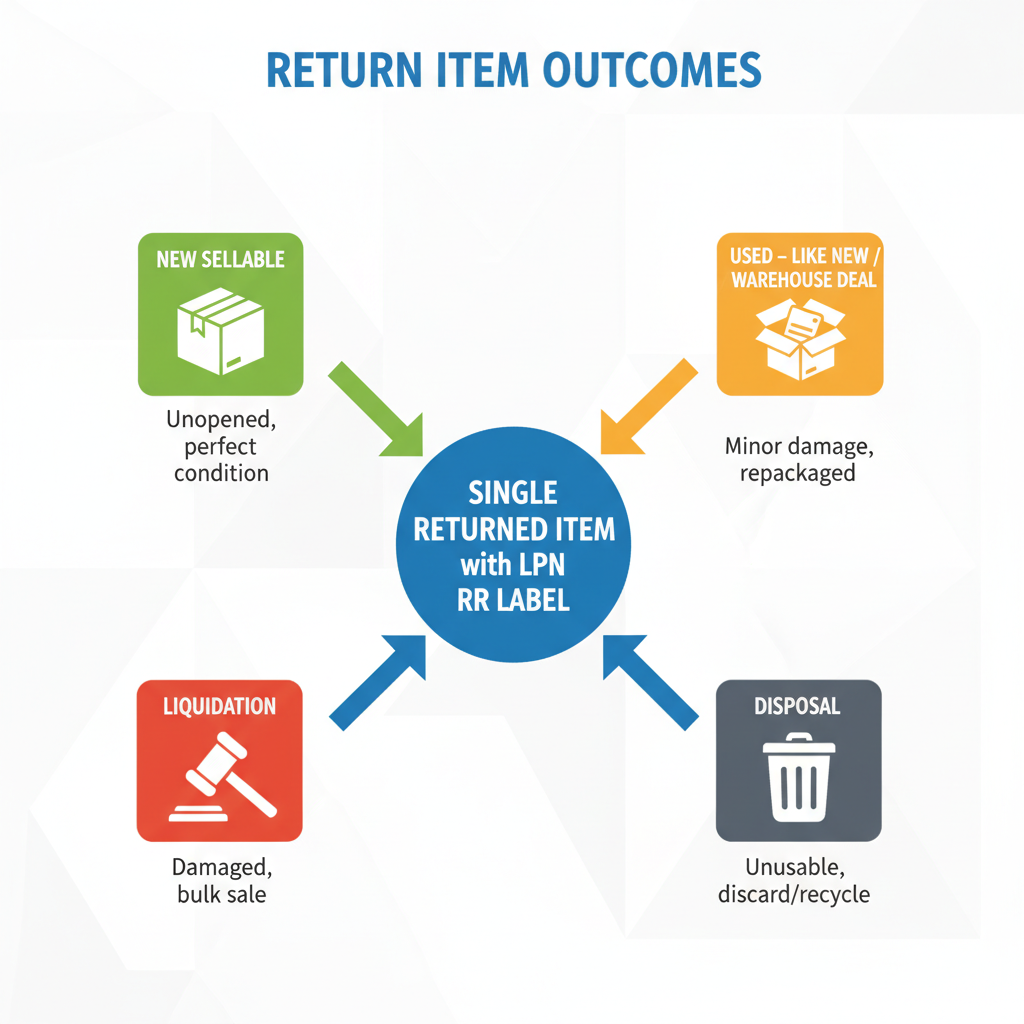
    Infographic showing multiple outcomes for an LPN RR labeled return: new sellable, used like new, liquidation, and disposal

    Is an LPN RR item always used or bad?

    Not necessarily.

    An LPN RR label doesn’t automatically mean the product is:

    • Broken
    • Used heavily
    • Fake

    It means the item went through the returns process and was tracked as an individual unit.

    What happens next depends on Amazon’s internal checks:

    • If it looks brand new and unopened → it may go back to new sellable inventory.
    • If the packaging is opened but the product is fine → it might become “used – like new” or go into a warehouse deal.
    • If it’s damaged, missing parts, or unsafe → it’s usually pulled from normal sellable stock.

    Red flag for buyers:
    If you specifically paid for new and see obvious LPN RR return stickers + signs of prior use (fingerprints, missing protective films, etc.), that’s not what you agreed to. Use your return rights.

    Quick takeaway: LPN RR = returned and tracked. Condition still depends on Amazon’s inspection and how it’s relisted.
    Amazon fulfillment center returns workstation where an employee inspects, re-bags, and applies an LPN RR sticker

    How LPN RR affects Amazon FBA sellers

    If you’re an FBA seller, understanding LPN RR helps you:

    1. Make sense of messy return data

    Each returned unit is tied to its own LPN. Internally, Amazon uses that to decide:

    • Was the return seller-fault, carrier-fault, or customer-fault?
    • Can the unit be sent back to sellable inventory, or should it be unsellable?

    While you don’t see every LPN, the effects show up as:

    • Changes in your available inventory
    • Refunds issued
    • Inventory adjustments like “lost,” “found,” or “damaged at FC”

    2. Investigate strange inventory behavior

    Ever see this?

    • Units go missing from FBA inventory
    • Then some quietly reappear
    • Or you get a reimbursement out of nowhere

    Behind the scenes, LPN-level tracking helps Amazon decide what to do with these discrepancies. If you open a case about missing inventory, support may reference internal LPN data when investigating.

    3. Understand why a customer got a “return” as new

    If customers complain that they received an item with LPN RR labels as “new,” that can be due to:

    • Amazon commingling inventory from multiple sellers (especially for identical ASINs)
    • Warehouse repackaging where inspected returns were allowed back into new stock

    As a seller, you can:

    • Use FNSKU-based labels (so your inventory is not mixed with others’ if that’s an option in your category)
    • Monitor customer feedback for mentions of “used,” “open box,” “already opened,” or visible LPN labels
    Quick takeaway: You won’t manage LPN RR codes directly as a seller, but they’re part of the invisible system that controls your returns, refunds, and inventory.
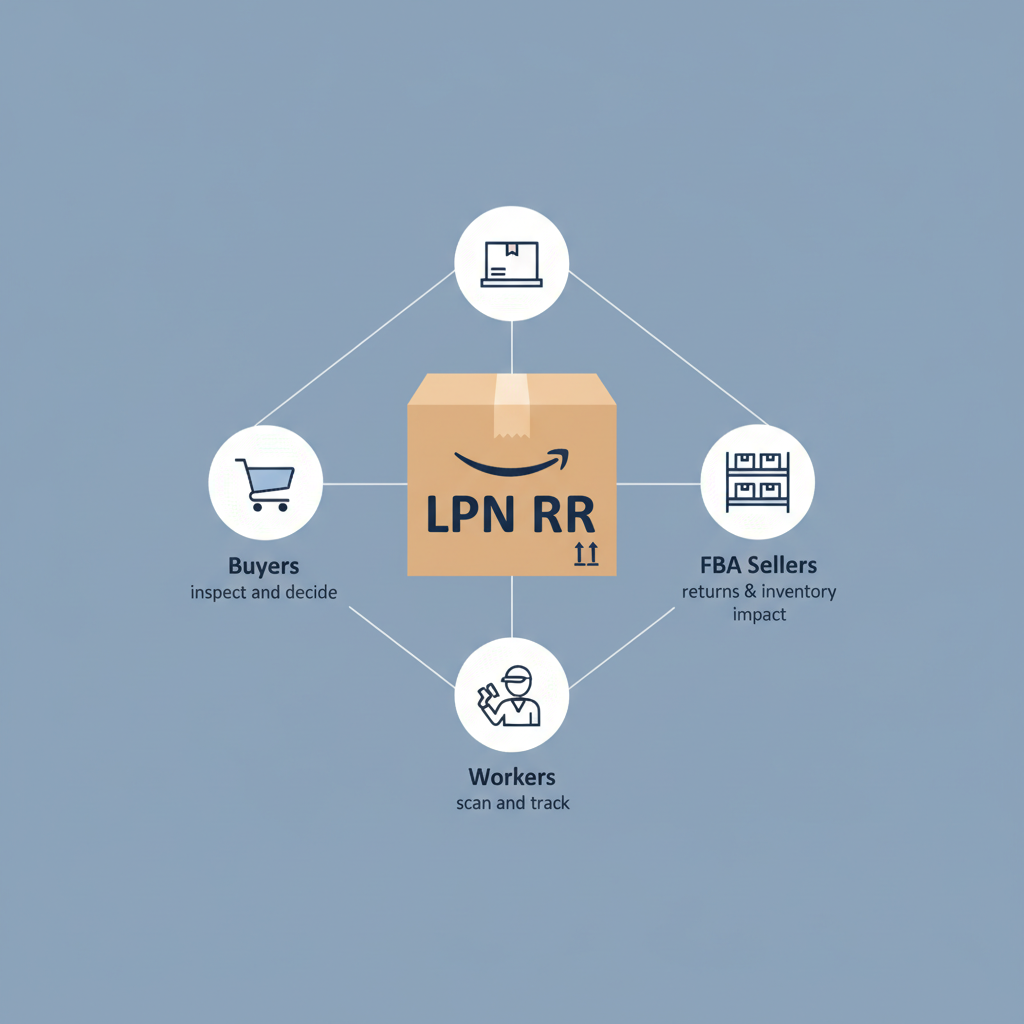
    Clean summary graphic with an LPN RR Amazon box connected to buyers, FBA sellers, and workers

    How should buyers react if they see an LPN RR Amazon label?

    If you’re just a customer and you notice an LPN RR code on your order, here are some practical steps:

    1. Check the condition carefully

      • Is the product sealed?
      • Are accessories, manuals, and cables all included?
      • Any scratches, wear, or repackaged look?
    2. Compare with the listing

      • Was it sold as New, Renewed, Used – Like New, etc.?
      • Was it from Amazon or a third-party seller?
    3. Decide what feels acceptable

      • If it looks perfect and you don’t care it might be a return, you can probably just use it.
      • If anything feels off, or the condition doesn’t match what you paid for, you’re fully within your rights to return or exchange it.
    4. Leave accurate feedback

      • If you keep it, but something about the condition bugged you, mention it in a review.
      • That helps other buyers and sometimes nudges Amazon/sellers to tighten QC.
    Quick takeaway: An LPN RR label is not automatically bad—but it’s your cue to inspect the item and make sure you got what you ordered.
    Amazon worker carefully scanning and placing an LPN RR label according to best practices

    Best practices for Amazon workers dealing with LPN RR items

    If you work in or around an Amazon fulfillment center, some good habits go a long way:

    • Always scan the LPN correctly
      No shortcuts. The entire chain of tracking depends on clean scans.
    • Apply labels where they’re visible but not destructive
      Don’t cover key product info or safety warnings if you can avoid it.
    • Follow the returns SOP (Standard Operating Procedure)
      If something seems off—a wrong item in a box, obviously used item marked as new—flag it. The LPN is your evidence trail.
    • Handle repackaging with care
      Sloppy repackaging creates customer complaints which lead to more returns… and more LPN RR labels.
    Quick takeaway: For workers, the LPN RR is both a responsibility and a safety net. Handle it right, and everyone down the line has fewer headaches.
    Infographic style wrap-up of what LPN RR means for tracking and returns at Amazon

    Key takeaways: LPN RR Amazon in plain English

    Let’s wrap it up:

    • LPN = License Plate Number, an internal ID for a specific unit.
    • RR usually indicates return-related handling.
    • Amazon uses LPN RR labels to track returns, decide what to do with each unit, and keep inventory accurate.
    • Buyers: Seeing an LPN RR label means the item likely passed through the returns process. Inspect carefully and return it if it doesn’t match the promised condition.
    • FBA sellers: You don’t print LPN RR labels, but they affect your returns, reimbursements, and how Amazon handles your stock.
    • Workers: Correctly scanning and applying LPN RR labels keeps the whole system honest and traceable.

    In short: LPN RR isn’t some secret Amazon code word—it’s just how a giant warehouse knows exactly which physical widget is which, especially once it’s been on a round trip through a customer’s hands.


  • Lift Up Storage Beds: Smart Space, Zero Stress


    Lift Up Storage Beds: Smart Space, Zero Stress


    Lift Up Storage Beds: Smart Space, Zero Stress

    You know that mysterious black hole under your bed where socks go to disappear? What if that space actually did something useful… like storing half your life?

    That’s the basic magic of a lift up storage bed. It looks like a normal bed, but with one satisfying motion—lift—and suddenly you’ve got a hidden storage room.

    If you’re tired of feeling like your bedroom is 80% clutter and 20% actual living space, this one’s for you.


    Cozy modern bedroom with a stylish lift up storage bed, mattress platform raised to reveal hidden storage

    What Is a Lift Up Storage Bed, Really?

    A lift up storage bed (also called an ottoman bed or hydraulic storage bed, depending on the design) is a bed frame with a mattress platform that you can lift to reveal storage underneath.

    Instead of relying on shallow drawers that barely fit a sweater, the entire under-bed area becomes usable. Most designs use either:

    • Gas lift hydraulics – like the soft-close motion in car trunks and some kitchen cabinets. These help you lift the mattress platform without deadlifting 100+ pounds.
    • Mechanical hinges / manual lift – simpler, often cheaper, but you’ll do more of the heavy lifting yourself.

    The result: a full-on storage cavity where you can stash bedding, luggage, off-season clothes, holiday decor, or that hobby equipment you definitely still plan to use.

    Takeaway
    It’s a bed on the outside, a storage unit on the inside.


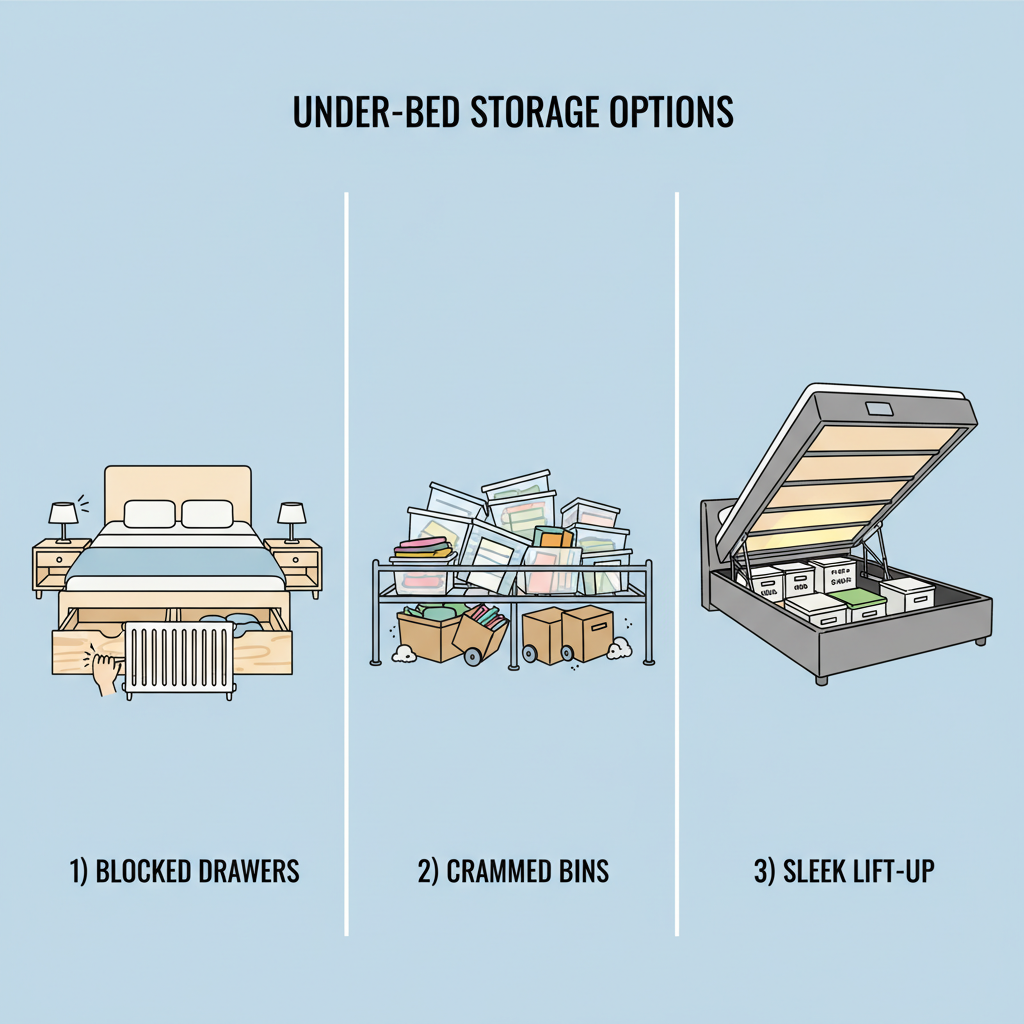
    Infographic comparing under-bed drawers, plastic bins, and a vertical lift up storage bed

    Why Choose a Lift Up Storage Bed Over Drawers or Bins?

    Let’s compare your options:

    1. Under-Bed Drawers

    Drawers are fine… until:

    • You have limited side clearance (tight room, radiators, nightstands, low-sloped walls).
    • The floor isn’t perfectly smooth, making drawers sticky and uneven.
    • You want to keep dust and pet hair out of your stored stuff.

    A lift up storage bed solves all of that because storage opens vertically, not sideways. No need for clearance space on either side.

    2. Plastic Bins and Rolling Boxes

    This is the default strategy for many bedrooms: cram plastic bins under the frame and hope for the best.

    The downsides:

    • Everything turns into a game of Tetris every time you want something.
    • It’s nearly impossible to reach the middle without becoming a contortionist.
    • Visually, it can look cluttered even when it’s technically “hidden.”

    With a lift up bed, the entire area is one accessible compartment (or several organized sections), and you can see everything at once.

    3. Bigger Closet vs Bigger Bed Storage

    Closets are great—until they’re full. A lift up storage bed gives you the equivalent of another compact closet without needing more floor space.

    Takeaway
    If your bedroom is small, shared, or just full of stuff, a lift up storage bed is usually the most space-efficient option.


    Diagram showing different types of lift up storage beds with end-lift, side-lift, and various frame materials

    Types of Lift Up Storage Beds (And Which One Fits You)

    Not all lift up storage beds are created equal. Here are the main types you’ll see when you’re browsing around (excluding the big marketplaces you mentioned):

    1. Side Lift vs End Lift

    End lift beds open from the foot of the bed. These are ideal if:

    • The bed sits with the headboard against a wall.
    • You usually access it from the foot area.

    Side lift beds open from one long side. Good for:

    • Narrow rooms where the foot is against a wall or blocked by furniture.
    • Situations where one side of the bed is always more accessible.

    If you share the bed, think about how each person gets in and out—side lift might be more ergonomic in a tight room.

    2. Fully Enclosed Ottoman vs Slatted Platform + Storage Boxes

    • Fully enclosed ottoman base: The mattress platform lifts to reveal a large, box-like compartment. Great for:
      • Protecting items from dust.
      • Storing soft goods (bedding, clothes) or infrequently used items.
    • Slatted base with custom storage: You might see lift systems that expose slats and leave you to organize with your own bins or bags.
      • Flexible, but can look less clean.
      • Better if you want to swap storage systems later.

    3. Upholstered, Wood, or Metal Frame

    Think style plus durability:

    • Upholstered: Cozy, modern, soft edges (nice if you bruise easily on corners). Needs a bit more care to keep clean.
    • Wood / wood-look: Warmer aesthetic, works with farmhouse, Scandinavian, or classic decor.
    • Metal: Often slimmer, industrial, or minimalist look. Can be lighter and slightly easier to move.
    Takeaway
    Decide how you want it to open (side vs end) first. Then pick style. Then worry about extras.


    Top-down view of an open lift up bed with neatly organized bedding, clothes, luggage, and sports gear

    What Can You Store in a Lift Up Storage Bed?

    Short answer: almost anything that’s not perishable or truly fragile.

    Popular storage ideas:

    • Extra bedding: duvets, blankets, spare pillows.
    • Seasonal clothing: winter coats, heavy sweaters, boots in storage bags.
    • Luggage, travel gear, and backpacks.
    • Sports and hobby gear: yoga mats, camping supplies, ski wear.
    • Keepsakes: memory boxes, photo albums, sentimental items.

    A few things not to store there:

    • Electronics that are heat-sensitive (if your bedroom gets really warm).
    • Anything you need to grab multiple times per day (because you’ll be lifting the mattress a lot).

    Pro tip: Use vacuum bags or storage cubes to keep things categorized and easy to grab.

    Takeaway
    Treat it like the “basement” of your bedroom—long-term, bulky storage, not your everyday grab-and-go items.


    Split scenes showing apartments, offices, and kids’ rooms using lift up storage beds effectively

    Pros and Cons of Lift Up Storage Beds

    Let’s break it down so you can see if it actually fits your life.

    Advantages

    • Massive hidden storage
      You basically get a bonus closet without any extra square footage.
    • Cleaner look
      Everything is invisible once the bed is down. No clutter, no bins peeking out.
    • Great for small rooms or apartments
      Studio, guest room, kid’s room, or shared spaces really benefit.
    • Can improve organization
      Especially if you store by category: seasonal, bedding, luggage, etc.

    Disadvantages

    • Heavier and harder to move
      These beds are more substantial than basic frames. Moving them for cleaning or relocation can be a workout.
    • Assembly can be more complex
      Hydraulics, hinges, and a lift frame are more fiddly than four legs and a slat base.
    • Not ideal for frequent access for some users
      If you have back or joint issues, even with gas lifts, frequent lifting could be annoying.
    • Mattress compatibility
      Very heavy mattresses might make lifting harder. Super-flexible or soft mattresses might not feel as stable if the frame isn’t solid.
    Takeaway
    If you’re storage-starved and don’t rearrange your furniture every month, this trade-off is usually worth it.


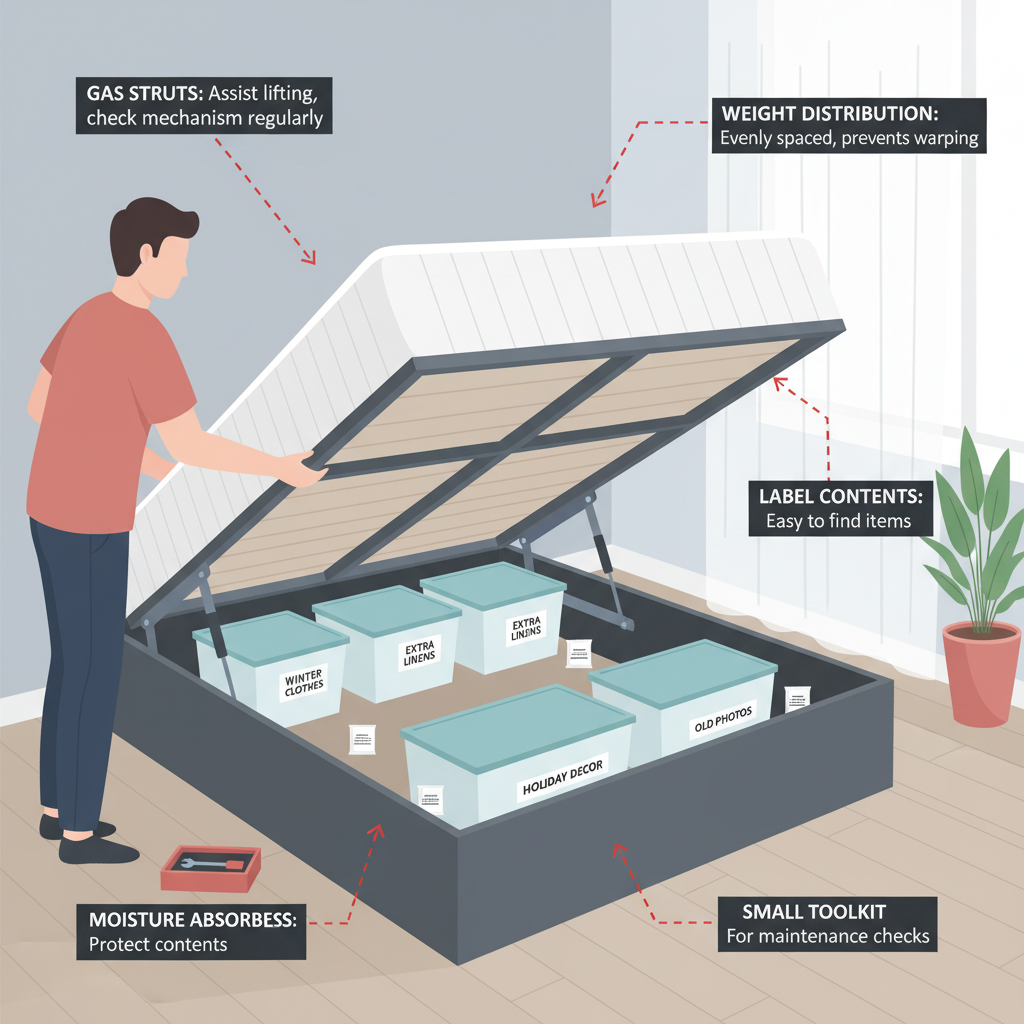
    Instructional illustration of a person using and maintaining a lift up storage bed with labeled tips

    How to Choose the Right Lift Up Storage Bed

    Since you’re already searching beyond big-name marketplaces, here’s how to pick a good one from other retailers or direct brands.

    1. Measure Your Space (Twice)

    • Room size: Check you have enough space at the end or side of the bed for the lifting motion.
    • Ceiling height / sloped ceilings: Make sure the mattress can lift up fully without hitting anything.
    • Doorways and staircases: Some bases come in large sections. Confirm they’ll fit into your home.

    2. Check the Lift Mechanism

    Look for:

    • Gas lift pistons with stated weight capacity that accounts for mattress + bedding.
    • Smooth motion and safety features (for example, mechanisms that hold the frame up without you having to prop it).

    If the product details mention tested cycles or durability standards, even better.

    3. Frame Construction Quality

    Signs you’re getting something solid:

    • Sturdy metal frame or high-quality hardwood/engineered wood.
    • Center support beams for larger sizes (queen/king).
    • Clear max weight ratings for sleeper + mattress.

    4. Storage Base Design

    Ask yourself:

    • Is the storage area fully enclosed or open to the floor?
    • Is the base lined (fabric or board) so your items don’t rest directly on the floor?
    • Are there any internal dividers or do you need to add your own organizers?

    5. Mattress Compatibility

    Before buying, confirm:

    • Recommended mattress types (memory foam, hybrid, spring).
    • Any max thickness or weight guidance.

    If you already have a mattress you love, check its weight. A heavy hybrid or latex mattress needs stronger gas lifts.

    6. Warranty and Support

    Because there are moving parts, check:

    • Warranty period (especially for lift mechanisms and hardware).
    • Replacement parts policy—can you get new gas struts or hinges if needed?
    Takeaway
    Don’t just shop by looks and price. Mechanism quality and support will matter a lot three years from now.


    Real-life scenarios of tiny apartments, guest rooms, and kids’ rooms using lift up beds

    Real-Life Scenarios: Where Lift Up Storage Beds Shine

    1. Tiny City Apartment

    You’ve got one small bedroom, one tiny closet, and way too many hobbies.

    A lift up storage bed becomes:

    • Your linen closet.
    • Your out-of-season wardrobe.
    • Your secret stash of bulky gear.

    Result: clearer floors, less visual chaos, and a bedroom that doesn’t feel like a storage unit.

    2. Guest Room That Doubles as an Office

    In a hybrid home office/guest room, a lift up bed lets you store:

    • Extra bedding and pillows (only needed when guests stay).
    • Spare blankets, inflatable mattresses, or folding beds.
    • Off-season decor or rarely used household items.

    Your everyday view: a clean, calm space for work. When guests show up: you magically produce everything they need from under the bed.

    3. Kids’ or Teen Bedroom

    Kids’ rooms are clutter magnets: toys, costumes, sports gear, craft supplies.

    A lift up storage bed can hide:

    • Bulky toys and board games.
    • Off-season clothes and school projects.
    • Extra bedding for sleepovers.

    Bonus: it’s easier to tell your kid, “Everything big goes under the bed” instead of micromanaging bins and shelves.

    Takeaway
    Wherever floor space is limited but storage needs are high, a lift up bed is basically a cheat code.


    Educational illustration showing best practices for organizing and maintaining lift up bed storage

    Simple Tips to Use Your Lift Up Storage Bed Like a Pro

    1. Store by frequency of use
      • Back or center: items you barely touch (holiday decor, off-season stuff).
      • Front or closer to the opening: things you reach for a few times a month.
    2. Use clear or labeled containers
      So you don’t have to unpack your entire storage just to find one scarf.
    3. Protect against dust and moisture
      • Fabric or zip bags for clothes and bedding.
      • Silica gel packets or moisture absorbers if your room is humid.
    4. Don’t overload one side
      Distribute weight more or less evenly to avoid putting too much strain on hinges or gas lifts.
    5. Give the mechanism a quick check once or twice a year
      Tighten any loose screws, and make sure lift arms still move smoothly.
    Takeaway
    A bit of organization up front saves you from chaos every time you lift the mattress.


    Stylish lift up storage bed in a calm, clutter-free bedroom

    Is a Lift Up Storage Bed Worth It?

    If any of the following feel familiar, the answer is usually yes:

    • Your closet is bursting, but you’re not ready to part with half your wardrobe.
    • You’re in a small space and every square foot counts.
    • You hate the look of visible bins, rolling boxes, or clutter.
    • You like the idea of “hidden storage” that doesn’t make the room feel crowded.

    It’s an especially good investment if:

    • You’re already planning to buy a new bed frame.
    • You want your bedroom to feel calmer and more minimal without giving up stuff you actually use.
    Final takeaway
    A lift up storage bed won’t magically make you a minimalist—but it will make your space feel bigger, calmer, and way more functional. And honestly, having a whole secret compartment under your bed? That’s just fun.


  • How To Share An Amazon Cart


    How To Share An Amazon Cart


    How To Share An Amazon Cart

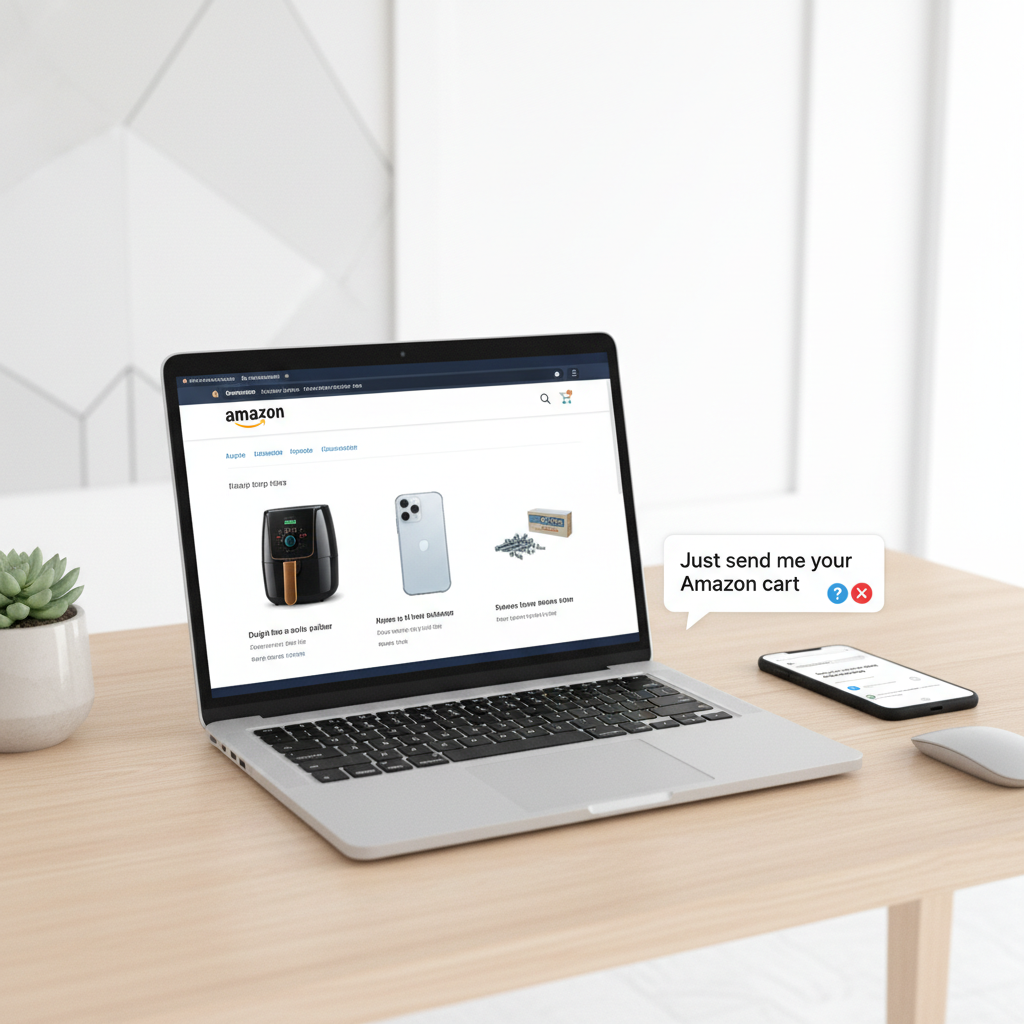
    You’ve perfectly curated an Amazon cart: the right air fryer, the exact phone case, and yes… the weirdly specific replacement screws you needed.

    Now someone texts: “Just send me your Amazon cart.”

    Cue the confusion.

    Can you actually share an Amazon cart? Or is it some secret level only power users unlock?

    Let’s break it down step-by-step so you can share what matters—whether that’s a birthday list, team purchasing list, or just convincing your friend that this is absolutely the right standing desk.


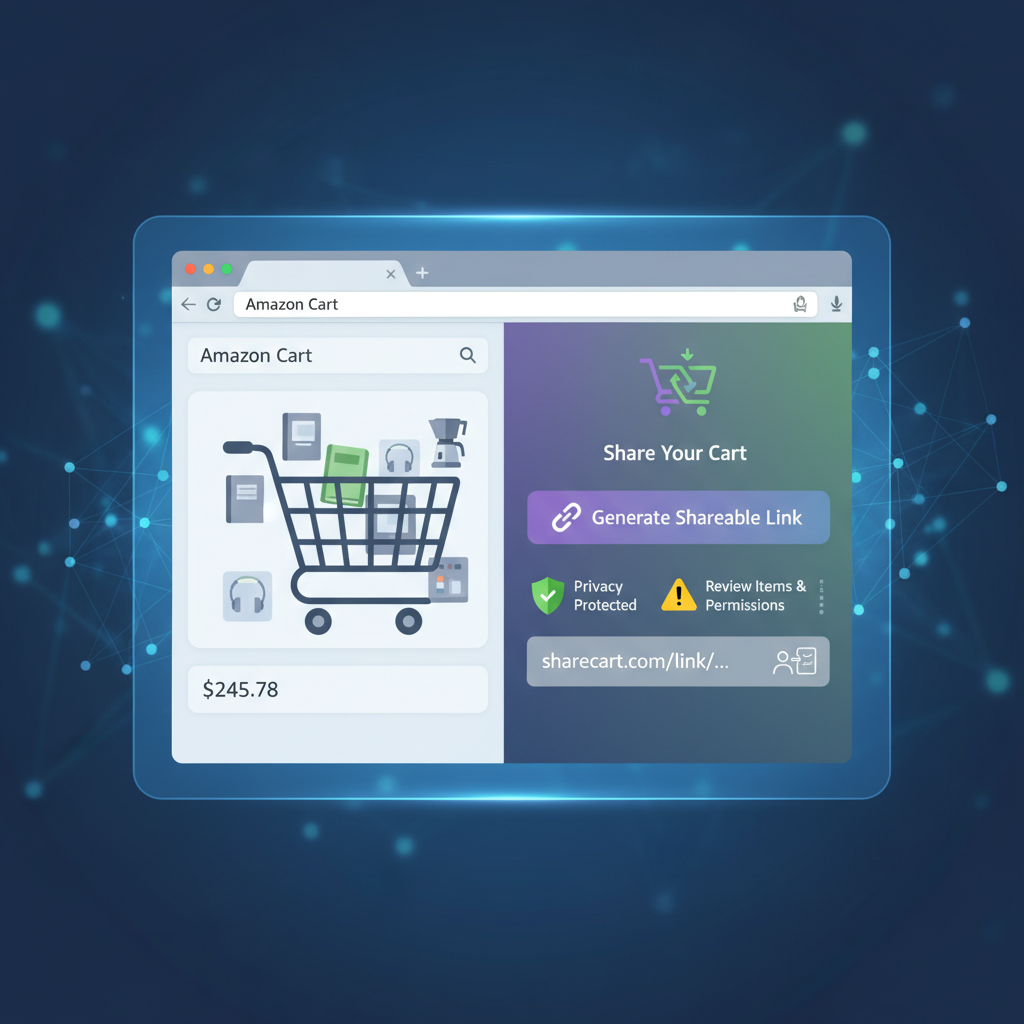
    Modern workspace showing an Amazon cart on a laptop and a phone message saying 'Just send me your Amazon cart'

    First, can you really share an Amazon cart?

    Short answer: not directly, not in one click.

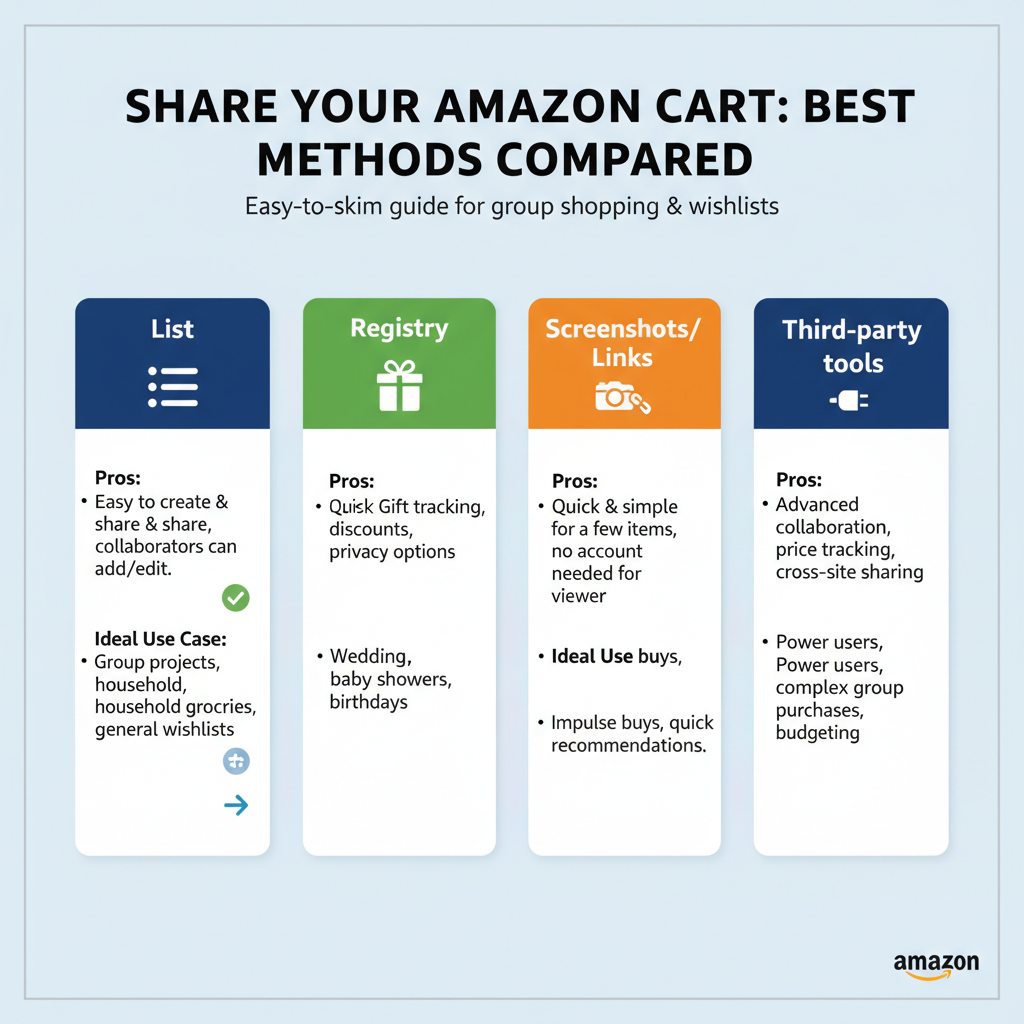
    Amazon doesn’t currently have a native “Share Cart” button that sends your live cart to someone else to buy as-is. Instead, you have a few workarounds that achieve basically the same thing:

    • Share a shopping list (recommended)
    • Use an Amazon registry (for events: baby, wedding, etc.)
    • Send a link with the items (using third-party tools or manual links)
    • Share a screenshot or exported list if all else fails

    Think of it this way: you’re not really sharing the cart itself, you’re sharing a copy of your items that someone else can quickly add to their cart.

    Takeaway: Amazon won’t let two people literally use the same cart, but you can easily share the same set of items.

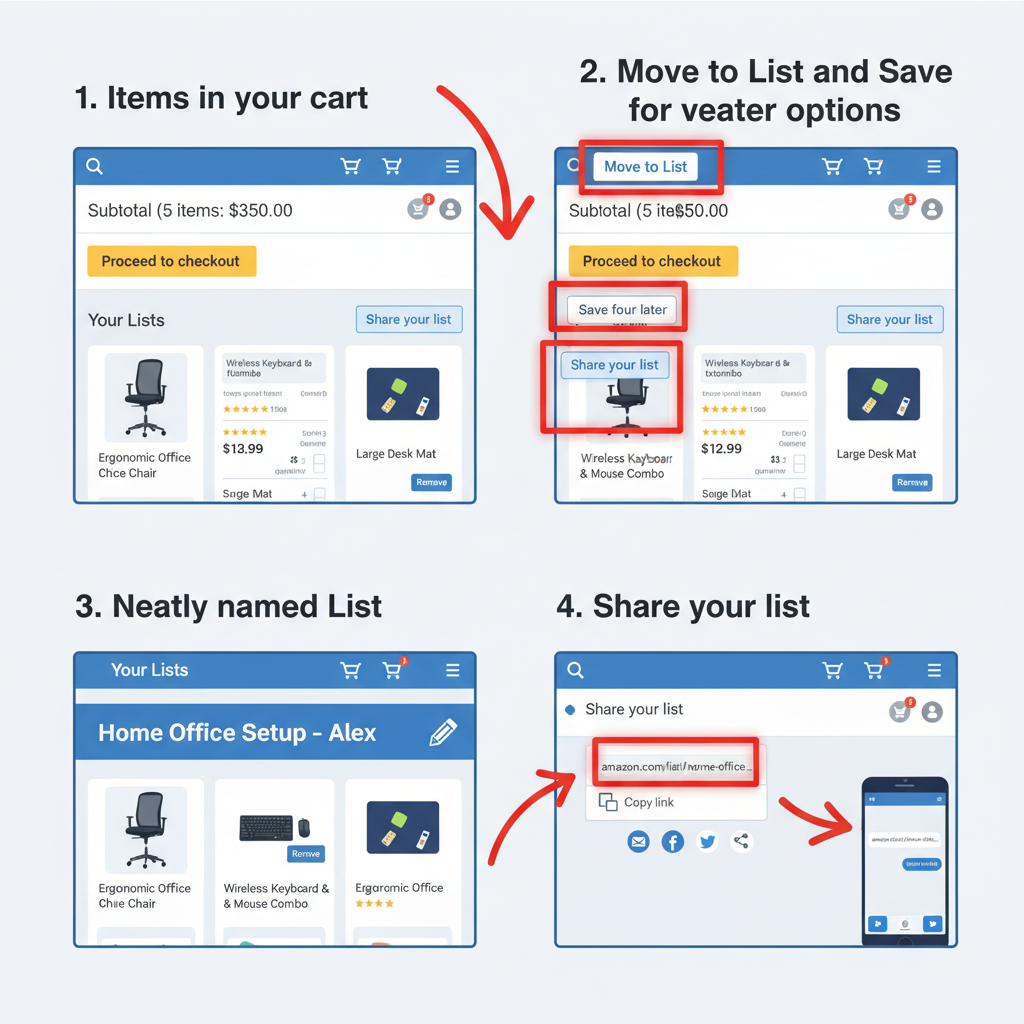
    Visual guide showing how to convert an Amazon cart into a sharable List with panels for Move to List and sharing

    Method 1: Turn your cart into a sharable list (best overall)

    The cleanest way to share an Amazon cart is to first turn it into a List, then share that list.

    Step 1: Move items from cart to a list

    On desktop (web browser):

    1. Go to your Cart.
    2. Under each item, click “Save for later” or “Move to List” (if it shows).
    3. If prompted, create a new list (e.g., “Office Setup,” “Birthday Gifts,” “Vacation Gear”).
    4. Repeat until everything you want to share is saved to the same list.

    On mobile (Amazon app):

    1. Open the Amazon app and tap the cart icon.
    2. Under each product, tap the three dots ... or More.
    3. Tap “Move to List”.
    4. Create or select the list where you want to store those items.

    Pro tip: Name the list something obvious for the other person (e.g., “Sam’s Office Gear to Review” instead of just “Shopping List”).

    Step 2: Make the list shareable

    1. Go to Accounts & Lists (top right on desktop) → click “Your Lists.”
    2. Select the list you created.
    3. Look for Manage List or Invite / Share depending on your interface.
    4. Choose how you want to share:
      • View only (they can see it, then add to their own cart).
      • View and edit (useful if you’re collaborating on what to buy).
    5. Copy the share link and send it via text, email, Slack, etc.

    On mobile, you can usually tap the share icon (little box with an arrow) at the top of the list page and choose your app (Messages, WhatsApp, Email, etc.).

    What the other person sees

    When they open your link, they’ll see your list with all the items and can:

    • Add individual items to their own cart
    • Add everything at once (often there’s an “Add all to cart” button)
    Takeaway: Converting your cart to a list is the most flexible, reusable way to “share a cart” with anyone.

    Scene of people using Amazon gift registries for events like baby showers and weddings

    Method 2: Use Amazon’s built-in registries (for events)

    If you’re planning a baby shower, wedding, housewarming, or birthday, Amazon’s gift registries are basically a more powerful, event-focused version of a shared cart.

    When to use a registry instead of a list

    Use a registry if:

    • Multiple people will be buying from your list
    • You want items to be marked as purchased so you don’t get duplicates
    • You need shipping privacy (people can send gifts without seeing your full address)

    How to create and share a registry

    1. On Amazon, go to “Accounts & Lists” → choose Baby Registry, Wedding Registry, or Custom Gift List (names can vary slightly by region).
    2. Follow the setup steps: event name, date, shipping address, visibility, etc.
    3. Add items to the registry via:
      • The “Add to Registry” button on product pages
      • The registry’s Search & Add tools
    4. Once ready, click Share or Invite and copy the link.

    People you share it with can then:

    • Buy directly from the registry
    • See which items are still needed
    • Ship gifts right to your selected address
    Takeaway: For group gifting, a registry is your best “shared cart” experience—organized, trackable, and event-friendly.

    Illustration of third-party tools creating a shareable Amazon cart link with privacy and security cues

    Method 3: Use a cart-sharing link (with third-party tools)

    Amazon itself doesn’t give you a one-click “share my cart URL,” but there are third-party services that create a sharable link based on what’s in your cart.

    These usually work like this:

    1. You go to a third-party website that supports Amazon cart sharing.
    2. Follow their instructions: usually you’ll copy items or use a browser extension.
    3. They generate a shareable link.
    4. Someone clicks it and sees the same items pre-loaded on Amazon.

    Pros

    • Feels closest to a “real” cart share
    • Fast if you’re on desktop with extensions

    Cons

    • You’re trusting a third-party (always check reviews & credibility)
    • May not support all regions or item types (e.g., subscriptions, digital goods)
    • Items can go out of stock or change in price by the time someone opens it

    If you prefer to keep it simple and private, stick to the List method instead.

    Takeaway: Third-party tools can mimic real cart sharing, but use them only if you’re comfortable, and double-check the link before sending.

    Montage of low-tech ways to share Amazon items like screenshots and pasted links in messages

    Method 4: The low-tech ways (screenshots, copy-paste, and links)

    If you just need something quick and rough, the “analog” options work just fine.

    Option A: Screenshot your cart

    1. Open your cart.
    2. Take a screenshot (or several if it’s long).
    3. Send via text, email, or chat.

    This is great when you want someone’s opinion (“Does this look right?”) instead of asking them to buy the items themselves.

    Option B: Copy-paste product links

    1. From your cart, click each product to open its product detail page.
    2. Copy the URL.
    3. Paste into a message.

    You can also paste multiple links into a note or email titled something like:

    “Stuff I’m thinking of getting on Amazon — what do you think?”

    Option C: Use the share button on product pages

    On each product page:

    • Click or tap Share (often represented by an arrow icon).
    • Choose your messaging app.

    Do this for each item in your cart that you want to share.

    Takeaway: When in doubt, screenshots and links are the fastest way to “share your cart” with zero setup.

    Infographic comparing best methods to share an Amazon cart: list, registry, screenshots, and third-party tools

    How to share your Amazon cart with a friend (step-by-step example)

    Let’s walk through a real-world scenario.

    Scenario: You’ve picked out everything for your new home office and want your friend (or partner, or manager) to review and maybe pay for it.

    1. Build your cart as usual.
      • Desk, chair, monitor, laptop stand, keyboard, etc.
    2. Move items to a list.
      • On each item: click “Move to List” → create “Home Office Setup – Alex.”
    3. Open the list and share it.
      • Go to Your Lists → select the list → click Share / Invite.
    4. Choose ‘view and edit’ (if you want feedback).
      • This lets your friend tweak items before buying.
    5. Send the link via text.
      • “Here’s my Amazon list for the office setup—mind checking if everything looks good?”

    Your friend opens the link, sees exactly what you picked, and can:

    • Remove or swap items
    • Add everything to their cart and check out

    Result: you just did a functional “shared Amazon cart” without needing any hacks.

    FAQs about sharing an Amazon cart

    Can two people use the same Amazon cart at the same time?

    Not really. Your cart is tied to your account, and Amazon doesn’t support multi-user carts. But by sharing a list or registry, you effectively give them a clone of your cart.

    If I share a list, will changes update in real time?

    Yes—if someone has access to a shared list or editable list, changes you make are reflected when they refresh. But once they’ve added items to their cart and checked out, your list doesn’t change automatically.

    Can someone else pay for the items in my cart directly?

    Not safely. You should not share your login or payment details. Instead, either:

    • They buy from your shared list/registry and ship to you.
    • You send them the list and they reimburse you after you purchase.

    Can I share my Amazon cart between devices?

    Yes, within your own account. If you log into the same Amazon account on your phone and laptop, your cart syncs across them. That’s not “sharing a cart” with another person—it’s just your synced cart.

    Quick comparison: best way to share an Amazon cart (by situation)

    • Getting feedback from a friend: Create a List → Share with “view and edit.”
    • Group gifting (wedding, baby, etc.): Use an Amazon registry.
    • Fast & dirty share just for opinions: Send screenshots or copy-paste links.
    • Techy shortcut for cart replication: Consider a third-party cart-sharing link (with caution).

    Final thoughts: sharing your Amazon cart without losing your mind

    So no, you’re not missing some magical “Share Cart” button—Amazon simply pushes you toward lists and registries instead of a true shared cart.

    But once you know the system, you can:

    • Turn your cart into a list in under a minute
    • Share that list with anyone via link
    • Let them add everything to their cart and check out

    In other words: you still get the same outcome—just with a slightly different path.

    Next time someone says, “Send me your Amazon cart,” you’ll know exactly what to do…

    You’ll send them a link to your list—and secretly enjoy feeling like the organized one.


  • How To Hide Your Amazon Order History


    How To Hide Your Amazon Order History

    How To Hide Your Amazon Order History

    Practical ways to bury your late‑night Amazon decisions—without deleting them.

    Humorous illustration of chaotic Amazon shopping history and someone trying to hide it

    There are two types of people in this world:

    1. People whose Amazon order history is a chaotic museum of late‑night decisions.
    2. People who suddenly need to hide that chaotic museum from someone else.

    If you’re reading this, you’re probably in group #2.

    Whether you’re planning a surprise gift, sharing an account with family, or just don’t want anyone seeing how many times you’ve panic‑bought the same charging cable, learning how to hide Amazon order history is incredibly useful.

    Here’s the honest truth: Amazon does not let you permanently delete order history. But you can hide, separate, and lock it down so that other people using your devices or account won’t casually stumble across it.

    Let’s walk through all your real options.

    Infographic summarizing ways to hide Amazon order history such as archiving, separate account, and hiding browsing history

    Quick Overview: Ways To “Hide” Amazon Order History

    When people say they want to hide Amazon orders, they usually mean one of these:

    • “I don’t want my partner/kids/roommate to see certain orders.”
    • “I don’t want items showing up in my browsing or recommendations.”
    • “I don’t want my order to appear in the main list on this account.”

    Since you can’t delete orders, you’ll use a combo of:

    • Archive Order (hides it from the main Orders list)
    • Separate account or Amazon Household (puts orders in a different profile)
    • Hide browsing history (removes product page visits)
    • Prime “Private” delivery options (discreet packaging, lockers, etc.)
    • Lock down your devices and app (stop casual snooping)
    Takeaway: You’re hiding, not erasing. Think “put in a drawer,” not “shred forever.”
    Step-by-step illustration of archiving an Amazon order into Archived Orders

    Method 1: Use Amazon’s Archive Feature To Hide Orders

    Best for: Hiding specific orders from the main Orders list.

    Amazon has a built‑in feature called Archive Order. It doesn’t delete the order, but it moves it into a separate “Archived Orders” section that most people never think to check.

    How to archive an Amazon order (desktop)

    1. Go to Amazon.com and sign in.
    2. Hover over “Accounts & Lists” and click “Orders” (or click “Returns & Orders” at the top right).
    3. Find the order you want to hide.
    4. On that order, look for “Archive order” (usually near the bottom of the order box).
    5. Click “Archive order” and confirm.

    That order will disappear from your main Orders list and move into “Archived orders.”

    How to find archived orders again

    1. Go to Your Orders.
    2. Look for a filter or link called “Archived orders.”
    3. Click to view everything you’ve archived.

    Important details

    • Amazon historically limited how many orders you could archive (around 500–1000), but for most people that’s plenty.
    • Archived orders are still visible if someone knows to look for Archived Orders and has full access to your account.
    Takeaway: Archiving is step one. It hides things from casual browsing, not from someone actively snooping.
    Visual metaphor of separate Amazon accounts and Household sharing Prime while keeping order histories private

    Method 2: Use a Separate Amazon Account (or Profile) For Sensitive Orders

    Best for: Gifts, surprise purchases, or anything you never want on a shared account.

    If you share an Amazon account with a partner or family, this is the biggest mistake: buying everything on the same login.

    Option A: Create a separate Amazon account

    You can:

    • Use a different email address.
    • Order sensitive/secret items only with that account.
    • Stay logged out of it on shared devices.

    Pros:

    • Orders are completely separate.
    • No shared order history, no shared recommendations.

    Cons:

    • You won’t share Prime benefits unless you connect via Household.
    • Slightly more effort to manage two accounts.

    Option B: Use Amazon Household / Family Sharing (for Prime)

    If you have Amazon Prime, you can create an Amazon Household and add another adult. Each adult:

    • Has their own login and order history.
    • Can share Prime shipping and some benefits.

    This way, instead of everyone using the same account, each person has their own order list that others can’t casually browse.

    Takeaway: The best way to hide an order is to put it on an account the other person never uses.
    Browsing history being cleared and toggled off on Amazon to hide viewed items

    Method 3: Hide Your Amazon Browsing History

    Even if you hide orders, Amazon still uses browsing history and viewed items to show:

    • “Inspired by your browsing history”
    • “Related to items you’ve viewed”
    • Recently viewed items on the homepage or app

    If you’re shopping for gifts (or…less gift‑like items) and don’t want those thumbnails popping up on the home screen, you’ll want to clean this up.

    How to clear items from browsing history (desktop)

    1. On Amazon.com, hover over “Account & Lists.”
    2. Click “Browsing History” (you may also see a direct link on the homepage).
    3. You’ll see a list of items you’ve viewed.
    4. Under each item, click “Remove from view.”
    5. To stop tracking for a while, look for a toggle like “Turn Browsing History on/off” and switch it Off.

    On the Amazon app

    1. Open the app.
    2. Tap the profile icon or menu (☰), depending on your app layout.
    3. Look for “Browsing history” or sometimes under “Your Account”.
    4. Remove specific items or clear the entire history.
    Takeaway: Cleaning and pausing browsing history prevents awkward product suggestions from appearing front and center.
    Amazon box and locker showing discreet shipping and packaging options for privacy

    Method 4: Discreet Shipping & Packaging Options

    Hiding order history is one thing. Hiding what’s in the box sitting on your doorstep is another.

    If you’re trying to keep a surprise:

    Use Amazon Locker or pickup locations

    Instead of shipping to your home, you can:

    • Choose an Amazon Locker or pickup point at checkout (if available in your area).
    • Pick the package up yourself.

    Result: No box on the porch giving away your secret.

    Check how the item is packaged

    Many items ship in standard Amazon boxes, but some third‑party items might ship in their original branded packaging.

    On some product pages, Amazon will tell you if the item “ships in original packaging that reveals what’s inside.” Sometimes there’s an option to “Ship in Amazon packaging” — enable that if discretion matters.

    Takeaway: If you can’t hide the order digitally, at least don’t let the box spoil the surprise.
    Phone with Amazon login and two-step verification illustrating account security for hiding orders

    Method 5: Protect Your Account From Curious Eyes

    You could archive every order and clear every history, but if someone:

    • Knows your password, or
    • Has your phone with the Amazon app permanently signed in

    …they can still get in.

    So part of “hiding” Amazon orders is just basic account security.

    Steps to lock things down

    1. Change your Amazon password

      Use a strong, unique password. Don’t reuse your email password.
    2. Turn on Two-Step Verification (2FA)

      Go to Account → Login & security. Turn on Two-Step Verification and use an authenticator app or SMS.
    3. Sign out on shared devices

      On shared tablets/TVs/phones, sign out of Amazon or use a profile that others don’t access.
    4. Secure your phone/tablet

      Use a screen lock (PIN, fingerprint, Face ID). Disable notifications that show order details on the lock screen if that’s a concern.
    Takeaway: Sometimes the real problem isn’t the order history—it’s how many people have the keys to your account.
    Infographic clarifying that Amazon order history cannot be fully deleted but can be hidden or obscured

    What You Can’t Do: Hard Truths About Amazon Order History

    Let’s clear up a few common myths.

    Can you permanently delete Amazon order history?

    No. You cannot fully delete past orders from Amazon’s systems or your account history.

    You can:

    • Hide them via Archive order.
    • Make them less obvious via separate accounts.
    • Reduce exposure via browsing history cleanup and better security.

    But truly deleting? Not an option Amazon gives customers.

    Can Amazon customer support delete orders for you?

    No. Support can’t erase orders from your history.

    Will your bank or card statement show the purchase anyway?

    Yes. Even if your Amazon order is archived, your payment method will still show an Amazon charge. If someone has access to your bank or card statements, they will still see that something was purchased from Amazon (though not necessarily what).

    Takeaway: Manage expectations. You can hide, obscure, and separate—but not erase.
    Two Amazon users with clearly separated order histories and shared Prime benefits representing common scenarios

    Example Scenarios (And What You Should Actually Do)

    Scenario 1: Planning a birthday surprise for your partner

    • Use your own Amazon account, not the shared one.
    • If you must use the shared account:

      • Clear your browsing history for the gift items.
      • After ordering, Archive those orders.
      • Consider delivering to an Amazon Locker or work address.

    Scenario 2: Kids who use the family tablet

    • Sign out of Amazon on the tablet or use a separate child profile.
    • Archive any orders you don’t want visible in the main list.
    • Turn off browsing history or clear it regularly.

    Scenario 3: You share an account and don’t want someone seeing personal items

    • Create your own Amazon account and, if needed, link it through Amazon Household for shared Prime.
    • Order sensitive items only through your personal account.
    • Protect your devices with passwords and screen locks.
    Takeaway: Think in terms of who has access to which account + which devices, then plan your “hiding” strategy accordingly.
    Checklist-style visual summarizing quick steps to hide Amazon orders

    Step‑By‑Step Summary: How To Hide Amazon Orders Fast

    If you just want the TL;DR checklist, here you go:

    1. Archive specific orders

      Go to Your Orders → Find order → Archive order.
    2. Clear and pause browsing history

      Go to Browsing History → Remove from view → Turn off history (if desired).
    3. Use a separate account or Amazon Household

      Create a new Amazon account for sensitive purchases. Share Prime benefits via Amazon Household if you want.
    4. Use discreet shipping options

      Consider Amazon Locker or pickup points. Choose Amazon packaging when available.
    5. Secure your account

      Strong password + two‑step verification. Sign out of shared devices. Lock your phone/tablet.
    Person browsing Amazon late at night with future self worrying about hiding orders

    Final Thoughts: Hiding vs. Managing

    You might have started this thinking, “How do I delete my Amazon order history?” and ended up discovering that Amazon really doesn’t want you to do that.

    But you can:

    • Bury sensitive orders in Archived Orders.
    • Keep surprise gifts off shared screens by using separate accounts and Household.
    • Stop awkward product suggestions with browsing history cleanup.
    • Prevent snooping through better security.

    You don’t need to be a tech wizard—just a little strategic.

    And the next time you’re doom‑scrolling Amazon at 1 a.m., remember: your future self might have to hide this.
    Use these tools wisely.


  • Does Amazon Give Military Discounts?


    Does Amazon Give Military Discounts?


    Does Amazon Give Military Discounts?

    If you’ve ever stared at your Amazon cart total and thought, “Surely my years of ruck marches and random TDYs are worth 10% off,” you are not alone.

    So… does Amazon give military discounts or not?
    Let’s unpack what Amazon actually offers service members, veterans, and military families—and how to still save big even without a classic 10%-off deal.

    Service member looking at a large Amazon cart total wondering about military discounts

    Quick answer: does Amazon give military discounts?

    Short version: Amazon does not offer an ongoing, sitewide military discount on Amazon.com or Amazon Prime.

    Several deal and military-focused sites confirm there is no permanent, year‑round military or veteran discount for Amazon purchases or Prime memberships. (dealnews.com)

    However, Amazon has:

    • Previously run limited-time Prime discounts just for verified service members and veterans around Veterans Day (for example, $40 off one year of Prime in 2019). (news.va.gov)
    • Offered Veterans Day promotions like 20% off select items—but those deals were usually for everyone, not military-exclusive. (military.com)

    Bottom line:
    – No standard “show your military ID, get 10% off” situation.
    – Sometimes there are special promos tied to holidays, but they’re not guaranteed each year.

    Takeaway: Amazon is not your classic military-discount retailer, but that doesn’t mean there aren’t perks worth knowing about.

    Infographic timeline highlighting Amazon Prime 2019 Veterans Day military discount

    A quick look back: when Amazon did discount Prime for military

    To understand why there’s so much confusion, it helps to look at history.

    The 2019 Veterans Day Prime discount

    In November 2019, Amazon ran a well‑publicized Veterans Day promo:

    • $40 off one year of Amazon Prime for veterans and active‑duty military (Prime dropped from $119 to $79 for that year). (news.va.gov)
    • New and existing Prime members could claim it after verifying military status.

    That one promo created a lasting impression that “Amazon has a military discount,” even though it was explicitly limited-time.

    What happened after?

    • The specific 2019 style discount wasn’t repeated in 2020 or 2021. (military.com)
    • Later Veterans Day periods leaned more toward general public discounts on specific categories (like 20% off select items) rather than military-only Prime deals. (military.com)

    So if you’ve heard buddies say, “Yeah, Amazon hooks us up on Prime,” they’re remembering a past promo, not a current standing benefit.

    Takeaway: There have been good one‑off deals, especially around Veterans Day—but don’t plan your budget assuming they’ll be back every year.

    Diagram showing Amazon first-party and third-party marketplace explaining discount complexity

    Why doesn’t Amazon just offer a standard military discount?

    Let’s be real: if smaller chains can do 10% off with a military ID, why can’t Amazon?

    It comes down to how Amazon is structured.

    Amazon is a massive marketplace, not just one store

    Amazon sells products two main ways:

    • 1P (first‑party) – items sold directly by Amazon.
    • 3P (third‑party) – items sold by millions of independent sellers using Amazon’s platform.

    Because more than half of Amazon sales now come from those third‑party sellers, pricing is decentralized. Sellers set their own prices and promotions. (webpeak.org)

    That means:

    • There isn’t a single pricing switch Amazon can flip to give all military shoppers 10% off everything.
    • Implementing a universal military discount would require coordinating policies across millions of sellers, many of whom operate on tight margins.

    Instead, Amazon leans into sales and membership perks

    Rather than a standing military discount, Amazon leans on its usual playbook:

    • Prime membership perks (shipping, streaming, exclusive deals). (nsin.us)
    • Big event sales (Prime Day, Black Friday/Cyber Monday, occasional Veterans Day or holiday promos). (dealnews.com)

    Takeaway: It’s less “Amazon doesn’t respect the military” and more “their giant marketplace isn’t built for simple blanket discounts.”

    Military family using Amazon from the US and overseas with APO FPO Prime shipping

    Does Amazon offer any military-specific perks at all?

    Even without a permanent percentage-off deal, Amazon can still be especially useful for military households. Here’s what’s actually helpful.

    1. Prime shipping to APO/FPO/DPO addresses

    For service members overseas or separated from family, free Prime shipping to APO/FPO boxes can be a lifesaver.

    Amazon ships many Prime‑eligible items to APO/FPO/DPO and all 50 states at no extra charge, with a few product restrictions (like some electronics, bulky items, and hazardous materials). (thekrazycouponlady.com)

    Scenario:

    You’re stationed in Germany with an APO address. Local options for baby gear, books, or certain electronics are limited or pricey. With Prime shipping, your spouse back home can send what you need via Amazon at domestic‑shipping speeds and prices.

    Takeaway: If you move often or live OCONUS, the real perk may be logistics, not a coupon code.

    2. Veteran and spouse hiring programs

    This one flies under the radar but is actually huge.

    Amazon is one of the largest U.S. employers and has dedicated programs to recruit:

    • Veterans transitioning out of active duty.
    • Military spouses, including remote and flexible roles. (thekrazycouponlady.com)

    Examples include:

    • Participation in the DoD SkillBridge program, letting service members spend their last 180 days in a civilian fellowship at Amazon. (military.com)
    • Apprenticeship and tech training programs that prep vets for roles like Cloud Support Associate, Solutions Architect, or Software Development Engineer, with many trainees hired full‑time afterward. (thekrazycouponlady.com)

    Scenario:

    A separating Army sergeant uses SkillBridge to intern at an Amazon fulfillment center, learns operations management, and rolls into a full‑time salaried role right after ETS.

    Takeaway: No, it’s not 15% off your Echo Dot—but long‑term, a solid civilian paycheck might be the biggest “discount” you’ll ever get.

    3. Prime Student and discounted plans (not military-only, but useful)

    While these aren’t military‑specific, many in uniform (or their dependents) can still use them:

    • Prime Student – 50% off Prime for eligible students with a .edu email. Great for vets using the GI Bill or military kids in college. (thekrazycouponlady.com)
    • Discounted Prime for some government assistance programs (SNAP, Medicaid, etc.). VA disability or SSDI alone usually doesn’t qualify, but some mixed-benefit households do. (military.com)

    Takeaway: If the uniform doesn’t get you a discount, your student status or benefits eligibility sometimes will.

    Veterans and military spouses working in various Amazon roles and career programs

    How to spot (rare) Amazon military promotions

    Because there’s no standing program, any true military-only Amazon discount is going to be a limited-time promo—and you’ll have to actively look for it.

    Here’s how to keep an eye out:

    1. Watch Veterans Day announcements

    Past military‑only Prime deals and other Veterans Day offers were announced in early November and required service verification (sometimes via a dedicated landing page or email like veteransday@amazon.com). (news.va.gov)

    2. Monitor military discount hubs

    Sites like Military.com and others maintain updated pages on Amazon’s current Veterans Day or military promos, if any are active that year. (military.com)

    3. Use deal sites and newsletters

    Savings sites that track Amazon deals will usually flag if an offer is military-exclusive vs. open to everyone. (dealnews.com)

    Takeaway: Treat a true Amazon military discount as a bonus, not a baseline. Great when it happens; not something to count on.

    Comparison of Amazon sale events and traditional in-store military discounts

    Best ways for military families to save on Amazon (without a formal discount)

    No ongoing military discount? Fine. There are still plenty of ways to pay less.

    1. Max out standard Amazon tools

    Even without a special status, you can stack savings using:

    • Subscribe & Save – Discounts for recurring deliveries on staples (diapers, household items, pet food).
    • Amazon Coupons – Clip digital coupons on product pages before adding to cart.
    • Lightning Deals & Today’s Deals – Time‑limited offers that can beat typical 10% discounts by a mile during big sale events. (dealnews.com)

    Pro tip: If you’re about to PCS, use Subscribe & Save to stock up on non‑perishables at your new address right after you arrive.

    2. Time big purchases with sales

    Military pay cycles don’t always line up nicely with sale events, but if you can be flexible, try to:

    • Hold bigger purchases (electronics, home goods, uniforms for kids) for Prime Day, Black Friday/Cyber Monday, or occasional Veterans Day promos. (dealnews.com)

    Often those discounts are 20–40% off—significantly better than a standard 10% military discount elsewhere.

    3. Compare with true military-discount retailers

    For certain categories, you might actually do better off Amazon using a classic military discount.

    Examples:

    • Home improvement: retailers like Home Depot and Lowe’s commonly offer 10% off to eligible military and vets. (dealnews.com)
    • Apparel/fitness: many brands give 10–15% via verification platforms like ID.me or GovX.

    Use Amazon for price comparison—but if the dedicated military discount elsewhere beats it (after shipping and tax), don’t be afraid to click away.

    4. Look for brand-level military programs (off Amazon)

    Some companies with “Amazon” in the name but separate websites (for example, Amazon Factory–branded stores) partner with platforms like GovX to offer 10% off to military, first responders, and other groups—on their own sites, not necessarily on Amazon.com. (amazonfactorystore.com)

    Takeaway: The uniform may not move the needle on Amazon.com pricing, but smart timing, program stacking, and comparing off‑Amazon can still get you serious savings.

    Veterans and spouses benefiting from Amazon employment and training programs

    So… is Amazon worth it for military families?

    If what you want is a simple answer like, “Yes, 10% off every order, you’re welcome,” Amazon is going to disappoint you.

    But if we zoom out:

    • No ongoing military discount? Correct.
    • Occasional promos in the past? Yes, especially around Veterans Day, but not guaranteed each year.
    • Real value in shipping, convenience, and employment pipelines? Absolutely.

    If you’re a service member, veteran, or military spouse, Amazon is best thought of as:

    • A logistics lifeline when you’re moving, overseas, or away from solid shopping options.
    • A potential employer with structured programs designed just for your community.
    • A deal machine where sales events often beat the typical 10% military discount you’d get in-store elsewhere.

    Use it strategically, keep an eye out around Veterans Day, and let the actual military discounts from other retailers fill in the gaps.

    Because at the end of the day, saving money is just one more mission—and this one, at least, doesn’t require a 0500 formation.


  • Can You Watch The CW On Amazon Prime?


    Can You Watch The CW On Amazon Prime?


    Can You Watch The CW On Amazon Prime?

    If you opened Prime Video hoping to binge the latest CW drama and thought, “Wait… where is it?”, you’re not alone.

    The CW’s shows hop around different platforms like they’re in a never‑ending crossover episode. So let’s clear it up: can you watch CW on Amazon Prime? And if yes… how exactly?


    Viewer confused while searching for The CW inside Amazon Prime Video on a TV screen

    Feeling lost on Prime Video while hunting for a dedicated CW hub is extremely normal.

    Short answer: Can I watch CW on Amazon Prime?

    Yes, but not in one single, simple way.

    Here’s the deal:

    • You can’t just open a “CW” hub inside Amazon Prime Video like you might with Max or Paramount+.
    • You can watch certain CW shows on Amazon, either:
      • As individual seasons/episodes you buy or rent, or
      • As part of a different streaming service channel you subscribe to through Amazon (for example, if that service happens to carry CW shows).

    Think of it this way: Amazon Prime Video is the mall. The CW is a brand. Some CW stuff is in one store, some in another, some you just have to buy directly.

    Takeaway: You can watch CW content through Amazon, but there isn’t a one-click “CW on Prime Video” experience.

    Streaming services visualized as stores in a digital mall with CW posters scattered across multiple storefronts

    Think of Amazon Prime Video as the mall and CW shows as merchandise scattered across different stores.

    Option 1: Buying CW shows on Amazon Prime Video

    This is the most straightforward option.

    Many CW series are available on Prime Video’s digital store, where you can:

    • Buy full seasons of shows
    • Buy or rent individual episodes

    You do not need a separate channel subscription for this. If you have an Amazon account (Prime or not), you can usually purchase digital episodes.

    Common examples of CW shows that may be available to buy on Amazon (availability can change over time):

    • Supernatural
    • The Vampire Diaries
    • The Flash
    • Arrow
    • Supergirl
    • Riverdale
    • All American
    • Walker

    What you get when you buy:

    • Streaming access to that episode/season from your Amazon Purchases/Library
    • Typically HD options (sometimes 4K depending on the title)
    • No ads, because you bought the content outright

    How to check if a CW show is buyable on Amazon

    1. Open Prime Video (app or website).
    2. Use the search bar and type the exact CW show name (e.g., “All American”).
    3. Look for options like “Buy Season”, “Buy Episode”, or pricing (e.g., $2.99 HD).

    If you only care about one or two shows, this can be cheaper and simpler than juggling subscriptions.

    Takeaway: If you don’t mind paying per show, Amazon often lets you buy CW series directly and keep them in your library.

    Amazon Prime Video interface highlighting a CW-style show with Buy Season and Buy Episode options

    When a CW show is available to purchase, you’ll see buy or rent options right on the Prime Video detail page.

    Option 2: Watching CW shows via other streaming services on Amazon

    Here’s where things get a little more… CW-plot-twist.

    Some CW series stream on other platforms that you can subscribe to as Prime Video Channels. That means you pay through Amazon, but you’re actually subscribing to a different service, which then lives inside your Prime Video app.

    Examples of the kind of services that may carry CW shows (depending on current rights in the U.S.):

    • Paramount+ – Sometimes carries certain CW-related content because of CBS/Paramount connections.
    • Max or other services – Some DC shows formerly on The CW have ended up on Max or other platforms over time.

    How this works in practice

    1. In Prime Video, go to “Channels.””
    2. Look for services like Paramount+, etc.
    3. Check what shows they currently advertise or list.
    4. If they carry the CW show you want, you can subscribe through Amazon.
    Important notes:

    • Catalogs change. A show that lived on one service last year may move this year.
    • Not every CW show will be included, even if you subscribe to a channel.
    • Some older Netflix deals for CW shows have expired or shifted, so what used to be on Netflix might now be elsewhere.
    Takeaway: You might indirectly watch CW shows inside Prime Video by subscribing to another streaming service as a channel—but this depends heavily on current licensing and your specific show.

    Digital tiles representing Prime Video Channels with some tiles showing CW-style content

    Prime Video Channels can include services that happen to carry CW shows—think of them as add-on tiles inside Amazon.

    Option 3: Watching The CW for free (outside of Amazon)

    If your real goal is “watch CW for free” and not necessarily “must be inside my Amazon app,” you have a couple of other options worth knowing about:

    1. The CW app or website

    In the U.S., The CW typically offers many of its current-season episodes free (with ads) on its own:

    • CW website
    • CW app (on phones, tablets, some smart TVs, streaming devices)

    Usually:

    • You don’t need a cable login.
    • New episodes are posted after they air, but only the most recent episodes stay available at once.

    2. Live TV streaming services

    Live TV streamers like YouTube TV, Hulu + Live TV, or others may carry your local CW station, depending on your area.

    These are separate from Amazon Prime Video, but if you really want live CW (e.g., for sports, award shows, or live premieres), live TV services might be the better route.

    Takeaway: If “free and current” is more important than “must be on Amazon,” the CW’s own app or a live TV service might serve you better.

    Split screen showing The CW app with free episodes on one side and live TV streaming services on the other

    Free recent episodes on the CW app vs. paid live TV services carrying your local CW station.

    Can I add The CW as a channel on Amazon Prime?

    Right now, The CW does not operate as a stand‑alone “Prime Video Channel” in the way that, say, Starz or MGM+ does.

    So you cannot:

    • Go into Channels and hit “Subscribe to CW” directly
    • Get a single subscription that unlocks all CW shows within Prime Video

    What you can do is:

    • Subscribe to other services through Amazon that might include CW series in their on‑demand library.
    • Buy/rent CW shows individually.
    Takeaway: There is no official “CW channel” you can bolt onto Prime. You have to piece it together via purchases and other service subscriptions.

    How to quickly check where a CW show is streaming

    Because streaming rights move around, the best move is to treat this like a quick fact‑finding mission.

    Here’s a simple system:

    1. Pick your show.
      Example: “Can I watch All American on Amazon Prime?”
    2. Search inside Prime Video.
      Type the title exactly and see if you get:

      • A “Watch with [Channel]” button (meaning it’s included in a subscription you can add through Amazon), or
      • “Buy/Rent” options.
    3. If nothing useful shows up:
      • Check the CW app or website to see if recent episodes are free there.
      • Use a “where to watch” search (outside of Amazon) to see what service currently has full seasons.
    4. Decide what you care about most:
      • Want full past seasons in one place? Buying on Amazon or subscribing to a specific streaming service might be best.
      • Just want to stay current with new episodes? The free CW app is often enough.
    Takeaway: Before you add new subscriptions, use Amazon’s built‑in search and a quick outside check to avoid paying for the wrong thing.

    Decision flow with options to buy on Amazon, watch free on CW app, or subscribe to another service

    Your ideal CW setup depends on whether you want to own, stream free with ads, or bundle under a subscription.

    Common scenarios (and what to do)

    Scenario 1: “I just want to binge an older CW series.”

    Maybe you’re finally tackling “The Vampire Diaries” or rewatching “Supernatural.”

    • Step 1: Search the full show name on Amazon Prime Video.
    • Step 2: If seasons are available to buy, compare the cost of buying vs. subscribing somewhere else that has all seasons.
    • Step 3: If you think you’ll rewatch often, buying on Amazon can be worth it.

    Scenario 2: “I missed last week’s episode from the current season.”

    You’re watching something that’s still airing on The CW.

    • First stop: The CW app/website – you may be able to stream the recent episode free with ads.
    • If you want it ad‑free and permanent, check if that single episode is available to buy on Amazon.

    Scenario 3: “I hate app‑hopping. I want everything inside Amazon.”

    In that case:

    • Use Prime Video Channels to see if a service that carries your CW show is available through Amazon.
    • Subscribe through Amazon so you stay inside one app.
    • For anything not covered, consider buying key seasons on Amazon to fill the gaps.
    Takeaway: Your ideal setup depends on if you’re a one‑show person, a binge‑all‑the‑things person, or an “I refuse to use more than one app” person.

    So… is Amazon Prime the best place to watch CW?

    It depends what you want:

    • Best for owning specific shows forever:
      Buying CW seasons or episodes on Amazon Prime Video is a strong option.
    • Best for watching current episodes for free:
      The CW app/website (with ads) usually wins.
    • Best for lots of shows under one subscription:
      Sometimes a separate streaming service (which you might be able to add as a Prime Video Channel) is better.

    Amazon is more of a hub and storefront than a dedicated CW home.

    Prime Video channels and CW-style content floating as tiles in a digital space

    Think of Amazon as the hub where you mix purchases and channel add-ons to build your own CW lineup.

    Final takeaway: what to do next

    If you’re still wondering, “Can I watch CW on Amazon Prime?” here’s your action list:

    1. Open Prime Video and search the exact CW show you want.
    2. See if it’s available to buy/rent or through a channel subscription.
    3. If not, check the CW app/website for free recent episodes.
    4. Compare the cost/time of:
      • Buying on Amazon
      • Subscribing to another streaming service
      • Just watching free with ads on CW

    Once you know which specific show you’re chasing, the path usually becomes obvious.

    Until then, think of Amazon Prime Video as your CW sidekick—not the main headquarters, but extremely handy when you know where to look.