Category: Uncategorized

  • Protecting WordPress Files With Amazon S3


    Protecting WordPress Files With Amazon S3


    Protecting WordPress Files With Amazon S3

    If you’re storing private files in WordPress and hoping your shared hosting setup will magically keep them safe… that’s a bold strategy.

    In reality, if you sell digital products, host member-only content, or store any kind of sensitive media, you’ll eventually hit the limits of WordPress’ default file handling. That’s where Amazon S3 + proper file protection comes in.

    Let’s walk through how to use Amazon S3 for WordPress file protection in a way that’s secure, scalable, and not a total pain to manage.


    Conceptual illustration contrasting overloaded WordPress uploads folder with secure Amazon S3 storage

    Offloading heavy, sensitive media from your shared WordPress hosting to S3 is the difference between “it kind of works” and “this will scale without melting.”

    Why move WordPress files to Amazon S3 at all?

    Before we talk protection, let’s talk why.

    Most WordPress sites start by dumping everything into /wp-content/uploads/. It works… until it doesn’t:

    • Anyone who knows (or guesses) the URL can access public files directly.
    • Backups get huge and slow because they include gigabytes of media.
    • Shared hosting chokes when you start serving big files or lots of downloads.

    Amazon S3 (Simple Storage Service) solves a bunch of this in one move:

    • Designed for massive, cheap, reliable file storage.
    • Plays nicely with CDNs (like Amazon CloudFront) so downloads are fast globally.
    • Supports fine-grained access control, temporary links, and logs.

    Key takeaway: WordPress is great at content management. S3 is great at file storage and access control. Combining them gives you both power and safety.

    Infographic visualizing private S3 bucket with WordPress generating expiring access links

    Think of S3 as your locked vault; WordPress just hands out temporary visitor badges to the right people.

    What does “file protection” on S3 actually mean?

    When people say “protect my files on S3,” they usually mean at least one of these:

    1. Files are not publicly browsable — you can’t just hit a URL and see everything.
    2. Only logged-in or paying users can access specific files.
    3. Links expire after a short time, so they can’t be shared freely.
    4. Traffic can be restricted by domain, IP, geography, or signed cookies/URLs.

    On Amazon S3 + WordPress, that typically translates to:

    • Private S3 buckets or private objects (nothing public by default).
    • Presigned URLs or signed CloudFront URLs generated on the fly.
    • WordPress-level access rules (memberships, roles, LMS rules, etc.) that decide who gets a link.

    Key takeaway: Protecting files isn’t just “hide the URL.” It’s controlling who can get a time-limited way to download or view them.

    Diagram of S3 buckets, objects, bucket policies, object ACLs and IAM user connected to WordPress

    Once you understand buckets, objects, policies, and IAM, the rest of the S3 + WordPress puzzle snaps into place.

    Core concepts you need to know (S3 + WordPress)

    You don’t need to be a full-on AWS engineer, but a few concepts will save you hours:

    1. S3 Buckets & Objects

    • A bucket is like a top-level folder (e.g., mycourse-files).
    • An object is a file in that bucket (e.g., module-1/video.mp4).

    You’ll typically create one or a few buckets per project and organize by folder paths.

    2. Bucket Policies & Object ACLs

    You can control access in two main ways:

    • Bucket policy: rules that apply to all objects in the bucket (preferred).
    • Object ACLs: permissions per file (use sparingly; easier to mess up).

    For private WordPress files, you usually:

    • Set the entire bucket to block public access.
    • Keep objects private.
    • Let your application (WordPress) access S3 via IAM credentials.

    3. IAM Users & Roles

    AWS IAM controls who or what can talk to S3.

    For a WordPress site, you usually:

    • Create an IAM user with programmatic access only.
    • Give that user restricted S3 permissions to just the bucket(s) it needs.
    • Use those keys in your WordPress plugin or config.

    Key takeaway: Lock the bucket down, and let only your WordPress app talk to it with properly scoped IAM permissions.

    Step-by-step workflow for setting up private S3 bucket, IAM user, and WordPress connection

    Dial in the foundation once and every protected download your site serves rides on top of it.

    Step-by-step: Setting up a private S3 bucket for WordPress

    Let’s build the secure foundation before we wire it into WordPress.

    Step 1: Create a private S3 bucket

    1. Log in to your AWS console and go to S3.
    2. Click Create bucket.
    3. Choose a globally unique name (e.g., mybrand-protected-files).
    4. Pick a region close to your main audience.
    5. Uncheck any option that makes objects public by default.
    6. Under Block Public Access, keep everything ON (block all public access).

    Result: You now have a bucket that’s not accessible to the public Internet.

    Step 2: Set up IAM credentials with least privilege

    1. Go to IAM in AWS.
    2. Create a new IAM user (e.g., wp-s3-file-access).
    3. Enable Programmatic access.
    4. Attach a policy that:
      • Allows listing and reading objects only in your bucket.
      • Optionally allows writing (if you want WordPress to upload directly to S3).

    A minimal JSON policy (you’d customize bucket name and actions):

    {
      "Version": "2012-10-17",
      "Statement": [
        {
          "Effect": "Allow",
          "Action": [
            "s3:ListBucket"
          ],
          "Resource": [
            "arn:aws:s3:::mybrand-protected-files"
          ]
        },
        {
          "Effect": "Allow",
          "Action": [
            "s3:GetObject",
            "s3:PutObject"
          ],
          "Resource": [
            "arn:aws:s3:::mybrand-protected-files/*"
          ]
        }
      ]
    }

    Save the Access key ID and Secret access key — you’ll need them in WordPress.

    Step 3: Decide how WordPress will talk to S3

    There are two common options:

    1. Use a mature plugin to integrate S3 and protect files.
    2. Roll your own code (or custom plugin) for maximum control.

    If you’re not a developer or don’t have one on call, use option 1.

    Typical use cases + plugin types:

    • Offload all media (public + protected): S3 offload plugins that replace /wp-content/uploads/ with S3 URLs.
    • Protect specific download files: Membership/LMS/download manager plugins with S3 integration.

    Key takeaway: S3 is the storage; WordPress plugins become the brains that decide who gets access.

    Flow diagram of user requesting download, WordPress checking access rules, and generating presigned URL to S3

    Under the hood, every “Download” button on your site can quietly run an access check and hand out a temporary, one-off key.

    How to protect files using presigned URLs

    A presigned URL is a temporary, access-granted link to a private S3 object. It says:

    “For the next X minutes, this otherwise private file can be downloaded using this URL. After that, nope.”

    This is the core of secure downloads with Amazon S3 and WordPress.

    How presigned URLs usually work with WordPress

    1. A user tries to download a file (e.g., mycourse.com/download/module-1).
    2. WordPress checks: is this user allowed?
      • Logged in?
      • Has the right membership, role, or purchase?
    3. If no, show an error or redirect.
    4. If yes, your plugin or custom code uses the AWS SDK to:
      • Generate a presigned URL to the S3 object.
      • Set a short expiration (e.g., 2–10 minutes).
    5. WordPress redirects the user to that presigned URL.

    So even if they copy the link and send it to a friend an hour later, it no longer works.

    Example: Generating a presigned URL in PHP

    If you’re rolling custom code (simplified example):

    use Aws\S3\S3Client;
    use Aws\S3\Exception\S3Exception;
    
    $s3 = new S3Client([
        'version' => 'latest',
        'region'  => 'us-east-1',
        'credentials' => [
            'key'    => 'AWS_ACCESS_KEY_ID',
            'secret' => 'AWS_SECRET_ACCESS_KEY',
        ],
    ]);
    
    $cmd = $s3->getCommand('GetObject', [
        'Bucket' => 'mybrand-protected-files',
        'Key'    => 'course/module-1/video.mp4',
    ]);
    
    $request = $s3->createPresignedRequest($cmd, '+10 minutes');
    $presignedUrl = (string) $request->getUri();

    You would then redirect the authorized user to $presignedUrl.

    Key takeaway: Presigned URLs are your best friend for S3 file protection — secure, temporary, and fully controlled in WordPress.

    Global CloudFront CDN in front of a locked S3 bucket serving signed URLs to WordPress users

    Add CloudFront in front of S3 and your protected content goes from “secure” to “secure and fast everywhere.”

    Adding CloudFront for speed and extra protection

    If your files are large (videos, big PDFs, zips) or your users are global, you’ll want Amazon CloudFront — AWS’s CDN.

    CloudFront can:

    • Cache your S3 files closer to users for faster downloads.
    • Require signed URLs or signed cookies, adding another layer beyond S3.
    • Let you restrict access by referer, geo, or IP.

    Common setup pattern

    1. Create a CloudFront distribution with your S3 bucket as the origin.
    2. Configure it to use an Origin Access Control/Identity (OAC/OAI) so CloudFront can access S3, but the public cannot.
    3. Lock your S3 bucket policy so only CloudFront can read from it.
    4. Use signed CloudFront URLs from WordPress instead of raw S3 presigned URLs.

    You can still keep the same flow:

    • User requests file → WordPress checks permissions → WordPress generates signed CloudFront URL → User downloads via CDN.

    Key takeaway: CloudFront makes your protected S3 files fast and adds another gate in front of S3.

    Real-world scenarios: How you’d actually use this

    Scenario 1: Protecting digital product downloads in WooCommerce

    You sell ebooks, templates, or software.

    • Store all downloadable files in a private S3 bucket.
    • Use a WooCommerce-compatible S3/download protection plugin.
    • After purchase, customers see a protected download link.
    • The plugin generates a presigned URL for each request, with:
      • Limited number of downloads.
      • Short URL expiry.

    Result: Customers can download without hassle, but your files aren’t sitting in /wp-content/uploads/ for anyone to grab.

    Scenario 2: Membership site with premium content

    You run a membership site or course platform on WordPress.

    • Videos, PDFs, and worksheets live in a private S3 bucket.
    • Membership plugin (or LMS) integrates with S3.
    • Only logged-in members with the right level can access certain content.
    • On access, the plugin creates a short-lived S3 or CloudFront URL.

    Result: Cancelled member? Access gone. Shared link? Expired. Still friendly to legitimate users.

    Scenario 3: Internal files or client deliverables

    You run an agency or internal portal where clients/employees download reports.

    • Private S3 bucket with separate folders per client or department.
    • WordPress controls which user role can see which folder.
    • Each download uses a presigned URL.

    Result: Cleaner permissions and no more “Can you email me that again?” chaos.

    Common mistakes (and how to avoid them)

    Even smart teams trip on these:

    1. Leaving the bucket (or some objects) public

    If anything is public in a bucket you think is private, assume users will find it.

    Fix:

    • Turn on Block Public Access at the bucket level.
    • Avoid public ACLs on individual objects.

    2. Over-permissive IAM policies

    Granting s3:* on * looks tempting when you’re debugging, but it’s a future security incident.

    Fix:

    • Limit IAM policies to only the bucket(s) and actions your site truly needs.
    • Use separate IAM users/roles for staging vs production if possible.

    3. Presigned URLs that never expire

    If you set very long expirations (days/weeks), people will share them around.

    Fix:

    • Use short lifetimes (5–15 minutes) for most use cases.
    • For large downloads, pair shorter URL lifetimes with download managers or resume support.

    4. Mixing public and private access without a plan

    If you serve some assets publicly (images) and some privately (downloads), you can end up confused about which is which.

    Fix:

    • Use separate buckets for public vs protected content, or at least clear folder structures like /public/ vs /protected/.
    • Document your structure for your team.

    Key takeaway: A little discipline in IAM, bucket settings, and URL expirations goes a long way.

    Quick checklist: Secure Amazon S3 WordPress file protection

    Use this as your sanity check:

    • S3 bucket created with Block Public Access enabled
    • Objects are not publicly readable
    • IAM user/role has minimal privileges to that bucket
    • WordPress is using a stable plugin or custom code to integrate S3
    • Access to files is tied to user login / membership / purchase
    • Presigned URLs or signed CloudFront URLs are used for downloads
    • URL expiration is kept short (minutes, not days)
    • (Optional) CloudFront distribution sits in front of S3 for speed and extra control

    If you can check all of these, your protected files are in a much safer place than the default /wp-content/uploads/ free-for-all.

    Where to go from here

    If you’re starting from a typical WordPress install with everything in local storage, your first move is simple:

    1. Create a private S3 bucket.
    2. Pick a WordPress plugin that supports S3 + protected downloads.
    3. Migrate just one type of asset first (for example, paid downloads), not everything at once.

    Once that’s stable, you can:

    • Add CloudFront for speed.
    • Gradually offload large media.
    • Tighten IAM and logging.

    Do it step by step and test each piece. Your future self (and your paying customers) will be very grateful that those files aren’t just sitting on a public URL anymore.


  • Amazon Private Label Playbook


    Amazon Private Label Playbook


    Amazon Private Label Playbook

    If you’ve ever thought, “I wish I could sell my own brand on Amazon” and then immediately panicked because you have no idea where to start… this post is for you.

    Amazon private label isn’t just for big brands with huge budgets anymore. Regular people are turning simple products into real businesses — sometimes with surprisingly boring items like garlic presses and yoga blocks.

    Let’s unpack how that works (without the hype or the fake Lamborghini screenshots).


    Educational infographic explaining what Amazon private label is, showing generic product transformed into branded product with logo and packaging

    What Is Amazon Private Label, Really?

    In plain English: Amazon private label means you take a generic product that already exists, work with a manufacturer to put your brand on it (ideally with some improvements), and sell it on Amazon as your own branded product.

    You’re not inventing the next iPhone. You’re:

    1. Finding a product that’s already proven to sell.
    2. Sourcing it (often from a manufacturer that makes it for many brands).
    3. Adding your logo, packaging, and sometimes design tweaks.
    4. Listing and marketing it on Amazon under your own brand name.

    Key difference vs. reselling/wholesale:

    • Wholesale/online arbitrage: You sell other brands’ products (e.g., Nike sneakers).
    • Private label: You create and own the brand (e.g., “PeakStride Running Gear”).
    Takeaway Private label is brand-building on Amazon’s gigantic traffic firehose.


    Solo entrepreneur planning an Amazon private label brand in a modern minimal home office with Amazon product pages open

    Is Amazon Private Label Still Worth It In 2026?

    Yes — but not in the “get rich in 30 days” way.

    It can still be very profitable, if you treat it like a real business:

    • Competition is higher than it was 5–10 years ago.
    • Quality, branding, and reviews matter a lot more.
    • Slapping a logo on a generic product with no differentiation is a fast way to lose money.

    Amazon is still massive, though, with hundreds of billions in annual sales and millions of active customers searching for products every single day. That demand doesn’t disappear just because more sellers joined.

    Takeaway It’s worth it if you bring patience, capital, and a strategy. It’s not worth it if you’re hoping for easy, instant money.


    Step-by-step visual workflow of Amazon private label from product research to supplier, branding, and shipping to Amazon

    How Amazon Private Label Works (Step-by-Step)

    Let’s walk through the process from zero to first sale.

    1. Product Research: What Should You Sell?

    This is where most private label success or failure is decided.

    You want products that hit a sweet spot:

    • Steady demand: People are already searching for and buying the item.
    • Manageable competition: Not dominated by huge brands with 20k+ reviews.
    • Decent margins: After Amazon fees, shipping, and product cost, you still have profit.
    • Simple and small: Especially for your first product (think: low breakage, light weight, not super regulated).

    Practical ways to research:

    • Browse Amazon Best Sellers, New Releases, and Movers & Shakers in specific categories.
    • Use product research tools (e.g., Helium 10, Jungle Scout, SellerAmp, etc.) to estimate monthly sales volume, pricing, and competition.
    • Read existing product reviews to spot complaints and feature requests.

    Look for signs like:

    • Many listings with 500–2,000 reviews (good demand) but not all with 10k+ (not totally locked up).
    • At least a few poorly optimized listings: bad photos, weak titles, or missing benefits — that’s your opportunity.
    Mini example:
    You see that “bamboo drawer organizers” sell well. Top listings have 2,000–4,000 reviews, but a few page-one results have ugly photos and generic descriptions. Reviews complain about “splintering wood” and “no adjustable compartments.” That might be a niche you can improve on.
    Takeaway Product research is not guessing — it’s reading the market’s homework.

    2. Validate Profit: Will You Actually Make Money?

    Falling in love with a product before you do the math is how wallets get hurt.

    You need to account for:

    • Product cost (from manufacturer).
    • Shipping cost (to Amazon, and possibly from Amazon to customer if not included in FBA fees).
    • Amazon FBA fees (fulfillment + storage).
    • Referral fee (usually around 8–15% depending on category).
    • Advertising (PPC on Amazon, maybe external traffic).

    A simple way to sanity-check:

    1. Look at the average selling price on page one.
    2. Aim for a landed cost (product + shipping) of around 25–35% of that selling price.
    3. After Amazon fees (roughly another 30–40%), you still want 20–35% profit margin before ads.

    If you’re selling a $20 item that costs you $9 landed and another $6 in fees, you have $5 left before ads — not great. But if the landed cost is $4 and fees are $6, you have $10 left, which is workable.

    Takeaway If the margins don’t work on paper, they won’t magically work in real life.

    3. Find a Supplier and Create Your Brand

    Once a product looks promising on paper, it’s time to find someone to make it.

    Common places to source:

    • Alibaba (and similar platforms) to find manufacturers mainly in China.
    • Domestic manufacturers (U.S. or regional) for faster lead times and sometimes easier communication.

    What to do:

    1. Contact multiple suppliers. Ask for quotes, minimum order quantities (MOQs), lead times, and customization options.
    2. Order samples from at least 2–3 different factories.
    3. Evaluate quality, packaging, and responsiveness of the supplier.

    Then layer on the “private label” part:

    • Create a brand name and check that the .com and social handles are relatively available.
    • Get a simple, clean logo (freelancer, agency, or design tools).
    • Ask the supplier about custom packaging, logo printing, and small product improvements.
    Mini example:
    You decide to launch “DrawerZen” bamboo organizers. You:

    • Ask suppliers to use thicker bamboo.
    • Add non-slip pads underneath.
    • Print your brand on the packaging with clear visuals and a simple tagline like “Find Everything in One Glide.”
    Takeaway Your supplier isn’t just a factory; they’re a core partner. Choose carefully.

    4. Set Up Your Amazon Seller Account

    To sell private label on Amazon, you’ll typically:

    • Create a Professional seller account.
    • Choose between FBA (Fulfilled by Amazon) and FBM (Fulfilled by Merchant).
      • Most private label sellers use FBA, so products are Prime-eligible and Amazon handles shipping and customer service.

    You’ll also want to:

    • Register your brand with Amazon Brand Registry (requires a trademark or at least a pending application in most regions).
    • This unlocks brand protection tools, A+ Content (enhanced product descriptions), and better control over your listings.
    Takeaway Don’t skip the brand setup. It makes your business more defensible and your listing more professional.

    5. Build a High-Converting Listing

    A lot of private label products fail not because the product is bad, but because the listing is.

    Title

    • Include main keywords naturally (e.g., “bamboo drawer organizer,” “adjustable kitchen drawer divider”).
    • Make it readable, not a keyword word salad.

    Images

    • Use all available image slots.
    • Include:
      • Clean main image on white background.
      • Lifestyle shots showing the product in use.
      • Infographics calling out key benefits (e.g., “Adjustable 6–9 compartments,” “Thicker 100% bamboo”).

    Bullet points & description

    • Focus on benefits, not just features.
    • Example: Instead of “Made of bamboo,” say “Smooth bamboo finish that won’t snag utensils or splinter over time.”
    • Answer objections raised in competitor reviews (e.g., “No more sliding around in drawers thanks to built-in non-slip pads.”).

    Keywords

    • Use keyword tools or Amazon’s search suggestions to find related terms.
    • Include important ones in the title, bullets, and back-end search terms — naturally, not spammy.
    Takeaway Your listing is your salesperson. Make it persuasive, clear, and visual.

    6. Launch Strategy: Getting Your First Sales and Reviews

    Even the best product with the best listing will sit there lonely without visibility.

    A typical Amazon private label launch includes:

    1. Competitive pricing at launch
      Start slightly lower than competitors to encourage trial and build momentum.
    2. Amazon PPC (pay-per-click ads)

      • Run ads on your main keywords (e.g., “bamboo drawer organizer”).
      • Start with automatic campaigns to discover converting search terms, then add manual campaigns for control.
    3. Review strategy

      • Use Amazon’s built-in programs where available (like “Request a Review” button and Vine if eligible).
      • Provide excellent packaging and product quality so people want to leave 4–5 star reviews.
      • Never buy fake reviews — it’s against Amazon’s terms and can destroy your account.
    4. External traffic (optional but powerful)

      • Simple social media posts, email lists, or influencer shoutouts can help early.
    Takeaway Launch isn’t “set it and forget it.” Plan to invest time and ad budget for the first 1–3 months.


    High-converting Amazon product listing mockup for bamboo drawer organizer with lifestyle images and benefit infographics

    Pros and Cons of Amazon Private Label

    Let’s be honest about both sides.

    Pros

    • You own the brand. You’re building an asset that can be expanded or even sold.
    • Higher profit potential per unit compared to reselling other brands.
    • Control over product quality and differentiation. You’re not stuck with whatever a brand gives you.
    • Scalability. Once one product works, you can add variants and related items.

    Cons

    • Upfront capital needed. Inventory, samples, branding, and launch ads aren’t free.
    • Risk of slow sales or failure. If the product misses, you’re stuck with stock.
    • Complex logistics. Managing suppliers, shipping, and Amazon’s ever-changing rules is real work.
    • Competition and copycats. If you succeed, others may try to imitate you.
    Takeaway Amazon private label is high-upside but not low-effort.


    Dynamic Amazon launch and marketing scene with rising sales graphs, PPC dashboard, reviews, and social media icons

    Common Mistakes New Private Label Sellers Make

    Want to avoid expensive lessons? Learn from other people’s bruises:

    1. Choosing products based on personal preference, not data.
      “I love this gadget” is not a business case. Demand, competition, and margins matter more.
    2. Ignoring quality to shave a few cents.
      Cheap quality = bad reviews = tanked listing.
    3. Ordering way too much inventory up front.
      Start with the minimum viable order that still makes financial sense. You can reorder if it takes off.
    4. Weak branding.
      A random name, generic packaging, and no clear value proposition make you forgettable.
    5. Not tracking numbers.
      You should know your profit per unit, ad spend, and reorder timelines — not just “sales look okay.”
    Takeaway Most disasters are predictable. Slow down and think long-term.


    Sequential panels showing Amazon private label roadmap from research to supplier, branding DrawerZen, and sending inventory to FBA

    How to Start Amazon Private Label in 30–60 Days (Simple Roadmap)

    Here’s a high-level timeline:

    Week 1–2: Research & Plan

    • Deep dive into 1–2 product categories.
    • Shortlist 3–5 promising product ideas.
    • Validate demand, competition, and approximate margins.

    Week 3–4: Suppliers & Samples

    • Contact multiple manufacturers.
    • Order samples from the best 2–3.
    • Finalize branding, logo, and packaging concept.

    Week 5–6: Listing & Launch Prep

    • Place your first inventory order.
    • Create and optimize your Amazon listing (photos, copy, keywords).
    • Set up Amazon PPC campaigns ready to go live.

    Lead times and shipping can extend this, but this rough roadmap shows it’s doable in a couple of months if you stay focused.

    Takeaway It’s a project, not a weekend hobby — but it’s very doable with a clear plan.


    Balanced pros and cons concept of Amazon private label with a scale, icons for benefits and risks, and a thoughtful entrepreneur planning

    Who Is Amazon Private Label Best For?

    You’ll probably enjoy (and stick with) private label if you:

    • Like analyzing markets and solving problems.
    • Have patience to iterate instead of chasing shiny objects.
    • Can invest some money upfront (even a lean start often requires a few thousand dollars).
    • Want to build a brand with long-term value, not just short-term flips.

    If you need money next week, or hate dealing with suppliers, logistics, and data, this might not be your lane — and that’s okay.

    Takeaway Match the business model to your personality and resources, not just the hype.


    Calm, realistic scene of an entrepreneur reflecting and planning long-term Amazon private label strategy at a desk

    Final Thoughts: Treat It Like a Real Business

    Amazon private label can absolutely change your income and your options — but only if you respect it.

    If you:

    • Do real product research.
    • Focus on quality and differentiation.
    • Build a brand, not just a listing.
    • Keep learning and adjusting based on data…

    …you give yourself a genuine shot at building something meaningful.

    If you want, I can help you in a follow-up by:

    • Brainstorming potential product niches.
    • Reviewing a product idea for risk and opportunity.
    • Drafting an optimized Amazon listing title and bullet points.

    Your move.


  • Fix Amazon Music Playlists In Android Auto


    Fix Amazon Music Playlists In Android Auto


    Fix Amazon Music Playlists In Android Auto

    Frustrated driver comparing missing Amazon Music playlists on Android Auto versus the full list on their phone

    When half your Amazon Music playlists vanish the moment you plug into Android Auto.

    If your Amazon Music playlists mysteriously vanish the moment you plug into Android Auto, you’re not alone.

    You know the playlists exist. You can see them on your phone. But inside Android Auto? Half of them are missing, others are out of date, and you’re left jabbing at the screen at every red light.

    Let’s clean this up.

    In this post we’ll walk through why Amazon Music on Android Auto does not show all playlists, what’s really going on under the hood, and the practical fixes (and workarounds) that actually help.


    Driver comparing Amazon Music playlists between Android Auto and the phone to see which ones are missing

    First, understand what Android Auto actually chooses to show.

    Quick answer: Why Amazon Music on Android Auto hides playlists

    Here’s the short version:

    • Android Auto doesn’t show every single playlist — it pulls a subset based on Amazon’s app logic and what Android Auto allows.
    • Downloaded and recently used playlists tend to show more reliably.
    • Very long lists, old playlists, or some smart/auto-generated lists may not sync properly into Android Auto.
    • Sometimes it’s just good old-fashioned cache bugs or an outdated app.

    Now let’s go step-by-step so you can actually get those playlists back on your car screen.

    Takeaway: You’re not crazy. It’s usually a combination of Amazon Music limitations + Android Auto’s stripped-down interface.

    Close-up of Android Auto screen and phone side by side, both open to Amazon Music Library playlists

    Side-by-side comparison: which playlists actually make it into Android Auto.

    Step 1: Confirm what does show up in Android Auto

    Before changing anything, plug your phone into the car (or connect wirelessly if your car supports it):

    1. Open Android Auto on your car display.
    2. Tap Amazon Music.
    3. Go to Library → Playlists.
    4. Compare that list with what you see on your Amazon Music phone app under Library → Playlists.

    Pay attention to:

    • Do downloaded playlists show up more consistently?
    • Are older playlists missing while newer ones appear?
    • Are some Amazon-curated or automatically generated playlists absent?

    This pattern will usually tell you which fix to try first.

    Takeaway: Knowing which playlists are missing (old, new, not downloaded, etc.) helps you avoid random trial-and-error.

    Conceptual illustration of phone and car head unit surrounded by sync, restart, and update icons

    A clean sync and reset often clears out stale playlist data.

    Step 2: Force a clean sync (phone + apps)

    A lot of playlist visibility issues are just stale data. Here’s a proper refresh sequence that’s better than just “turn it off and on again.”

    A. Reboot the basics

    On your Android phone:

    1. Close Amazon Music completely.
      • Open the Recent apps screen.
      • Swipe Amazon Music away so it’s not running in the background.
    2. Restart your phone. Don’t skip this. It restarts the Android Auto and media services too.
    3. Restart your car’s infotainment system if your vehicle supports a reboot (often by holding the power/volume knob for a few seconds).

    Then reconnect Android Auto and check playlists again.

    B. Sign out and back into Amazon Music

    If a simple reboot doesn’t help:

    1. Open Amazon Music on your phone.
    2. Go to Settings → Sign Out (exact wording can vary by version).
    3. Close the app, reopen it, and sign back in.
    4. Wait a bit for your library to fully resync (especially if you have a lot of playlists).
    5. Connect to Android Auto and re-check.
    Takeaway: This alone fixes it for many users because it forces Amazon Music to rebuild your account state and library on the device.

    Stylized icons of Amazon Music, Android Auto, Google Play Store, and refresh arrows indicating updates and sync

    Keeping Amazon Music, Android Auto, and Google services updated prevents a lot of weird behavior.

    Step 3: Update everything (yes, it matters)

    Outdated apps are a huge cause of weird Android Auto behavior.

    A. Update Amazon Music

    1. Open Google Play Store on your phone.
    2. Search for Amazon Music.
    3. If you see Update, tap it.

    After updating:

    • Open the app once on your phone.
    • Let it sit for a minute or two so it can refresh your account and playlists.
    • Then reconnect to Android Auto.

    B. Update Android Auto and Google Play services

    1. In the Play Store, search Android Auto → update if available.
    2. Search Google Play services → update if available.

    These pieces control how music apps talk to Android Auto. A mismatch between versions can cause display or connection issues.

    Takeaway: If you haven’t updated in months, there’s a good chance you’re fighting a bug that was already fixed.

    Phone downloading an Amazon Music playlist for offline use with a car dashboard in the background

    Offline playlists are far more likely to appear and behave in Android Auto.

    Step 4: Download key playlists for offline use

    Android Auto tends to behave better with downloaded content. Even if you have unlimited data, this can be the difference between “missing playlist” and “oh, there it is”.

    On your phone, in the Amazon Music app:

    1. Go to Library → Playlists.
    2. Open the playlist you want.
    3. Toggle Download (or tap the download icon).

    Once the playlist has completed downloading:

    • Reconnect to Android Auto.
    • Open Amazon Music → Library → Playlists.

    Many people find that once a playlist is downloaded to the device, it finally appears in the car.

    Takeaway: If a specific playlist is crucial for driving, download it — even as a temporary workaround.

    Phone inside a car showing Amazon Music playlists being renamed and edited for easier Android Auto use

    Sometimes a cursed playlist just needs a new name or a clean clone.

    Step 5: Rename or recreate “problem” playlists

    Sometimes a specific playlist just refuses to show up in Android Auto, no matter what you do. In that case, try changing it.

    A. Try a simple rename

    On your phone in Amazon Music:

    1. Open the problematic playlist.
    2. Tap the three dots (⋮) or More.
    3. Choose Edit playlist.
    4. Change the name to something simple, like Road Trip Rock or Car Mix 1.
    5. Save, then close and reopen the app.

    Check Android Auto again after a couple of minutes.

    B. Clone the playlist

    If renaming doesn’t help, recreate it:

    1. Create a new playlist in Amazon Music.
    2. Add the same songs from the old playlist.
      • You can open the original, select tracks, and add them to the new one.
    3. Give it a simple name and, if possible, download it.
    4. Check if the new playlist appears in Android Auto.
    Takeaway: When one playlist is cursed, a fresh one with the same songs often magically works.

    Organized Amazon Music library with clearly named car playlists resting next to a car gear shifter

    Treat your car playlists like a highlight reel, not your entire library.

    Step 6: Make your library Android Auto–friendly

    Android Auto is designed for quick, low-distraction browsing — not deep library management. That means:

    • Super long lists can get truncated or slow.
    • Tons of similarly named playlists can confuse the UI.
    • Very old or rarely used playlists may be deprioritized.

    Here’s how to set your Amazon Music library up for success in the car.

    A. Keep a dedicated “Car” set of playlists

    Create a few clearly named, car-friendly playlists like:

    • Car – Daily Mix
    • Car – Workout
    • Car – Chill

    Keep them:

    • Shorter (not 1,000 songs if you can avoid it).
    • Downloaded for offline use.
    • Regularly used, so they stay near the top of “recent” lists.

    B. Clean up very old or unused playlists

    On your phone:

    • Archive or delete playlists you haven’t touched in years.
    • Merge similar lists together.

    This won’t directly force Android Auto to show more playlists, but it often makes navigation more predictable and keeps the ones you actually use front-and-center.

    Takeaway: Treat Android Auto like a “highlight reel” of your library, not a full database browser.

    Android system settings screen for Amazon Music app with options to clear cache and storage

    A quick cache clear can be the difference between ‘buggy’ and ‘works fine’.

    Step 7: Clear Amazon Music cache (Android)

    If things still look wrong, your Amazon Music app may just have corrupted or stale local data.

    On your Android phone:

    1. Go to Settings → Apps → Amazon Music.
    2. Tap Storage & cache (or similar, depending on your phone).
    3. Tap Clear cache.

    Important:

    • Start with Clear cache only.
    • Avoid Clear data unless you’re okay re-downloading offline music and reconfiguring settings, because it basically resets the app.

    After clearing the cache:

    1. Open Amazon Music again.
    2. Let it reload your library.
    3. Connect Android Auto and check the playlists.
    Takeaway: Clearing cache is a safe, low-risk reset that often kicks stuck playlists back into visibility.

    Split scene of a driver using voice commands to play a hidden playlist in Android Auto

    Even if a playlist doesn’t show visually, voice commands can often still reach it.

    Step 8: Know the current limitations (so you don’t go insane)

    Even if you do everything “right,” there are still some limitations you should be aware of:

    • Not all playlist types are equal.
      • Editorial or algorithmic playlists (like some recommendations or smart mixes) sometimes don’t surface the same way as your own manual playlists.
    • Voice vs. touch.
      • Occasionally, a playlist that doesn’t appear in the visual list can still be played by voice: try saying, “Hey Google, play my playlist ‘’ on Amazon Music.”
    • Car UI restrictions.
      • Android Auto intentionally restricts deep list browsing to reduce driver distraction, so sometimes fewer lists or categories are shown.

    If a specific playlist won’t appear in the interface but does play via voice, treat that as a working (if imperfect) workaround.

    Takeaway: Some behavior is by design, some is buggy — but both can feel the same when you’re in the driver’s seat.

    Illustration of a driver using recently played lists and phone-started playback as workarounds in Android Auto

    If the UI won’t cooperate, you can still force the right playlist into the car.

    Extra workarounds if nothing else works

    If you’ve tried everything and Amazon Music on Android Auto still refuses to cooperate with your playlists, consider these options:

    1. Use “Recently Played” to your advantage

    On your phone, right before driving:

    1. Open the playlist you want.
    2. Start playing it for a few seconds.
    3. Pause it.
    4. Then plug into Android Auto.

    Often, that playlist will now appear under Recent or at the top of your Amazon Music view in the car.

    2. Start playback on your phone first

    Another common workaround:

    1. Start playing the desired playlist in Amazon Music on your phone.
    2. Then connect to Android Auto.

    Android Auto will usually pick up the currently playing track/playlist, and you can control it from there even if you can’t see it in the playlist list.

    3. Consider downloading to another app for driving

    If Amazon Music’s Android Auto integration is a dealbreaker for you, some people:

    • Maintain separate playlists in another service with stronger Android Auto support.
    • Use Amazon Music at home and a different app in the car.

    Not ideal, but it’s an honest option if you drive a lot and rely heavily on curated playlists.

    Takeaway: You can often “force” a playlist into Android Auto by starting it on the phone first or leaning on Recently Played.

    Driver talking to support with annotated details about phone, car, and playlist issues

    The more specific details you share with support, the harder it is to get a generic script reply.

    When to contact Amazon support (and what to tell them)

    If the issue is persistent and clearly not user error, it’s worth contacting Amazon support.

    When you do, share practical details so they can’t just give you generic advice:

    • Your phone model and Android version.
    • Your car make/model/year or aftermarket head unit.
    • Amazon Music app version installed.
    • Whether the playlists are downloaded or streaming-only.
    • Which specific playlists don’t appear and whether they’re:
      • Personal vs. Amazon-created.
      • New vs. old.
      • Very long vs. short.

    The more concrete your info, the more likely they are to log it as a reproducible bug instead of telling you to “restart your phone” for the fifth time.

    Takeaway: If it’s clearly broken and you’ve tried the steps above, push it up the chain — that’s how bugs get fixed.

    Clean summary view of a car-friendly set of Amazon Music playlists labeled as tested in the car

    Once everything works, keep a ‘Tested in the Car’ playlist as your known-good baseline.

    Summary: Making Amazon Music + Android Auto actually usable

    To recap the best moves when Amazon Music on Android Auto does not show all playlists:

    Quick checklist

    1. Reboot and resync: Restart phone and car, sign out/in of Amazon Music.
    2. Update everything: Amazon Music, Android Auto, and Google Play services.
    3. Download key playlists: Offline playlists tend to show up more reliably.
    4. Rename or recreate stubborn playlists: Simple names, fresh lists.
    5. Curate a “Car” collection: A handful of short, clear, downloaded playlists.
    6. Clear Amazon Music’s cache: Reset stale app data without wiping everything.
    7. Use workarounds: Start playback on your phone first, or use voice commands.

    Do all of that, and you’ll usually go from “Why are half my playlists missing?” to “Everything I need is right there on the screen.”

    And hey, once it’s all working, do yourself a favor: make one last playlist called Tested in the Car so the next time something breaks, you’ve got a known-good list ready to troubleshoot with.


  • Amazon Manager Salary Breakdown


    Amazon Manager Salary Breakdown


    Amazon Manager Salary Breakdown

    Wondering if becoming a manager at Amazon is actually worth it — or just a fast track to more meetings and bigger headaches? Let’s talk numbers and unpack what “Amazon manager salary” really means once you factor in base, stock, bonuses, and level.


    Mid-career professional choosing between individual contributor and Amazon manager paths with salary ranges and compensation components

    Amazon manager paths: how base pay, stock, and bonuses stack up across levels.

    Quick Snapshot: How Much Do Amazon Managers Make?

    In the U.S., most Amazon manager roles (think operations managers, area managers, product managers, program managers, etc.) fall into a few broad pay ranges:

    • Early-career managers (L5-ish): ~$110,000–$180,000 total compensation
    • Mid-level managers (L6): ~$160,000–$260,000+ total compensation
    • Senior managers (L7): often $250,000–$450,000+ total compensation

    Those ranges include base salary + stock + bonuses. Base pay alone will usually be noticeably lower than the total package.

    Big picture: The headline number people brag about is usually total comp, not base pay — and stock can be a huge slice of that.

    Now let’s zoom in by role.


    Isometric cutaway view of an Amazon fulfillment center with an Area Manager overseeing operations and pay bands for L4 and L5

    Inside the fulfillment center: where many Amazon managers start their careers.

    Types of Amazon Manager Roles (And Typical Pay Ranges)

    These are broad U.S. market ranges based on typical industry data and public compensation reports as of 2025. Real offers can land higher or lower depending on city, team, performance, and negotiation.

    1. Area Manager (Fulfillment / Operations)

    This is one of the most common entry management roles in Amazon fulfillment centers.

    • Who this is: Front-line people managers in warehouses / fulfillment centers.
    • Typical level: Often L4 or L5.
    • Estimated base salary:
      • L4: around $55,000–$75,000
      • L5: around $70,000–$95,000
    • Estimated total compensation (with bonuses/stock):
      • Roughly $65,000–$120,000+, depending on level and site.
    Reality check:

    • Schedule may include nights, weekends, and holidays.
    • Compensation is solid for early career, but the work can be physically demanding and high-pressure.
    Takeaway: Great for getting into management quickly, but know you’re trading comfort for speed.

    2. Operations Manager / Senior Operations Manager

    These roles oversee larger portions of fulfillment center operations.

    • Who this is: Managers over multiple teams or entire departments in a facility.
    • Typical level: L6 (Ops Manager), L7 (Senior Ops Manager).
    • Estimated base salary:
      • L6: $95,000–$145,000
      • L7: $135,000–$190,000+
    • Estimated total compensation:
      • L6: roughly $130,000–$220,000+
      • L7: $220,000–$350,000+
    Good to know:

    • A big chunk of upside often comes from Restricted Stock Units (RSUs) that vest over time.
    • Performance expectations and stress can rise sharply with each level.
    Takeaway: The money can be very good, but so can the pressure. This is not a chill job.

    3. Program Manager / Project Manager

    Program and project managers exist across Amazon (Retail, AWS, Logistics, etc.). Pay varies heavily by org and level.

    • Typical level: L5–L6; senior roles at L7.
    • Estimated base salary:
      • L5: $90,000–$135,000
      • L6: $120,000–$165,000
    • Estimated total compensation:
      • L5: $120,000–$190,000+
      • L6: $160,000–$260,000+

    What changes by team?

    • AWS and core tech orgs often pay on the higher side.
    • Some non-tech or corporate roles are at the lower end of these ranges.
    Takeaway: If you’re a strong generalist who likes cross-functional work, PM roles can be a very solid path to six-figure comp.

    4. Product Manager (Tech)

    Product managers (PMTs / PMs on tech teams) are some of the higher-paid managers outside of pure engineering.

    • Typical level: L5–L7.
    • Estimated base salary:
      • L5: $120,000–$155,000
      • L6: $145,000–$185,000
    • Estimated total compensation:
      • L5: $160,000–$240,000+
      • L6: $200,000–$320,000+
      • L7: can climb to $350,000–$500,000+, depending on team.

    Why the higher pay?

    • PMs directly influence revenue, product strategy, and roadmap.
    • They typically sit in high-leverage orgs (especially in AWS and other core businesses).
    Takeaway: If you like tech, strategy, and customer problems, PM roles can offer some of the most attractive manager comp at Amazon.

    5. People Manager in Tech (Engineering Manager)

    Not every engineering manager has “manager” in the title (some are called Software Development Manager, for example), but these are true people managers over engineers.

    • Typical level: L6–L7.
    • Estimated base salary:
      • L6: $160,000–$200,000+
      • L7: $190,000–$240,000+
    • Estimated total compensation:
      • L6: often $230,000–$350,000+
      • L7: commonly $350,000–$550,000+ or more.
    Takeaway: If you can code, lead, and ship, this track generally beats most other manager roles financially.

    Operations and senior operations managers in a control room overlooking a busy fulfillment floor with KPI dashboards and compensation graphs

    As scope and level rise, so do both the compensation — and the dashboards you’ll live in.

    How Amazon Manager Pay Is Structured

    An “Amazon manager salary” is rarely just one number. Here’s what actually goes into your pay.

    1. Base Salary

    This is your guaranteed yearly cash compensation.

    • Amazon is known for capping base salaries (and using stock to make up the difference).
    • The exact cap moves over time and can differ by region, but the idea is consistent: once you hit that cap, extra value comes in stock, not base.
    Why you care: A “disappointing” base can still be part of a very competitive overall package once you include stock.

    2. Restricted Stock Units (RSUs)

    RSUs are a huge part of total compensation for managers, especially from L5 and up.

    • You get a grant of Amazon stock as part of your offer.
    • It vests over several years (commonly a front-loaded schedule, e.g., 5% / 15% / 40% / 40% of the total grant across years 1–4).
    • The real value depends on Amazon’s stock price when it vests.

    Example:

    • You’re granted $120,000 in RSUs when hired.
    • If it vests over 4 years and the stock price remains stable, that’s about $30,000/year on average.
    • But if the stock goes up or down significantly, your realized pay changes.
    Takeaway: Stock is a bet on both Amazon and your willingness to stay for multiple years.

    3. Bonuses

    Not every manager role gets large cash bonuses, but many do, especially in operations and higher levels.

    • Sign-on bonuses: Common in the first 1–2 years to offset lower RSU vesting in those years.
    • Performance bonuses: Less central than stock, but may exist for some teams/levels.
    Takeaway: Read the offer carefully — your Year 1 and Year 2 compensation may be very different from Year 3+ because of how sign-ons and vesting are structured.

    Infographic-style breakdown of Amazon manager compensation: base salary, RSUs, and bonuses over a 4-year vesting schedule

    Base salary is the floor — stock grants and sign-on bonuses are where Amazon’s offers get interesting.

    What Affects Your Amazon Manager Salary the Most?

    1. Level (L4–L8+)

    Everything at Amazon is anchored to job level:

    • L4–L5: Entry to mid-level managers (area manager, some program managers).
    • L6: Experienced managers, senior ICs stepping into big scope.
    • L7: Senior managers, senior product/program/ops leaders.
    • L8+: Directors and up — a completely different game.

    Level often matters more than your exact job title.

    2. Location

    Total compensation heavily depends on whether you’re in:

    • A high-cost tech hub (Seattle, Bay Area, NYC)
    • A mid-cost city
    • A lower-cost fulfillment center region

    Even for the same level, a Seattle L6 PM will usually out-earn a small-city L6 ops manager.

    3. Organization (AWS vs. Non-Tech vs. Ops)

    • AWS / core tech: Often higher ranges, especially for PMs, Eng Managers, and senior ICs.
    • Consumer / retail / corporate functions: More mixed, but still competitive.
    • Fulfillment / logistics: Strong comp for local markets, but usually below top-end tech comp.

    4. Performance and Refreshers

    Over time, your RSUs can be “refreshed” based on performance.

    • High performers are more likely to receive additional equity grants.
    • This can significantly boost total comp in later years, beyond the initial offer.
    Takeaway: Your offer is just the starting line — strong performance can meaningfully shift earnings over a 3–5 year window.

    Collage of Amazon program, product, and engineering managers in a modern tech office with compensation bubbles and AWS icons

    Program, product, and engineering managers: different flavors of leadership, very different pay ceilings.

    Is Being a Manager at Amazon Worth It Financially?

    It depends what you’re comparing it to.

    It’s often worth it if:

    • You’re coming from lower-paying industries (traditional retail, non-tech corporate, smaller companies).
    • You’re early in your career and want brand-name experience on your resume.
    • You’re in or near a fulfillment center area where local averages are much lower.

    You’ll want to think twice / negotiate hard if:

    • You’re already in Big Tech or working at a FAANG/MANGA peer.
    • You’re moving to a high-cost city and the offer doesn’t reflect that.
    • The stock-heavy package feels risky to you.

    Non-financial reality:

    • Amazon is known for being fast-paced, metric-driven, and demanding.
    • Some people thrive in that environment; others burn out.
    Takeaway: The money can be excellent — but you’re expected to earn every dollar.

    Split-screen illustration comparing a stressed high-paid Amazon manager with a calmer lower-paid professional, highlighting compensation versus lifestyle

    High pay, high intensity vs. lower stress, lower upside — knowing your tradeoffs is part of evaluating the offer.

    How to Evaluate an Amazon Manager Offer (Step-by-Step)

    If you get an offer, don’t just stare at the base salary. Do this instead:

    Step 1: Calculate 4-Year Total Compensation

    1. Add up:

      • Base salary × 4 years
      • All sign-on bonuses
      • Estimated value of RSUs (using a conservative stock price)
    2. Divide by 4 to estimate an average annual comp.

    This smooths out Amazon’s lumpy structure (small vesting early, heavy later).

    Step 2: Compare Against Market

    Look at:

    • Similar level and role at other big tech or large companies.
    • Your location (Seattle pay vs. midwest pay are two different planets).

    If your average annual total comp is far below peers, you have a strong case to negotiate.

    Step 3: Adjust for Lifestyle and Risk

    Ask yourself:

    • Do I want this pace of work?
    • Can I handle operations-style hours (if it’s a warehouse/fulfillment role)?
    • Am I comfortable with stock price risk?

    Step 4: Negotiate (Within Reason)

    At Amazon, you’ll typically have more leverage on:

    • Sign-on bonuses
    • RSU grants

    Base salary is more constrained due to internal caps, but modest bumps are sometimes possible.


    Infographic of four-year total compensation with stacked segments for base, stock, and bonuses

    Don’t just look at Year 1: Amazon comp is designed as a four-year story.

    Example Scenarios (So This Feels Real)

    Scenario 1: New Grad Area Manager
    • Role: L4 Area Manager at a fulfillment center in the Midwest
    • Base: $65,000
    • Sign-on: $10,000 (Year 1 only)
    • RSUs: Small grant worth ~$15,000 over 4 years

    Year 1 total: ~$65,000 + $10,000 + ~$3,000 in stock ≈ $78,000

    Not bad for early-career, especially in a lower-cost area. The tradeoff: intense hours and physical environment.

    Scenario 2: L6 Program Manager in Seattle
    • Base: $145,000
    • Sign-on: $30,000 Year 1, $20,000 Year 2
    • RSUs: $160,000 over 4 years

    Average annual total comp:

    • Base: $145,000 × 4 = $580,000
    • Sign-ons: $50,000 total
    • RSUs: $160,000
    • 4-year total ≈ $790,000 → about $197,500/year on average (before tax).

    That’s highly competitive — but remember, this comes with Seattle’s cost of living and a demanding role.

    Scenario 3: Senior Product Manager (L7) at AWS
    • Base: $195,000
    • Sign-on: $60,000 Year 1, $40,000 Year 2
    • RSUs: $400,000 over 4 years

    Rough math:

    • Base (4 years): $780,000
    • Sign-ons: $100,000
    • RSUs: $400,000
    • 4-year total ≈ $1.28M → about $320,000/year on average.

    This is where Amazon manager salaries start to compete with other top-of-market tech comp, especially if the stock performs well.


    Four-year stacked bar chart illustrating base pay, RSUs, and sign-on bonuses for Amazon managers

    Run the math across four years — that’s the real picture behind any Amazon manager offer.

    How to Increase Your Odds of a Higher Amazon Manager Salary

    If you’re aiming for the top of the range:

    • Target the right orgs. Tech and AWS PM / Eng Manager roles tend to pay more than non-tech or purely internal roles.
    • Optimize for level first. Getting hired at L6 instead of L5 can be a massive compensation difference.
    • Come armed with competing offers. Other offers give you leverage, especially from comparable employers.
    • Push on equity and sign-on. Those are often more flexible than base.
    • Highlight scope and impact. Show experience owning large teams, big budgets, or mission-critical projects.

    Three Amazon manager archetypes in a tech office with compensation ranges and AWS icons

    Level, org, and scope of impact are three of the biggest levers on your Amazon manager pay.

    Final Thoughts: So… Should You Chase an Amazon Manager Role?

    If your main question is “What is an Amazon manager salary, really?” the short answer is:

    • It often ranges from low six figures for early managers to mid/high six figures for senior managers — with a big chunk in stock.
    • Pay is competitive, especially in tech orgs and higher levels.
    • The tradeoff is usually intensity: high expectations, metric-driven culture, and real ownership.

    If you want brand-name experience, serious earning potential, and you’re okay with a demanding environment, an Amazon manager role can be a powerful move.

    If you want calm, predictable 9–5 with minimal stress… you might want to keep scrolling.

    Either way, now you can read an offer letter and actually understand what you’re looking at — which, honestly, is half the battle.


  • Amazon Hiring Pharmacists: What To Know


    Amazon Hiring Pharmacists: What To Know


    Amazon Hiring Pharmacists: What To Know

    Futuristic Amazon pharmacy warehouse with pharmacists working beside robots and delivery drones

    A near‑future view of pharmacy work: licensed pharmacists collaborating with automation, conveyor belts, and Amazon delivery tech at scale.

    If you told a pharmacist in 2010 that one day they might verify prescriptions next to robots while Amazon drones delivered meds…they’d probably ask what you’ve been smoking.

    Yet here we are.

    Amazon is hiring pharmacists across the U.S., and the roles look very different from traditional retail or hospital pharmacy. If you’re burned out on drive‑thru chaos, toxic metrics, and awkward phone calls about why someone’s prior auth is still pending, Amazon Pharmacy might be on your radar.

    This guide walks through what “Amazon hiring pharmacists” really means: what the jobs look like, pay ranges, skills they care about, and how to position yourself as a strong candidate.


    Modern Amazon Pharmacy operations floor with pharmacist at multi-monitor verification station

    Amazon’s digital‑first pharmacy model centers on tech‑enabled verification, transparent pricing, and fast home delivery.

    Why Is Amazon Hiring So Many Pharmacists Right Now?

    Amazon Pharmacy is Amazon’s digital‑first pharmacy business, built on its acquisition of PillPack and expanded through Amazon Pharmacy fulfillment centers and same‑day delivery sites. Its pitch: transparent pricing, 24/7 access to a pharmacist, and fast home delivery of medications.

    According to Amazon’s own updates, the company is rapidly expanding pharmacy operations and plans to open pharmacy sites in 20 more U.S. cities to support same‑day prescription delivery, aiming to reach nearly half the U.S. population with same‑day service. That expansion requires a lot of pharmacists.

    They’re hiring for roles like:

    • Staff Pharmacist (fulfillment + verification)
    • Overnight Staff Pharmacist
    • Pharmacist, Pharmacy Services / Clinical Customer Care
    Takeaway: Amazon isn’t dabbling in pharmacy anymore. It’s building a national infrastructure—and pharmacists are a core part of that strategy.

    Amazon Pharmacy fulfillment center with pharmacist overseeing pill-packing robots and conveyor belts

    Inside an Amazon Pharmacy fulfillment center, pharmacists blend clinical judgment with manufacturing‑style QA and automation oversight.

    What Do Amazon Pharmacist Jobs Actually Look Like?

    Amazon’s pharmacist positions don’t look like your typical corner drugstore shift, even though core responsibilities (safety, verification, counseling) are still there.

    From recent job postings, here’s what the work generally includes:

    1. Clinical review and verification (but heavily tech‑enabled)

    Common responsibilities listed in Amazon Pharmacy Staff Pharmacist roles include:

    • Performing clinical data review and prescription verification
    • Conducting drug‑utilization review (DUR) and checking for interactions
    • Answering clinical questions and providing clinical guidance to patients or internal teams
    • Ensuring compliance with federal and state pharmacy regulations

    In many roles, verification is done in a technology‑rich environment with automated dispensing and barcoding, so you’re working with both software and machines alongside technicians.

    Mini‑scenario:
    You might spend a block of time verifying e‑scripts in a queue, then switch to handling clinical questions from customer care or resolving an issue on a controlled substance order flagged by the system.

    2. Fulfillment oversight, not just checking at the counter

    Unlike retail, you’re often inside a high‑volume fulfillment center.

    Typical tasks include:

    • Overseeing automated dispensing systems (e.g., Parata Max2) and manual fills
    • Verifying quality assurance for all packet and bulk dispenses
    • Reviewing and approving substitutions or canister changes
    • Investigating errors and documenting root‑cause and resolution

    So instead of juggling a line of customers, you’re juggling production metrics: critical pull times, throughput, and QA checks.

    3. Virtual or limited‑in‑person patient interaction

    Many roles emphasize:

    • Virtual patient consultations
    • Providing clinical guidance via phone or secure messaging
    • Supporting customer care teams when clinical issues arise

    If you love deep, uninterrupted counseling sessions at the bench—this isn’t that. If you like structured, scheduled communication and fewer in‑person confrontations, it can be a plus.

    4. Night shifts and non‑traditional schedules

    Some of the most in‑demand postings are overnight roles (e.g., 6:30 p.m.–5:00 a.m., four 10‑hour shifts per week) in large fulfillment sites.

    That means:

    • Better differential pay in some cases
    • More predictable, fixed schedules
    • But also lifestyle trade‑offs (sleep, childcare, etc.)
    Quick takeaway: Amazon pharmacist work is a blend of clinical review, manufacturing‑style QA, and tech‑enabled fulfillment—less walk‑in chaos, more systems and processes.

    Split-screen showing traditional retail pharmacy chaos versus calm Amazon pharmacist environment

    From drive‑thru chaos to structured verification queues: Amazon’s model reshapes what a “typical” pharmacist shift looks like.

    Where Is Amazon Hiring Pharmacists?

    As of late 2025 and early 2026, pharmacist postings are clustered around Amazon Pharmacy sites and same‑day delivery hubs. These include locations like:

    • Kent, WA (Staff Pharmacist – Amazon Pharmacy)
    • Plainfield, IN (Overnight Staff Pharmacist – Amazon Pharmacy)
    • New fulfillment and pharmacy sites in areas like Chesterfield, VA and other metro regions

    Amazon has also publicly announced plans to open pharmacy operations in 20 additional cities to support same‑day delivery, naming metros such as Boston, Dallas, Minneapolis, Philadelphia, and San Diego as part of its expansion roadmap.

    What this means for you:

    • If you live near a major Amazon logistics hub, there’s a decent chance pharmacy roles are open or coming.
    • Remote‑only pharmacist roles are limited; many postings specify on‑site work at fulfillment locations.

    Infographic-style scene of pharmacist viewing an Amazon Pharmacy job posting with salary and benefit icons

    Compensation at Amazon Pharmacy blends base salary, differentials, benefits, and sometimes equity—especially in key markets and shifts.

    How Much Do Amazon Pharmacists Get Paid?

    Compensation can vary by market, shift, and role, but Amazon is pretty transparent in its postings.

    Recent Staff Pharmacist and Overnight Staff Pharmacist job descriptions list:

    • Base pay range: roughly $93,400 to $161,000 per year across U.S. markets
    • Estimated total compensation: around $140,000 annually, up to $157,000 with shift differentials for some overnight roles
    • Benefits: comprehensive medical, financial, and leave benefits, with additional equity or sign‑ons possible depending on level and location

    Compared to traditional retail:

    • The range is similar to or slightly above major chains in many metros, especially when differentials and equity are considered.
    • Pay bands are very location‑sensitive (big coastal cities skew higher; smaller markets lower).
    Takeaway: If you’re coming from a lower‑pay chain in a competitive market, Amazon’s total compensation (base + equity + benefits + shift diff) can be a material upgrade.

    Pharmacist reviewing qualifications and leadership principles while preparing for an Amazon interview

    Amazon looks for pharmacists who blend rock‑solid clinical judgment with comfort in tech, metrics, and process‑driven environments.

    What Qualifications Does Amazon Look For in Pharmacists?

    The basics look familiar—but the emphasis on tech and operations is stronger than in many brick‑and‑mortar roles.

    Common basic qualifications across postings:

    • PharmD or BS in Pharmacy
    • Active, unrestricted pharmacist license in the state of employment (sometimes multiple state licenses preferred)
    • Strong written and verbal communication skills
    • Comfort with pharmacy computer systems and basic tech

    Typical preferred qualifications:

    • Solid understanding of federal and state pharmacy laws and regulations
    • Ability to work in a fast‑paced, high‑volume environment
    • Experience managing high call volume while keeping customer experience strong
    • Problem‑solving and analytical skills (think: troubleshooting automation issues, workflow bottlenecks, edge‑case prescriptions)

    Translation: they want someone who is clinically sound and comfortable blending pharmacy practice with tech, logistics, and process improvement.

    If your background is mostly retail:

    • Emphasize your high‑volume experience, QA responsibilities, error‑prevention initiatives, and any systems you’ve helped improve.
    • Highlight tech tools you’ve used (workflow software, robotics, IVR systems) so you don’t come across as “paper‑era only.”

    Pharmacist overseeing automated dispensing systems in an Amazon warehouse environment

    The upsides and downsides of Amazon Pharmacy often come down to how you feel about metrics, automation, and warehouse‑style workplaces.

    Pros and Cons of Working as an Amazon Pharmacist

    Let’s be honest: no job is the mythical “no stress, high pay, zero meetings” unicorn.

    Potential upsides

    1. Less face‑to‑face retail pressure
      No drive‑thru arguments about copays. Fewer confrontations, more structured communication through phone or messaging.
    2. Tech‑forward practice
      You’ll learn to work with automation, AI‑assisted systems, and high‑throughput workflows that are likely to shape the future of pharmacy.
    3. Predictable schedules
      Many postings clearly list 4×10 or 4×12‑style shifts, often fixed days and times.
    4. Competitive pay and benefits
      The posted ranges and benefits packages are designed to be attractive in tight pharmacist labor markets.

    Potential downsides

    1. Less traditional patient interaction
      If your favorite part of the job is building long‑term relationships with patients at the window, this might feel impersonal.
    2. Shift work, especially nights
      Overnight roles are common. Even with differentials, night shifts aren’t for everyone—sleep, family life, and social life can take a hit.
    3. Production expectations
      You’re stepping into an Amazon operation. Metrics, throughput, critical pull times, and error‑rate tracking are part of the culture.
    4. On‑site warehouse environment
      Many roles are in fulfillment centers, not polished clinics. Think steel racks, conveyor belts, and safety vests.
    Reality check: If you’re deeply burnt out on retail but still like practicing at scale, Amazon can be a compelling lateral move. If you crave old‑school, relationship‑heavy community practice, it may feel too industrial.

    Pharmacist preparing resume and STAR stories for an Amazon Pharmacy application

    Treat the application like a hybrid clinical‑operations role: sell your safety mindset and your ability to thrive in a data‑driven machine.

    How to Make Yourself a Strong Candidate for Amazon Pharmacist Roles

    So, you’ve decided Amazon Pharmacy is at least interesting. How do you actually stand out?

    1. Tailor your resume to Amazon’s language

    Scan a few current Amazon Pharmacy postings and mirror their terminology where it’s honest:

    • “High‑volume prescription verification and DUR for X scripts/day”
    • “Led QA checks for automated dispensing and refill workflows”
    • “Partnered with technicians to investigate and resolve dispensing errors”
    • “Implemented process improvements that reduced wait times/queue backlog by X%”

    Make sure your bullet points highlight:

    • Accuracy and safety
    • Comfort with technology and metrics
    • Team collaboration in a production‑style environment

    2. Highlight any tech or process experience

    Lean into anything that hints you’ll thrive in a tech‑heavy setting:

    • Experience with pharmacy management software, robotics, or centralized fill
    • Participation in workflow redesign or Lean/Six Sigma projects
    • Use of data (e.g., error logs, wait time reports) to improve operations

    Even if you didn’t call it “process engineering” at the time, show you’ve thought about systems, not just individual prescriptions.

    3. Prepare for behavior‑based interviews

    Amazon leans on its Leadership Principles in hiring. Expect behavioral questions about:

    • A time you caught and prevented a serious error (“Customer Obsession” and “Dive Deep”)
    • Working under pressure in high‑volume settings (“Deliver Results”)
    • Improving a broken process or workflow (“Invent and Simplify”)
    • Handling conflict with colleagues or other healthcare professionals (“Earn Trust”)

    Prep a few STAR‑formatted stories (Situation, Task, Action, Result) drawn from retail, hospital, or mail‑order experience.

    4. Be realistic about location and shift flexibility

    Many roles are tied to a specific site—with defined shifts. Being open to:

    • Nights or weekends (at least to start)
    • Relocating to a major hub

    …can significantly increase your chances of landing an offer.

    Takeaway: Think of this as applying to a hybrid clinical + operations role. Sell both sides: your patient safety mindset and your ability to work inside a large, data‑driven machine.

    Pharmacist searching Amazon.jobs for legitimate Amazon Pharmacy positions

    With scams on third‑party boards, the safest starting point is always Amazon’s own job portal and verified Job IDs.

    How to Find and Verify Amazon Pharmacist Openings

    Because there are a lot of scam “Amazon” job postings floating around third‑party boards, it’s important to go straight to the source.

    1. Start at Amazon.jobs

    Use filters like:

    • Search: “pharmacist”
    • Search: “Amazon Pharmacy”
    • Business: PillPack, LLC
    • Business: Amazon Pharmacy
    • Location: Your city/state
    • Location: United States (for a full list)

    Only apply or move forward on roles that:

    • Appear on Amazon.jobs (the official site), or
    • Are clearly cross‑posted from Amazon.jobs with the same Job ID.

    2. Treat third‑party boards as secondary

    You’ll see Amazon pharmacist roles on sites like Lensa, JobTarget, Teal, etc. These can be useful to discover roles, but always:

    • Click through and confirm the job exists on Amazon.jobs
    • Check the Job ID matches

    If it doesn’t exist on the official site, assume it’s outdated or not legitimate.

    3. Watch for red flags in the hiring process

    Legit Amazon Pharmacy roles:

    • Use official @amazon.com or @amazon.jobs emails
    • Route you through their standardized application and background‑check process

    Be suspicious if:

    • Someone wants you to do interviews over WhatsApp/Telegram
    • They ask for money, gift cards, or banking info early in the process
    • The role “can’t be found” on Amazon.jobs when you search by title or location

    Tip: If you have an offer letter and feel unsure, you can always have a trusted advisor or even an AI tool analyze it for formatting, email domain, and process consistency—people in pharmacist communities mention doing exactly this for peace of mind.

    Pharmacist reflecting on whether an Amazon Pharmacy role fits their lifestyle and career goals

    The right answer isn’t universal—your appetite for tech, metrics, and non‑traditional schedules should drive your decision.

    Is an Amazon Pharmacist Job Right for You?

    If you’re asking, “Should I leave my current job for Amazon Pharmacy?” here’s a quick gut‑check:

    Amazon Pharmacy might be a good fit if you:

    • Enjoy tech, automation, and data
    • Don’t mind warehouse‑style environments
    • Prefer structured, metrics‑driven work over unpredictable walk‑in chaos
    • Are open to nights or weekends, especially early on

    It might not be the best match if you:

    • Live for face‑to‑face patient relationships
    • Hate production metrics and tight timelines
    • Strongly prefer daytime, traditional hours only

    The pharmacy job market is in flux, and Amazon hiring pharmacists at scale is one of the clearest signs that the profession is shifting toward centralized, tech‑heavy models.

    If you treat this trend as a threat, it’s stressful. If you treat it as an opportunity to build skills in automation, logistics, and digital health, it can be the launchpad to a very different kind of pharmacy career.

    And if nothing else, it’s a chance to say, with a straight face, “Yeah, I’m a pharmacist at Amazon.”

    That usually gets people’s attention.


  • Inside Amazon’s RFD2 Fulfillment Hub


    Inside Amazon’s RFD2 Fulfillment Hub


    Inside Amazon’s RFD2 Fulfillment Hub

    If you’ve ever watched an Amazon package detour through “RFD2” on its way across the Midwest and wondered what’s actually going on in Huntley, Illinois, this is the tour you were missing.

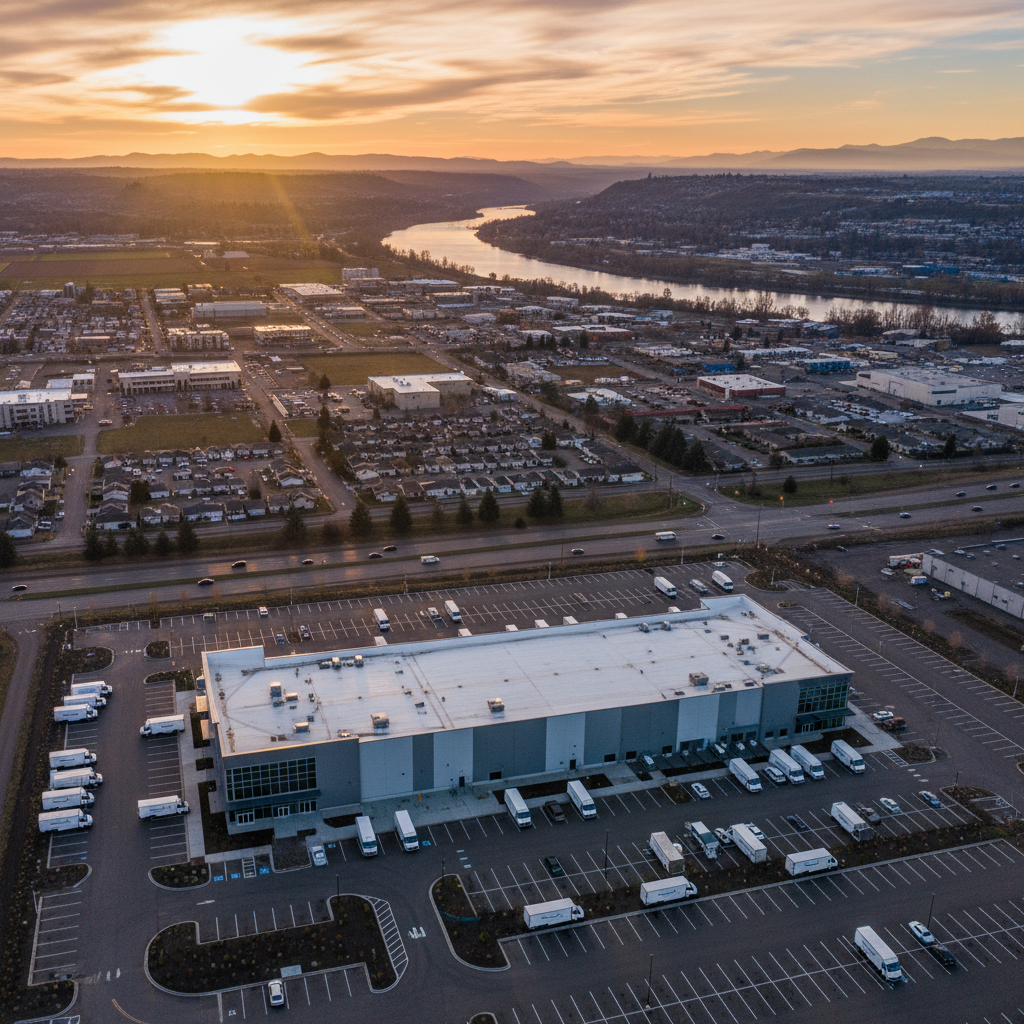
    Aerial view of Amazon RFD2 logistics hub in Huntley, Illinois with truck yards and parking surrounding the high-volume cross-dock facility

    Overview

    What Is Amazon Fulfillment Center RFD2?

    If you’ve ever tracked an Amazon package in the Midwest and wondered, “What on earth is RFD2 and why is my stuff there?”, you’re in the right place.

    Let’s take a walk through Amazon’s RFD2 facility in Huntley, Illinois—what it is, what happens inside, what changed for sellers in 2024, and what it means if you work or ship through there.


    RFD2 is an Amazon facility located at 11500 Freeman Road, Huntley, IL 60142, about an hour northwest of Chicago. Multiple warehouse-location directories and FBA tools list it clearly under that address as an Amazon site used in the FBA network.

    The site is often referred to as an Amazon Fulfillment Center, but functionally it behaves more like a cross-dock / inbound–outbound hub (IXD) than a classic, pick-and-pack storage facility. In other words:

    • Traditional fulfillment centers store items for a while, pick them for individual customer orders, then ship.
    • RFD2’s primary role is to receive, sort, and move freight between other facilities—rather than be the long‑term home of your inventory.

    Think of it less as a giant closet and more as a high-speed transfer station where packages barely have time to sit down.

    Quick takeaway
    RFD2 is an Amazon facility in Huntley, IL, operating mainly as a high-volume sort / cross-dock hub within the broader fulfillment network.

    Exterior view of Amazon RFD2 with neighboring XL RFD4 facility and trailers showing different roles in the Huntley logistics campus

    Location & Campus

    Where Exactly Is RFD2 and What’s Around It?

    The RFD2 building sits in a growing Amazon cluster in Huntley, Illinois. Directories of Amazon locations point to that Freeman Road address, and regional news has highlighted Amazon’s rapid expansion in Huntley with multiple large facilities.

    A few things to note about the local setup:

    • RFD2 on Freeman Road is the large hub often referenced in shipping tools and seller dashboards.
    • RFD4, a second Amazon building behind/next to RFD2, is described by workers and local reports as a more traditional XL / heavy and bulky fulfillment center. That nearby site specializes in large items like furniture and appliances, using a different layout, equipment, and workflows than RFD2.

    So when someone says, “I work at the Amazon facility in Huntley,” they might mean RFD2, RFD4, or another related building. Each one plays a different role in the larger logistics system.

    Quick takeaway
    RFD2 isn’t an isolated warehouse—it’s part of a small Amazon logistics ecosystem in Huntley, with neighboring sites handling different types of inventory and operations.

    Interior cross-dock scene inside Amazon RFD2 with dock doors, trailers, workers unloading and reloading pallets in a fast-moving flow

    Operations

    What Happens Inside RFD2 Day to Day?

    You won’t find a detailed public blueprint of RFD2’s processes (Amazon keeps its operational playbooks pretty tight), but we can piece together a good picture based on its role, size, and similar facilities.

    1. High-Volume Inbound and Outbound

    RFD2 handles large volumes of inbound trailers from suppliers, other Amazon sites, and sometimes third‑party logistics partners. The key steps typically look like this:

    • Trailers arrive and are docked. Yard teams coordinate which trucks go where and in what order.
    • Unload and sort. Pallets or cartons are unloaded, scanned, and routed based on destination and priority.
    • Short-term staging. Instead of storing products long-term, freight is staged briefly in designated areas.
    • Reload and dispatch. Freight is consolidated onto outbound trailers heading to other Amazon fulfillment centers, sort centers, and last‑mile delivery stations.

    Because RFD2 functions more like a cross-dock, the goal is speed, not storage.

    Mini example:

    • A shipment of mixed FBA inventory arrives from a midwestern supplier.
    • RFD2 receives and quickly redistributes that freight to multiple traditional fulfillment centers across the region.
    • Those downstream FCs then handle long-term storage, picking, and final customer shipping.

    2. Robotics, Automation, and Scanning

    While Amazon doesn’t publish a robotics spec sheet for RFD2, the company has rolled out a wide array of robots, conveyors, automated sorters, and scanning systems across its network—especially at high-volume hubs.

    That typically means:

    • Miles of conveyors moving pallets, cases, or totes.
    • Automated sortation sending items to the correct dock door or zone.
    • Handheld scanners and terminals for every associate, tracking where each pallet or container goes.

    The human job becomes supervising, feeding, and troubleshooting this flow rather than manually moving every box from point A to B.

    3. Safety, Radios, and Roles

    Internal radio-frequency charts and industry observers note that large Amazon facilities like the “RFD” group often have dedicated radio channels for Safety, HR, IT, Learning, Inbound Dock, Outbound Dock, Flow, Transportation Ops, Housekeeping, and Emergency teams.

    That tells us a few things about life inside RFD2:

    • There are specialized departments (Safety, RME/maintenance, Learning, etc.), not just one big blob of “warehouse workers.”
    • Safety announcements and emergency alerts can be broadcast across all groups when needed.
    • Communication is constant—coordinating fast-moving freight, equipment, and people.
    Quick takeaway
    RFD2 is built for fast, high-volume movement of freight between other Amazon sites, with heavy use of automation and tightly coordinated teams.

    Interior shot of automation at RFD2 with conveyors, sortation equipment, scanners, and icons representing safety and communication radio channels

    Network Changes

    The 2024 Shift: RFD2 Goes “Internal Only”

    If you’re a seller or freight forwarder, this part matters.

    In August 2024, logistics and freight-forwarding communities circulated Amazon notifications stating that several facilities—including RFD2—would become internal-use only as of August 18, 2024. That meant:

    • These buildings would no longer be available as target locations for external shipping or new FBA shipments.
    • Existing or already-scheduled shipments were still honored and processed, but shippers were told to choose alternative warehouses going forward.

    In practice, for FBA sellers and 3PLs, this likely meant:

    • You stopped seeing RFD2 show up as a valid destination in routing plans or inbound creation tools.
    • Any previous habit of sending containers directly to RFD2 had to be replaced with other FCs or designated receiving sites.

    To be clear, this doesn’t mean RFD2 “shut down.” It means it shifted roles—from being a facility external partners could ship to, to a node that Amazon uses purely within its internal network.

    Quick takeaway
    Since mid‑August 2024, RFD2 has effectively been off-limits as a direct destination for new third‑party shipments and is now reserved for internal Amazon operations.

    Amazon RFD2 workers in safety gear performing roles from unloading trailers to maintenance and training inside the facility

    Worklife

    What Does RFD2 Mean for Workers?

    If you work (or are considering working) at Amazon RFD2 in Huntley, here’s what this kind of facility usually means for your day-to-day.

    1. Job Types You’ll Typically See

    Common roles at a cross-dock / high‑throughput site include:

    • Warehouse associate / fulfillment associate – unloading, loading, scanning, moving freight.
    • Problem solver / process guide – dealing with exceptions, mis‑scans, or unexpected freight.
    • Yard specialist / yard marshal – managing trailers, docks, and traffic.
    • RME / maintenance technicians – keeping conveyors, doors, and equipment running.
    • Learning ambassadors / trainers – onboarding and upskilling new associates.
    • Safety and operations leadership – ensuring safe, efficient flow and meeting throughput targets.

    Because RFD2 handles big volume swings, shifts can be physically demanding but rhythm-based—lots of repeated motions, some heavy lifting depending on role, and close coordination with your area team.

    2. Workload and Pace

    Cross-dock style buildings are often:

    • High-pace, schedule-driven – tied to carrier and trailer appointments.
    • Less focused on individual customer orders, more on whole trailers, pallets, or container loads.
    • Metrics-based – trailer turn times, processing rate, error rates, and safety metrics are constantly tracked.

    People who like clear structure, visible progress (“we cleared that row of trailers”), and team-based problem solving often do well in this kind of environment.

    3. Safety and Training

    With so much freight and equipment moving, safety is a huge focus:

    • Mandatory safety shoes, vests, and PPE in active areas.
    • Strict rules around powered industrial trucks (forklifts, pallet jacks, tuggers).
    • Frequent safety huddles, refreshers, and audits.

    New hires usually go through:

    • A general orientation (Amazon policies, culture, and benefits).
    • Site-specific training on processes, equipment, and emergency procedures.
    • On-the-floor shadowing with experienced associates.
    Quick takeaway
    For workers, RFD2 means fast, structured, physically active shifts in a safety- and metrics-driven environment, with roles ranging from dock work to maintenance and safety.

    Conceptual Midwest logistics map showing RFD2 as a central internal hub node linking sellers to multiple Amazon fulfillment and delivery sites

    For Sellers & Shippers

    What Does RFD2 Mean for FBA Sellers and Shippers?

    If you’re on the seller or logistics side, you probably landed on this topic because RFD2 popped up in routing, or suddenly stopped popping up.

    Here’s what you should keep in mind.

    1. Don’t Manually Choose RFD2 as a Destination Anymore

    Since its transition to internal-only use in 2024, RFD2 is not a valid destination for new external shipments. If it still appears in some outdated documentation or third‑party tools, treat that as stale data.

    Instead, you should:

    • Let Amazon’s automatic inbound placement select appropriate FCs.
    • If you use a 3PL or freight forwarder, make sure they don’t hard-code RFD2 into routing templates.

    2. Expect RFD2 to Still Touch Your Inventory—Behind the Scenes

    Even if you never ship directly to RFD2 now, your inventory may still move through it as part of Amazon’s internal network balancing. For example:

    • You send inventory to FC A.
    • Amazon decides to balance stock and moves part of it through a hub like RFD2 to FC B or C.

    You’ll see this reflected in transfer events in your FBA inventory records, but you won’t be asked to create inbound shipments to RFD2 itself.

    3. Keep an Eye on Official Amazon Notices

    Because Amazon occasionally reconfigures its network, the best way to keep up is to:

    • Watch Seller Central announcements about FBA routing and FC changes.
    • Pay attention to routing instructions on each new shipment—don’t reuse old labels or addresses.
    Quick takeaway
    Treat RFD2 as an internal Amazon hub. You probably won’t ship there directly anymore, but it may still be part of the invisible journey your inventory takes.

    Big Picture

    Is RFD2 a Good Place to Work or Ship Through?

    That depends on who you are and what you care about.

    If You’re a Job Seeker

    Pros of a site like RFD2:

    • Stable demand – as a big regional hub, volume tends to be steady.
    • Clear structure and roles – lots of defined processes and training.
    • Growth pathways – exposure to multiple departments (yard, dock, safety, maintenance, learning) can open doors.

    Challenges:

    • Physically demanding – walking, lifting, and repetitive motion are part of the deal.
    • Fast-paced – trailer schedules and throughput goals can make shifts intense.

    If you like physical work, structure, and problem solving under time pressure, RFD2-style facilities can be a solid fit.

    If You’re a Seller or Shipper

    • You shouldn’t aim shipments at RFD2 anymore.
    • You can trust that Amazon will still use hubs like RFD2 behind the scenes to keep delivery times competitive in the Midwest.

    Your focus should be on:

    • Clean data: correct carton/pallet labels, ASN info, and lead times.
    • Letting Amazon’s placement algorithms pick the right network destinations.
    Quick takeaway
    For workers, RFD2 can be a solid logistics job environment; for sellers, it’s a behind-the-scenes node you don’t manually interact with.

    Final Thoughts: Why RFD2 Matters More Than You Think

    You may never set foot in RFD2. You may never print its address on a label again. But facilities like RFD2 are a big reason why:

    • Your random Tuesday-night order shows up on Thursday.
    • Inventory can be rebalanced across the Midwest without you lifting a finger.
    • The rest of Amazon’s fulfillment centers aren’t buried under every inbound truck at once.

    In the background, hubs like RFD2 take in trailers, reshuffle freight, and push it back out—thousands of times a day—so the rest of the network can breathe.

    So the next time your tracking page quietly flashes “Arrived at Amazon facility – RFD2,” you’ll know what’s really happening: a highly choreographed, high-speed relay race where your package is just one of millions sprinting through Huntley, Illinois.


  • Reading Marvel Unlimited On An Amazon Fire HD 10


    Reading Marvel Unlimited On An Amazon Fire HD 10


    Reading Marvel Unlimited On An Amazon Fire HD 10

    Frustrated reader squinting at a tiny smartphone, then switching to a clear Marvel comic on an Amazon Fire HD 10

    If you’ve ever tried to read comics on your phone and thought, “Why are these word bubbles so SMALL?”, you’re not alone.

    That’s where the Amazon Fire HD 10 + Marvel Unlimited combo comes in: a cheap-ish, big-screen tablet that can become your always-there digital comic bookshelf.

    Let’s walk through how good the Amazon Fire HD 10 really is for Marvel Unlimited, how to set it up, and a few tricks to make your reading experience way better.


    Amazon Fire HD 10 hero shot showing a full Marvel comic page, with icons for battery, affordability, and library access

    Quick Answer: Is the Amazon Fire HD 10 Good for Marvel Unlimited?

    Yes: the Amazon Fire HD 10 tablet works very well with Marvel Unlimited, especially if you’re looking for an affordable, 10-inch screen to binge comics on.

    You’ll get:

    • A big display that’s great for full-page art
    • Solid battery life for long reading sessions
    • Access to the Marvel Unlimited Android app (with one extra setup step)

    Caveat: since it’s a Fire tablet, you don’t get Google Play out of the box. You’ll either:

    1. Use Marvel Unlimited via a browser, or
    2. Install the Google Play Store and then the official Marvel Unlimited app.
    Takeaway
    If your main goal is comfortable, budget-friendly comic reading, the Fire HD 10 is a strong choice.

    Travel scene of someone reading Marvel Unlimited on a Fire HD 10 during a flight with offline reading enabled

    Why the Fire HD 10 Works So Well for Comics

    1. The 10-inch display hits the sweet spot

    Reading comics on a 6″ phone is… an eye test.

    A 10″ screen, like on the Amazon Fire HD 10, lets you:

    • View full pages without constantly zooming
    • Actually read dialogue without squinting
    • Enjoy double-page spreads without them feeling cramped

    It’s not as big or sharp as an iPad Pro, but for the price, it’s more than good enough for Marvel Unlimited’s HD pages.

    Takeaway
    Bigger screen = less pinching and zooming, more actual reading.

    2. Price vs. performance is great for a “reader tablet”

    If you’re not trying to game or do serious work, the Fire HD 10’s specs are perfectly fine for comics:

    • Enough RAM/CPU to smoothly scroll pages
    • Plenty of storage for downloaded issues (especially if you add a microSD card)
    • Long battery life, so you can read for hours

    Marvel Unlimited isn’t very demanding. As long as your tablet can handle high-res images and a stable network connection, you’re good.

    Takeaway
    You don’t need an expensive iPad to enjoy Marvel Unlimited. The Fire HD 10 is more than capable.

    3. Offline reading on a travel-friendly device

    Marvel Unlimited allows you to download comics for offline reading (within its app). Combine that with the Fire HD 10’s battery life and you’ve got a great travel reader.

    Use cases:

    • Long flights or car rides
    • Reading on the couch without worrying about outlets
    • Kids reading in the back seat with downloaded comics
    Takeaway
    Fire HD 10 + offline downloads = perfect combo for trips and commutes.

    Over-the-shoulder view of a user setting up Google Play and Marvel Unlimited on an Amazon Fire HD 10 tablet

    Option 1: Using Marvel Unlimited in the Browser on Fire HD 10

    If you don’t want to tweak anything, this is the simplest path.

    How to read Marvel Unlimited in the browser

    1. Connect to Wi‑Fi and open the Silk browser (the default browser on Fire tablets).
    2. Go to the Marvel Unlimited website and sign in to your account.
    3. Browse your library, search for titles, and start reading.

    Pros:

    • Zero extra setup
    • No sideloading or Google Play required

    Cons:

    • No true offline reading in the browser
    • The app interface is generally smoother and more optimized for touch

    Best for: Casual readers who are mostly online and don’t mind sticking to the browser.

    Takeaway
    If you just want to test Marvel Unlimited on your Fire HD 10, start in the browser.

    Two-panel comparison of Marvel Unlimited on a Fire HD 10 in portrait and landscape comic reading modes

    Option 2: Installing the Marvel Unlimited App on an Amazon Fire HD 10

    If you want the full Marvel Unlimited experience on your Fire HD 10, you’ll likely want the Android app, which means installing the Google Play Store on your tablet.

    Note: Installing Google Play on a Fire tablet is a well-known, common tweak among users, but it’s not officially endorsed by Amazon. Do this only if you’re comfortable with a bit of tech setup.

    Step-by-step: Google Play + Marvel Unlimited

    Here’s the high-level process people typically follow:

    1. Check your Fire OS version

      • Go to Settings → Device Options → System Updates.
      • Knowing your version helps ensure you follow the right Google Play instructions (search online for a guide matching your Fire OS version).
    2. Download the required Google Play components

      • Most guides will walk you through installing 4 APK files: Google Account Manager, Google Services Framework, Google Play Services, and Google Play Store.
      • Always use trustworthy sources and follow a recent, detailed guide that matches your exact Fire HD 10 model and OS version.
    3. Install the APKs in the correct order

      • If you install them out of order, Google Play may not work right.
      • After installation, restart your Fire HD 10.
    4. Open Google Play Store and sign in

      • Use your Google account.
    5. Search for “Marvel Unlimited” and install the app

      • Once installed, Marvel Unlimited behaves like it would on a regular Android tablet.
    6. Log in and start downloading comics

      • Sign in with your Marvel account.
      • Download your favorite runs (e.g., Hickman’s Avengers, Immortal Hulk, Ms. Marvel, etc.) for offline reading.
    Takeaway
    If you’re willing to spend 15–30 minutes on setup, the Marvel Unlimited Android app on Fire HD 10 gives you a smoother, more powerful reading experience than the browser alone.

    Collage of different readers using Marvel Unlimited on a Fire HD 10, highlighting affordability, family-friendly use, and binge reading

    Reading Experience: What It’s Actually Like Day-to-Day

    So how does Marvel Unlimited on a Fire HD 10 feel in real use?

    1. Page clarity & zooming

    On a 10-inch screen:

    • Single-page view is usually perfectly readable
    • Most modern comics (with cleaner lettering) are easy to read without zoom
    • Older books with dense text might still benefit from a quick pinch-to-zoom

    Panel-by-panel guided reading (if you like that style) is easier in the app than in a browser, which is another reason people prefer installing the Android app.

    2. Portrait vs. landscape

    • Portrait mode: Best for standard single-page reading, closest to a real comic book.
    • Landscape mode: Great for double-page spreads and cinematic panels.

    You might find yourself rotating the tablet during splash pages—this is totally normal comic nerd behavior.

    3. Comfort & ergonomics

    The Fire HD 10 is light enough to hold one-handed for a while, but for longer sessions:

    • Use a stand or case with a kickstand
    • Prop it up on a pillow or table

    Your wrists will thank you during 3–4 hour binge sessions.

    Takeaway
    Once you’re settled in with brightness, orientation, and a comfy position, the Fire HD 10 genuinely feels like a dedicated digital comic reader.

    Reader optimizing display settings and storage on a Fire HD 10 while enjoying Marvel Unlimited on the go

    Tip: Optimize Your Fire HD 10 for Comic Reading

    To make Marvel Unlimited shine on the Fire HD 10, a few small tweaks go a long way.

    1. Adjust display settings

    • Brightness: Set it just high enough for clarity without torching your eyes.
    • Blue light / nighttime mode: Turn it on for night reading so you’re not staring into a small sun at 1 a.m.

    2. Expand your storage

    If you plan on downloading lots of comics:

    • Add a microSD card to your Fire HD 10.
    • In Settings, set downloads (when possible) to favor SD storage.

    Marvel Unlimited has download limits, but even within those, runs can stack up fast.

    3. Clean up distractions

    If this is mostly a “reader tablet,” consider:

    • Disabling or muting notifications from other apps
    • Hiding or ignoring unnecessary apps on the home screen

    You open the tablet, and boom—straight into comics instead of being pulled into random games or social media.

    Takeaway
    A few small setup choices can make your Fire HD 10 feel like it was built just for Marvel Unlimited.

    Multiple readers enjoying Marvel Unlimited on Fire HD 10, showing budget, family, and techy use cases in a collage

    Who Is the Fire HD 10 + Marvel Unlimited Combo Best For?

    This setup is especially good if you are:

    • A budget-conscious reader who wants a big-ish screen without paying iPad prices.
    • A Marvel Unlimited subscriber planning to binge whole runs and events.
    • A parent setting up a safe, mostly-comics device for kids (with profiles and parental controls).
    • A casual tech user who’s fine sticking to the browser, or a tinkerer who doesn’t mind installing Google Play.

    Who might want something else?

    • If you’re super picky about screen quality and performance, a flagship Android tablet or iPad will look and feel nicer.
    • If you never want to deal with workarounds like installing Google Play, you might prefer a device that supports Marvel Unlimited from its main app store.
    Takeaway
    For most everyday comic fans, the Fire HD 10 delivers a lot of value for the price.

    Amazon Fire HD 10 turned into a dedicated Marvel Unlimited reading machine with colorful comics on screen

    Final Thoughts: Turning Your Fire HD 10 Into a Marvel Reading Machine

    Put simply: the Amazon Fire HD 10 is an excellent, budget-friendly tablet for reading Marvel Unlimited.

    If you:

    • Don’t mind reading in a browser → You can start reading Marvel Unlimited on your Fire HD 10 today with zero extra setup.
    • Are willing to install Google Play → You’ll unlock the full Marvel Unlimited app experience with offline downloads and a smoother interface.

    Either way, once you’re a few issues deep into a good run, the hardware almost disappears—and it’s just you, your Fire HD 10, and an endless backlog of Marvel stories.

    Now the real question: what are you reading first? House of X/Powers of X? Classic Claremont X‑Men? A wild cosmic Annihilation binge?

    Choose your starting point wisely. Your weekend may disappear.


  • Where You Can Actually Use Amazon Gift Cards


    Where You Can Actually Use Amazon Gift Cards


    Where You Can Actually Use Amazon Gift Cards

    Overwhelmed person at a desk with an Amazon gift card, staring at a busy Amazon homepage full of products

    You know that feeling when you get an Amazon gift card and your brain just…blanks?
    You know it’s valuable, but you’re suddenly staring at 12 million products thinking, “Sooo…can I use this for Netflix? Groceries? Rent?!”

    Let’s fix that.

    This guide breaks down exactly where you can use Amazon gift cards, what you can’t do with them, and a few creative ways to squeeze every last cent of value out of them.


    Quick Answer: Where Can You Use Amazon Gift Cards?

    Collage of popular Amazon products and digital content centered around a glowing Amazon gift card

    In short:

    You can use Amazon gift cards to buy eligible goods and services sold on Amazon’s platforms, mainly:

    • Amazon.com (U.S.) – products, digital content, and some services
    • Amazon-owned digital services (like Kindle, some in-app purchases via Amazon, etc.)
    • Certain third-party sellers on Amazon (as long as checkout is processed through Amazon)

    You cannot usually use them:

    • Outside Amazon’s ecosystem (e.g., at Walmart, Target, or gas stations)
    • For most subscription services billed externally (e.g., Netflix, Spotify)
    • For cash withdrawals or money transfers

    We’ll go deeper into each category below.

    Takeaway: If checkout happens on Amazon, you’re probably good. If it’s a random website or a physical store, probably not.

    1. Physical Products on Amazon.com (The Obvious One—But With a Twist)

    Range of Amazon physical products like headphones, cookware, clothes, and gadgets arranged around an Amazon cart

    Yes, you can absolutely use an Amazon gift card to buy the usual suspects:

    • Electronics (headphones, laptops, cables)
    • Home and kitchen (coffee makers, cookware, decor)
    • Clothing, shoes, and accessories
    • Toys, games, and hobby items
    • Beauty, health, and personal care products

    If the item is available on Amazon.com and marked as purchasable (not restricted, not an add-on-only with no other items, etc.), you can apply your Amazon gift card balance directly at checkout.

    What about third‑party sellers?

    If you’re buying from a marketplace seller (not “Ships from and sold by Amazon.com”), that’s usually fine too—as long as:

    • You’re checking out through Amazon, not getting redirected
    • The item is eligible for standard Amazon checkout

    Takeaway: If it’s a normal product page on Amazon.com with a standard “Add to Cart” button, your gift card balance works.

    2. Digital Content: Kindle Books, Movies, Music, and More

    Digital collage of Kindle books, movies, music, and other Amazon digital content linked to an Amazon gift card

    This is where Amazon gift cards get really fun.

    You can use them for a lot of digital goodies, including:

    Kindle Store

    Use your Amazon gift card balance to buy:

    • Kindle eBooks
    • Some digital magazines and subscriptions sold via the Kindle Store

    Once you’ve redeemed the card to your Amazon account, your Kindle purchases will pull from that balance first.

    Prime Video (Rentals & Purchases)

    Your gift card balance can usually be used to:

    • Rent or buy movies
    • Purchase TV episodes or full seasons

    This is great if you don’t want to connect a credit card but still want to rent a new release for movie night.

    Amazon Music (Purchases)

    While most people now stream via subscriptions, your Amazon gift card balance may be used for:

    • Buying digital music tracks or albums sold by Amazon (where available)

    Note: That’s different from paying for a recurring Amazon Music subscription (we’ll talk subscriptions in a bit).

    Takeaway: If it’s a one-time digital purchase sold by Amazon—book, movie, show, track—your gift card balance is likely fair game.

    3. Apps, Games, and In‑Game Content (Within Amazon’s Ecosystem)

    Adult and child on a couch using a Fire tablet with colorful app and game icons floating above

    Depending on your device and region, you can often use Amazon gift cards to fund:

    • Apps and games from the Amazon Appstore (e.g., on Fire tablets, some Android devices)
    • In‑app purchases in apps that support billing through the Amazon Appstore

    So if you or your kids are playing a game on a Fire tablet and want extra coins, gems, skins, or power-ups, your Amazon balance can often cover that—without tying a credit card to the account.

    Takeaway: If the app or game is downloaded via Amazon Appstore or running on a Fire device, your gift card can often fuel your gaming habit.

    4. Amazon Devices and Accessories

    Selection of Amazon devices like Kindle, Fire TV Stick, Echo, and Ring arranged on a tabletop

    You can absolutely use Amazon gift cards to buy Amazon’s own hardware, such as:

    • Kindle e-readers
    • Fire tablets
    • Fire TV sticks
    • Echo devices (Alexa smart speakers and displays)
    • Ring and Blink devices (sold via Amazon)

    This can be a smart long‑term play: use your gift card on a device, then keep using your balance (or future cards) for books, movies, or apps on that device.

    Mini scenario:

    • You use a $50 Amazon gift card to buy a basic Kindle on sale.
    • You later use another $25 in gift cards to slowly build a personal ebook library.

    Takeaway: Amazon devices + Amazon content = one of the best, most “on-brand” uses of a gift card.

    5. Groceries and Household Essentials (Yes, Really)

    Kitchen counter filled with Amazon grocery and household deliveries including pantry items and cleaning supplies

    If you’re thinking, “Fun gadgets are nice, but I kind of just need toilet paper and coffee,” you’re not alone.

    In many areas, you can use Amazon gift cards for:

    • Pantry staples: rice, pasta, canned goods
    • Snacks and drinks
    • Toiletries, cleaning supplies, paper goods
    • Baby supplies: diapers, wipes, formula (where allowed)

    This usually happens through:

    • Amazon.com directly (for nonperishable and household items)
    • Amazon Fresh in regions where it’s available and where your account/payment setup allows using gift card balance toward eligible charges

    Some grocery or delivery programs may have fine print about what can be paid with gift card balance (for example, certain fees, tips, or regional restrictions), so always double‑check at checkout.
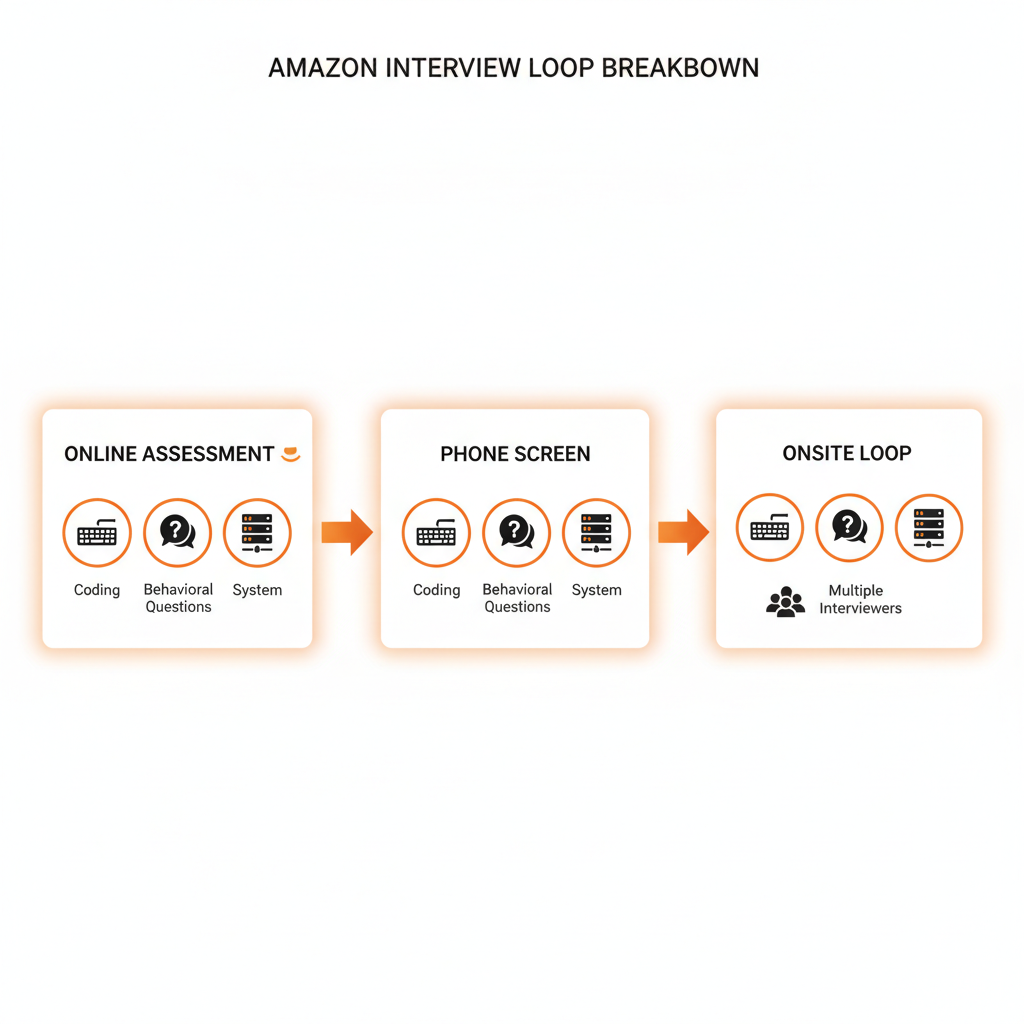
    Takeaway: Don’t overlook the boring-but-crucial stuff. Turning a gift card into a month’s worth of kitchen basics is a very adult, very valid flex.

    6. Third‑Party Gift Cards Sold on Amazon

    Amazon gift card being digitally transformed into various other brand gift cards

    Here’s a clever move: sometimes you can use your Amazon gift card to buy other brands’ gift cards, such as:

    • Restaurants (e.g., fast food chains, coffee shops)
    • Entertainment services
    • Retail brands that you prefer to shop with directly

    Not all gift cards are eligible, and availability can change. Some merchant cards or prepaid products may be excluded from purchase using promotional or gift balances, depending on Amazon’s current policies.

    But when it is allowed in your region and on your account, this essentially lets you:

    Turn an Amazon gift card into a Starbucks, DoorDash, or other specific-brand gift card.

    Takeaway: If you’d rather treat yourself at a favorite brand than shop on Amazon, check the “Gift Cards” section on Amazon.com and see which ones are purchasable using your account balance.

    7. Can You Use Amazon Gift Cards for Subscriptions?

    Prime, Kindle, and Music subscription icons hovering above an Amazon balance meter

    This is where things get a little more nuanced.

    Amazon Prime Membership

    In some cases, you can use Amazon account balance (including gift card funds) to pay for:

    • Amazon Prime membership (monthly or annual), depending on region and payment options

    But there are often rules:

    • You may need to have the gift card redeemed to your Amazon account balance first.

    • Some Prime subscription setups still prioritize a credit/debit card on file.
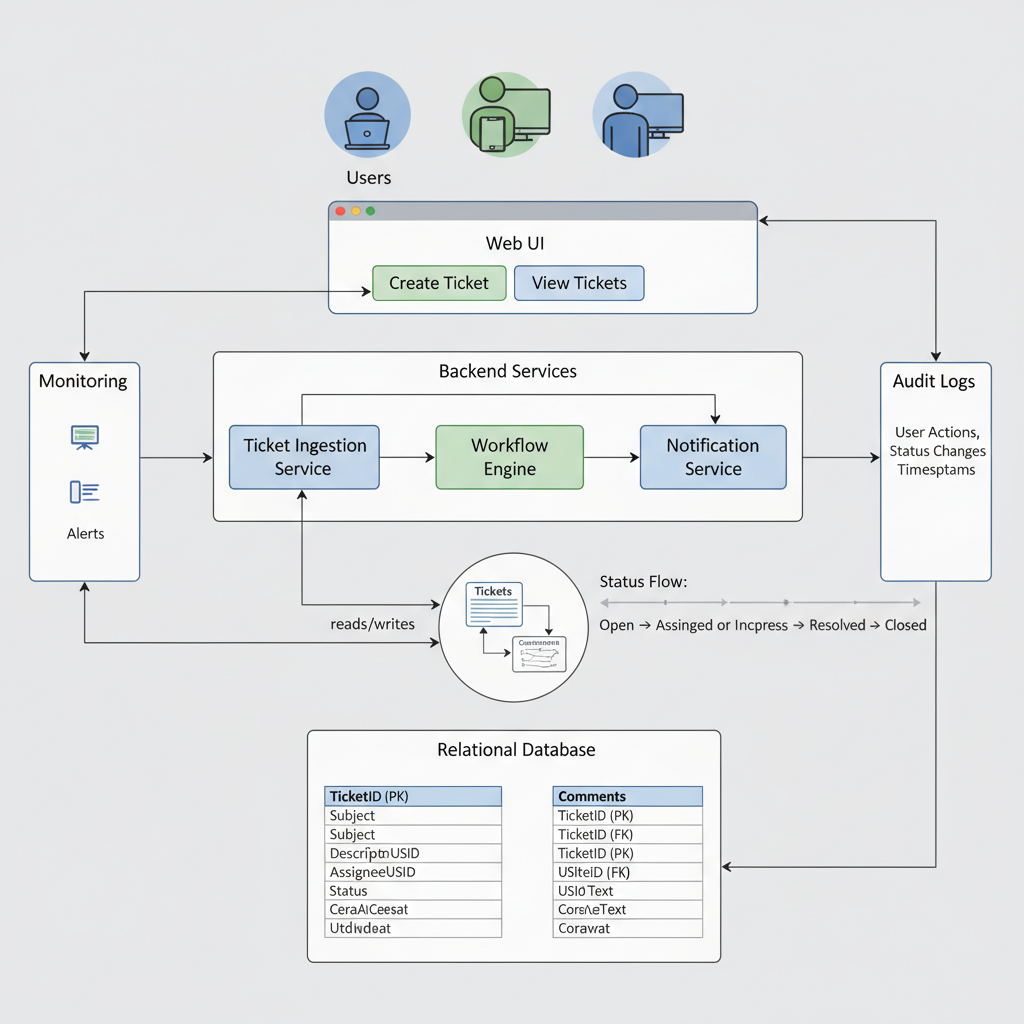
    You’ll need to:

    1. Redeem your gift card to your Amazon account.
    2. Go to your Prime membership settings.
    3. Check if your gift card/account balance is listed as a usable payment method.

    Other Subscriptions (Music, Kindle Unlimited, etc.)

    For subscriptions like Kindle Unlimited, Amazon Music, or channel add‑ons through Prime Video, rules can vary by time and region.

    Often:

    • Gift card balance is more reliably used on one‑time purchases (books, movies) than on recurring subscriptions.
    • Some recurring subscriptions may require a credit or debit card, even if you have gift card balance.

    Takeaway: Think of gift cards as best for one‑time purchases, not ongoing monthly bills—unless Amazon explicitly lets you choose account balance at checkout.

    8. Where You Cannot Use Amazon Gift Cards (Common Myths)

    Split-screen infographic showing approved Amazon gift card uses on one side and blocked uses like rent and Netflix on the other

    To save you some frustration, here are the big “nope” categories.

    1. You (Usually) Can’t Use Them Outside Amazon

    Amazon gift cards are not like Visa or Mastercard gift cards.

    You generally cannot use Amazon gift cards:

    • At physical stores like Walmart, Target, Costco, or local shops
    • On other retailers’ websites (unless you’re buying their digital gift card through Amazon, as covered above)

    2. No Cash, No Transfers, No Sneaky Conversions

    You can’t:

    • Convert them directly to cash
    • Withdraw the balance at an ATM
    • Transfer the balance to PayPal, Venmo, Cash App, etc.
    • Resell the balance through Amazon itself

    There are third‑party gift card resale sites out there, but be extremely careful—many are high‑fee, low‑value, or just not worth the headache.

    3. Not for Most Bills (Rent, Utilities, Phone, etc.)

    Your landlord, utility company, and cell provider are not taking Amazon gift cards anytime soon.

    There are sometimes workarounds—like using Amazon to buy a third‑party gift card to pay a specific service—but that depends heavily on whether:

    • The gift card you need is sold on Amazon
    • It allows online bill payment with that brand

    Takeaway: If you’re trying to treat an Amazon gift card like universal money, the system will fight you. It’s designed for Amazon-related spending.

    9. Region and Policy Gotchas (Read This Before You Gift One)

    Map and Amazon site icons showing region-specific Amazon gift card usage

    A few important fine-print realities:

    Country/Region Lock

    Most Amazon gift cards are region-specific.

    • A U.S. Amazon.com gift card is intended for use on Amazon.com (US), not necessarily Amazon UK, Germany, India, etc.
    • If you gift someone in another country an Amazon.com card, they may have a hard time using it unless they shop on the U.S. site.

    Before gifting, always check:

    • Which Amazon site the card is for (Amazon.com vs. .co.uk vs. .de, etc.)
    • Where the recipient actually shops.

    Account Security & Scams

    Unfortunately, Amazon gift cards are popular with scammers, who ask victims to pay “bills,” “taxes,” or “fees” by buying cards and reading the codes.

    Red flags:

    • Anyone asking you to pay a debt, fine, or fee with Amazon gift cards
    • Pressure to buy cards quickly and send photos or codes

    Once a code is used, it’s extremely hard to recover the money. If anything feels off, stop and contact Amazon or relevant authorities.

    Takeaway: Treat gift cards like cash: region-specific, nonrefundable in many cases, and attractive to scammers. Don’t read codes over the phone to anyone.

    10. Smart Ways to Get the Most From Your Amazon Gift Card

    Person planning Amazon purchases with a wishlist on screen and an Amazon balance meter

    Let’s end with some practical strategies so your balance doesn’t evaporate on impulse buys.

    1. Build a Wishlist First

    Before spending a cent:

    • Make or refresh your Amazon wishlist.
    • Add things you’ve actually wanted for a while.
    • Sort by priority and price.

    Then decide: do you want one big thing or a bunch of smaller upgrades?

    2. Use It on Things You’d Buy Anyway

    If money’s a bit tight, use the gift card for:

    • Pantry and household essentials
    • Pet food and supplies
    • Work or school necessities (notebooks, gear, chargers)

    That effectively frees up your real cash for rent, savings, or other goals.

    3. Combine with Sales and Coupons

    You can stack value by:

    • Waiting for major sales (Prime Day, Black Friday, Cyber Monday)
    • Applying digital coupons on product pages
    • Using Subscribe & Save on items you’d buy regularly (if it fits the way you shop)

    Gift card + discount = more stuff for the same balance.

    4. Consider Upgrading Your Daily Tech

    If you’re sitting on a mid‑size amount (say $50–$150), think about:

    • A Kindle to read more and spend less on physical books
    • A Fire TV stick to turn a basic TV into a streaming hub
    • Better headphones or a keyboard to upgrade your work setup

    These can improve your day‑to‑day life far more than random small purchases.

    Takeaway: Whether you’re being practical or treating yourself, a tiny bit of planning turns an Amazon gift card from “random balance” into something genuinely useful.

    Final Wrap-Up: Where Can You Use Amazon Gift Cards?

    Infographic-style scene summarizing approved and blocked uses of Amazon gift cards

    If you remember nothing else, remember this:

    • Yes: Products, digital content, some apps and games, some groceries, some third‑party gift cards, and sometimes Amazon’s own subscriptions—as long as everything happens through Amazon’s checkout.
    • No: Cash, rent, most bills, outside retailers, or general-purpose payment apps.

    Use your Amazon gift card where it gives you the most value—whether that’s a month’s worth of essentials, a stack of Kindle books, or that gadget you’ve had your eye on for ages.

    And hey, next time someone asks what you want for your birthday, you’ll know exactly how far an Amazon gift card can go.


  • What Time Does Amazon Start Delivering?


    What Time Does Amazon Start Delivering?

    What Time Does Amazon Start Delivering?

    Wondering if that 6 a.m. van outside is your package? Here’s exactly how Amazon’s delivery start times really work.

    Sleepy person peeking through curtains at dawn as an Amazon van pulls up

    If you’ve ever stared out the window at 6 a.m. wondering, “Is that delivery truck for me?”, you’re in the right place.

    Let’s decode what time Amazon actually starts delivering, how early is too early, and why your neighbor gets their packages at dawn while yours show up at dinner.

    Infographic timeline from early morning to late evening showing typical Amazon delivery hours

    Quick Answer: What Time Does Amazon Start Delivering?

    In the U.S., Amazon delivery typically starts as early as 4:00–5:00 a.m. in some areas, but more commonly you’ll see drivers out from around 6:00–8:00 a.m. local time, and they can keep delivering up to 8:00–10:00 p.m., depending on your region and the service level (standard vs. Same-Day, etc.).

    Key points:

    • Earliest deliveries: around 4–6 a.m. in select busy metros.
    • Typical delivery window: 8 a.m. – 8 p.m. for standard residential deliveries.
    • Latest delivery: up to 10 p.m. in many U.S. locations for Prime and Same-Day orders.

    Amazon’s help pages say most packages are delivered between morning and 8–10 p.m., and they specifically note that delivery times vary by service, address type, and volume on a given day.

    Takeaway: Yes, that 7 a.m. doorbell might be Amazon. No, 2 a.m. probably isn’t.

    Urban, suburban, and rural neighborhoods showing different Amazon delivery times

    Why Delivery Start Times Vary So Much

    So why does your friend get packages at 7 a.m., and yours consistently arrive at 5:30 p.m. when you’re in the same city?

    1. Your Location (Urban, Suburban, or Rural)

    Amazon plans delivery routes around density:

    • Dense urban areas: More early-morning routes because drivers can hit a lot of stops quickly.
    • Suburbs: Often mid-morning to late afternoon.
    • Rural areas: Usually fewer trips per day, so times can skew later.

    If you live in an apartment-heavy neighborhood near an Amazon delivery station, you’re more likely to see very early vans.

    Mini takeaway: Closer to a delivery station = earlier potential drop-offs.

    2. Type of Delivery Service

    Not all Amazon deliveries are created equal. Delivery start times can depend on which service is fulfilling your order:

    • Standard Prime / Free Shipping: Usually within the normal 8 a.m. – 8 p.m. window.
    • Same-Day / One-Day / Two-Day: These can be prioritized earlier in the day, but also sometimes arrive later if your package is bundled with an evening route.
    • Amazon Fresh / Whole Foods deliveries: Often have specific selectable time slots, including early morning windows.
    • Amazon Locker / Hub deliveries: These may be delivered earlier in the day before home routes.

    Mini takeaway: Faster shipping doesn’t always mean earlier in the day—it means earlier overall.

    3. Day of the Week & Volume

    Peak times (like Prime Day, Black Friday, Cyber Monday, December holidays) mean:

    • More routes
    • Earlier starts
    • Later endings

    During these high-volume periods, it’s more common to see deliveries start earlier and continue right up to 10 p.m. so Amazon can clear the backlog.

    Mini takeaway: Big sale = big chaos = more extreme delivery hours.

    4. Third-Party Carriers vs. Amazon’s Own Drivers

    Your package might be delivered by:

    • Amazon Logistics (Amazon-branded vans / Flex drivers)
    • USPS
    • UPS, FedEx, or regional carriers

    USPS and other carriers typically stick to something like a 9 a.m. – 5/6 p.m. style window, with some flexibility. Amazon’s own delivery network is what tends to push the very early mornings and late evenings.

    Mini takeaway: If tracking shows “Delivered by Amazon,” your hours are likely wider.

    Person checking Amazon app on phone showing out for delivery and time range

    What Time Does Amazon Start Delivering in the Morning, Really?

    Let’s break it down more practically.

    Typical Morning Start by Service

    While it varies by exact address, a general rule of thumb in the U.S.:

    • Amazon Logistics residential routes: Commonly start around 6–8 a.m., though internal logistics and driver anecdotes show routes can be loaded and heading out as early as 4–5 a.m. in some areas.
    • USPS / UPS / FedEx delivering Amazon packages: More like 8–9 a.m. starts.
    • Amazon Fresh / groceries: Depending on your city, you can often pick early time slots starting as early as 7–8 a.m., sometimes earlier.

    If you consistently see your orders show up before 9 a.m., your area likely has a route that launches early from a nearby delivery station.

    Mini takeaway: For most people, expecting Amazon anytime after 8 a.m. is realistic; before that is a bonus.

    Nighttime street with Amazon driver quietly leaving a package at a doorstep around 9:30 p.m.

    How Late Will Amazon Deliver at Night?

    Morning is only half the story. The other question: How late is too late?

    In many U.S. locations:

    • Amazon says deliveries can occur up to 8–10 p.m. local time.
    • During peak seasons or heavy volume days, many customers report packages arriving as late as 9:30–10 p.m.

    Amazon usually tries not to ring the doorbell or knock late at night unless signature is required, especially in residential neighborhoods. Instead, they may:

    • Leave the package at the door quietly
    • Take a photo
    • Send an app / email notification

    Mini takeaway: If it’s after 10 p.m., your package is probably coming tomorrow.

    Amazon Fresh groceries, Amazon Locker, and Amazon Day calendar representing delivery options

    Can You Control What Time Amazon Delivers?

    Short answer: Not precisely, but you can influence it.

    1. Use Amazon’s Delivery Instructions

    In your Amazon account, under Your Addresses, you can:

    • Add a gate code or apartment instructions
    • Indicate where to leave packages (front door, side gate, leasing office, etc.)

    While this doesn’t lock in a specific time, it can make your address easier to service, which sometimes keeps you off the “problem stops” that get pushed later.

    2. Choose Amazon Day Delivery (Where Available)

    Some Prime members can pick an “Amazon Day”—a specific day of the week when most packages arrive together.

    Pros:

    • Fewer random days to worry about
    • Often arrives at a similar time window week-to-week

    Cons:

    • It’s about which day, not what hour.

    3. Pick a Time Slot for Groceries & Some Same-Day Orders

    For Amazon Fresh, Whole Foods delivery, and some Same-Day options, you can often select time windows like:

    • 7–9 a.m.
    • 8–10 a.m.
    • 6–8 p.m.

    Those are much more predictable because the driver’s route is designed around those windows.

    4. Use an Amazon Locker or Hub

    If your building, workplace, or nearby store has an Amazon Locker or Hub, you can ship there.

    Benefits:

    • Packages often arrive earlier in the day since lockers are pre-loaded from a central route.
    • No stress about being home or hearing the door.

    Mini takeaway: For most packages, you can’t say, “Deliver at 9:17 a.m.” But with grocery windows, lockers, and Amazon Day, you can tame the chaos.

    Split panel showing different Amazon vans arriving at morning, midday, and sunset in different neighborhoods

    Why Your Amazon Package Sometimes Comes Very Early (Or Very Late)

    If your normal pattern suddenly changes—say you usually get stuff at 2 p.m., but this time it shows up at 8 a.m.—a few things may be happening:

    1. Your package got put on a different route. A different driver, different sequence.
    2. Delivery volume shifted. Heavy day? Your stop might move earlier or later.
    3. Weather or traffic issues. Drivers might re-route in real time.
    4. New delivery station or staffing changes. When Amazon opens a new facility or adjusts routes, areas can suddenly see different windows.

    Mini takeaway: One weird delivery time doesn’t mean your entire life schedule has changed—yet.

    Close-up of phone showing Amazon delivery tracking with a live map and stops away

    How to Check Today’s Expected Delivery Time

    If you want to know when Amazon is likely to show up today, here’s what to do:

    Step 1: Go to “Your Orders”

    On the Amazon website or app:

    1. Open Your Orders.
    2. Find the order in question.
    3. Look for the delivery estimate.

    You’ll often see:

    • A date (e.g., “Arriving today”) and
    • A time range (e.g., “by 10 p.m.” or “between 2 p.m. – 6 p.m.”)

    Step 2: Watch for the “Out for Delivery” Update

    When the status changes to Out for delivery, Amazon has assigned it to a route.

    At that point, you may see a narrower time window, like:

    • “Arriving between 1 p.m. – 4 p.m.”

    Later in the day, you might even see something like:

    • “Stops away: 7”

    That’s your best near-real-time clue on timing.

    Step 3: Check the Map (When Available)

    Sometimes, especially in the app, you’ll get a live map showing the driver’s location and how many stops remain.

    If you see your driver a few streets away at 8 a.m., your personal Amazon “start time” for the day is about to be now.

    Mini takeaway: Don’t guess—use the app. It’s way more accurate than your neighbor’s delivery stories.

    Person in pajamas looking out at an early-morning Amazon van, representing delivery FAQs

    FAQs About Amazon Delivery Start Times

    Does Amazon deliver at 5 a.m.?

    In some busy metro areas with heavy volume, yes, drivers may start very early, and it’s possible (though not super common) to see packages show up around 5–6 a.m. Most people, however, won’t see deliveries that early.

    Does Amazon deliver before 8 a.m.?

    Yes, it’s possible—especially for:

    • Large cities
    • High-volume days
    • Grocery orders with early windows

    But for many suburban and rural locations, most deliveries start closer to 8–9 a.m.

    Does Amazon deliver on Sundays and holidays?

    In many U.S. regions, Amazon does deliver on Sundays, often starting in the same morning window as other days. Major federal holidays are more limited and depend on the specific carrier and service.

    Can I ask Amazon not to deliver too early or too late?

    There’s no universal “no earlier than” / “no later than” toggle for regular packages. However, you can:

    • Use delivery instructions (“Please do not ring the bell,” where appropriate).
    • Choose time windows for grocery deliveries.
    • Ship to a Locker or Hub to avoid late-night door visits.

    Clean infographic timeline summarizing Amazon delivery start and end times

    Practical Summary: What Time Does Amazon Start Delivering?

    • Typical daily window: Roughly 8 a.m. – 8 p.m., with possible extensions to 10 p.m. in many places.
    • Earliest realistic deliveries: Around 4–6 a.m. in some high-demand or urban areas, though this is less common.
    • Most common start time for most people: About 8–9 a.m.
    • You can’t set an exact time, but you can:
      • Use Amazon Day for consistent weekly delivery days.
      • Choose time slots for Fresh / grocery orders.
      • Ship to Lockers/Hubs for more predictable daytime delivery.
      • Track live in the Amazon app to see your real-time window.

    Bottom line: Amazon can start delivering surprisingly early—but for most households, planning around 8 a.m. to late evening is the safest bet. If you really care about precise timing, use grocery time slots or a locker, and let the app be your crystal ball instead of guesswork.


  • Amazon Operations Manager Salary Breakdown


    Amazon Operations Manager Salary Breakdown


    Amazon Operations Manager Salary Breakdown

    If you’ve ever wondered, “Is being an Operations Manager at Amazon actually worth it?” you’re not alone.

    Between TikToks about 3 a.m. warehouse shifts and LinkedIn posts flexing massive total compensation, it’s hard to know what’s real and what’s just… vibes.

    Let’s unpack what the salary of an Operations Manager at Amazon really looks like in the U.S.—base pay, bonuses, stock, career levels, and what actually impacts your number.


    Amazon fulfillment center at sunrise with Operations Manager reviewing salary components dashboard

    Quick answer: How much does an Operations Manager at Amazon make?

    While numbers vary by location, level, and experience, here’s a realistic total compensation range for Operations Managers at Amazon in the U.S.:

    • Base salary: typically around $75,000 – $125,000+ per year
    • Annual bonus: often 5–15% of base, depending on performance and level
    • Amazon RSUs (stock): can add anywhere from $5,000 – $40,000+ per year in value once fully vested
    • Total compensation: commonly in the $90,000 – $150,000+ range, with some senior Ops Managers crossing higher, especially in high-cost markets

    Think of it this way: entry or lower-mid levels tend to land in the high five figures to low six figures, while more senior or high-cost-of-living roles can be solidly six-figure+.

    Takeaway
    Yes, it’s competitive—especially when you factor in stock—but the exact number depends heavily on where you work and which level you’re at.

    Operations Manager walking the Amazon warehouse floor with associates and live metrics screens

    What exactly does an Operations Manager at Amazon do?

    Before talking money, it helps to understand what Amazon is actually paying you for.

    An Operations Manager (often called Area Manager, Operations Manager, or Senior Operations Manager depending on level and site) is responsible for:

    • Managing teams of associates in fulfillment centers, sort centers, delivery stations, or specialty operations
    • Hitting metrics like on-time shipping, throughput, safety, quality, and labor efficiency
    • Handling staffing, scheduling, performance management, and coaching
    • Coordinating with other departments (HR, maintenance, transportation, etc.)
    • Fixing things… fast. When a line goes down or volume spikes, your phone is ringing.

    It’s a people-heavy, operations-heavy, results-driven role. The comp reflects that it’s not a cushy sit-in-a-meeting-all-day job; it’s closer to running a mini factory or logistics hub.

    Takeaway
    You’re being paid to run a piece of Amazon’s machine—people, processes, and performance.

    Infographic-style breakdown of base salary, bonus, and RSUs for Amazon Operations Managers

    Base salary: What does an Amazon Operations Manager earn?

    General base salary range

    In the U.S., base salaries for Amazon Operations Managers usually fall into these rough bands:

    • Early-career / entry operations leadership (Area Manager / lower Ops Manager levels):
      • Around $70,000 – $95,000 base
    • Mid-level Operations Manager / Senior Operations Manager (depending on site & level):
      • Around $95,000 – $130,000+ base

    Amazon uses a leveling system (e.g., L5, L6, L7, etc.). Many Operations Manager roles are around L5–L6, with Senior Operations Managers typically in the L6–L7 range, which correlates with higher base and more stock.

    A few major factors influence where you land in that range:

    • Location / cost of living (California, New York, Seattle metro, etc. tend to be higher)
    • Level (Area Manager vs Operations Manager vs Senior Ops Manager)
    • Background & prior leadership experience
    • Business unit (e.g., traditional fulfillment vs. specialty or high-complexity operations)
    Takeaway
    For most U.S.-based Ops Managers, expect high five figures to low six figures in base pay, with room to grow as you level up.

    Stylized graphic of stacked compensation blocks showing base salary, bonus, and RSUs

    Bonuses: How much can you expect on top of base?

    Base salary is just one piece. Bonuses can meaningfully move the needle, especially as you move up.

    Typical patterns for Amazon Ops roles:

    • Bonuses are often structured as a percentage of your base salary
    • For many Ops Manager levels, that can look like roughly 5–15% of base when targets are met
    • Higher levels may see larger percentages or additional performance incentives

    Example:

    • Base salary: $95,000
    • Target bonus: 10%
    • Potential annual bonus: around $9,500 if performance and site results are solid

    Bonuses usually depend on a mix of company performance, site performance, and your individual performance. If your building crushes its KPIs and you’re rated highly, your bonus will reflect that.

    Takeaway
    Don’t ignore the bonus—over a few years, it adds up to a sizable amount on top of base.

    Concept illustration of Amazon stock RSUs contributing to total compensation

    Stock (RSUs): The part people forget to value correctly

    One big part of Amazon compensation is Restricted Stock Units (RSUs). This is where some people seriously undervalue the offer.

    Amazon often grants RSUs that vest over several years (commonly in a back-loaded schedule). While exact details can vary by level and year, the idea is:

    • You receive a total number of Amazon shares as part of your offer
    • Those shares vest over a 4-year period (for example), often with a smaller portion in the first year and more in later years
    • The dollar value per year depends on Amazon’s stock price at the time of vesting

    For many Operations Managers, stock can translate roughly into:

    • Entry / lower levels: maybe around $5,000 – $15,000 per year in stock value (averaged over the vesting schedule)
    • Mid / senior levels: can climb to $15,000 – $40,000+ per year or more in stock value

    Example scenario:

    • You’re granted $60,000 worth of stock over 4 years
    • That averages to about $15,000/year—but the actual value each year depends on the stock price and the timing of vesting
    Takeaway
    Your total compensation is often significantly higher than just base + bonus once you factor in RSUs.

    Three Amazon Operations Manager profiles with different total compensation scenarios

    Putting it together: Sample total compensation scenarios

    Let’s walk through a few simplified examples to make this real. These are not official numbers, just realistic illustrations of how the pieces can add up.

    Scenario 1: New-ish Operations Manager in a mid-cost city

    • Base salary: $85,000
    • Bonus target (8%): $6,800
    • RSUs (average annual value over 4 years): $7,000

    Estimated total annual comp:
    $98,800 (round it to ~$100,000)

    Scenario 2: Experienced Operations Manager in a high-cost market

    • Base salary: $115,000
    • Bonus target (10%): $11,500
    • RSUs (average): $18,000

    Estimated total annual comp:
    $144,500 (roughly mid–$140Ks)

    Scenario 3: Senior Operations Manager leading a large, complex site

    • Base salary: $130,000+
    • Bonus (12–15%): $15,000–$19,500
    • RSUs (average): $25,000–$40,000+

    Estimated total annual comp:
    Somewhere around $170,000 – $190,000+, depending on performance and stock

    Takeaway
    When evaluating an Amazon Operations Manager offer, you need to look at the full package, not just the base.

    Infographic of US map, levels, experience, and facility types influencing pay

    What factors influence your salary as an Operations Manager at Amazon?

    Your pay isn’t random. A few big levers heavily influence where you land:

    1. Location & cost of labor

    Amazon adjusts compensation based on market and geography. A role in a high-cost metro (e.g., Seattle, Bay Area, NYC/NJ, parts of California) will often have higher bands than a similar role in a lower-cost region.

    If you’re open to relocation, Amazon sometimes pays more in:

    • Large metro areas
    • High-cost coastal markets
    • Strategic or complex sites where talent is harder to hire

    2. Job level (L5 vs L6 vs L7)

    Ops leadership titles may look similar on the surface, but the level behind them (L5, L6, etc.) drives your comp band. For example:

    • L5 Area / Operations Manager: lower band, often entry to early-career leadership
    • L6 Operations / Senior Operations Manager: higher expectations, higher pay
    • L7: larger scope, significant leadership and business responsibility

    3. Experience & track record

    If you bring:

    • Prior operations or logistics management experience
    • Successful leadership of large teams or complex facilities
    • Demonstrated results with KPIs, process improvement, and safety

    …you’re in a stronger position to negotiate near the top of the band.

    4. Business unit & shift structure

    Not all Amazon operations are built the same. Compensation can vary by:

    • Type of facility (fulfillment center vs sort center vs delivery station vs specialty)
    • Shift patterns (overnights, weekends, peak-heavy roles)
    • Complexity and criticality of the site

    High-intensity or harder-to-staff shifts/locations may come with stronger offers.

    Takeaway
    If you want a higher salary, optimizing for location, level, and experience is just as important as negotiating well.

    Visual comparing total compensation versus demanding warehouse lifestyle

    Is the salary of an Operations Manager at Amazon “worth it”?

    Money is one part; lifestyle and growth are the other.

    Pros

    • Strong total compensation (especially when you include stock)
    • Clear path to bigger scope and higher levels if you perform
    • Highly transferable skills: people leadership, operations, metrics, continuous improvement
    • Amazon on your resume can open doors at other big players (logistics, tech, e‑commerce, manufacturing)

    Cons

    • It can be physically and mentally demanding—you’re in the operation, not just behind a laptop
    • Long or irregular hours are common, especially during peak seasons
    • Metrics pressure is real; it’s not a coasting kind of role

    If you:

    • Enjoy fast-paced, hands-on environments
    • Like solving problems in real time
    • Are motivated by leading large teams and owning results

    …then the compensation + career trajectory can absolutely be worth it.

    Takeaway
    The salary is strong, but it’s best suited for people who thrive in high-energy, high-accountability environments.

    Infographic showing levers to maximize Amazon Operations Manager salary

    How to maximize your salary as an Amazon Operations Manager

    If you’re considering or negotiating an offer, here are some strategic moves:

    1. Research realistic bands for your city & level

    Use salary data sites (Glassdoor, Levels.fyi, Blind, etc.) to:

    • Benchmark base, bonus, and stock by level and location
    • Check multiple sources to avoid relying on a single outlier

    Come into the conversation with a range in mind, not just a single wish number.

    2. Negotiate the right levers

    At Amazon, some components may be more flexible than others:

    • Base salary: there’s usually a band; they may not exceed the top, but they can often move within it
    • Sign-on bonus: sometimes used if stock or base can’t move much
    • RSUs: room to adjust at higher levels, sometimes more rigid at lower levels

    Focus on total compensation rather than only base.

    3. Highlight impact, not just responsibilities

    When interviewing or negotiating, emphasize:

    • Specific metrics you improved (on-time rate, throughput, cost per unit, safety metrics)
    • Team size and complexity you’ve handled
    • Any continuous improvement / Lean / Six Sigma experience

    This tells them you’re not just a manager—you’re a multiplier.

    4. Be open on location and shift (if your life situation allows)

    If you’re flexible on where and when you work, you may open doors to roles with stronger compensation or faster promotion opportunities.

    Takeaway
    A well-informed candidate who understands bands, total comp, and their own value usually does better in the offer stage.

    Final summary visual of Amazon Operations Manager salary and total compensation

    Final thoughts: What to remember about the salary of an Operations Manager at Amazon

    If we boil this down to a few key points:

    • Base salary: Often in the $75,000 – $125,000+ range depending on level, location, and experience
    • Bonus: Commonly 5–15% of base for many Ops roles
    • Stock (RSUs): Can add $5,000 – $40,000+ per year in value once averaged out
    • Total compensation: Realistically around $90,000 – $150,000+, with senior roles above that

    If you’re evaluating an offer or planning your career path, don’t just ask:

    “What’s the salary of an Operations Manager at Amazon?”

    Instead, ask:

    “What’s the total compensation, what level is this role, what’s the growth path, and does this lifestyle match who I am?”

    That’s the real question—and if the answer is yes, it can be a powerful stepping stone in your operations or leadership career.