Amazon Employment Verification Guide
A clear, no-drama walkthrough for current employees, former Amazonians, and anyone trying to verify Amazon employment.
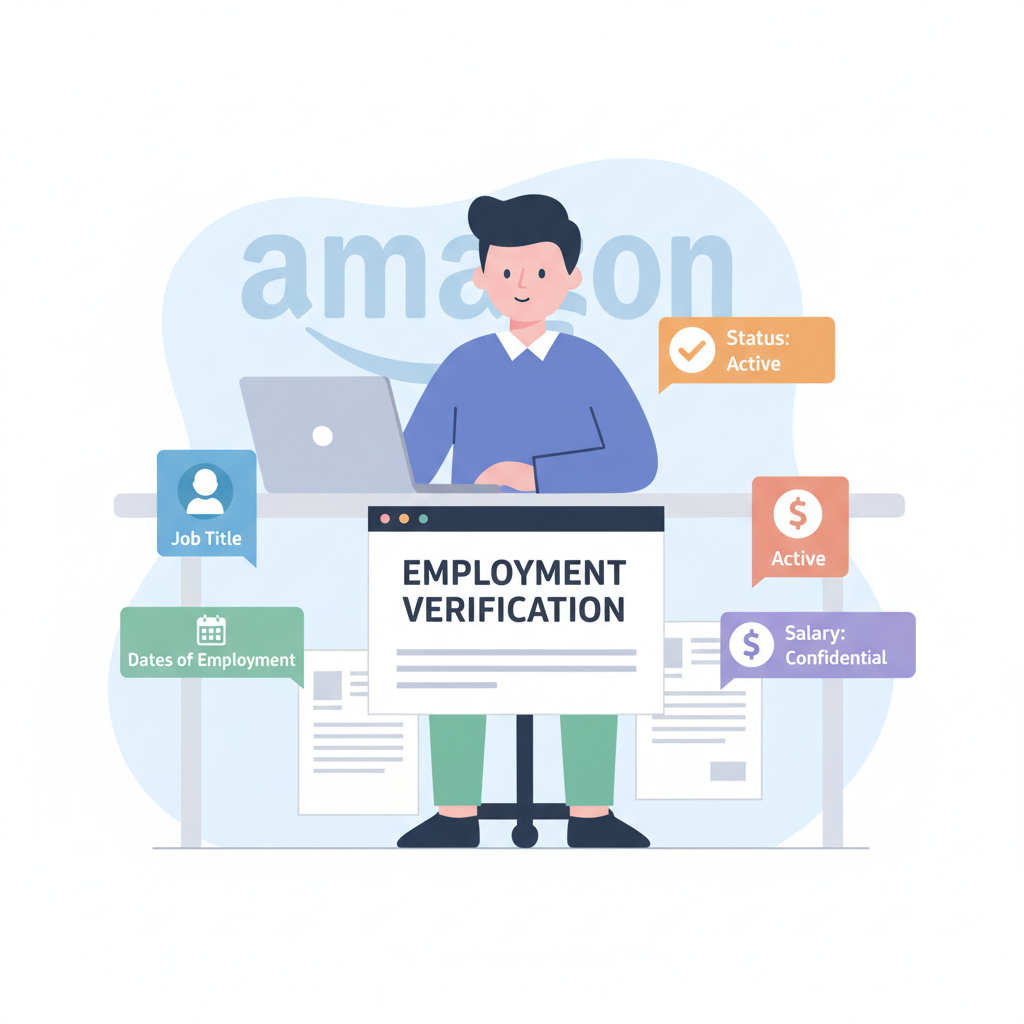
Understanding the core pieces of information verifiers actually care about—job title, dates, status, and sometimes salary.
Trying to get your Amazon employment verified and suddenly everyone needs paperwork right now—your new employer, your lender, maybe even your landlord?
Let’s untangle how Amazon employment verification actually works, who handles it, and what to do if you’re a current employee, a former employee, or a third-party trying to confirm someone’s job.
We’ll keep this simple, practical, and very non-legalese.
Employment verification in plain English: just enough data to prove someone really worked where they said they did.
What Is Amazon Employment Verification (In Plain English)?
“Employment verification” is just proof that you really worked (or still work) at Amazon—plus basic details like:
- Your job title
- Dates of employment
- Current employment status (active, terminated, on leave, etc.)
- Sometimes salary/pay info (but usually only with your consent)
Why people ask for this:
- New employer confirming your work history
- Mortgage or auto lender checking income and job stability
- Landlord verifying that you have a real job
- Government agency (e.g., for benefits or immigration paperwork)
Now, the important part: Amazon doesn’t usually answer these requests manually by email or phone. They use third-party verification services.

Instead of answering every fax on earth, Amazon routes verification through secure external platforms and internal HR portals.
Who Actually Verifies Amazon Employment?
Amazon uses outside services to process employment and income verification instead of having HR respond to every random fax on earth.
Depending on your role, country, and the time period you worked, the company often relies on one or more of these:
- A third‑party verification platform (like The Work Number / similar services)
- Your Amazon employment portal / HR portal (for current employees, often via A to Z or internal HR site)
- A designated support team reachable through your internal HR help system
Because Amazon is huge and global, the exact vendor and process can vary by region and business unit (Amazon corporate, fulfillment centers, Whole Foods, etc.). That’s why the safest move is to always start inside your Amazon account/HR portal first.
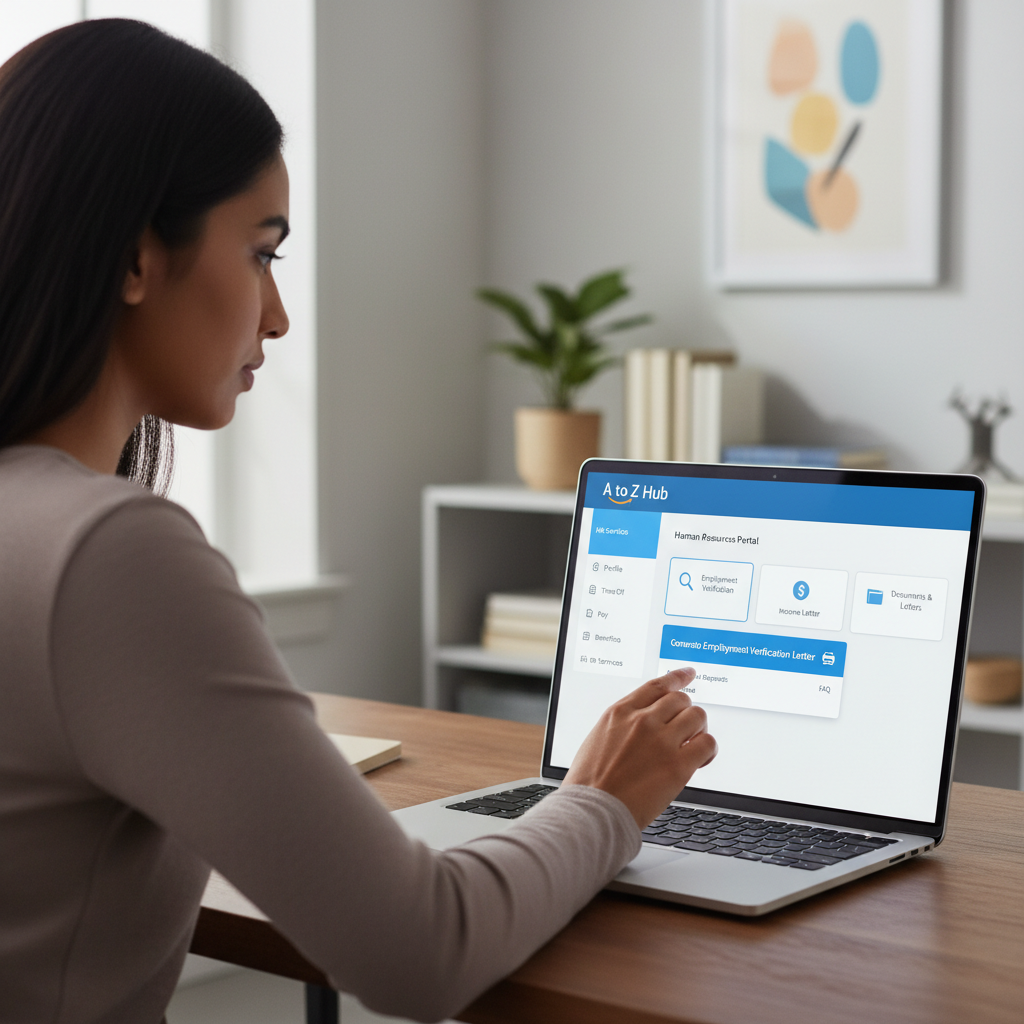
For current employees, the A to Z or HR portal is your command center for fast, self-service verification letters.
For Current Amazon Employees: How To Get Employment Verification
If you currently work at Amazon (FC associate, corporate, AWS, etc.), do this first:
1. Log into your Amazon employee portal
- Use your normal Amazon work credentials.
- In the U.S., this is typically through Amazon A to Z or your internal HR site.
Once you’re in, look for sections labeled something like:
- “Employment Verification”
- “Income & Employment Letters”
- “Proof of Employment”
- “HR Documents” or “Documents & Letters”
From there, you’ll usually see options like:
- Generate an Employment Verification Letter (PDF you can download or email)
- Generate an Income Verification Letter (includes salary/pay info)
- Links/instructions for lenders or employers to use a third‑party verification service
2. Decide what type of proof you need
Different requestors care about different things:
- New employer – often just wants job title + dates + status
- Landlord – usually wants income range / pay frequency
- Lender (car, mortgage, loan) – often requires verified income directly from a third‑party verification site
Common options you may see:
- Basic Employment Letter: Name, title, start date, status (no salary)
- Employment + Income Letter: Above plus base pay (and maybe variable pay)
- Third‑Party Access: A code or instructions the verifier can use to pull your info directly
3. Follow the instructions for third parties
Most large employers, including Amazon, want external verifiers to:
- Go to a specific employment verification website, or
- Use a phone/fax number hosted by the third‑party service, not Amazon HR directly
You’ll typically:
- Give the verifier your full name and sometimes a partial SSN or employee ID
- Provide any company code or employer name they must select from a drop‑down
- (If income is needed) Give your written/online consent inside that system

No longer at Amazon? A mix of former-employee portal access, third-party services, and your saved documents can still do the job.
For Former Amazon Employees: How To Prove You Worked There
If you left Amazon and now someone wants proof you were really there (yes, your resume is not enough), you still have options.
1. See if you still have limited HR portal access
For a period after you leave, you may still have limited access to a former‑employee portal. If you can:
- Log in and look for “Employment Verification” or “Documents”
- Download final pay stubs, W‑2s, or employment letters, if available
If you can’t log in anymore, skip to the next step.
2. Direct the verifier to the official verification service
Most of the time, your new employer or lender should:
- Use a third‑party verification website (often the same one Amazon uses for current employees), or
- Submit a request through that vendor’s phone/fax/online form
Your job is to:
- Tell them you were employed by Amazon.com, Inc. (or a specific Amazon subsidiary if relevant)
- Provide:
- Your full legal name during employment
- Dates of employment (approximate is okay at first)
- Last 4 digits of your SSN (for U.S. verifications)
If they need income verification and the service requires your consent, you may have to:
- Sign a release form, or
- Complete an authorization in an online system they send you
3. Use your own documents as backup
If some smaller employer or landlord doesn’t want to pay for a third‑party verification, you may have to provide:
- Old pay stubs from Amazon
- W‑2 or 1099 (if applicable)
- Offer letter or separation letter (if you have it)
- Promotion letters or bonus letters (for role/salary context)
Many landlords and small employers will accept this if they can’t easily access a big verification service.

Employers, landlords, and lenders all check differently—but the smart ones use official letters and standardized platforms.
For Employers, Landlords, and Lenders: How To Verify Amazon Employment
If you’re trying to confirm someone’s Amazon job, here’s the high‑level process that usually works.
1. Ask the candidate/tenant which Amazon business and country
This matters more than you’d think. Amazon is huge.
Clarify:
- Country of employment (e.g., U.S., Canada, India, EU, etc.)
- Business unit if known (e.g., Amazon corporate, fulfillment center, Whole Foods, AWS)
2. Have them request or generate an official letter
For many basic verifications, the fastest path is to:
- Ask the individual to log into their Amazon HR/employee portal
- Generate an employment verification letter (and income letter, if needed)
- Have them send that directly to you (PDF or printed)
You can then:
- Cross‑check the letter against their ID
- Compare dates and role against the resume or rental application
3. Use a third‑party verification service when required
For high‑stakes scenarios (mortgages, bigger loans, etc.), you likely:
- Use your usual employment verification platform and
- Search for Amazon as the employer
The system will:
- Pull job details and sometimes income directly from Amazon/its payroll sources
- Often require the individual’s consent for income details
4. Avoid cold‑calling Amazon facilities
Individual fulfillment centers, corporate offices, or stores typically:
- Will not confirm employment over the phone
- May redirect you to the official verification system
For compliance, privacy, and security, always use the documented channel (employee portal + third‑party vendor) rather than improvising.
Basic job facts are usually fair game; income details live behind an extra layer of consent and security.
What Information Can Actually Be Shared?
Here’s the typical breakdown of what can be released and when.
Basic employment verification (usually without special consent)
This often includes:
- Employee’s name
- Employer (Amazon)
- Job title/position
- Employment status (active, terminated, on leave)
- Hire date and sometimes termination date
This is what many HR departments classify as “non-sensitive” verification.
Employment + income verification (usually requires consent)
If someone wants proof of how much you make/made at Amazon, that typically requires:
- Your written or electronic consent
- A lender/employer using a compliant verification platform
They might see:
- Base salary or hourly rate
- Pay frequency
- Sometimes bonus/commission or average hours worked
Why consent matters
Income data is sensitive. Reputable employers and verification services strictly require:
- Your sign‑off before releasing detailed pay
- Secure channels (encrypted portals, not random email attachments)
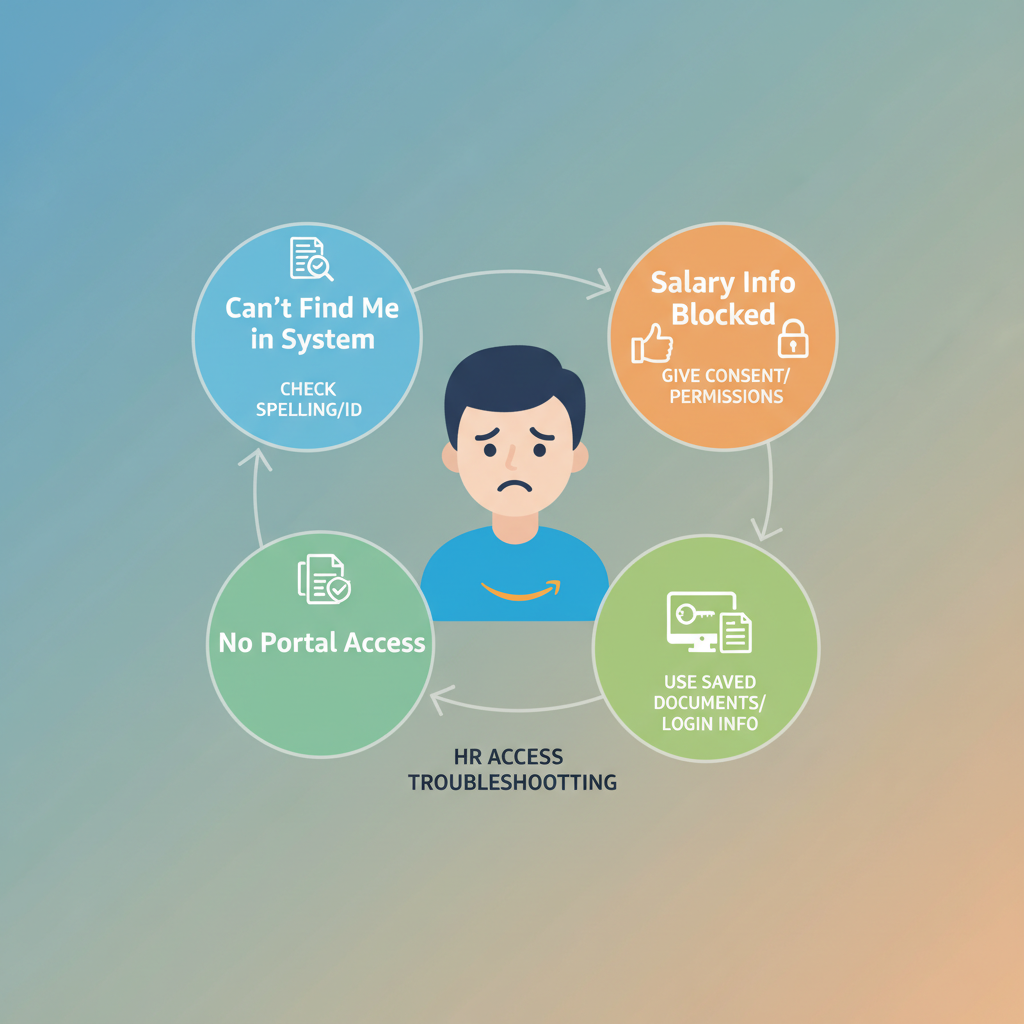
Most verification headaches boil down to three things: search errors, missing consent, or lost access—and each has a fast fix.
Common Problems (And How To Fix Them Fast)
1. “My new employer can’t find me in the system.”
A few things to check:
- Did they spell your name exactly as on your Amazon records?
- Are they using the right employer name (Amazon.com, Inc. vs a subsidiary)?
- Are they verifying for the correct country and dates?
Fix: Have them double‑check spelling, employer name, and your SSN/ID digits. If necessary, generate an employment letter from your HR portal as a backup.
2. “They need my salary history and it’s blocked.”
Chances are the system is waiting for your consent.
Fix:
- Ask the verifier if they sent you an authorization link/form
- Log into any verification portal they mention and approve the income request
- If you prefer not to share full history, ask if a current salary confirmation is enough (some systems support this).
3. “I left Amazon years ago—no portal access, no documents.”
This one’s painful but not hopeless.
Fix:
- Check old email for W‑2s, pay stubs, or any HR communications
- Ask your verifier if year‑end tax forms or old pay stubs will suffice
- If they need third‑party verification, they should try their verification service using:
- Your full name at the time
- Last 4 of SSN
- Best‑guess dates of employment
Different roles, different next steps—but the path is always: portal first, official services second, saved documents as backup.
Quick Checklist: What You Should Do Next
If you’re a current Amazon employee
- Log into your Amazon employee/A to Z portal.
- Find Employment Verification or Documents/Letters.
- Generate the appropriate employment or income letter.
- If a lender/employer insists on a third‑party pull, follow the portal instructions to give them the right URL/code.
If you’re a former Amazon employee
- Try logging into any former‑employee portal (if available).
- Download any verification or tax documents you can.
- Tell your verifier to use their standard employment verification service, selecting Amazon as employer.
- Provide exact name, dates, country, and SSN/ID details.
If you’re an employer, landlord, or lender
- Ask the individual to generate a verification letter from their Amazon portal.
- For income/bigger decisions, use your employment verification platform and select Amazon.
- Don’t call random Amazon sites—stick to the official processes.
Done right, employment verification should be the most boring part of your move, loan, or job change—and that’s a good thing.
Final Word: Keep It Boring (In a Good Way)
Employment verification should be one of the least dramatic parts of changing jobs, renting a place, or getting a loan.
If you:
- Start with the Amazon HR/employee portal
- Use recognized verification services
- Make sure the worker consents to income checks
…you’ll usually get what you need in hours or a few business days, not weeks.
Keep your old docs, follow the official channels, and your Amazon employment verification becomes just another box checked—no chaos required.