Amazon FBA, Actually Explained (Without the Lamborghini)

If I had a dollar for every “Amazon FBA changed my life” YouTube thumbnail, I could retire without ever touching Amazon FBA. But here we are, being responsible adults and actually reading instead of clicking on someone in a Lamborghini.
Let’s break down what Amazon FBA really is, how it works, and whether this Amazon FBA business model belongs in your life… or in the same folder as your abandoned “day trader” phase.
Amazon FBA in Simple Terms
Imagine you sell products online, but you hate packing boxes, standing in post office lines, and answering emails like “Where is my package???” 32 seconds after it ships.
The Amazon FBA program is basically:
You: “Here, Amazon, hold my stuff and ship it when people buy.”
Amazon: “Cool, we’ll store it, pack it, ship it, and deal with Karen’s return. You just pay us and bring more stuff.”
FBA = Fulfillment by Amazon.
You’re still running your own Amazon FBA business:
- You choose what to sell
- You set your prices
- You create your listings (hello, Amazon SEO)
- You drive traffic (via ads, SEO, promos, influencers, etc.)
But once a customer clicks “Buy Now,” Amazon’s robots and humans tag‑team the rest of the Amazon FBA fulfillment process.
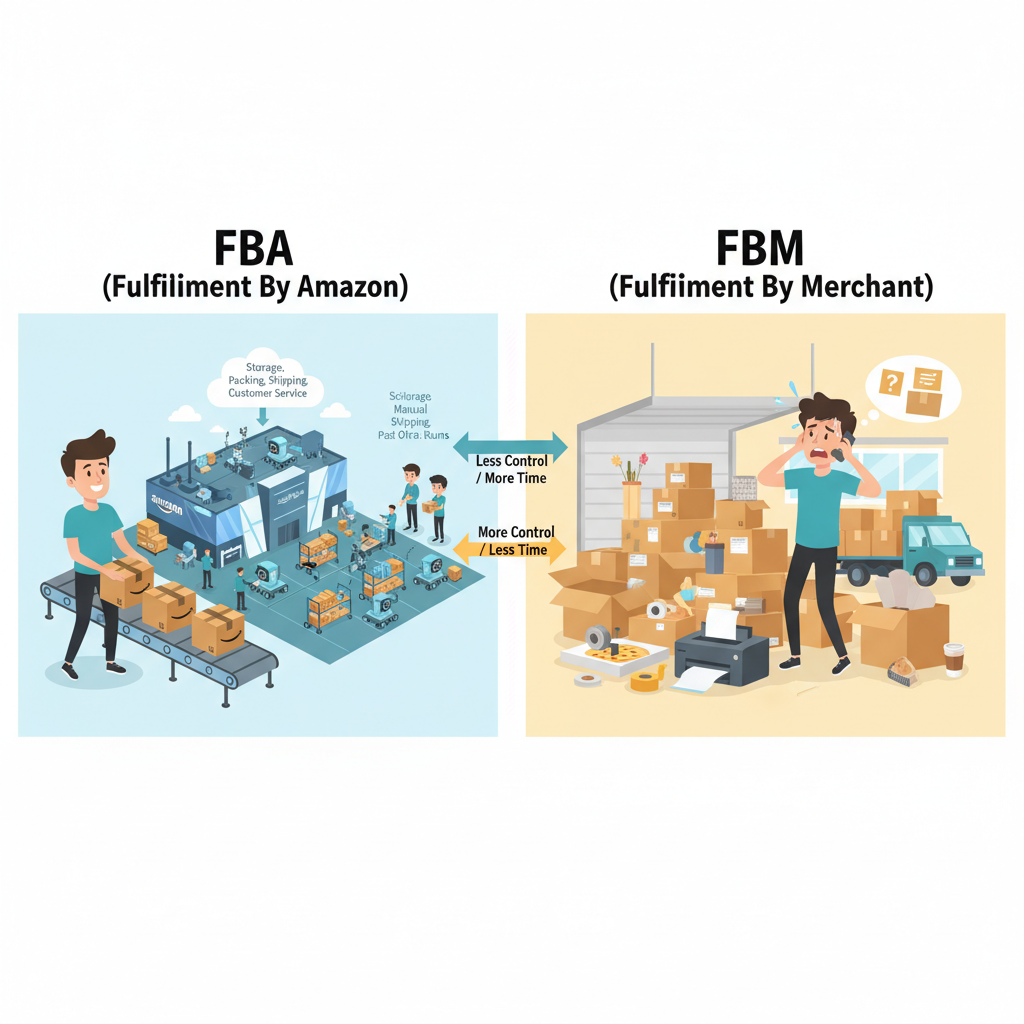
FBA vs FBM (a.k.a. You vs You Doing All the Work)
On Amazon, there are two main ways to fulfill orders:
FBA – Fulfilled by Amazon
- Your products sit in Amazon’s fulfillment centers
- Amazon picks, packs, ships, and handles customer service/returns
- Your items can be Prime‑eligible, which usually = more clicks, more trust, more sales
Think: You’re renting Amazon’s logistics empire to power your ecommerce business.
FBM – Fulfilled by Merchant (that’s you)
- You (or a third‑party logistics company) store the products
- You handle shipping, tracking, and a lot of the customer interaction
- You generally pay lower Amazon FBA fees, but you gain new hobbies like taping boxes at midnight
FBA is popular because even one‑person Amazon sellers can look like giant, professional brands with two‑day shipping… without living inside a warehouse.

How Amazon FBA Works: The Big Picture
Here’s the “from idea to doorstep” pipeline for a typical Amazon FBA business:
- You choose products to sell
- You create product listings in Amazon Seller Central
- You prep and ship inventory to Amazon’s warehouses
- A customer orders on Amazon
- Amazon picks, packs, and ships the order via FBA
- Amazon handles most customer service and returns
- You get paid (after Amazon takes its cut like a very enthusiastic landlord)
Let’s zoom in on what you actually do in this Amazon FBA business model.
Step‑by‑Step: What You Actually Do as an FBA Seller
1. Set Up Your Amazon Seller Account
To play in FBA‑land, you need an Amazon Seller Central account.
In the U.S., you choose between:
- Individual account
- No monthly subscription fee
- You pay a per‑item fee on each sale
- Best if you’re testing the waters and selling < ~40 items/month
- Professional account
- Flat monthly subscription fee
- No per‑item fee
- Required for serious selling, bulk tools, and Amazon PPC ads
If your goal is “real business,” not “maybe I’ll sell 3 things and get bored,” the Professional plan is the usual move.
On top of that, you’ll usually:
- Pick a business structure (sole prop vs LLC, etc.)
- Get an EIN if you’re a formal business
- Open a business bank account so your Amazon income doesn’t swim in the same pool as your DoorDash expenses
No, the IRS does not accept “vibes” as a tax category. Yet.
2. Choose a Product and a Business Model
FBA is just the delivery system. You still need something worth delivering.
Common ways people source products for Amazon FBA:
- Private label
- You create your own branded version of a product
- Usually work with manufacturers (often overseas or domestic)
- Higher startup cost but more control, better long‑term upside for your Amazon FBA brand
- Wholesale
- You buy existing brands in bulk from distributors/brands
- Resell them on Amazon using the FBA program
- Less branding work, more relationship & compliance work
- Retail / Online Arbitrage
- You find discounted products (clearance, online deals)
- Resell on Amazon at a higher price
- Lower initial capital, more time hunting deals and tracking Amazon FBA fees
- Print‑on‑demand / custom
- Less directly FBA‑ish, but can overlap with Amazon FBA in some niches
Different models = different flavors of pain and opportunity. Choose your chaos based on your budget, risk tolerance, and whether you enjoy spreadsheets or treasure hunts.
3. Create or Enroll Your Products in FBA
Once you actually decide what to sell and how to start Amazon FBA:
- You create a product listing in Seller Central
- Title, photos, bullet points, description, price, keywords (yes, this is where Amazon SEO matters)
- You tell Amazon you want the item Fulfilled by Amazon (FBA), not FBM
Two scenarios:
- Selling an existing product?
- You likely join an existing listing (as another seller)
- Selling your own brand / private label?
- You create a new listing with your brand, barcode (UPC/GTIN), and all that glam
This is where copywriting and images do heavy lifting. A good product with bad photos is like showing up to a job interview in Crocs and a stained hoodie. Technically allowed. Not advised.
4. Prep and Ship Inventory to Amazon
Here’s where Amazon stops joking and starts acting like a strict hall monitor.
They have specific FBA prep and labeling rules, like:
- Every unit needs a scannable barcode (often an FNSKU label unique to you)
- Certain products need poly bags, warning labels, or specific packaging
- Your boxes need correct shipment labels and packing rules followed
Process, in short:
- In Seller Central, you create a shipment plan
- Amazon tells you which warehouse(s) to send inventory to
- You prep and label products (or pay someone to do it)
- You ship boxes to those fulfillment centers
You can:
- Do it all yourself (a.k.a. live in a sea of cardboard), or
- Use a prep center that receives your supplier’s shipment, preps everything to Amazon standards, and forwards it in
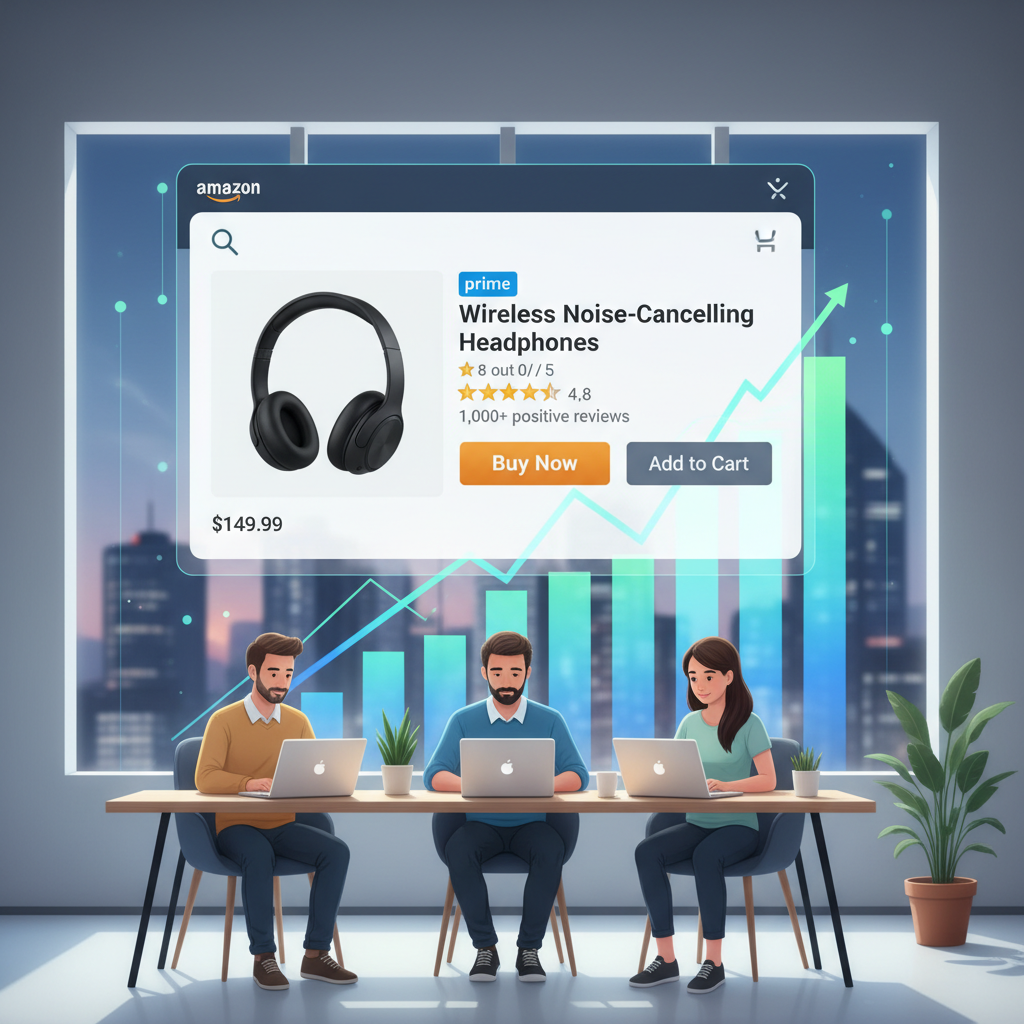
Once Amazon checks in your inventory, your listing goes live with Prime eligibility (assuming FBA stock is available), and customers can start hammering that Buy button.
5. Amazon Handles Orders, Shipping, and Service
Customer clicks “Buy Now.”
You do… nothing.
Behind the scenes:
- Amazon’s system finds your product in a fulfillment center
- Warehouse staff/robots pick, pack, and ship the item
- Tracking gets sent automatically
- Amazon handles delivery issues, many returns, and most logistics‑related questions
You’re not taping boxes, chasing tracking numbers, or emotionally negotiating with a mail clerk. This is the magic people fall in love with when they talk about “how to start Amazon FBA” like a dream.
Why So Many Sellers Use FBA: The Upsides
1. Prime Badge = More Sales (Usually)
That little Prime logo is like a trust badge on steroids.
- Many shoppers filter by “Prime Only”
- Fast shipping + Amazon backing = higher conversion
- FBA items can often rank better because they convert better
More trust → more people buying → Amazon likes listings that sell → you’re rewarded with more visibility in Amazon search results. It’s like a popularity contest you can actually win.
2. Fewer Operational Headaches
With the Amazon FBA program, you can mostly dodge:
- Renting your own warehouse
- Hiring staff to pick, pack, and ship
- Negotiating with multiple carriers
- Handling every single return personally
Instead, you can focus on:
- Product research & development
- Improving listings, photos, and keywords for better Amazon SEO
- Launch strategies, ads, and brand building
- Expanding your product line
In other words, more “building the business,” less “I ran out of tape again.”
3. Built‑In Scalability
If your sales go from 5 orders a week to 500 a day, Amazon’s reaction is basically: “Tuesday.”
You don’t have to:
- Move to a bigger warehouse
- Hire and train a whole fulfillment team
- Rebuild your shipping processes
Amazon’s fulfillment network is made to handle Black Friday levels of chaos. You just keep the inventory coming and the math working.
4. Multi‑Channel Fulfillment (MCF)
Bonus trick: You can use your Amazon FBA inventory to ship orders from:
- Your own Shopify store
- Other marketplaces like eBay
You sell in multiple places, but your stuff lives in one place—Amazon’s warehouses. It’s like using Amazon as your private logistics department… that everyone else also uses.
The Real Downsides: Fees, Risk, and Loss of Control
This is the part the Lamborghini thumbnails whisper through quickly.
1. FBA Fees and Storage Costs
Amazon is not doing you a favor out of friendship. They charge you, and they are… enthusiastic about it.
You’ll pay:
- Fulfillment fees per unit
- Based on size, weight, category
- Covers picking, packing, shipping, returns handling
- Monthly storage fees
- Charged per cubic foot in their warehouses
- Higher in peak season (Q4)
- Aged / long‑term storage fees
- Extra penalties if stuff sits too long (often 181+ days)
- Translation: Amazon hates your “maybe it’ll sell someday” strategy
On top of that:
- Referral fee – % of your sale price (varies by category)
- Inbound shipping costs – getting product to Amazon
- Ads – if you run PPC, that’s another cost line
Over the years, Amazon FBA fees have gone up a lot, so margin control is not optional. You must:
- Know product cost
- Estimate total FBA fees
- Factor in promotions and returns
- Leave room for profit, not just “technically positive”
If your business model is “I’ll figure it out later,” Amazon will happily figure it out for you… and keep the money.
2. Inventory Risk
Because you send inventory upfront:
- If it doesn’t sell → you pay more storage
- Eventually you may need to discount it, remove it, or have it destroyed (all of which cost money)
The Amazon FBA business model rewards:
- Careful product selection
- Respect for boring things like demand forecasting
And it punishes:
- “Eh, let’s just send 1,000 units and see what happens”
That’s not a strategy. That’s a donation.
3. Competition and Price Pressure
Amazon is basically the Thunderdome of e‑commerce.
You’re up against:
- Many sellers with similar or identical products
- Automated repricing tools that change prices constantly
- Shoppers who can compare 10 nearly identical listings in 3 seconds
If your plan is just “same product, lower price,” enjoy your race to the bottom. Winners get… thin or negative margins.
So you need:
- Strong branding
- Good differentiation (features, bundles, design, audience targeting)
- Excellent images, copy, and reviews
On Amazon, “different and better” beats “same but cheaper” in the long run.
4. Less Direct Relationship with Customers
Amazon owns the customer. You are “that one seller” in the background.
- You don’t get full customer contact info for your own list
- There are strict limits on how and when you can message buyers
- If Amazon suspends your account or deactivates a listing? Your income can vanish overnight
You’re building a business on rented land. Great for speed and reach. Not great for absolute control.
Long term, a lot of serious sellers adopt a hybrid strategy: use Amazon for traffic and trust, while slowly growing their own brand/site and email list off‑Amazon.
Who Is Amazon FBA Good For?
The Amazon FBA program is often a good fit if you:
- Want access to Amazon’s huge audience and Prime trust
- Prefer to outsource shipping and storage
- Are willing to treat it like a real business (numbers, research, branding)
- Have some starting capital for inventory, fees, and mistakes
It’s probably not ideal if you:
- Sell very low‑margin products
- Sell very heavy or bulky items where FBA fees eat most of your profit
- Want total control over customer data and experience
- Are looking for a zero‑investment, no‑risk side hustle
Physical products = real money in, real risk out. This is not a “click button, get rich” simulator.
Is Amazon FBA “Passive Income”?
Hot take in 3…2…1:
No. Not at first. Maybe later.
FBA removes the physical work of shipping. It does not remove the work of:
- Finding viable products
- Vetting suppliers
- Managing inventory and cash flow
- Optimizing listings and running ads
- Dealing with policy changes, reviews, competitors, and the occasional “why is this fee higher this month” moment
Over time, you can:
- Build systems
- Outsource tasks
- Hire VAs or employees
- Automate a lot of the grind
At that point, it can become semi‑passive.
But in the beginning? It’s more like, “Congratulations, you just got a second job that you hope turns into a business.”
Getting Started with Amazon FBA: A Practical Roadmap
If you’re still here, you’re officially above‑average committed. Let’s turn curiosity into a basic how to start Amazon FBA plan.
1. Learn the Rules Before You Break Them
- Read Amazon’s own FBA beginner resources and help pages
- Familiarize yourself with:
- Fees
- Restricted categories
- Product compliance rules
- Packaging/prep requirements
Boring? Yes. Important? Also yes. This is the “read the instructions before assembling the IKEA bookshelf” moment.
2. Decide on a Business Model
Ask yourself:
- Do I want to build a brand? → private label
- Do I prefer existing brands and relationships? → wholesale
- Do I want a low‑cost testing playground? → retail / online arbitrage
Match your choice to:
- Budget
- Risk tolerance
- Time available
- Skill set (negotiation, research, branding, etc.)
3. Research Products and Run the Numbers
This is where dreams go to either live or die.
- Use product research tools (there are plenty on the market) to:
- Estimate demand
- Check competition
- Spot pricing trends
- Plug candidates into Amazon’s FBA revenue calculator and include:
- Product cost
- Inbound shipping to Amazon
- FBA fees
- Referral fees
- A realistic ad spend estimate
If the profit per sale looks skinny before you hit scale, it’s going to get even skinnier once reality joins the party.
4. Handle the Business Basics
- Choose business structure (talk to an accountant/lawyer if needed)
- Get your EIN and set up your business bank account
- Open your Seller Central account with correct legal and tax info
This keeps you from having to explain to your future self why your Amazon FBA business is tangled up with your personal Venmo and pizza receipts.
5. Start Small and Validate
Resist the urge to go all in on day one.
- Place the smallest reasonable test order (MOQ, if working with manufacturers)
- Ship to FBA
- Watch:
- Sell‑through speed
- Reviews
- Return rates
- Actual profit after ads/fees
If it works: scale up, improve, repeat.
If it flops: great, you just bought a relatively cheap education instead of a warehouse full of regret.
6. Build With the Long Game in Mind
Once something is working:
- Improve the product (better packaging, features, bundles)
- Upgrade listing quality (photos, copy, A+ Content if eligible)
- Start actually building a brand, not just “random products that kind of sell”
Eventually, consider:
- Expanding to more SKUs
- Testing other marketplaces
- Launching your own site and using FBA / MCF as your backend
The goal is moving from “I sell stuff on Amazon” to “I own a brand that sells on Amazon… and elsewhere.”
Final Thoughts: Is Amazon FBA Worth It?
Amazon FBA is not a scam, and it’s not a golden ticket. It’s a powerful logistics and distribution system.
In one clean sentence:
Amazon FBA lets you plug into a massive customer base and world‑class fulfillment, as long as you bring a profitable product, sharp math, and a real strategy.
If you want help turning all this into an actual roadmap for your own Amazon FBA business, tell me:
- Your rough budget (e.g., $500, $2K, $10K+)
- How many hours per week you can realistically put in
- Whether you’re leaning toward private label, wholesale, or arbitrage
I’ll outline a focused 90‑day action plan to get you from “curious” to “first product live and learning from real data.”
Leave a Reply