Amazon Fire TV Piracy App Crackdown Explained
If your “free TV” suddenly died on your Fire Stick, you didn’t break it. Amazon probably did.
Over the past year, Amazon has started blocking Fire TV piracy apps—including some you sideloaded yourself. For a lot of people, that means one day everything worked, and the next day… “This app has been disabled because it can put your device or personal data at risk.”
Let’s unpack what’s actually happening, why Amazon is doing this, what’s getting blocked, and what your realistic options are going forward.

What is Amazon doing to Fire TV piracy apps?
Amazon is rolling out changes—via software updates and new device designs—that stop certain third‑party streaming apps from running at all, especially those linked to piracy.
There are two parallel moves:
-
Device‑level blocking on existing Fire TVs
Amazon says it will now “block apps identified as providing access to pirated content, including those downloaded from outside our Appstore.” This applies to both store apps and sideloaded apps on Fire TV devices.
The block happens on the device itself, not just in the Appstore. VPNs won’t help, because once an app is on the block list, Fire OS simply refuses to launch it. (tech.yahoo.com) -
New Fire TV devices that mostly kill sideloading
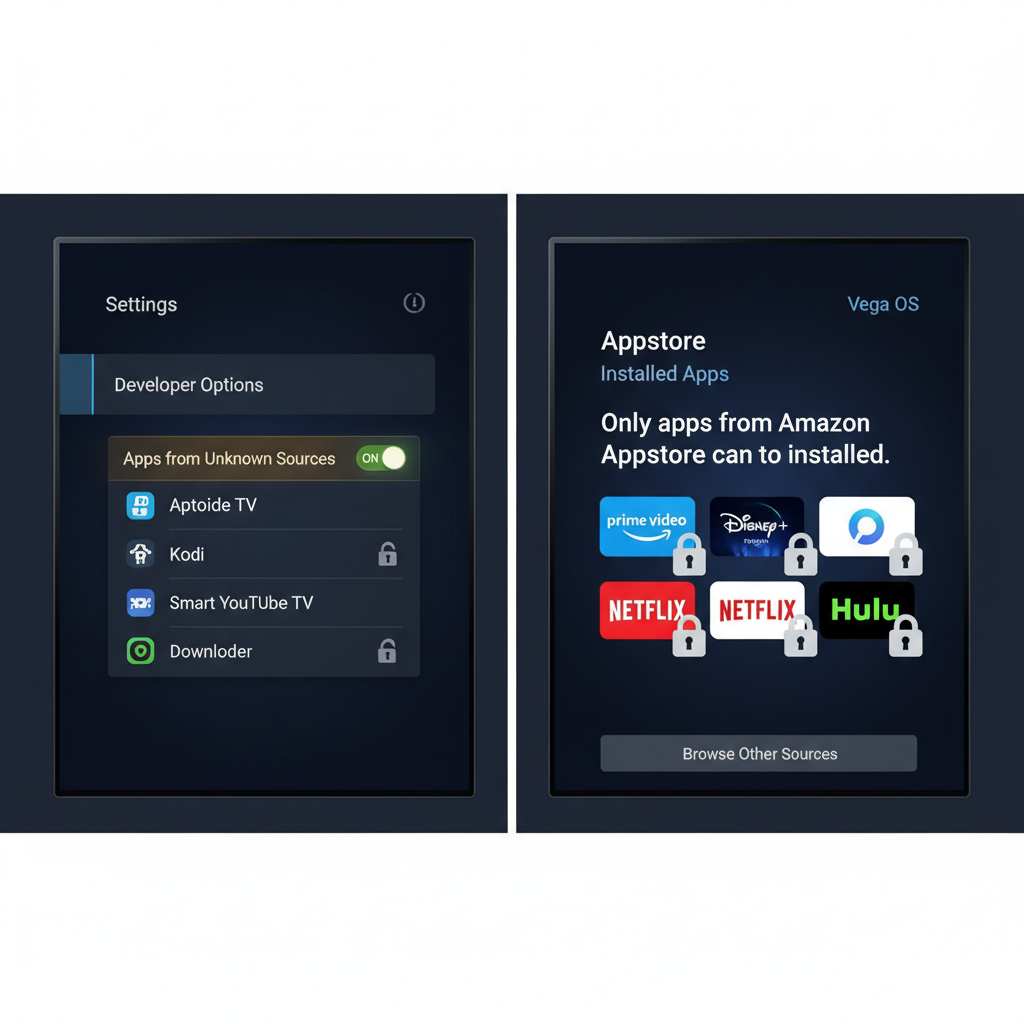
Amazon’s newer Fire TV Stick 4K Select runs a Linux‑based OS called Vega OS instead of Android. On this model, apps can only be installed from the Amazon Appstore; sideloading is essentially reserved for registered developers. (androidcentral.com)

Which Amazon Fire TV apps are being blocked?
Amazon is not publishing an official public blacklist, but we can piece together a picture from user reports and coverage.
Known or widely reported as blocked
On Android‑based Fire TV devices, several apps have been explicitly disabled at the system level over the past year, particularly those linked with questionable or malicious behavior as well as piracy:
- Flix Vision / FlixVision
- Live NetTV
- Blink Streamz
- Ocean Streamz
- UK Turks App (androidauthority.com)
Users report a common pattern:
- The app installs (often via Downloader or another sideloading method).
- Seconds later, a warning appears saying the app is unsafe or could put your device or personal data at risk.
- You’re given options like Keep or Uninstall, but even if you keep it, the app:
- Disappears from your app grid, and
- Shows a caution icon and a message saying it’s disabled if you try to launch it from settings. (firesticktricks.com)
In earlier waves, Amazon said some of these apps were blocked for malicious behavior—for example, bundling SDKs that hijacked user bandwidth or behaved like malware—on top of piracy concerns. (androidauthority.com)
Apps that may be at risk (but not officially named)
Coverage and community chatter frequently mention apps like Stremio, MagisTV, CyberFlix and similar IPTV / movie‑aggregator tools as potential future targets, because they’re widely used for unauthorized streaming. Amazon hasn’t officially confirmed any specific future additions to the block list. (bgr.com)

How does Amazon decide what’s a “piracy app”?
This is where things get fuzzy—and a bit controversial.
Amazon is working with the Alliance for Creativity and Entertainment (ACE), a major anti‑piracy coalition backed by big studios and streaming services. ACE maintains a database of known piracy services and platforms. Amazon appears to be using that intel (and likely its own telemetry) to decide what to block. (tech.yahoo.com)
The enforcement process (what you’ll actually see)
According to reporting and Amazon’s statements, the system works roughly like this: (tomsguide.com)
-
Your Fire TV checks installed apps against a piracy list.
This includes both:- Apps from the Amazon Appstore, and
- Apps you sideloaded using APK files.
-
You get a warning.
A message notifies you that a certain app is unsafe, unauthorized, or provides access to pirated content. You’re prompted to uninstall it voluntarily. -
If you ignore the warning, Amazon blocks it.
The app is disabled at the system level and can no longer be opened. On some devices, it may even disappear from your app row.
And because this happens on the device, not via network filtering, VPNs, DNS tricks, or geo‑hopping won’t bypass the block—once an app is flagged, Fire OS simply refuses to launch it. (techradar.com)
Is sideloading on Fire TV now dead?
Not entirely—but it’s getting squeezed from both sides.
On older / Android‑based Fire TV devices
- Sideloading technically still works in many regions and models. You can still:
- Enable “Apps from Unknown Sources” (where available), and
- Sideload apps via tools like Downloader or ADB.
- However, if the app is on Amazon’s unauthorized or piracy list, it will be auto‑disabled right after installation or during a later scan.
- An Amazon spokesperson has said sideloading is meant for developers to test apps, and that consumer use beyond that is effectively “misusing the feature.” (pcworld.com)
On newer Vega OS devices (like Fire TV Stick 4K Select)
- No consumer sideloading in normal use. Vega OS is designed specifically to lock out unauthorized apps and rely solely on the Amazon Appstore, with sideloading restricted to registered developers. (androidcentral.com)
Realistically, Fire TV is moving toward “closed console” territory—more like a game console or Apple TV than a hack‑friendly Android box.

Why is Amazon blocking piracy apps now?
There are three big drivers.
1. Legal and political pressure
Fire TV devices have been widely associated with illegal sports and IPTV streams. In some markets, reports claim that a significant portion of illegal sports streaming traffic ran through “dodgy Fire Sticks” and similar IPTV boxes. (androidcentral.com)
Broadcasters and rights holders don’t love that. Amazon also sells streaming rights (think Thursday Night Football, Prime Video originals), so hosting the piracy ecosystem on its own hardware is, at best, an awkward look.
2. Security and privacy concerns
Amazon stresses that many of these piracy apps are security nightmares—bundling malware, data‑harvesting SDKs, or sketchy network behavior. That’s how some early blocks were justified even before the full piracy crackdown: apps were flagged as malicious, not just “free movies.” (androidauthority.com)
Even if you don’t care about copyright law, you probably do care about apps quietly hijacking your bandwidth or scraping your data.
3. Platform control (and business)
Let’s be blunt: a tightly controlled app ecosystem is good business. It:
- Protects Amazon’s brand and relationships with content partners.
- Reduces support headaches from bricked or infected devices.
- Keeps more viewing within apps that can show ads, sell subscriptions, or integrate with Amazon’s services.
Does this affect legal apps like Kodi or Plex?
This is the gray zone everyone is nervous about.
Kodi: the poster child for “dual‑use” software
In the past, Amazon removed Kodi from the Appstore because it could be used to facilitate piracy via third‑party add‑ons, even though the base app itself is legal and has many legitimate uses (local media, radio, DVR, etc.). Kodi remained available on Fire TV via sideloading. (pcworld.com)
Under the new crackdown, the big question is whether apps that are legal on their own but commonly used for piracy will get swept up. So far, Amazon and ACE haven’t clearly said where they’ll draw that line.
Plex, Emby, VLC, etc.
Apps like Plex, Emby, VLC, and others with strong mainstream and legitimate use cases are still welcome in the Appstore and generally not targeted. They operate more as media players or servers, not “watch every paid channel for free” front ends. (pcworld.com)
What if you’ve been using piracy apps on Fire TV?
Let’s be honest: a lot of people bought Fire Sticks specifically because “a guy at work” could load them up with free channels.
With Amazon’s crackdown, you have a few options—none of which are magic.
1. Shift to legal free streaming apps
You can still watch plenty without paying extra, using:
- Tubi, Pluto TV, Freevee, The Roku Channel, Plex’s free streaming section, etc.
- Local network apps (NBC, ABC, FOX, etc. in the U.S.) that offer free next‑day content.
These are fully supported on Fire TV and won’t get blocked.
2. Re‑evaluate your paid subscriptions
If you were pirating mainly because “everything is everywhere and it’s too expensive”, you’re not wrong about the fragmentation. But you can:
- Rotate subscriptions monthly (e.g., Netflix for one month, then cancel and do Max the next).
- Target only the services that carry the shows and sports you actually watch.
- Look for bundles or carrier/credit card perks that include streaming discounts.
3. Move to a more open device (if you insist on sideloading)
If your priority is retaining full control and sideloading freedom (for legit or otherwise uses), consider:
- Chromecast with Google TV, Android TV boxes, or NVIDIA Shield (which still support APK sideloading and VPNs). (techradar.com)
- DIY setups like a Raspberry Pi with Kodi or Linux.
4. Accept that some apps are gone for good on Fire TV
If your favorite app has:
- Suddenly vanished from your Fire TV home screen,
- Started showing disabled‑app warnings, or
- Refuses to open after a recent update,
you’re probably not getting it back on that device—no matter how many times you reinstall it.
Will this kill piracy overall?
Not even close.
What it will do is push heavy piracy users off Fire TV and onto more open hardware, and make “fully loaded Fire Sticks” much harder to maintain or sell.
But from Amazon’s perspective, that’s fine:
- It cleans up the brand image around Fire TV.
- It reduces legal and security exposure.
- It aligns Amazon with studios and leagues instead of pirates.
For everyday users who never touched a shady app, the effect is mostly positive: fewer malware‑ridden apps, more consistent behavior, and (in theory) safer streaming.
For power users and cord‑cutting tinkerers, this is another reminder: when you buy into a closed ecosystem, the rules can change with a firmware update.
Quick summary: Amazon Fire TV piracy apps blocked
If you just need the TL;DR, here it is:
- Amazon is blocking known piracy apps on Fire TV at the device level, including some sideloaded ones like Flix Vision, Live NetTV, Blink Streamz, and similar services.
- Blocks are informed by an anti‑piracy partnership with ACE and enforced via software updates.
- VPNs and clever settings won’t help once an app is on the block list; Fire OS simply refuses to run it.
- Newer devices like the Fire TV Stick 4K Select (Vega OS) are even more locked down and largely forbid sideloading for normal users.
- Legit apps and legal free‑to‑watch services are unaffected, but dual‑use tools (like Kodi) live in a murky gray zone.
- If you relied on piracy apps, your choices are: move to legal apps and smarter subscription strategies, or switch to a more open streaming platform knowing the legal and security risks.
Streaming isn’t getting simpler—but at least now you know why your Fire Stick suddenly decided to go straight‑edge.
Leave a Reply