What Is Amazon Pay And How It Works
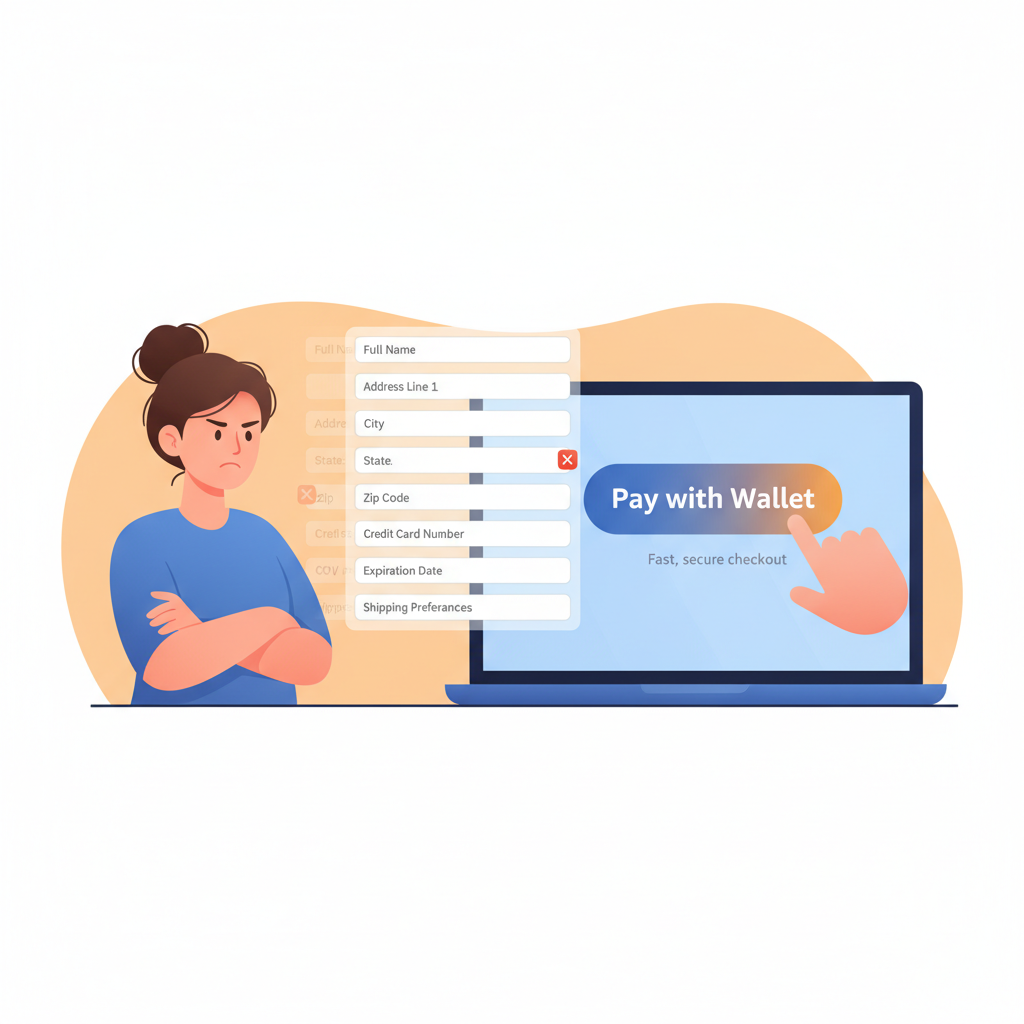
If you’ve ever been halfway through an online checkout, reached for your wallet, and immediately lost the will to live… Amazon Pay is basically built for you.
No new account. No new password. No digging for your card. Just “Use my Amazon account” and you’re done.
But what is Amazon Pay exactly, and is it actually safe to use? Let’s break it down in plain English.

What is Amazon Pay?
Amazon Pay is a digital payment service that lets you use the payment methods and shipping addresses stored in your Amazon account to pay on other websites, apps, and sometimes in-store.
Think of it like this:
Instead of typing your card details into every random online store, you click a button that says “Pay with Amazon,” sign in (or you’re already signed in), and Amazon handles the payment.
You’re not loading money into Amazon Pay like a wallet. It’s just a faster, safer way to use the cards you already have on file with Amazon.
Quick definition
Amazon Pay = A checkout option that uses your existing Amazon account for payments on third‑party sites.
Where can you use Amazon Pay?
You’ll usually see “Amazon Pay” or “Pay with Amazon” as a button on the checkout page of participating merchants.
You might find it:
- On online stores selling physical products (electronics, clothes, gifts, etc.)
- On service-based sites (subscriptions, software, NGOs, donations)
- In some mobile apps for payments or subscriptions
If a site supports Amazon Pay, you’ll typically see the option:
- On the cart page
- Or on the final payment step alongside credit card, PayPal, Apple Pay, etc.
No Amazon Pay button = no Amazon Pay on that site.
How does Amazon Pay work (step by step)?
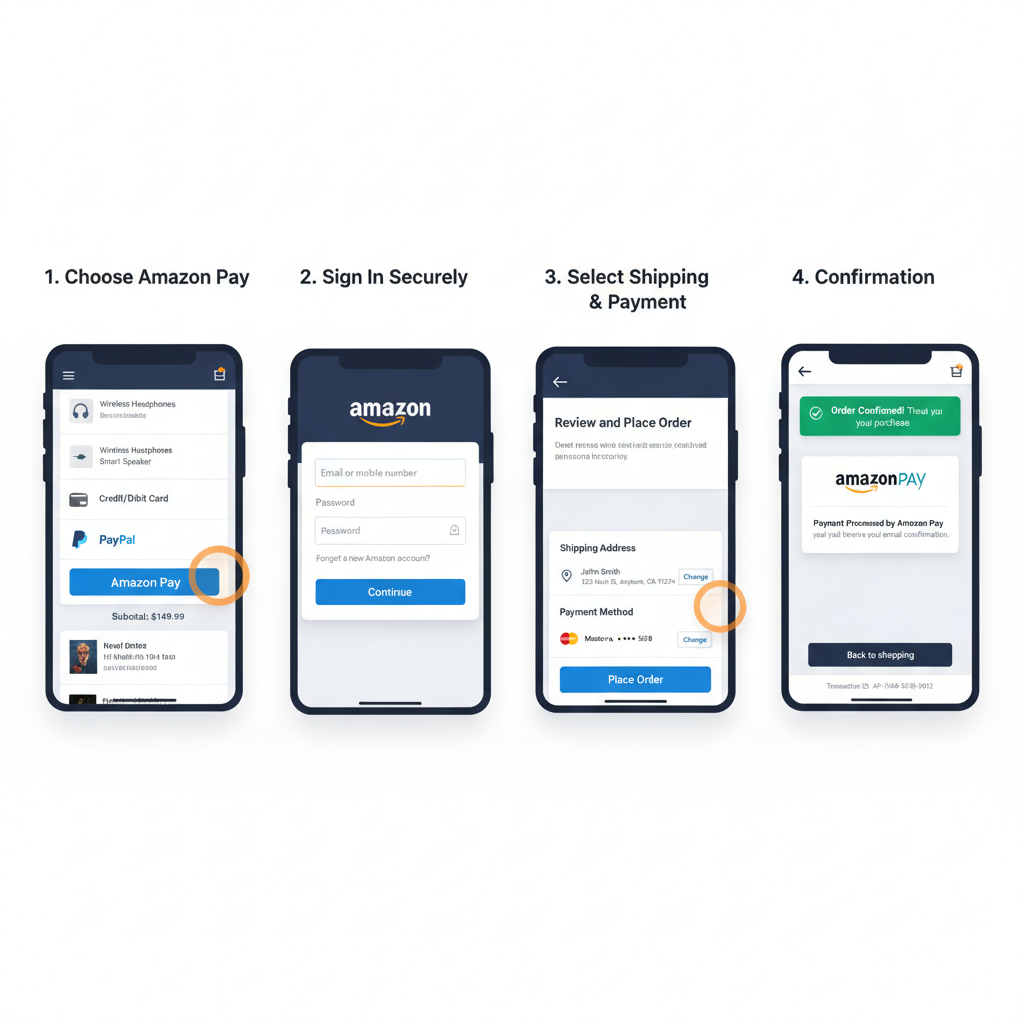
Here’s what actually happens when you use Amazon Pay during checkout:
-
You pick Amazon Pay at checkout
On the merchant’s website, you click “Amazon Pay” instead of entering your card details manually. -
You sign in to your Amazon account
If you’re already signed in on that browser, it might skip this step. Otherwise, you log in using your usual Amazon email and password. -
You choose your payment method and address
You’ll see your saved cards (debit/credit) and shipping addresses from Amazon:- Select the card you want to use
- Pick or confirm a shipping address (for physical goods)
-
Amazon processes the payment
Amazon Pay sends the payment to the merchant using your chosen card—but the merchant never sees your full card number. -
You get confirmation
You’ll typically get:- An order confirmation from the merchant
- A payment confirmation from Amazon Pay in your email or Amazon account
Behind the scenes
- The charge will appear on your card statement as something tied to the merchant, not Amazon (though you may see “Amazon Pay” mentioned in some contexts).
- You can view your Amazon Pay transaction history in your Amazon account settings under Amazon Pay.

What can you pay for with Amazon Pay?
You can use Amazon Pay for things like:
- Physical products: clothes, gadgets, home goods, gifts, etc.
- Digital products: software, subscriptions, memberships
- Services: bookings, online tools, SaaS plans (if the service supports Amazon Pay)
- Donations: some charities and nonprofits accept donations via Amazon Pay
You cannot use Amazon Pay for:
- Buying items directly on Amazon.com (there you just use your normal Amazon checkout)
- Sending money peer-to-peer (it’s not like Venmo or Zelle)
- Most in‑store retail purchases (except specific partnered experiences)

Is Amazon Pay safe?
Let’s be real: No one wants to give their card to every single small store on the internet. Amazon Pay is designed to reduce that risk.
Here’s how it helps from a security perspective:
1. Your card details stay with Amazon
When you pay via Amazon Pay:
- The merchant never sees your full card number.
- Amazon handles the transaction and passes along a confirmation, not your raw card info.
This reduces how many places your card data lives—and fewer places = lower risk.
2. Amazon’s security stack
You’re getting the same security infrastructure Amazon uses for its own orders, which typically includes:
- Encryption for payment data
- Fraud detection/monitoring
- Secure authentication and alerts
Is it bulletproof? No system is. But you’re likely better off using a well-established payment platform than typing card info into sketchy-looking forms.
3. Buyer protection & dispute options
You still have:
- Your bank/credit card chargeback rights
- Amazon’s own support for issues related to Amazon Pay transactions
If something goes wrong (fraud, unauthorized charge, etc.), you can:
- Contact the merchant
- Reach out to Amazon Pay support
- Dispute via your card issuer

Amazon Pay vs. credit card vs. PayPal vs. Apple Pay
So where does Amazon Pay fit in among the usual suspects?
Amazon Pay vs. just typing your card
Typing card directly:
- Pro: Works on almost every site.
- Con: You repeatedly share your card with many companies; annoying and less private.
Amazon Pay:
- Pro: Faster checkout, fewer places storing your card details.
- Con: Only available where merchants support it; you still need an Amazon account.
Amazon Pay vs. PayPal
Similarities:
- Both act as intermediaries: merchants don’t see your full card details.
- Both work on third-party websites.
Differences (high level):
- PayPal often works like a wallet (you can hold a balance, send money to friends, get paid as an individual).
- Amazon Pay is more focused on online shopping and merchant payments, tied to your Amazon account; no peer-to-peer payments.
If you already live in the Amazon ecosystem and don’t care about P2P transfers, Amazon Pay can be very convenient.
Amazon Pay vs. Apple Pay / Google Pay
- Apple Pay/Google Pay are often used on phones and in stores (tap-to-pay) plus some web checkouts.
- Amazon Pay is primarily for web and app-based checkouts via your Amazon login.
Example scenarios where Amazon Pay shines
Scenario 1: The impulse gift purchase
You’re on a small stationery website you’ve never heard of, buying a last‑minute birthday gift. At checkout, you see:
- Enter card details
- PayPal
- Amazon Pay
You choose Amazon Pay, log in, pick your usual Visa and default address, and you’re done in 20 seconds. No new account, no card entry, less anxiety about giving your card info to a random site.
Why Amazon Pay helped: Speed + reduced exposure of card details.
Scenario 2: Subscriptions and recurring payments
Some subscription-based services let you pay using Amazon Pay, and then bill your selected card through Amazon going forward.
The perk?
- If you update your card in your Amazon account, it automatically applies to that subscription payment too (depending on how the merchant set it up).
Why Amazon Pay helped: Centralized card management; you don’t have to update payment details individually on each site.
Scenario 3: Using a shared household Amazon account
Many families share one Amazon account that already has the correct shipping address and a shared card.
If someone else in the household is checking out on a third-party site using Amazon Pay:
- They can use the same familiar card + address without needing access to the physical card.
(Just make sure everyone using that Amazon login is trusted—obviously.)
Why Amazon Pay helped: Convenience for multi-user households.
How to start using Amazon Pay as a shopper
If you already shop on Amazon, you’re basically ready. Still, here’s a quick setup checklist:
-
Make sure your Amazon account is updated
- Add or update your credit/debit cards.
- Confirm your billing address and shipping addresses.
-
Look for the Amazon Pay button when shopping
- At checkout, choose Amazon Pay when it appears.
-
Sign in and confirm details
- Log in using your Amazon credentials.
- Pick which card and address to use.
-
Check email for confirmations
- Keep an eye on order confirmations from both the merchant and Amazon Pay.
You don’t need to install a special Amazon Pay app; it’s all built into the web or app checkout experience.
Pros and cons of using Amazon Pay
Let’s zoom out.
Benefits of Amazon Pay (for you as a customer)
- Faster checkout: No typing card numbers, expiration dates, or addresses.
- Fewer accounts to manage: One Amazon account powers multiple checkouts.
- Less data spread: Fewer websites holding your payment data.
- Familiar interface: Same look/feel as Amazon’s regular checkout.
Drawbacks and limitations
- Not available everywhere: You’ll still run into sites that don’t offer Amazon Pay.
- Requires Amazon account: If you’re avoiding Amazon altogether, this is obviously a no.
- Ecosystem lock-in: The more you rely on Amazon for payments, the more “stuck” you might feel in their ecosystem.
Who should use Amazon Pay (and who shouldn’t)?
Amazon Pay is great if:
- You shop online frequently and hate entering card details.
- You already trust Amazon with your payment data.
- You want a simpler way to manage cards and addresses in one place.
You might skip Amazon Pay if:
- You’re intentionally minimizing how much you use Amazon.
- You prefer other systems like PayPal because of their specific features (e.g., P2P payments).
- You rarely shop online and don’t mind manual checkout forms.
So… what is Amazon Pay, really?
Amazon Pay is a checkout shortcut that lets you use your Amazon account to pay on other websites—saving time and limiting how many businesses see your card details.
If you already live inside the Amazon universe, turning on Amazon Pay when you see it at checkout is almost a no‑brainer: fewer passwords, fewer forms, fewer chances for card info to go wandering.
Next time you’re ready to abandon a cart because the form is too long, look for that little Amazon Pay button. It might just save the sale—and your patience.
Leave a Reply